My Computer
At a glance
WINDOWS 7 ProIntel Celeron2037mbmobile Intel
- Computer Manufacturer/Model Number
- Acer Aspire 5310
- OS
- WINDOWS 7 Pro
- CPU
- Intel Celeron
- Motherboard
- acadia acer
- Memory
- 2037mb
- Graphics Card(s)
- mobile Intel
Nope sorry haven't even used in Vista.Do you know how to use the snippin tool in win7 ?

Cheers DocNope sorry haven't even used in Vista.Do you know how to use the snippin tool in win7 ?
From start menu > Cursor up to snipping tool, select it , Choose new snip & then take a snip screen shot of what you want & then name it & save it for use later on like attaching to posts here. It works fast & great![]()

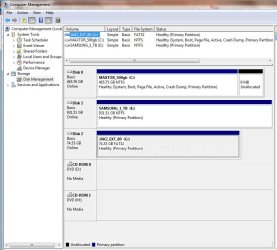
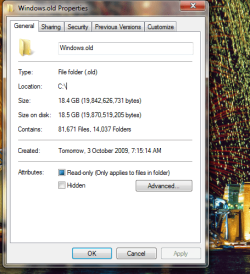
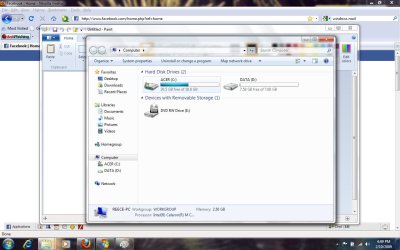
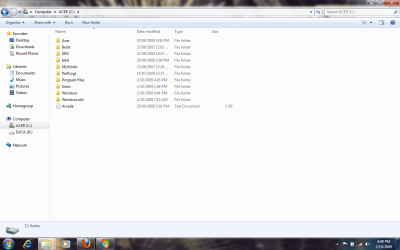
Hey reece86... the reason its so full, is because your previous install was saved to c:/windows.old... it is probably 15-20gb depending on how many apps you have installed... browse that folder for anything you may want to keep, then delete it...
Good Luck...
Hey reece86... the reason its so full, is because your previous install was saved to c:/windows.old... it is probably 15-20gb depending on how many apps you have installed... browse that folder for anything you may want to keep, then delete it...
Good Luck...
Hi Reece86,
Tews is correct.
The Windows.old folder will be very large as it has your old OS install inside, in case you want anything from it.
Open it have a look, keep anything you might want, delete the rest.
Nothing in that folder will affect your new OS.