Should I restart My PC. It has problems.

Meriatressia

New member
Local time
9:52 AM
Messages
14
Location
In the Multiverse
My PC has some problems. Corrupted data. Leftovers from games I deleted. And it's time and date is always wrong.

It has a bad design on the tower, and it has holes on one side only. So it sucks dust in, but does'nt blow it out. And it builds up, then causes overheating. And it shuts off.

In a spate of overheating, something got damaged. And now the time and date is wrong unless corrected.

Is it worth me restarting from factory settings. Will it fix the damage.

I would upload my files to the cloud first. Or save them somewere not virtual.

Do you think restarting from factory would fix it? I think it's damaged software, so hopefully a reset would fix it.

My PC is a Acer, windows 2007 64bit. A desktop. I don't remember if it had a disc to start.
I kept it's papers with me at all times. So if there would be a disc, it's there.

Do you think it needs discs to be reset?

Please help me. It's the best thing I can think of, outside of going to a professional.
 

My Computer My Computer

Computer type
PC/Desktop
Computer Manufacturer/Model Number
acer
OS
Windows 7 64 bit premium
Browser
maxthon 3
Restarting will do nothing at all, did you mean Restore?
 

My Computer My Computer

Computer type
PC/Desktop
Computer Manufacturer/Model Number
Custom
OS
Microsoft Windows 7 Home Premium x86-64
CPU
Intel(R) Core(TM) i5-6500 @ 3.2 gHZ
Motherboard
Gigabyte GA-H110M-A Micro ATX
Memory
16.00 GB
Graphics Card(s)
Asus Turbo GTX 1060
Monitor(s) Displays
HP Pavilion 23bw
Screen Resolution
1920 x 1080
Hard Drives
AMD R3 240GB SSD
PSU
EVGA Supernova 550W GS
Case
Corsair Carbide 88R Micro ATX
Cooling
Fan Cooling
Internet Speed
90/10
Antivirus
Malwarebytes Anti Malware
Browser
Google Chrome
Yes, I meant restore. Restore to factory settings. Wrong word. Sorry. I know restart will do nothing.
 

My Computer My Computer

Computer type
PC/Desktop
Computer Manufacturer/Model Number
acer
OS
Windows 7 64 bit premium
Browser
maxthon 3
Before you do anything you should see to it that the box has proper ventilation - maybe drill some holes on the other side. And don't put it on the floor - especially if that is carpet. Put it on the desk or some box.
 

My Computer My Computer

Computer Manufacturer/Model Number
HP, Dell, Gateway, Toshiba - 4 laptops and 2 desktops
OS
Vista, Windows7, Mint Mate, Zorin, Windows 8
CPU
from 1.6GHz Duo to i7
Monitor(s) Displays
2x HP w2207
Hard Drives
5x HDD, 7x SSD, 12x Externals
Keyboard
with trackball - no mices
Mouse
Trackball mice
Internet Speed
DSL 6000
First things first.
To me the first thing that must be corrected is the overheating problem before you have a toaster. A proper clean system is the place to start and that includes the fan and heat sink on the cpu. Making sure that all case fans work properly and are clean along with their inlet ports.

I'm assuming that at one time the computer didn't overheat. Therefore if clean and fans working properly it shouldn't overheat. Now that doesn't mean that better cooling option shouldn't be use for better cooling. That is the next step.
 

My Computer My Computer

Computer type
PC/Desktop
Computer Manufacturer/Model Number
Home made Desktop
OS
Windows 10 Pro. 64/ version 1709 Windows 7 Pro/64
CPU
Intel i7-6800K @ 4.3
Motherboard
ASUS X-99 Deluxe II
Memory
Corsair Platinum 16 gig @2400
Graphics Card(s)
EVGA GTX 1070 OC
Monitor(s) Displays
Asus 27" LED LCD/VE278Q
Screen Resolution
1920-1080 or 1280-720 HDMI
Hard Drives
INTEL SSD 730-240 Gb Sata 3.0/
PSU
EVGA Platium 1200W
Case
Phanteks Luxe Tempered Glass 8 fans/ one radiator
Cooling
XSPC/ Water Cooled CPU
Keyboard
Das 4 Professional
Mouse
Logitech M705/MX Anywhere 2-S
Internet Speed
100 mbits
Antivirus
Microsoft Security Essentials/ Malwarebytes Premium 3.0/ SAS
Browser
I.E. 11 default/Firefox/ ISP Time Warner Cable/Spectrum
Other Info
LG BluRay Burner/
Sound system-KLipsch-THX/
Icy Dock ssd Hot Swap bays.
Its on a wheeled table now.. was on a desk before. So the placing is ok.

That is something i did not think of. Drilling holes in the other side might improve it.

I looked. No discs. If there were any theyve got lost. Ive got the disc, etc for a printer, and my wifi dongle.

Do you think it will work to factory restore without disc? Its got a tower, monitor, keyboard and mouse.
 

My Computer My Computer

Computer type
PC/Desktop
Computer Manufacturer/Model Number
acer
OS
Windows 7 64 bit premium
Browser
maxthon 3

My Computer My Computer

Computer type
PC/Desktop
Computer Manufacturer/Model Number
Home made Desktop
OS
Windows 10 Pro. 64/ version 1709 Windows 7 Pro/64
CPU
Intel i7-6800K @ 4.3
Motherboard
ASUS X-99 Deluxe II
Memory
Corsair Platinum 16 gig @2400
Graphics Card(s)
EVGA GTX 1070 OC
Monitor(s) Displays
Asus 27" LED LCD/VE278Q
Screen Resolution
1920-1080 or 1280-720 HDMI
Hard Drives
INTEL SSD 730-240 Gb Sata 3.0/
PSU
EVGA Platium 1200W
Case
Phanteks Luxe Tempered Glass 8 fans/ one radiator
Cooling
XSPC/ Water Cooled CPU
Keyboard
Das 4 Professional
Mouse
Logitech M705/MX Anywhere 2-S
Internet Speed
100 mbits
Antivirus
Microsoft Security Essentials/ Malwarebytes Premium 3.0/ SAS
Browser
I.E. 11 default/Firefox/ ISP Time Warner Cable/Spectrum
Other Info
LG BluRay Burner/
Sound system-KLipsch-THX/
Icy Dock ssd Hot Swap bays.
First things first.
To me the first thing that must be corrected is the overheating problem before you have a toaster. A proper clean system is the place to start and that includes the fan and heat sink on the cpu. Making sure that all case fans work properly and are clean along with their inlet ports.

I'm assuming that at one time the computer didn't overheat. Therefore if clean and fans working properly it shouldn't overheat. Now that doesn't mean that better cooling option shouldn't be use for better cooling. That is the next step.

The shutting off and overheating isnt constant. It gets cleaned and it stops if it builds up.
Usually it works well for ages.

Ill do what you say for its next clean. Should it need it.
Its parts appear to work as they should. The fav spins, it doesnt overheat whrn normal, etc. But its got stuff erong in the software, or something. I think. Its not been factory reset since i bought it.

The place we live now is much better than the place brfore. The house before had problems of its ow. The flat is better. How its set up, the constant exturnal cleaning it gets, it should kepp it better. But the bad desiogn alwayd was a issue.
 

My Computer My Computer

Computer type
PC/Desktop
Computer Manufacturer/Model Number
acer
OS
Windows 7 64 bit premium
Browser
maxthon 3
I'm not understanding your last post.

Is the inside of the clean or not?
Did you or did you not check?


From your post #1
And it's time and date is always wrong

I would recommend also replacing your Cmos battery and then setting your time and date in the bios and Windows 7.

Please fill in your system specs completely so we know what we are working with.

How old is this computer?
 

My Computer My Computer

Computer type
PC/Desktop
Computer Manufacturer/Model Number
Home made Desktop
OS
Windows 10 Pro. 64/ version 1709 Windows 7 Pro/64
CPU
Intel i7-6800K @ 4.3
Motherboard
ASUS X-99 Deluxe II
Memory
Corsair Platinum 16 gig @2400
Graphics Card(s)
EVGA GTX 1070 OC
Monitor(s) Displays
Asus 27" LED LCD/VE278Q
Screen Resolution
1920-1080 or 1280-720 HDMI
Hard Drives
INTEL SSD 730-240 Gb Sata 3.0/
PSU
EVGA Platium 1200W
Case
Phanteks Luxe Tempered Glass 8 fans/ one radiator
Cooling
XSPC/ Water Cooled CPU
Keyboard
Das 4 Professional
Mouse
Logitech M705/MX Anywhere 2-S
Internet Speed
100 mbits
Antivirus
Microsoft Security Essentials/ Malwarebytes Premium 3.0/ SAS
Browser
I.E. 11 default/Firefox/ ISP Time Warner Cable/Spectrum
Other Info
LG BluRay Burner/
Sound system-KLipsch-THX/
Icy Dock ssd Hot Swap bays.
Do you know for a fact that all of your fans are running at their rated speeds?

Have you actually measured temperatures with a program designed for that purpose?

What----specifically----makes you think that heat has damaged anything?
 

My Computer My Computer

Computer type
PC/Desktop
Computer Manufacturer/Model Number
Ignatz Special; 4 speed manual gearbox; factory air conditioning; one of one
OS
Windows 7 Home Premium SP1, 64-bit
CPU
Intel Skylake i5-6600K, not overclocked
Motherboard
AsRock Z170M Extreme 4, micro ATX
Memory
8 GB HyperX DDR4-2666 (2 x 4 GB)
Graphics Card(s)
none; graphics are integrated on CPU
Sound Card
onboard: Realtek ALC1150; external: USB Behringer UF0-202
Monitor(s) Displays
Dell S2340M 23 inch IPS
Screen Resolution
1600 x 900
Hard Drives
System: Crucial MX100 series SSD, 128 GB;
Data: Samsung Spinpoint 103SJ, 1 TB;
Backup: WD Caviar Green WD30EZRX-00D8PB0, 3 TB
PSU
Rosewill SilentNight 500 watt fanless, semi-modular
Case
Antec Solo II
Cooling
Noctua NH-U12S; Noctua F12 intake, Noctua S12A exhaust
Keyboard
Microsoft 200 6JH-00001 USB
Mouse
Dell or Microsoft optical wired; USB
Antivirus
Microsoft Security Essentials and Malwarebytes Premium
Browser
Pale Moon
Other Info
All fans PWM; speeds at idle: CPU circa 500 rpm; intake circa 600 rpm; exhaust circa 600 rpm; CPU temps 27 idle and 47 C load in a warm room (27 C/81 F) when running Intel Extreme Tuning Utility stress test.
It did'nt have the time and date problem before a extended run of the fan being dusty and shutting off from overheating.
There's others things I'd like to get rid of that I can't shift too.

And I can't do anything over complex. Nothing involving replacing bits of it.
Going on, it works, stuff does what its meant to. And it didnt do that before the dust thing.


I can restore it if I have to. But my pc knowledge only goes as far as medium. I'm not going anywere it's hardware.
Or messing with it's digital stuff, either.

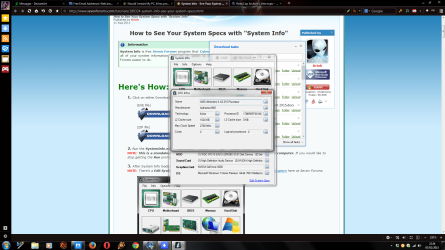
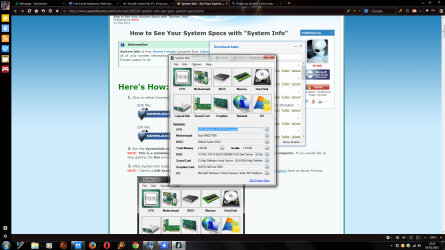
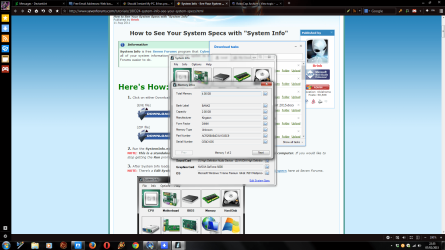
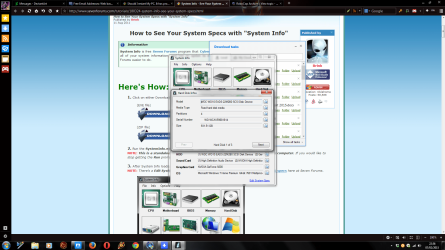
I did the programme. Heres is screenshots of the specs.
 

Attachments

  • specs 1.png
    specs 1.png
    175.2 KB · Views: 2
  • specs.png
    specs.png
    184.2 KB · Views: 1
  • specs 2.png
    specs 2.png
    182.1 KB · Views: 1
  • specs 3.png
    specs 3.png
    175.9 KB · Views: 1
  • specs 4.png
    specs 4.png
    178.4 KB · Views: 1

My Computer My Computer

Computer type
PC/Desktop
Computer Manufacturer/Model Number
acer
OS
Windows 7 64 bit premium
Browser
maxthon 3
I have scanned it, used various stuff to try and find the cause. Tried doing boot scans, the scan stuff. Nothing.
I've done everything I can. it's had many updates since it started. Nothing.

I am not touching anything complex for anything. I keep well out of it's complex bits.

I'm hoping there is some way to work out if the time date thing is hardware or software. And if a factory restore will fix it.

I can do factory restore. Done it on my husbands pc. I fix most of his problems on his pc.

It's 5 years old. Never been factory reset before, avast catches the virus', etc.


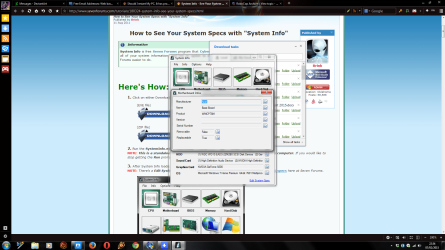
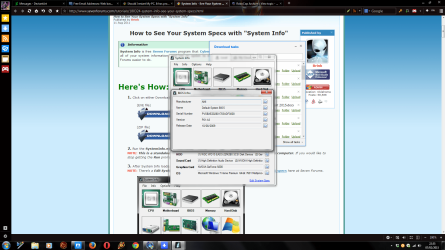
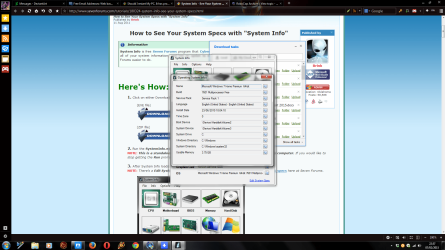
More screenshots.
 

Attachments

  • specs 5.png
    specs 5.png
    193.3 KB · Views: 1
  • specs 6.png
    specs 6.png
    172.2 KB · Views: 0

My Computer My Computer

Computer type
PC/Desktop
Computer Manufacturer/Model Number
acer
OS
Windows 7 64 bit premium
Browser
maxthon 3
We need your help so we can help you.
We don't know what you consider complex. It surly can't be replacing a cmos battery because it is very simple.

Please read back through this thread and and answer all questions.
Let us know what recommendation you have completed and the results.
Also let us know what recommendation you chose not to complete.

**You did not complete the tutorial on how to fill in system spec correctly.
Please try again.**

System Info - See Your System Specs

Basically we need to know:
1 .What you have done and results.

2. What you haven't done that was requested.

3. What conditions your computer is at this time.
 

My Computer My Computer

Computer type
PC/Desktop
Computer Manufacturer/Model Number
Home made Desktop
OS
Windows 10 Pro. 64/ version 1709 Windows 7 Pro/64
CPU
Intel i7-6800K @ 4.3
Motherboard
ASUS X-99 Deluxe II
Memory
Corsair Platinum 16 gig @2400
Graphics Card(s)
EVGA GTX 1070 OC
Monitor(s) Displays
Asus 27" LED LCD/VE278Q
Screen Resolution
1920-1080 or 1280-720 HDMI
Hard Drives
INTEL SSD 730-240 Gb Sata 3.0/
PSU
EVGA Platium 1200W
Case
Phanteks Luxe Tempered Glass 8 fans/ one radiator
Cooling
XSPC/ Water Cooled CPU
Keyboard
Das 4 Professional
Mouse
Logitech M705/MX Anywhere 2-S
Internet Speed
100 mbits
Antivirus
Microsoft Security Essentials/ Malwarebytes Premium 3.0/ SAS
Browser
I.E. 11 default/Firefox/ ISP Time Warner Cable/Spectrum
Other Info
LG BluRay Burner/
Sound system-KLipsch-THX/
Icy Dock ssd Hot Swap bays.
I asked you to perform very specific steps which are explained how to do in Troubleshooting Steps for Windows 7.

Instead you post back screenshots of your Specs which show nothing in reply to the specific steps I gave you.

I asked you to monitor your CPU temps in the System Tray using the step in tutorial to install Core Temp and configure it to display in your system tray. Instead you post back specs leaving out the tabs which actually show the temperature.

Instead of telling us what you won't do, why don't you start working on the very specific steps you've been given so that your problem might be detected? Did you come here to ignore our help and tell us what you won't do, or to actually work with us to solve your problem?
 
Back
Top