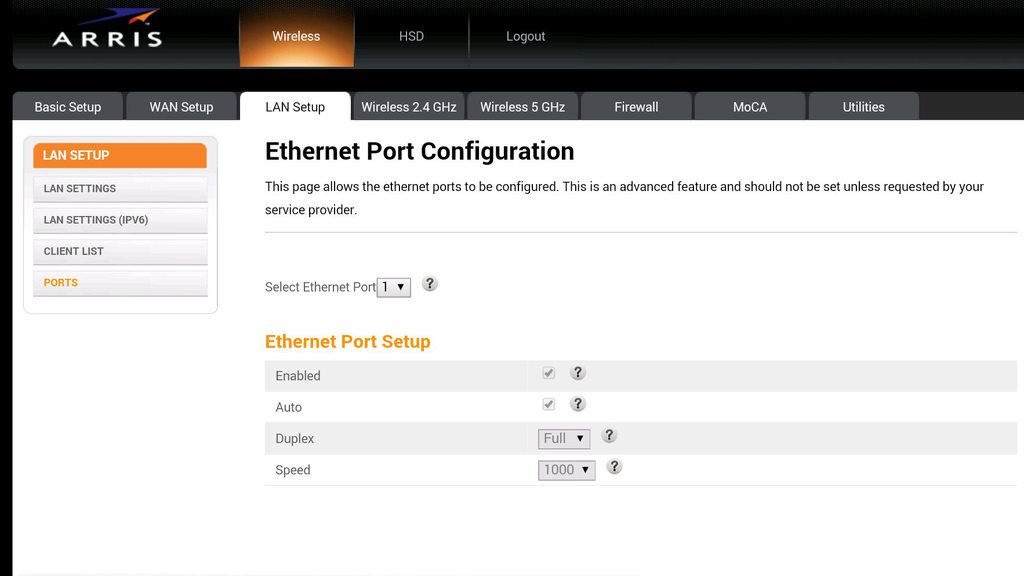
My network card is a Realtek PCIe FE Family Controller. I don't know what caused this problem but my Realtek driver is up-to-date, and previously it was a link speed of 100 Mbps.
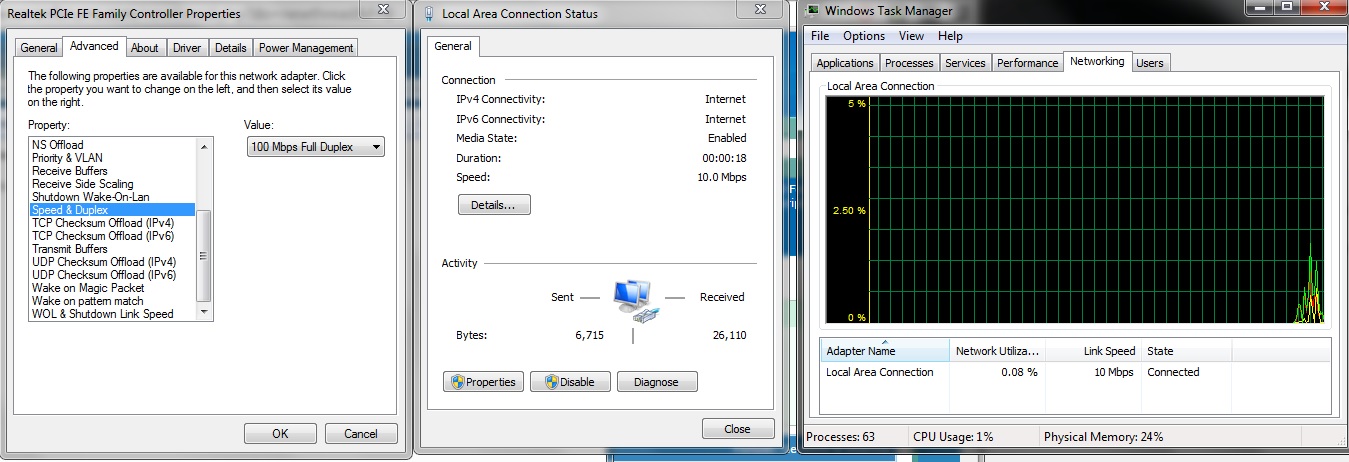
But now for some reason it suddenly dropped to a link speed of 10 Mbps and I've tried a lot to no avail. As you can see on the left I've tried changing the speed/duplex setting but it remains at 10 Mbps no matter how many restarts, disables and re-enables and such.
And yes, I do have the internet speed to go beyond 10 Mbps:

This is a speedtest done on my desktop computer
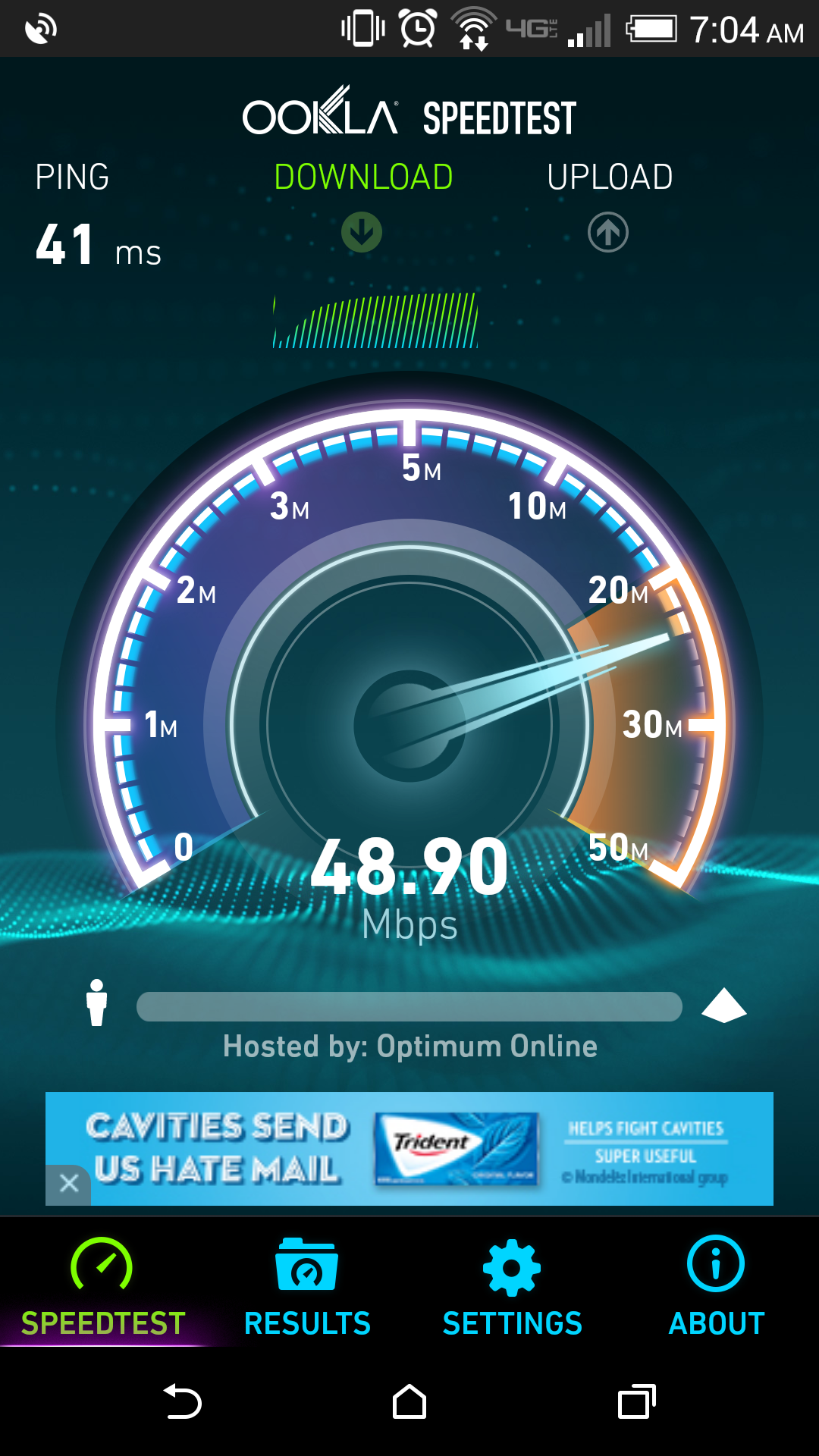
And this one was done on my phone and this was wireless as well..
I'd rather not call Time Warner Cable. They'll send someone who's only going to end up wasting my time and reaching no solution. I'd like to avoid sitting with the person they send for a half hour and it having it end with them asking me if have I considered the innovative idea of reformatting my computer.
Thank you in advance for any help you can give me.
-Windows 7 Home Premium x64 OS
-Currently installed Driver Version: 7.91.1119.2014
But now for some reason it suddenly dropped to a link speed of 10 Mbps and I've tried a lot to no avail. As you can see on the left I've tried changing the speed/duplex setting but it remains at 10 Mbps no matter how many restarts, disables and re-enables and such.
And yes, I do have the internet speed to go beyond 10 Mbps:
This is a speedtest done on my desktop computer
And this one was done on my phone and this was wireless as well..
I'd rather not call Time Warner Cable. They'll send someone who's only going to end up wasting my time and reaching no solution. I'd like to avoid sitting with the person they send for a half hour and it having it end with them asking me if have I considered the innovative idea of reformatting my computer.
Thank you in advance for any help you can give me.
-Windows 7 Home Premium x64 OS
-Currently installed Driver Version: 7.91.1119.2014
My Computer
At a glance
Windows 7 Home Premium x64AMD Phenom(tm) II X6 1045TAMD Radeon HD 5570
- Computer type
- PC/Desktop
- Computer Manufacturer/Model Number
- HP
- OS
- Windows 7 Home Premium x64
- CPU
- AMD Phenom(tm) II X6 1045T
- Graphics Card(s)
- AMD Radeon HD 5570
- Browser
- Google Chrome