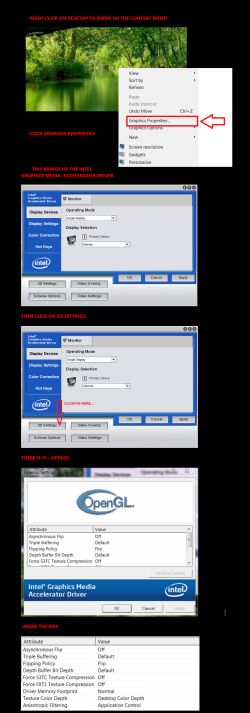
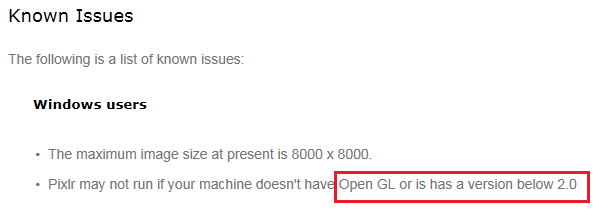
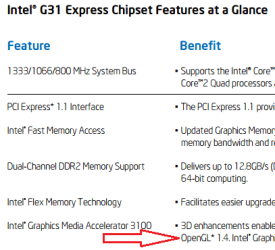
Perhaps you should check the version that you already have:
Start > Right click on Computer and select Manage from the context menu:
View attachment 360543
Click on Device Manager >
Double click on Display Adapters >
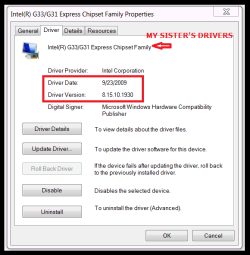
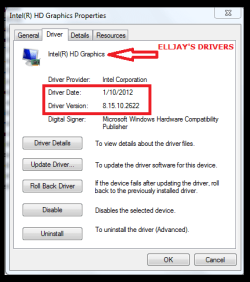
Double click on the description of your Adapter:
View attachment 360544
OK I'll check it out tomorrow. Thanks for the map Ussername Issues.

My Computer
- Computer type
- Laptop
- Computer Manufacturer/Model Number
- HP 2000-150CA Notebook
- OS
- Windows 7 Home Premium (x64) Service Pack 1 (build 7601)
- CPU
- Intel Pentium P6200 2.13 GHz
- Motherboard
- HP 3674 28.49 1066 MH / BIOS: HP F.34
- Memory
- 4.00 GB
- Graphics Card(s)
- Intel HD Graphics
- Sound Card
- Multimedia HD
- Monitor(s) Displays
- 15.3
- Screen Resolution
- 1366X768
- Hard Drives
- Hitachi HTS545050B9A300 ATA
(500.11 GB)
- Keyboard
- Standard PS2
- Mouse
- Synaptics PS2 Port Touch Pad / Microsoft HID-compliant mouse
- Internet Speed
- 100 Mbps
- Antivirus
- MSE
- Browser
- PaleMoon / Fire Fox
- Other Info
- Purchased 2011