~~~
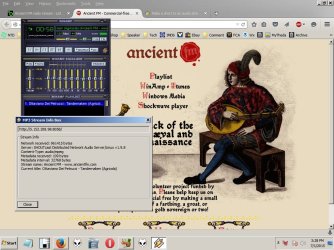
Winamp auto-loads when selected and pls turns up in there. Maybe I can locate the .pls itself with the search box? Only asking because so much of this seems embedded on autoloading programs.
~~~
When you click on the WinAmp link, the browser downloads the PLS file to some folder. Then the browser opens that PLS file by passing it to Windows (file) Explorer. Explorer checks to see what app is supposed to play PLS files... then Explorer opens that app (
passing the path/filename of the PLS file to the player*). In your case, WinAmp is the player that opens. In my case, Media Player Classic. However, I do not let any browser automatically open files like these.
*As mentioned earlier, you can
probably do this via a shortcut. You don't have to open the PLS file in a text editor to locate the URL. You just make a shortcut that points the player of interest to the PLS file that you have saved on your hard drive. You might even be able to make a shortcut that points the player to the PLS file online. I think that I've done this in the past, but I cannot test that right now.
Mouse over one of the links and notice that it is a PLS file:
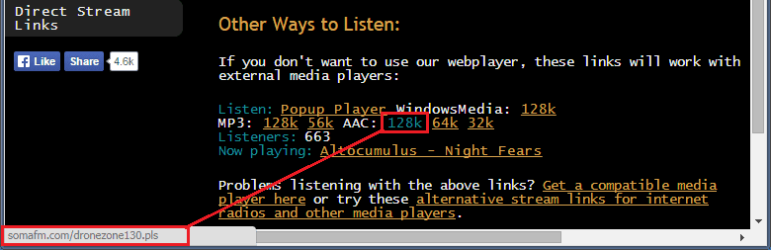
If you have told your browser of choice to always open PLS files, then you might not see the options to save the PLS file to a convenient folder when you click on that 128k link. In that case, right click on the link shown in the screenshot ABOVE and select something like "Save link as...".
Once you get the PLS file where you want it - drag/drop it into Notepad.
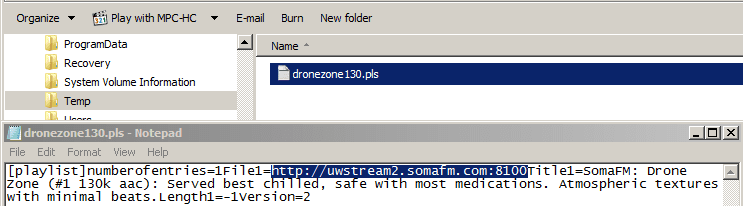
The URL of interest is highlighted.
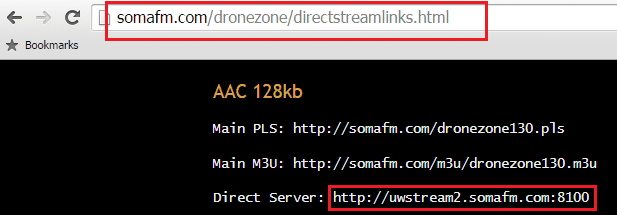
On the SomaFM website, you can go to
their direct links and copy/paste the same info without downloading/dragging/opening a PLS file:
Sidebar:
Notepad shows all of the lines of info crammed together. (See the second screenshot in this post.) That is because these PLS files use a LF (Line Feed) to terminate a line of info. (Unix/Linux based systems/software use that to terminate lines.)
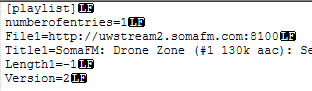
If you edit the PLS file via Notepad, you might end up adding a CRLF (Carriage Return/Line Feed). (By default, Windows based systems/software use those to terminate lines.)
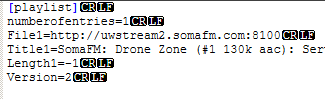
I have no idea is the way that a line is terminated matters to various players.
On SomaFM, you might want to test several URLs - some players will display info about what is playing - if you get the correct URL.