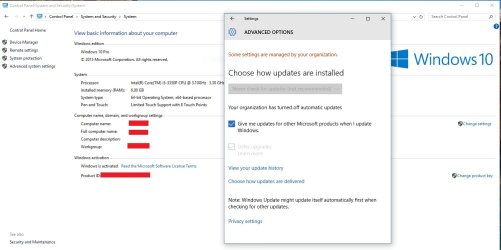
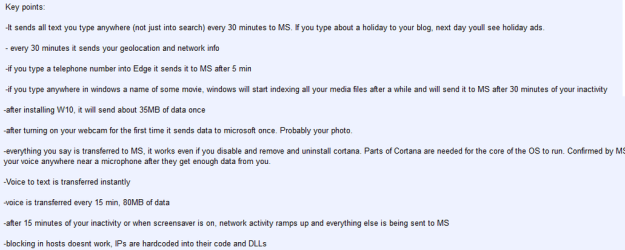
So, you have decided to switch to Windows 10, but you heard that the new OS is a veritable vacuum for user data, which it sends back to Microsoft.
Fear not! While most of the capabilities and permissions to slurp the data are on by default, they can be switched on and revoked.
You can do this either during the installation process or after. Go here or here to discover how.
If you value your privacy, reading Microsoft's Privacy Statement is also a must.
Source
A Guy
My Computer
At a glance
Windows 10 Home x64INTEL Core i5-750 Quad-Core 3.37GHzHyperX Fury Black Series 8GB (2 x 4GB) 1866MhzEVGA GeForce GTX 750 Superclocked 1GB 128-Bit...
- Computer type
- PC/Desktop
- OS
- Windows 10 Home x64
- CPU
- INTEL Core i5-750 Quad-Core 3.37GHz
- Motherboard
- ASUS P7P55D
- Memory
- HyperX Fury Black Series 8GB (2 x 4GB) 1866Mhz
- Graphics Card(s)
- EVGA GeForce GTX 750 Superclocked 1GB 128-Bit GDDR5
- Monitor(s) Displays
- LG 32MA68HY 32" IPS
- Screen Resolution
- 1920 x 1080
- Hard Drives
- Samsung 840 Evo 120GB, SEAGATE 500GB Barracuda® 7200.12, SATA 3 Gb/s, 7200 RPM, 16MB cache
- PSU
- ANTEC TruePower New TP-550, 80 PLUS, 550W
- Case
- ANTEC Three Hundred Illusion
- Cooling
- COOLER MASTER Hyper 212 Plus, 4 x 120mm 1 x 140mm Noctua's
- Internet Speed
- 85 + Mbps
- Antivirus
- Avast
- Browser
- Vivaldi