- Local time
- 2:47 AM
- Messages
- 97
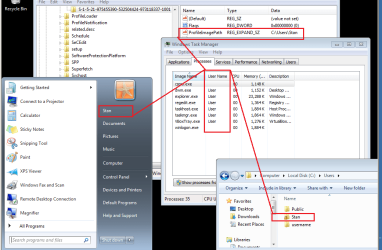
I bought a refurbished computer and almost all the processes in Task Manager have the user name of "User". How can I change it to my name, "Stan"?
I tried changing the value of registry key RegisteredUser on HKEY_LOCAL_MACHINE\SOFTWARE\Microsoft\Windows NT\CurrentVersion\
but that didn't help.
I tried changing the value of registry key RegisteredUser on HKEY_LOCAL_MACHINE\SOFTWARE\Microsoft\Windows NT\CurrentVersion\
but that didn't help.
My Computer
At a glance
Windows 7 x644 MB, 16 MB
- Computer type
- PC/Desktop
- Computer Manufacturer/Model Number
- Dell Studio 15, HP Spectre
- OS
- Windows 7 x64
- Memory
- 4 MB, 16 MB


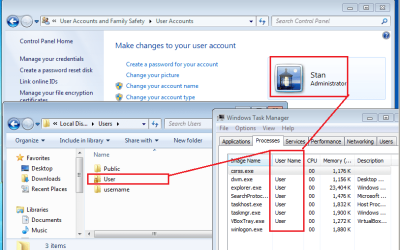
 . It does not change the User situation in Task Manager. The only other thing would be to rename the computer, which can be done though Control Panel, select System, then Advanced System Settings, then click on the Computer tab & there the computer name can be changed.