New Win7 install, triple monitors, 1 monitor displays lots of grains

Seabottom

New member
Local time
11:13 PM
Messages
3
I don't know what it is, but it's not the monitor or the graphics card that is faulty.
The monitor doesn't just display these grains, it updates them. Most of them are flashing constantly.
The GPU is fine because the 2nd monitor is also put on that card and is displaying correctly.
And I'm certain since the monitor displays correctly in win10
I think it's a driver issue but installing latest GPU drivers didn't solve this issue.

See post #3 for pictures
 
Last edited:

My Computer My Computer

At a glance

Danmarki7-382016 gigs2x GTX670 FTW
Computer type
PC/Desktop
OS
Danmark
CPU
i7-3820
Motherboard
Asus Rampage IV Formula
Memory
16 gigs
Graphics Card(s)
2x GTX670 FTW
Hard Drives
1x 4TB HDD
2x 1TB HDD
1x 240GB SSD
Browser
Chrome

My Computer My Computer

At a glance

Win 7 Pro x64/Win 10 Pro x64 dual bootAMD FX 8350 Vishera @ 420016 GB Mushkin Blackline DDR3-2400 @ 1866 (9-1...XFX Radeon R9 280 Double D Black Edition
Computer type
PC/Desktop
Computer Manufacturer/Model Number
Mellon Labs (custom build)
OS
Win 7 Pro x64/Win 10 Pro x64 dual boot
CPU
AMD FX 8350 Vishera @ 4200
Motherboard
ASUS M5A97 R2.0
Memory
16 GB Mushkin Blackline DDR3-2400 @ 1866 (9-10-10-10-31)
Graphics Card(s)
XFX Radeon R9 280 Double D Black Edition
Sound Card
Realtek HD Audio on MB. Sounds great.
Monitor(s) Displays
Acer 24", Acer 22"
Screen Resolution
3840 x 1080
Hard Drives
1 x Mushkin Chronos 120 GB SSD (Win 10)
1 x Samsung 850 EVO 250 GB SSD (Win 7)
1 x WD 1TB SATA Blue
1 x WD 1TB SATA Green
PSU
Corsair TX-750
Case
CoolerMaster HAF 912+
Cooling
Coolermaster Seidon 240M Liquid AIO. 6 case fans
Keyboard
Logitech G710+
Mouse
Logitech G500s
Internet Speed
Much better since I got fiber, but still way overpriced.
Antivirus
MSE, Malware Bytes for scanning
Browser
Firefox
Other Info
Corsair VOID USB headphones.

A Mellon Labs X-1 - LCD Smartie driven system status display.

Brought to you by the letter E
Ok, well I didn't exactly figure Dropbox would be known for malicious software, besides who doesn't know about dropbox?

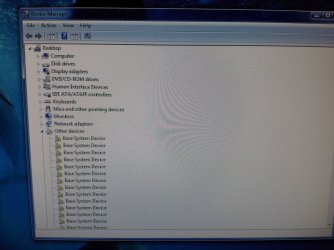
What you see in the last pic is not bad camera quality, that is actually what is displayed on the monitor. I can barely read it.

1.jpg

2.jpg
 

My Computer My Computer

At a glance

Danmarki7-382016 gigs2x GTX670 FTW
Computer type
PC/Desktop
OS
Danmark
CPU
i7-3820
Motherboard
Asus Rampage IV Formula
Memory
16 gigs
Graphics Card(s)
2x GTX670 FTW
Hard Drives
1x 4TB HDD
2x 1TB HDD
1x 240GB SSD
Browser
Chrome
What connection is being used on this monitor? HDMI, DVI or VGA?

It really looks like the symptoms of signal reflection in a VGA cable...

Are all 3 monitors the same resolution? Can you swap cables to see if the problem stays with a specific cable or a specific graphics port?
 

My Computer My Computer

At a glance

Windows 7 Home Premium x64Intel Core i7 5960X @3.0 GHz4 x 4 GB G.Skill Ripjaws4 DDR4-2400PNY GTX 780
Computer type
PC/Desktop
Computer Manufacturer/Model Number
Custom Build
OS
Windows 7 Home Premium x64
CPU
Intel Core i7 5960X @3.0 GHz
Motherboard
Gigabyte GA-X99-SOC Force
Memory
4 x 4 GB G.Skill Ripjaws4 DDR4-2400
Graphics Card(s)
PNY GTX 780
Sound Card
Realtek on-board ALC1150
Monitor(s) Displays
HP Z30i + Asus PA246Q + Dell U2412M
Screen Resolution
2560x1600 + 1920x1200 + 1920x1200
Hard Drives
Samsung 830 256GB
PSU
Antec EarthWatts 650W
Case
Cooler Master HAF 932
Cooling
Corsair Hydro Series H105
Keyboard
Razer BlackWidow Tournament Edition Stealth
Mouse
Razer Naga
Ok, well I didn't exactly figure Dropbox would be known for malicious software, besides who doesn't know about dropbox?
Agreed

What you see in the last pic is not bad camera quality, that is actually what is displayed on the monitor. I can barely read it.
Did you ever resolve this? I am looking to setup a three monitor system and want to avoid such problems.
 

My Computer My Computer

At a glance

Win 7 Pro 64-bitIntel Core i516 GB Dell, 6 GB ToshibaIntel crap on both but Dell also has nVidia G...
Computer type
Laptop
Computer Manufacturer/Model Number
Dell Insprion 7559 next to a Toshiba Portege
OS
Win 7 Pro 64-bit
CPU
Intel Core i5
Motherboard
Intel
Memory
16 GB Dell, 6 GB Toshiba
Graphics Card(s)
Intel crap on both but Dell also has nVidia GeForce GTX960M
Sound Card
RealTek
Monitor(s) Displays
internal and external ACER KA270H 27"
Screen Resolution
1920x1080
Hard Drives
SSD 256 GB plus numerous WD Red or Purple on USB3 docks. Used to buy a lot of Seagate but tossed them the second time I got unrecoverable disc corruption in the midst of use.
Keyboard
Garage Mouse SW and some cheap Amazon China made USB device
Mouse
Garage Mouse and some cheap Amazon China made USB device

Internet Speed
50 Mbps (allegedly, depends on server)
Antivirus
Defender, Malwarebytes Premium and Kaspersky
Browser
IE 11, and Chrome something
Did you ever resolve this? I am looking to setup a three monitor system and want to avoid such problems.

Yeah it was a human error, the DVI connector was loose on the graphics card because I hadn't screwed it in.
 

My Computer My Computer

At a glance

Danmarki7-382016 gigs2x GTX670 FTW
Computer type
PC/Desktop
OS
Danmark
CPU
i7-3820
Motherboard
Asus Rampage IV Formula
Memory
16 gigs
Graphics Card(s)
2x GTX670 FTW
Hard Drives
1x 4TB HDD
2x 1TB HDD
1x 240GB SSD
Browser
Chrome
Back
Top