Laptop HDD, Having a Hard Time in Accessing its Content

Rain08

New member
Member
VIP
Local time
11:42 PM
Messages
265
Location
Manila, Philippines
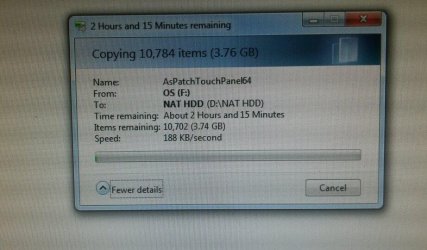
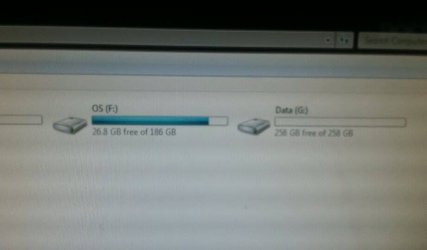
So my friend told me to try and recover his files from his laptop's HDD. It's currently on an enclosure. I tried various methods from simple (copy and paste with Explorer) to using tools from EaseUS. However, the transfer speeds are low and that everything is not seen. Even the tools that I'm using are going haywire. I used SpaceSniffer to know what's the content of the drive though it keeps getting stuck at 6%. I used EaseUS Todo Backup Home 8.9 (Full Version) to do backups and it's also having problems. The ETA goes from 5 minutes to 1 hour and rising. I also used EaseUS Data Recovery Wizard (Trial Version) and it's having a hard time in finding the files. The ETA keeps getting stuck on 29:04 in Deep Scan and it's not moving even after waiting for hours.

Is there anyway to get the files inside?
 

Attachments
  • HDD 1.jpg
    HDD 1.jpg
    27.7 KB · Views: 2
  • HDD 2.jpg
    HDD 2.jpg
    91.1 KB · Views: 1

My Computer My Computer

At a glance

Windows 7 Professional 64-bit (6.1, Build 7601)Intel Pentium G3258 @ 3.80 GHz (OC'd)Team Elite 4 GB DDR3 1600 MHzPalit GTX 1060 6 GB Super JetStream
Computer type
PC/Desktop
Computer Manufacturer/Model Number
Built
OS
Windows 7 Professional 64-bit (6.1, Build 7601)
CPU
Intel Pentium G3258 @ 3.80 GHz (OC'd)
Motherboard
Gigabyte Z97-HD3
Memory
Team Elite 4 GB DDR3 1600 MHz
Graphics Card(s)
Palit GTX 1060 6 GB Super JetStream
Monitor(s) Displays
HP x20 LED Series Wide LCD Monitor
Screen Resolution
1600x900 pixels
Hard Drives
Western Digital Caviar Blue WD10EZRZ 1TB @ 7200 RPM,
Western Digital 3200BEV External HDD 298.09 GB, WD Elements WDBUZG0010BBK-05 External HDD 1TB
PSU
Seasonic G-550 550W 80+ Gold
Keyboard
Corsair K70 Rapidfire RGB
Mouse
Logitech G300S and G502
Internet Speed
2.00 Mbps
Antivirus
MSE, MBAM, MBAE
Browser
IE, Google Chrome, FF, Safari.
Other Info
Old PC:
HP Pavilion P6640D, Windows 7 Ultimate 32-bit (6.1, Build 7601), Intel Pentium Dual Core CPU E6700 @ 3.20 GHz, Foxconn 2A8C, Kingmax 2 GB DDR3 1066 MHz, Palit NVIDIA GeForce GT 610 2048 MB, Western Digital WD Blue WD5000AAKX 500 GB @ 7200 RPM, Seagate Barracuda ST3320418AS 320 GB @ 7200 RPM (former drive), Bestec ATX-250-12Z 250 Watts
Download software this software:HD Tune website.Test for corrupted sectors.

It's probably corrupted hard drive.
 

My Computer My Computer

At a glance

Windows 7 x64 Pro
OS
Windows 7 x64 Pro
Download software this software:HD Tune website.Test for corrupted sectors.

It's probably corrupted hard drive.

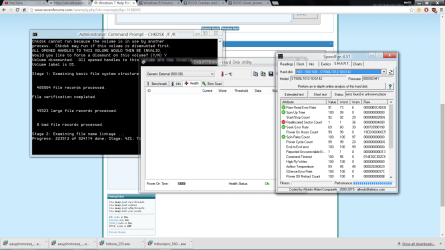
For some reason, the health is not being shown in HD Tune though I have SpeedFan it's showing that there's a problem in Reallocated Sector Count.

Since there's no tool that's able to access the files, I've used CHKDSK /F /R. It's currently doing it and I should have done it first. It's the one that's doing progress so far.
 

Attachments

  • Screenshot (45).png
    Screenshot (45).png
    107.7 KB · Views: 3

My Computer My Computer

At a glance

Windows 7 Professional 64-bit (6.1, Build 7601)Intel Pentium G3258 @ 3.80 GHz (OC'd)Team Elite 4 GB DDR3 1600 MHzPalit GTX 1060 6 GB Super JetStream
Computer type
PC/Desktop
Computer Manufacturer/Model Number
Built
OS
Windows 7 Professional 64-bit (6.1, Build 7601)
CPU
Intel Pentium G3258 @ 3.80 GHz (OC'd)
Motherboard
Gigabyte Z97-HD3
Memory
Team Elite 4 GB DDR3 1600 MHz
Graphics Card(s)
Palit GTX 1060 6 GB Super JetStream
Monitor(s) Displays
HP x20 LED Series Wide LCD Monitor
Screen Resolution
1600x900 pixels
Hard Drives
Western Digital Caviar Blue WD10EZRZ 1TB @ 7200 RPM,
Western Digital 3200BEV External HDD 298.09 GB, WD Elements WDBUZG0010BBK-05 External HDD 1TB
PSU
Seasonic G-550 550W 80+ Gold
Keyboard
Corsair K70 Rapidfire RGB
Mouse
Logitech G300S and G502
Internet Speed
2.00 Mbps
Antivirus
MSE, MBAM, MBAE
Browser
IE, Google Chrome, FF, Safari.
Other Info
Old PC:
HP Pavilion P6640D, Windows 7 Ultimate 32-bit (6.1, Build 7601), Intel Pentium Dual Core CPU E6700 @ 3.20 GHz, Foxconn 2A8C, Kingmax 2 GB DDR3 1066 MHz, Palit NVIDIA GeForce GT 610 2048 MB, Western Digital WD Blue WD5000AAKX 500 GB @ 7200 RPM, Seagate Barracuda ST3320418AS 320 GB @ 7200 RPM (former drive), Bestec ATX-250-12Z 250 Watts
Download software this software:HD Tune website.Test for corrupted sectors.

It's probably corrupted hard drive.

For some reason, the health is not being shown in HD Tune though I have SpeedFan it's showing that there's a problem in Reallocated Sector Count.

Since there's no tool that's able to access the files, I've used CHKDSK /F /R. It's currently doing it and I should have done it first. It's the one that's doing progress so far.

After running CHKDSK /F /R I would run error scan at slowest speed <It might take a while.
 

My Computer My Computer

At a glance

Windows 7 x64 Pro
OS
Windows 7 x64 Pro
The CHKDSK just stopped in around stage 3 and there was an error posted. I didn't remember what the things where since I was a bit sleepy (it's 2 AM here and I'm urging myself to recover them files) in waiting for this thing to finish. I'll continue CHKDSK /F /R tomorrow and do the test with HD Tune too.
 

My Computer My Computer

At a glance

Windows 7 Professional 64-bit (6.1, Build 7601)Intel Pentium G3258 @ 3.80 GHz (OC'd)Team Elite 4 GB DDR3 1600 MHzPalit GTX 1060 6 GB Super JetStream
Computer type
PC/Desktop
Computer Manufacturer/Model Number
Built
OS
Windows 7 Professional 64-bit (6.1, Build 7601)
CPU
Intel Pentium G3258 @ 3.80 GHz (OC'd)
Motherboard
Gigabyte Z97-HD3
Memory
Team Elite 4 GB DDR3 1600 MHz
Graphics Card(s)
Palit GTX 1060 6 GB Super JetStream
Monitor(s) Displays
HP x20 LED Series Wide LCD Monitor
Screen Resolution
1600x900 pixels
Hard Drives
Western Digital Caviar Blue WD10EZRZ 1TB @ 7200 RPM,
Western Digital 3200BEV External HDD 298.09 GB, WD Elements WDBUZG0010BBK-05 External HDD 1TB
PSU
Seasonic G-550 550W 80+ Gold
Keyboard
Corsair K70 Rapidfire RGB
Mouse
Logitech G300S and G502
Internet Speed
2.00 Mbps
Antivirus
MSE, MBAM, MBAE
Browser
IE, Google Chrome, FF, Safari.
Other Info
Old PC:
HP Pavilion P6640D, Windows 7 Ultimate 32-bit (6.1, Build 7601), Intel Pentium Dual Core CPU E6700 @ 3.20 GHz, Foxconn 2A8C, Kingmax 2 GB DDR3 1066 MHz, Palit NVIDIA GeForce GT 610 2048 MB, Western Digital WD Blue WD5000AAKX 500 GB @ 7200 RPM, Seagate Barracuda ST3320418AS 320 GB @ 7200 RPM (former drive), Bestec ATX-250-12Z 250 Watts
Just a SITREP, the HDD is not being detected anymore. I've tried it on my desktop and laptop in both case it's the same. I can feel that it's vibrating which means that it's spinning.
 

My Computer My Computer

At a glance

Windows 7 Professional 64-bit (6.1, Build 7601)Intel Pentium G3258 @ 3.80 GHz (OC'd)Team Elite 4 GB DDR3 1600 MHzPalit GTX 1060 6 GB Super JetStream
Computer type
PC/Desktop
Computer Manufacturer/Model Number
Built
OS
Windows 7 Professional 64-bit (6.1, Build 7601)
CPU
Intel Pentium G3258 @ 3.80 GHz (OC'd)
Motherboard
Gigabyte Z97-HD3
Memory
Team Elite 4 GB DDR3 1600 MHz
Graphics Card(s)
Palit GTX 1060 6 GB Super JetStream
Monitor(s) Displays
HP x20 LED Series Wide LCD Monitor
Screen Resolution
1600x900 pixels
Hard Drives
Western Digital Caviar Blue WD10EZRZ 1TB @ 7200 RPM,
Western Digital 3200BEV External HDD 298.09 GB, WD Elements WDBUZG0010BBK-05 External HDD 1TB
PSU
Seasonic G-550 550W 80+ Gold
Keyboard
Corsair K70 Rapidfire RGB
Mouse
Logitech G300S and G502
Internet Speed
2.00 Mbps
Antivirus
MSE, MBAM, MBAE
Browser
IE, Google Chrome, FF, Safari.
Other Info
Old PC:
HP Pavilion P6640D, Windows 7 Ultimate 32-bit (6.1, Build 7601), Intel Pentium Dual Core CPU E6700 @ 3.20 GHz, Foxconn 2A8C, Kingmax 2 GB DDR3 1066 MHz, Palit NVIDIA GeForce GT 610 2048 MB, Western Digital WD Blue WD5000AAKX 500 GB @ 7200 RPM, Seagate Barracuda ST3320418AS 320 GB @ 7200 RPM (former drive), Bestec ATX-250-12Z 250 Watts
Just a SITREP, the HDD is not being detected anymore. I've tried it on my desktop and laptop in both case it's the same. I can feel that it's vibrating which means that it's spinning.

Oh,it's life cycle may came to an end.
Try to change a cable.
 

My Computer My Computer

At a glance

Windows 7 x64 Pro
OS
Windows 7 x64 Pro
Back
Top