RE: Fonts. I'm not expert on system wide font settings. I had a bit of a struggle to configure my own machine to get fonts to display the way I like them to.
However see this post:
http://www.sevenforums.com/general-...wrong-characters-post3207100.html#post3207100
RE: Your last dump. Seems to point to an issue with qlbase.dll
Don't know much about that one. Is seems to be part of Protector Suite QL. Does that seem familiar?
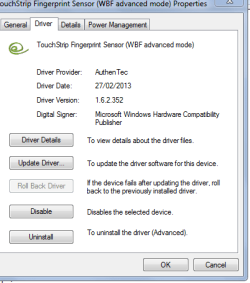
Anyway suggest checking for updates or reinstalling the driver.
UPEK TCEDA3CA000, v.5.8, A01 Driver Details | Dell UK
If you need help with that it would be best to ask in the
Drivers section.
Yep, I surely know what is that qlbase.dll. And it's obviously the one of my suspects!
It's a part of Authentec (aka UPEK) Protector Suite 2012, which is very much useful fingerprint security app! The already mentioned above problem is that Authentec has been purchased by Apple and there is no any updates available from 2012.
This app data is quite precious for me but it's surly in my shortlist to remove with leftovers and reinstall then!
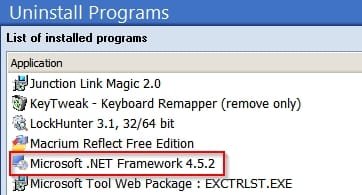
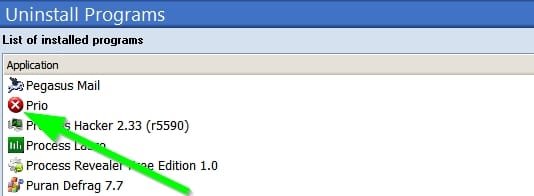
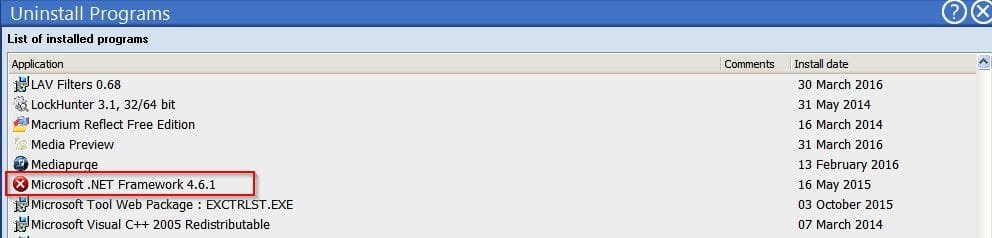
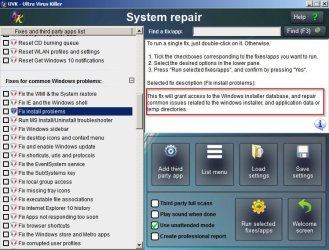
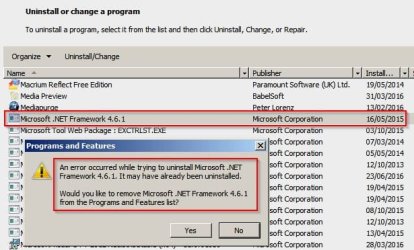
Moreover, this app is my no.1 suspect concerning another oddest issue of this laptop - m$ .net framework install error. I mean that this issue is again very special one and doesn't hurt me much in general:
If I put z standard .net framework (4.6.2 for instance) standalone or web installer (in .exe format!!!) to drive c: (SATA2 SSD with win7) or drive d: (IDE HDD in DVD slot with data) and then try to install or repair .net framework I always get z fatal error as below:
Log Name: System
Source: Microsoft-Windows-DistributedCOM
Event ID: 10016
Task Category: None
Level: Error
Keywords: Classic
Description:
The machine-default permission settings do not grant Local Activation permission for the COM Server application with CLSID
{000C101C-0000-0000-C000-000000000046}
and APPID
{000C101C-0000-0000-C000-000000000046}
to the user ................ SID (S-1-5-21-1849313865-1520466201-311305386-1000) from address LocalHost (Using LRPC).
This security permission can be modified using the Component Services administrative tool.
Event Xml:
<Event xmlns="
http://schemas.microsoft.com/win/2004/08/events/event">
<System>
<Provider Name="Microsoft-Windows-DistributedCOM" Guid="{1B562E86-B7AA-4131-BADC-B6F3A001407E}" EventSourceName="DCOM" />
<EventID Qualifiers="49152">10016</EventID>
<Version>0</Version>
<Level>2</Level>
<Task>0</Task>
<Opcode>0</Opcode>
<Keywords>0x80000000000000</Keywords>
<TimeCreated SystemTime="2016-09-14T22:12:41.000000000Z" />
<EventRecordID>275749</EventRecordID>
<Correlation />
<Execution ProcessID="0" ThreadID="0" />
<Channel>System</Channel>
<Computer>...PC</Computer>
<Security UserID="S-1-5-21-1849313865-1520466201-311305386-1000" />
</System>
<EventData>
<Data Name="param1">machine-default</Data>
<Data Name="param2">Local</Data>
<Data Name="param3">Activation</Data>
<Data Name="param4">{000C101C-0000-0000-C000-000000000046}</Data>
<Data Name="param5">{000C101C-0000-0000-C000-000000000046}</Data>
<Data Name="param6">..........</Data>
<Data Name="param7">..</Data>
<Data Name="param8">S-1-5-21-1849313865-1520466201-311305386-1000</Data>
<Data Name="param9">LocalHost (Using LRPC)</Data>
</EventData>
</Event>
And it's impossible to repair this error in common way by adjusting z security permissions of this DCOM = Msi server thru win7 component services & registry.
However, this error occurred only due to some issue while auto-unpacking of .exe installer to its parts (to either drive d or c).
I mean that if I manually unpack .exe installer to any location and then start same install by the appropriate extracted .msi file - it's all OK!
Also this issue doesn't occur if same .net .exe setup is placed to any usb drive!
Also this issue doesn't affect any other non-m$ .exe installers at any(!) drive of laptop.
Thanks.
p.s. forget about fonts when it's not a culprit but a result.