

As the title says, I'm using this little gem for some audio recording. It's a great little freeware program and it looks like this (in case someone recognizes it and can't remember the name):
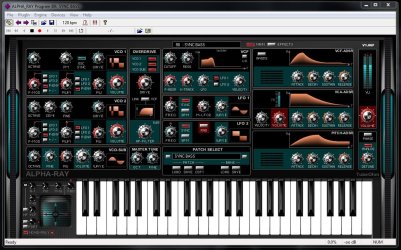
So, my point is that my copy has recently stopped working since I loaded some unknown software - I can't remember what the specific program was as I loaded several audio recording programs that day. I get no sound out of the program anymore, and when I try to use the menus or quit, I get a window that pops up saying that "SAVIHost - Standalone VSTI Host has stopped responding." I have to option to close the program or wait for it to respond. I waited five hours the other day.
I obviously have a driver problem, but I'm not sure where to look. I've tried downloading a new copy of the software and reinstalling (as Administrator), but no go. I have the SysInternals Suite of programs, but I'm not sure if I can use it to look at loaded drivers. I've uninstalled most of the audio programs that I loaded (except for two - Fender FUSE, and Ableton Live 9. Both are required for what I'm doing).
Anybody have an idea how to look for a driver conflict like this? I'm lost on this one.
TIA
So, my point is that my copy has recently stopped working since I loaded some unknown software - I can't remember what the specific program was as I loaded several audio recording programs that day. I get no sound out of the program anymore, and when I try to use the menus or quit, I get a window that pops up saying that "SAVIHost - Standalone VSTI Host has stopped responding." I have to option to close the program or wait for it to respond. I waited five hours the other day.
I obviously have a driver problem, but I'm not sure where to look. I've tried downloading a new copy of the software and reinstalling (as Administrator), but no go. I have the SysInternals Suite of programs, but I'm not sure if I can use it to look at loaded drivers. I've uninstalled most of the audio programs that I loaded (except for two - Fender FUSE, and Ableton Live 9. Both are required for what I'm doing).
Anybody have an idea how to look for a driver conflict like this? I'm lost on this one.
TIA
My Computer
At a glance
Win 7 Pro x64/Win 10 Pro x64 dual bootAMD FX 8350 Vishera @ 420016 GB Mushkin Blackline DDR3-2400 @ 1866 (9-1...XFX Radeon R9 280 Double D Black Edition
- Computer type
- PC/Desktop
- Computer Manufacturer/Model Number
- Mellon Labs (custom build)
- OS
- Win 7 Pro x64/Win 10 Pro x64 dual boot
- CPU
- AMD FX 8350 Vishera @ 4200
- Motherboard
- ASUS M5A97 R2.0
- Memory
- 16 GB Mushkin Blackline DDR3-2400 @ 1866 (9-10-10-10-31)
- Graphics Card(s)
- XFX Radeon R9 280 Double D Black Edition
- Sound Card
- Realtek HD Audio on MB. Sounds great.
- Monitor(s) Displays
- Acer 24", Acer 22"
- Screen Resolution
- 3840 x 1080
- Hard Drives
- 1 x Mushkin Chronos 120 GB SSD (Win 10)
1 x Samsung 850 EVO 250 GB SSD (Win 7)
1 x WD 1TB SATA Blue
1 x WD 1TB SATA Green
- PSU
- Corsair TX-750
- Case
- CoolerMaster HAF 912+
- Cooling
- Coolermaster Seidon 240M Liquid AIO. 6 case fans
- Keyboard
- Logitech G710+
- Mouse
- Logitech G500s
- Internet Speed
- Much better since I got fiber, but still way overpriced.
- Antivirus
- MSE, Malware Bytes for scanning
- Browser
- Firefox
- Other Info
- Corsair VOID USB headphones.
A Mellon Labs X-1 - LCD Smartie driven system status display.
Brought to you by the letter E


