Solved Cloning a hard drive results in corrupting the disk

Ukdodger

New member
Member
VIP
Local time
7:20 PM
Messages
178
Location
Surrey England
Hope this is the right forum. I've tried three times to clone my hard drive to another hard drive in a Caddy connected via a USB port. I've used Mini Tool wizard to do the cloning. It's worked perfectly several times before. Now after completing the cloning the clone cant be read. It pops up 'Disk is corrupt'. The disk cloning from is a SSD 232gb with 228gb used. The dick cloned to is a HDD also 232gb with 97gb used (although I dont know by what as it's a blank formatted disk). Both are formatted NFTS. After formatting but before cloning the disk can be read and can be copied to and from. Any help greatly appreciated. Thanks

I'm running W7 Home on a desktop. The Caddy is made by Inateck
 

My Computer My Computer

At a glance

Windows 7 home
Computer type
Laptop
OS
Windows 7 home
Hi Ukdodger,

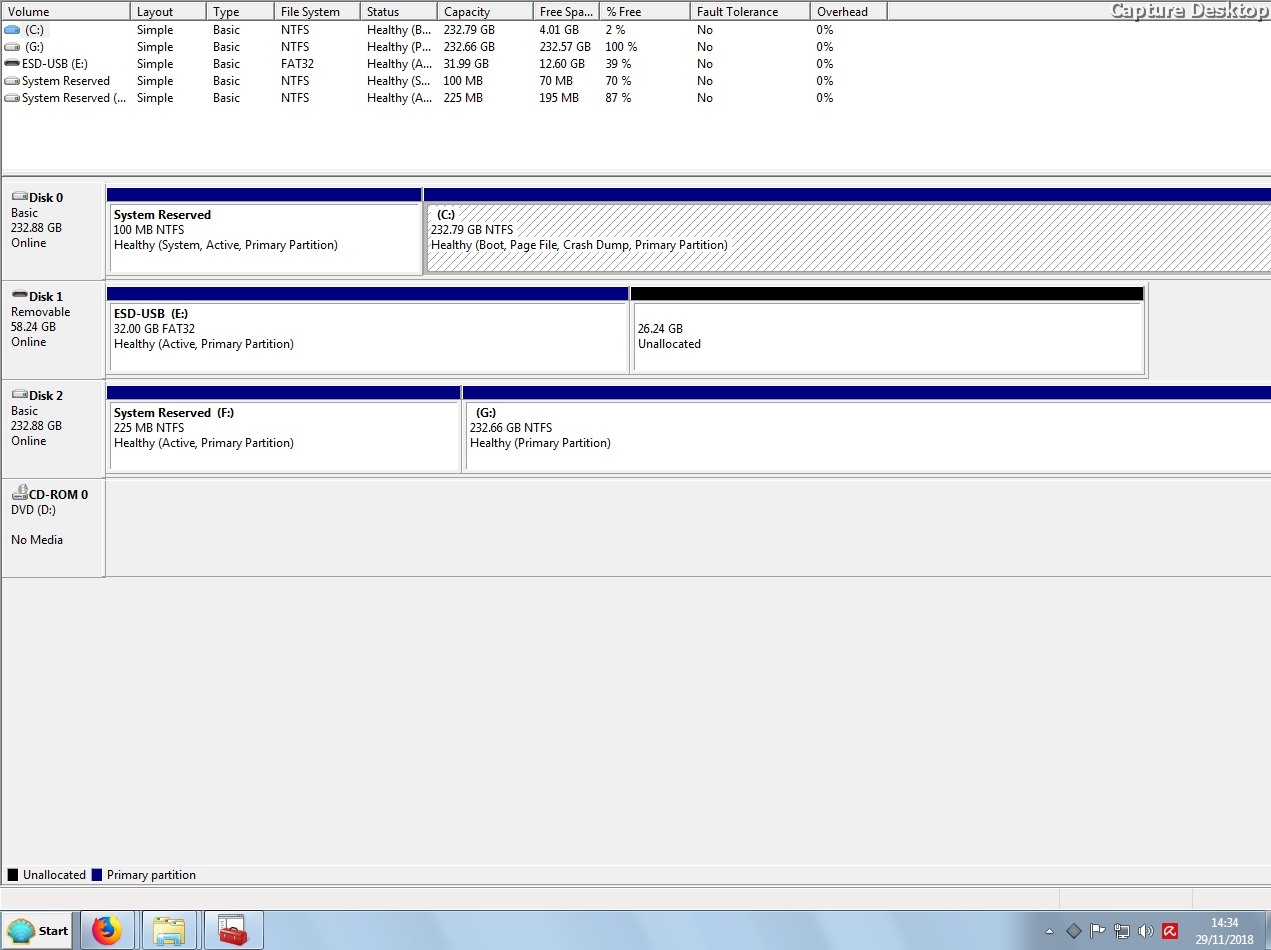
Can you post a screenshot of the Disk Management. Click Start => in the search box type diskmgmt.msc => press Enter.

It might be best to run CHKDSK [Check Disk] and SFC [System File Checker] before you do the clone!

I hope this helps!
 

My Computer My Computer

At a glance

Win 7 HP SP1 64-bit Vista HB SP2 32-bit Linux...Intel(R) Pentium(R) CPU P6200 @ 2.13GHz4.00 GBIntel(R) Graphics Media Accelerator HD
Computer type
Laptop
Computer Manufacturer/Model Number
Fujitsu LIFEBOOK
OS
Win 7 HP SP1 64-bit Vista HB SP2 32-bit Linux Mint 18.3
CPU
Intel(R) Pentium(R) CPU P6200 @ 2.13GHz
Motherboard
FUJITSU FJNBB06
Memory
4.00 GB
Graphics Card(s)
Intel(R) Graphics Media Accelerator HD
Sound Card
[1] Realtek High Definition Audio [2] Intel(R) Display Audio
Screen Resolution
1366 x 768 x 32 bits (4294967296 colors) @ 59 Hz
Hard Drives
TOSHIBA MK5076GSX
Antivirus
AVG FREE
Hi, thanks for reply. I already did a chkdsk and it comes up clean. Screenshot below.


UUTqf68.jpg
 

My Computer My Computer

At a glance

Windows 7 home
Computer type
Laptop
OS
Windows 7 home
Are you cloning while in windows as that is often the problem as it changes all the time it best to use a clone software boot disk and do it from there
 

My Computer My Computer

At a glance

win 8 32 bit
Computer type
PC/Desktop
OS
win 8 32 bit
No Mini Tool shuts everything down then reboots Windows after it's finished cloning.
 

My Computer My Computer

At a glance

Windows 7 home
Computer type
Laptop
OS
Windows 7 home
Try using Macrium Reflect Free to do the cloning.
 

My Computer My Computer

At a glance

Linux Mint 18.2 xfce 64-bit (VMWare host) / W...Haswell4 GB
Computer type
PC/Desktop
Computer Manufacturer/Model Number
Dell
OS
Linux Mint 18.2 xfce 64-bit (VMWare host) / Windows 8.1 Pro 32-bit (VMWare guest)
CPU
Haswell
Memory
4 GB
Monitor(s) Displays
Acer 23"
Screen Resolution
1920 x 1080
Hard Drives
Two hard drives, 1TB each: One for Linux, one for my data.
Keyboard
IBM Model M
Antivirus
Sophos (Linux), Trend Micro (Windows)
Browser
Firefox, Opera
Other Info
I use Samba to share my data drive with the other computers at my house and with my guest session in VMWare Workstation Player.
It depends what sort of "clone" you want. Most so called cloning programs just copy the used sectors, automatically excluding certain things, and change the disk signature of the target as well as adjusting the boot entries(s). Even if you select all sectors, you will find , for example, that you can't access shadow copies after "cloning" with those programs. That is what macrium and most others do. Those are not true clones.

Some have extra features, such as allowing user defined exclusions - O&O Diskimage has extra features for that kind of thing.

If you want a true clone, you could use something like Clonezilla. It is included in parted magic - available here:
Download Parted Magic - MajorGeeks

Because it is a true clone, you will need to detach the source drive before booting into the clone.
That is because windows will change the disk signature of one of the disks if two online disks have the same sig.
 

My Computers My Computers

  • At a glance

    7 X64i5 84002x8gb 3200mhz
    Computer type
    PC/Desktop
    OS
    7 X64
    CPU
    i5 8400
    Motherboard
    gigabyte b365m ds3h
    Memory
    2x8gb 3200mhz
    Hard Drives
    various
    PSU
    pure power 11 400w cm
    Case
    Coolermaster
    Cooling
    cryorig m9i
  • At a glance

    7x64g54008gb ddr4 2400
    Computer type
    PC/Desktop
    OS
    7x64
    CPU
    g5400
    Motherboard
    ga b365m ds3h
    Memory
    8gb ddr4 2400
    PSU
    xfx pro 450w
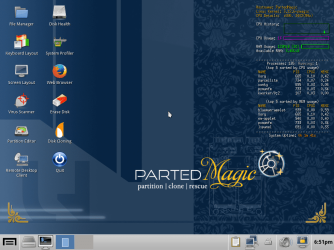
Parted Magic user interface:

partedmagic.png


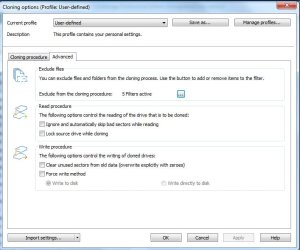
O&O Diskimage - user defined "cloning"

O&OCLONEOPTIONS.jpg
 

My Computers My Computers

  • At a glance

    7 X64i5 84002x8gb 3200mhz
    Computer type
    PC/Desktop
    OS
    7 X64
    CPU
    i5 8400
    Motherboard
    gigabyte b365m ds3h
    Memory
    2x8gb 3200mhz
    Hard Drives
    various
    PSU
    pure power 11 400w cm
    Case
    Coolermaster
    Cooling
    cryorig m9i
  • At a glance

    7x64g54008gb ddr4 2400
    Computer type
    PC/Desktop
    OS
    7x64
    CPU
    g5400
    Motherboard
    ga b365m ds3h
    Memory
    8gb ddr4 2400
    PSU
    xfx pro 450w

My Computers My Computers

  • At a glance

    7 X64i5 84002x8gb 3200mhz
    Computer type
    PC/Desktop
    OS
    7 X64
    CPU
    i5 8400
    Motherboard
    gigabyte b365m ds3h
    Memory
    2x8gb 3200mhz
    Hard Drives
    various
    PSU
    pure power 11 400w cm
    Case
    Coolermaster
    Cooling
    cryorig m9i
  • At a glance

    7x64g54008gb ddr4 2400
    Computer type
    PC/Desktop
    OS
    7x64
    CPU
    g5400
    Motherboard
    ga b365m ds3h
    Memory
    8gb ddr4 2400
    PSU
    xfx pro 450w
It depends what sort of "clone" you want. Most so called cloning programs just copy the used sectors, automatically excluding certain things, and change the disk signature of the target as well as adjusting the boot entries(s). Even if you select all sectors, you will find , for example, that you can't access shadow copies after "cloning" with those programs. That is what macrium and most others do. Those are not true clones.

Some have extra features, such as allowing user defined exclusions - O&O Diskimage has extra features for that kind of thing.

If you want a true clone, you could use something like Clonezilla. It is included in parted magic - available here:
Download Parted Magic - MajorGeeks

Because it is a true clone, you will need to detach the source drive before booting into the clone.
That is because windows will change the disk signature of one of the disks if two online disks have the same sig.


Thanks for the info.
 

My Computer My Computer

At a glance

Windows 7 home
Computer type
Laptop
OS
Windows 7 home
Thanks for all the replies. Problem appears to be with the operating system not the cloning.
 

My Computer My Computer

At a glance

Windows 7 home
Computer type
Laptop
OS
Windows 7 home
Back
Top