
Solved BSOD playing PUBG Lite and Battlefield 4, error 0x000000d1

StANDby007

New member
Local time
4:45 PM
Messages
9
Hello,

When I play PUBG Lite and Battlefield 4, the computer gives blue screen and sometimes a red screen error and restart. When I look away with scope in the PUBG Lite, these errors occur when building long-distance terrains.

And sometimes there are instant breaks in the my internet connection. But, there is no problem with the modem or Internet connection.

My solution attempt: I completely uninstalled the display driver in safe mode with DDU. Then I re-installed the display driver and directx. But nothing changed. The same error came again.

My System Specs: OS Windows 7 Pro 64 bit, SP 1

MOBO Gigabyte GA-G31M-ES2L (Rev. 1.1)

CPU Intel Core 2 Quad Q8300 @ 2.50 GHz

RAM 4.00 GB Dual-Channel DDR2 @ 2x 2GB Elixir DDR2-800 PC2-6400U, 800MHz,

Graphics 2048 MB NVIDIA GTX 660 Ti AMP! (ZOTAC)


My log information file is here:
 

My Computer My Computer

At a glance

Windows 7 Ultimate x64Intel Core 2 Quad Q83004 GBZOTAC Nvidia GTX 660Ti AMP!
Computer type
PC/Desktop
OS
Windows 7 Ultimate x64
CPU
Intel Core 2 Quad Q8300
Motherboard
Gigabyte GA-G31M-ES2L
Memory
4 GB
Graphics Card(s)
ZOTAC Nvidia GTX 660Ti AMP!
Hard Drives
Samsung 250GB 860 EVO
Seagate ST3500418AS 500GB
Hi.

According to my analysis, it seems as though the NVIDIA driver is the issue.
Code:
*** WARNING: Unable to verify timestamp for nvlddmkm.sys
GetUlongPtrFromAddress: unable to read from fffff800032ff300

3: kd> .trap fffff880`009cc040
NOTE: The trap frame does not contain all registers.
Some register values may be zeroed or incorrect.
rax=0000000000000000 rbx=0000000000000000 rcx=fffffa8003b5a06c
rdx=0000000000000020 rsi=0000000000000000 rdi=0000000000000000
rip=fffff8800f162b6e rsp=fffff880009cc1d0 rbp=fffffa800562e5a0
 r8=fffff880009cc1b8  r9=fffff880009cc090 r10=0000000000000000
r11=fffff880009cc070 r12=0000000000000000 r13=0000000000000000
r14=0000000000000000 r15=0000000000000000
iopl=0         nv up ei ng nz na po nc
nvlddmkm+0x12bb6e:
fffff880`0f162b6e 488908          mov     qword ptr [rax],rcx ds:00000000`00000000=????????????????

Did you have this issue before upgrading drivers? Try running FurMark to stress test your GPU.
 

My Computer My Computer

At a glance

Windows 10 Pro x64AMD Ryzen 5 1600 @ [email protected]G.Skill Flare X 16GB (2x8GB) DDR4-2400 @ 2666MHzSapphire Radeon Vega 56 NITRO+
Computer type
PC/Desktop
Computer Manufacturer/Model Number
me!
OS
Windows 10 Pro x64
CPU
AMD Ryzen 5 1600 @ [email protected]
Motherboard
ASUS B350 PRIME-PLUS
Memory
G.Skill Flare X 16GB (2x8GB) DDR4-2400 @ 2666MHz
Graphics Card(s)
Sapphire Radeon Vega 56 NITRO+
Sound Card
None
Monitor(s) Displays
ASUS VG248QZ
Screen Resolution
1920x1080
Hard Drives
Samsung 850 EVO 250GB*, 1TB Seagate Constellation ES, 2x Samsung 840 250GB in RAID0*

*Thanks ICIT2LOL for supplying me with all of these drives!
PSU
Corsair VS550
Case
Corsair Crystal 460X
Cooling
AMD Wraith Spire
Keyboard
Ducky Shine 6 w/ MX Browns and PBT keycaps
Mouse
Xtrfy M1-Ice
Internet Speed
100MBit/s down, 20MBit/s up
Antivirus
Bitdefender
Browser
Google Chrome
Hi.

Did you have this issue before upgrading drivers?

Yes, I upgraded the drivers to solve the problem. But there was no change.

Try running FurMark to stress test your GPU.

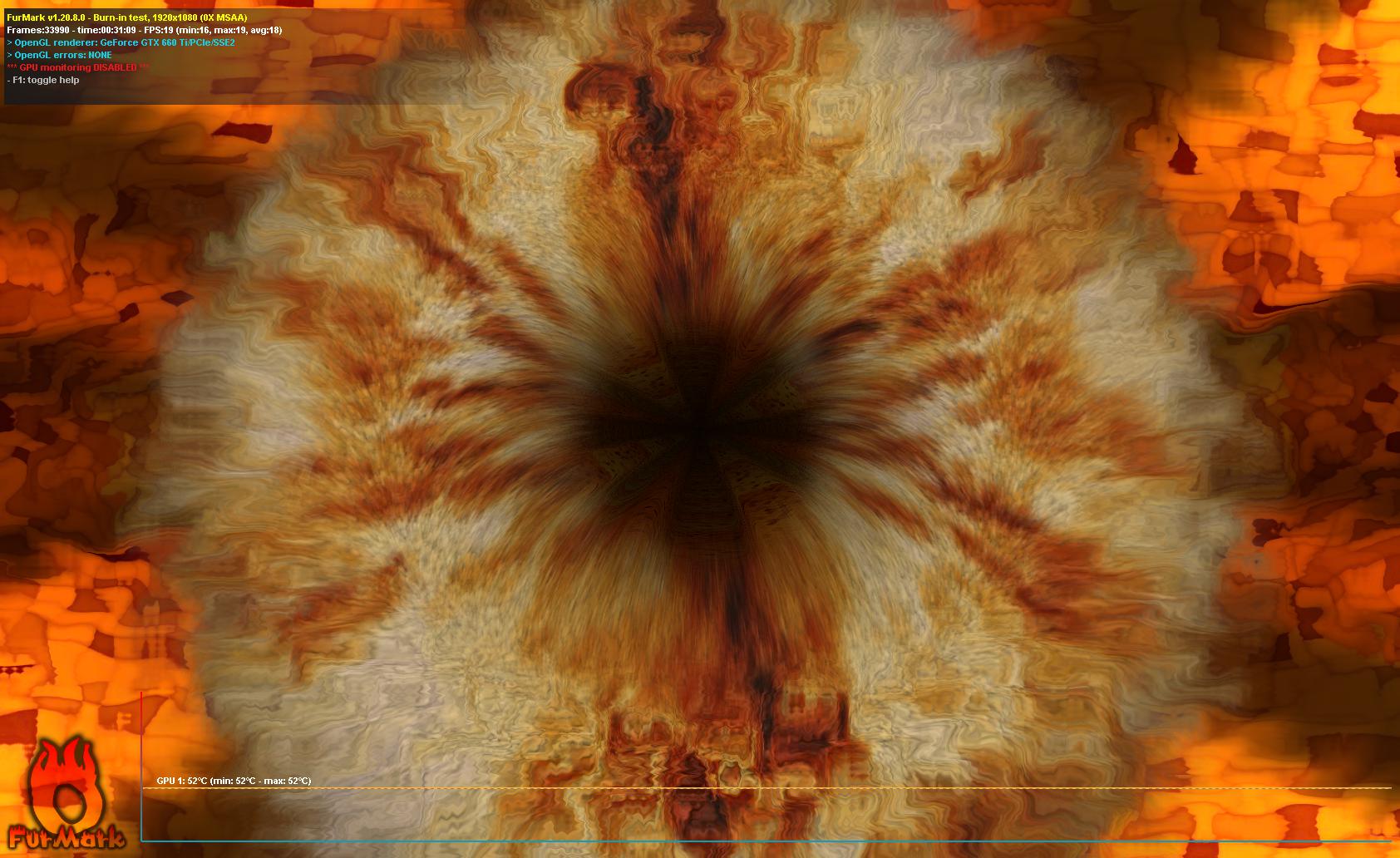
I did the test with Furmark. But I couldn't find a log file for the GPU Test result. I took a screenshot.

iuL29Zd.jpg
 

My Computer My Computer

At a glance

Windows 7 Ultimate x64Intel Core 2 Quad Q83004 GBZOTAC Nvidia GTX 660Ti AMP!
Computer type
PC/Desktop
OS
Windows 7 Ultimate x64
CPU
Intel Core 2 Quad Q8300
Motherboard
Gigabyte GA-G31M-ES2L
Memory
4 GB
Graphics Card(s)
ZOTAC Nvidia GTX 660Ti AMP!
Hard Drives
Samsung 250GB 860 EVO
Seagate ST3500418AS 500GB
Run DDU and install the latest recommended NVIDIA driver.
 

My Computer My Computer

At a glance

Windows 10 Pro x64AMD Ryzen 5 1600 @ [email protected]G.Skill Flare X 16GB (2x8GB) DDR4-2400 @ 2666MHzSapphire Radeon Vega 56 NITRO+
Computer type
PC/Desktop
Computer Manufacturer/Model Number
me!
OS
Windows 10 Pro x64
CPU
AMD Ryzen 5 1600 @ [email protected]
Motherboard
ASUS B350 PRIME-PLUS
Memory
G.Skill Flare X 16GB (2x8GB) DDR4-2400 @ 2666MHz
Graphics Card(s)
Sapphire Radeon Vega 56 NITRO+
Sound Card
None
Monitor(s) Displays
ASUS VG248QZ
Screen Resolution
1920x1080
Hard Drives
Samsung 850 EVO 250GB*, 1TB Seagate Constellation ES, 2x Samsung 840 250GB in RAID0*

*Thanks ICIT2LOL for supplying me with all of these drives!
PSU
Corsair VS550
Case
Corsair Crystal 460X
Cooling
AMD Wraith Spire
Keyboard
Ducky Shine 6 w/ MX Browns and PBT keycaps
Mouse
Xtrfy M1-Ice
Internet Speed
100MBit/s down, 20MBit/s up
Antivirus
Bitdefender
Browser
Google Chrome
Hi

another factor could be the lack of RAM, 4GB is just enough to keep your system in a stable condition, certainly not enough for a gaming rig or high intencity use.


Roy
 

My Computer My Computer

At a glance

W7 home premium 32bit/W7HP 64bit/w10 tp insid...E5300 dual core3gbNvidia Geforce 7100 Nforce 630i
Computer type
PC/Desktop
Computer Manufacturer/Model Number
medionl/Aspire 6930G/acer x55a
OS
W7 home premium 32bit/W7HP 64bit/w10 tp insider ring
CPU
E5300 dual core
Motherboard
medion MS7366
Memory
3gb
Graphics Card(s)
Nvidia Geforce 7100 Nforce 630i
Monitor(s) Displays
avixc
Internet Speed
n (isp resticted to 72)
Antivirus
mse/pands
Browser
palemoon
Other Info
Belkin Fd7050 n USB using Railink RT2870 drivers, more upto date
Run DDU and install the latest recommended NVIDIA driver.

I did it again when you wrote it. For now, no problem occurred tonight.

Hi

another factor could be the lack of RAM, 4GB is just enough to keep your system in a stable condition, certainly not enough for a gaming rig or high intencity use.


Roy


And, I noticed something. The computer won't turn on when I was relocated the Rams on the moherboard slots. (Rams are on the same channels slots)
 

My Computer My Computer

At a glance

Windows 7 Ultimate x64Intel Core 2 Quad Q83004 GBZOTAC Nvidia GTX 660Ti AMP!
Computer type
PC/Desktop
OS
Windows 7 Ultimate x64
CPU
Intel Core 2 Quad Q8300
Motherboard
Gigabyte GA-G31M-ES2L
Memory
4 GB
Graphics Card(s)
ZOTAC Nvidia GTX 660Ti AMP!
Hard Drives
Samsung 250GB 860 EVO
Seagate ST3500418AS 500GB
Laith torchwood There was no problem yesterday and today. The problem seems to have been solved. Thank you for your help.
 

My Computer My Computer

At a glance

Windows 7 Ultimate x64Intel Core 2 Quad Q83004 GBZOTAC Nvidia GTX 660Ti AMP!
Computer type
PC/Desktop
OS
Windows 7 Ultimate x64
CPU
Intel Core 2 Quad Q8300
Motherboard
Gigabyte GA-G31M-ES2L
Memory
4 GB
Graphics Card(s)
ZOTAC Nvidia GTX 660Ti AMP!
Hard Drives
Samsung 250GB 860 EVO
Seagate ST3500418AS 500GB

My Computer My Computer

At a glance

Windows 10 Pro x64AMD Ryzen 5 1600 @ [email protected]G.Skill Flare X 16GB (2x8GB) DDR4-2400 @ 2666MHzSapphire Radeon Vega 56 NITRO+
Computer type
PC/Desktop
Computer Manufacturer/Model Number
me!
OS
Windows 10 Pro x64
CPU
AMD Ryzen 5 1600 @ [email protected]
Motherboard
ASUS B350 PRIME-PLUS
Memory
G.Skill Flare X 16GB (2x8GB) DDR4-2400 @ 2666MHz
Graphics Card(s)
Sapphire Radeon Vega 56 NITRO+
Sound Card
None
Monitor(s) Displays
ASUS VG248QZ
Screen Resolution
1920x1080
Hard Drives
Samsung 850 EVO 250GB*, 1TB Seagate Constellation ES, 2x Samsung 840 250GB in RAID0*

*Thanks ICIT2LOL for supplying me with all of these drives!
PSU
Corsair VS550
Case
Corsair Crystal 460X
Cooling
AMD Wraith Spire
Keyboard
Ducky Shine 6 w/ MX Browns and PBT keycaps
Mouse
Xtrfy M1-Ice
Internet Speed
100MBit/s down, 20MBit/s up
Antivirus
Bitdefender
Browser
Google Chrome
Good to hear!

I thought the problem was solved, but now the computer again showed the same error in the form of red screen. I looked with the bluescreenview app. There the dmp file is still showing the same BSOD error. So I didn't upload the file here again.

I think the problem is hardware. As torchwood mentioned, it could be due to RAMs.
 

My Computer My Computer

At a glance

Windows 7 Ultimate x64Intel Core 2 Quad Q83004 GBZOTAC Nvidia GTX 660Ti AMP!
Computer type
PC/Desktop
OS
Windows 7 Ultimate x64
CPU
Intel Core 2 Quad Q8300
Motherboard
Gigabyte GA-G31M-ES2L
Memory
4 GB
Graphics Card(s)
ZOTAC Nvidia GTX 660Ti AMP!
Hard Drives
Samsung 250GB 860 EVO
Seagate ST3500418AS 500GB
I thought the problem was solved, but now the computer again showed the same error in the form of red screen. I looked with the bluescreenview app. There the dmp file is still showing the same BSOD error. So I didn't upload the file here again.

I think the problem is hardware. As torchwood mentioned, it could be due to RAMs.

With red screen, I assume you mean a BSOD that's red?
 

My Computer My Computer

At a glance

Windows 10 Pro x64AMD Ryzen 5 1600 @ [email protected]G.Skill Flare X 16GB (2x8GB) DDR4-2400 @ 2666MHzSapphire Radeon Vega 56 NITRO+
Computer type
PC/Desktop
Computer Manufacturer/Model Number
me!
OS
Windows 10 Pro x64
CPU
AMD Ryzen 5 1600 @ [email protected]
Motherboard
ASUS B350 PRIME-PLUS
Memory
G.Skill Flare X 16GB (2x8GB) DDR4-2400 @ 2666MHz
Graphics Card(s)
Sapphire Radeon Vega 56 NITRO+
Sound Card
None
Monitor(s) Displays
ASUS VG248QZ
Screen Resolution
1920x1080
Hard Drives
Samsung 850 EVO 250GB*, 1TB Seagate Constellation ES, 2x Samsung 840 250GB in RAID0*

*Thanks ICIT2LOL for supplying me with all of these drives!
PSU
Corsair VS550
Case
Corsair Crystal 460X
Cooling
AMD Wraith Spire
Keyboard
Ducky Shine 6 w/ MX Browns and PBT keycaps
Mouse
Xtrfy M1-Ice
Internet Speed
100MBit/s down, 20MBit/s up
Antivirus
Bitdefender
Browser
Google Chrome
With red screen, I assume you mean a BSOD that's red?

Suddenly during the game, the screen turns completely red for a while, and restarts. When it restarts, a "blue screen error message" is displayed. The second day after a few games this happened.

I've uploaded the log again: (I guess the file for the latest error event "111619-21200-01.dmp")
 

My Computer My Computer

At a glance

Windows 7 Ultimate x64Intel Core 2 Quad Q83004 GBZOTAC Nvidia GTX 660Ti AMP!
Computer type
PC/Desktop
OS
Windows 7 Ultimate x64
CPU
Intel Core 2 Quad Q8300
Motherboard
Gigabyte GA-G31M-ES2L
Memory
4 GB
Graphics Card(s)
ZOTAC Nvidia GTX 660Ti AMP!
Hard Drives
Samsung 250GB 860 EVO
Seagate ST3500418AS 500GB
Suddenly during the game, the screen turns completely red for a while, and restarts. When it restarts, a "blue screen error message" is displayed. The second day after a few games this happened.

I've uploaded the log again: (I guess the file for the latest error event "111619-21200-01.dmp")

All details in the dump point to the NVIDIA driver, no doubt about it. There is not a single hint that it could be anything else. I'm guessing it's some kind of weird compatibility issue. Have you tried downgrading the driver?
 

My Computer My Computer

At a glance

Windows 10 Pro x64AMD Ryzen 5 1600 @ [email protected]G.Skill Flare X 16GB (2x8GB) DDR4-2400 @ 2666MHzSapphire Radeon Vega 56 NITRO+
Computer type
PC/Desktop
Computer Manufacturer/Model Number
me!
OS
Windows 10 Pro x64
CPU
AMD Ryzen 5 1600 @ [email protected]
Motherboard
ASUS B350 PRIME-PLUS
Memory
G.Skill Flare X 16GB (2x8GB) DDR4-2400 @ 2666MHz
Graphics Card(s)
Sapphire Radeon Vega 56 NITRO+
Sound Card
None
Monitor(s) Displays
ASUS VG248QZ
Screen Resolution
1920x1080
Hard Drives
Samsung 850 EVO 250GB*, 1TB Seagate Constellation ES, 2x Samsung 840 250GB in RAID0*

*Thanks ICIT2LOL for supplying me with all of these drives!
PSU
Corsair VS550
Case
Corsair Crystal 460X
Cooling
AMD Wraith Spire
Keyboard
Ducky Shine 6 w/ MX Browns and PBT keycaps
Mouse
Xtrfy M1-Ice
Internet Speed
100MBit/s down, 20MBit/s up
Antivirus
Bitdefender
Browser
Google Chrome
All details in the dump point to the NVIDIA driver, no doubt about it. There is not a single hint that it could be anything else. I'm guessing it's some kind of weird compatibility issue. Have you tried downgrading the driver?

I've installed version 436.48 dated October 1, 2019. Not a problem for now.
If it doesn't repeat the same problems in a few days, I'll mark this thread as solved.

Thank you for your help.
 

My Computer My Computer

At a glance

Windows 7 Ultimate x64Intel Core 2 Quad Q83004 GBZOTAC Nvidia GTX 660Ti AMP!
Computer type
PC/Desktop
OS
Windows 7 Ultimate x64
CPU
Intel Core 2 Quad Q8300
Motherboard
Gigabyte GA-G31M-ES2L
Memory
4 GB
Graphics Card(s)
ZOTAC Nvidia GTX 660Ti AMP!
Hard Drives
Samsung 250GB 860 EVO
Seagate ST3500418AS 500GB
I've installed version 436.48 dated October 1, 2019. Not a problem for now.
If it doesn't repeat the same problems in a few days, I'll mark this thread as solved.

Thank you for your help.

No worries. This is quite the odd issue, but it will be very good to know that 436.48 works in similar situations.
 

My Computer My Computer

At a glance

Windows 10 Pro x64AMD Ryzen 5 1600 @ [email protected]G.Skill Flare X 16GB (2x8GB) DDR4-2400 @ 2666MHzSapphire Radeon Vega 56 NITRO+
Computer type
PC/Desktop
Computer Manufacturer/Model Number
me!
OS
Windows 10 Pro x64
CPU
AMD Ryzen 5 1600 @ [email protected]
Motherboard
ASUS B350 PRIME-PLUS
Memory
G.Skill Flare X 16GB (2x8GB) DDR4-2400 @ 2666MHz
Graphics Card(s)
Sapphire Radeon Vega 56 NITRO+
Sound Card
None
Monitor(s) Displays
ASUS VG248QZ
Screen Resolution
1920x1080
Hard Drives
Samsung 850 EVO 250GB*, 1TB Seagate Constellation ES, 2x Samsung 840 250GB in RAID0*

*Thanks ICIT2LOL for supplying me with all of these drives!
PSU
Corsair VS550
Case
Corsair Crystal 460X
Cooling
AMD Wraith Spire
Keyboard
Ducky Shine 6 w/ MX Browns and PBT keycaps
Mouse
Xtrfy M1-Ice
Internet Speed
100MBit/s down, 20MBit/s up
Antivirus
Bitdefender
Browser
Google Chrome
No worries. This is quite the odd issue, but it will be very good to know that 436.48 works in similar situations.

Hello again after 3 weeks.

No version did not work. When I first installed the drivers they worked properly, but then after they all gave the same error.

A few days ago I changed Motherboard, Processor and RAMs.

My Old system:
OS Windows 7 Ultimate x64
CPU Intel Core 2 Quad Q8300
Motherboard Gigabyte GA-G31M-ES2L
Memory 4 GB DDR2 (2X2 GB)

Graphics Card ZOTAC Nvidia GTX 660Ti AMP!

And My New System:
OS Windows 10 x64
CPU Intel Core i5-650
Motherboard HP MS 7613 ver 1.1
Memory 8 GB DDR3 (2X4 GB)

Graphics Card ZOTAC Nvidia GTX 660Ti AMP!

The first day after replacing these 3 components and OS did not cause problems.

The next day, the same problems began when PUBG and PUBG LITE and GTA V were playing. Now I'm sure the problem is with the Graphic Card.
 

My Computer My Computer

At a glance

Windows 7 Ultimate x64Intel Core 2 Quad Q83004 GBZOTAC Nvidia GTX 660Ti AMP!
Computer type
PC/Desktop
OS
Windows 7 Ultimate x64
CPU
Intel Core 2 Quad Q8300
Motherboard
Gigabyte GA-G31M-ES2L
Memory
4 GB
Graphics Card(s)
ZOTAC Nvidia GTX 660Ti AMP!
Hard Drives
Samsung 250GB 860 EVO
Seagate ST3500418AS 500GB
Hello again after 3 weeks.

No version did not work. When I first installed the drivers they worked properly, but then after they all gave the same error.

A few days ago I changed Motherboard, Processor and RAMs.

My Old system:
OS Windows 7 Ultimate x64
CPU Intel Core 2 Quad Q8300
Motherboard Gigabyte GA-G31M-ES2L
Memory 4 GB DDR2 (2X2 GB)

Graphics Card ZOTAC Nvidia GTX 660Ti AMP!

And My New System:
OS Windows 10 x64
CPU Intel Core i5-650
Motherboard HP MS 7613 ver 1.1
Memory 8 GB DDR3 (2X4 GB)

Graphics Card ZOTAC Nvidia GTX 660Ti AMP!

The first day after replacing these 3 components and OS did not cause problems.

The next day, the same problems began when PUBG and PUBG LITE and GTA V were playing. Now I'm sure the problem is with the Graphic Card.

Yeah, that definitely seems to be the case. Could you run FurMark?
 

My Computer My Computer

At a glance

Windows 10 Pro x64AMD Ryzen 5 1600 @ [email protected]G.Skill Flare X 16GB (2x8GB) DDR4-2400 @ 2666MHzSapphire Radeon Vega 56 NITRO+
Computer type
PC/Desktop
Computer Manufacturer/Model Number
me!
OS
Windows 10 Pro x64
CPU
AMD Ryzen 5 1600 @ [email protected]
Motherboard
ASUS B350 PRIME-PLUS
Memory
G.Skill Flare X 16GB (2x8GB) DDR4-2400 @ 2666MHz
Graphics Card(s)
Sapphire Radeon Vega 56 NITRO+
Sound Card
None
Monitor(s) Displays
ASUS VG248QZ
Screen Resolution
1920x1080
Hard Drives
Samsung 850 EVO 250GB*, 1TB Seagate Constellation ES, 2x Samsung 840 250GB in RAID0*

*Thanks ICIT2LOL for supplying me with all of these drives!
PSU
Corsair VS550
Case
Corsair Crystal 460X
Cooling
AMD Wraith Spire
Keyboard
Ducky Shine 6 w/ MX Browns and PBT keycaps
Mouse
Xtrfy M1-Ice
Internet Speed
100MBit/s down, 20MBit/s up
Antivirus
Bitdefender
Browser
Google Chrome
Yeah, that definitely seems to be the case. Could you run FurMark?

Yes, I run Furmark. I did a stress test for 30 minutes and the temperature was 74-75°C during the test. But there was no problem. I have tested with 3DMark before and there was no problem. This problem is only experienced when playing games.
 

My Computer My Computer

At a glance

Windows 7 Ultimate x64Intel Core 2 Quad Q83004 GBZOTAC Nvidia GTX 660Ti AMP!
Computer type
PC/Desktop
OS
Windows 7 Ultimate x64
CPU
Intel Core 2 Quad Q8300
Motherboard
Gigabyte GA-G31M-ES2L
Memory
4 GB
Graphics Card(s)
ZOTAC Nvidia GTX 660Ti AMP!
Hard Drives
Samsung 250GB 860 EVO
Seagate ST3500418AS 500GB
Back
Top