MS releases SP2 for Windows 7

1. Put the patch in the same directory as UpdatePack7R2-19.11.15.exe.

2. Run the patch and it creates UpdatePack7R2-19.11.18.exe.

3. Then open cmd prompt and type:

path_to_UpdatePack7R2-19.11.18.exe /ie11 /WimFile="path_to_Install.wim" /Index=3
If you don't want ie11, then omit the switch like this:
path_to_UpdatePack7R2-19.11.18.exe /WimFile="path_to_Install.wim" /Index=3

index=2 is home premium
index=3 is pro
index=4 is ultimate


Or you can use my batch file to do the job for you.
https://www.sevenforums.com/install...on-media-post3454039.html?415754=#post3454039

If you already have the updatepack, copy it next to the 7updater.cmd
 

My Computers My Computers

  • At a glance

    7 X64i5 84002x8gb 3200mhz
    Computer type
    PC/Desktop
    OS
    7 X64
    CPU
    i5 8400
    Motherboard
    gigabyte b365m ds3h
    Memory
    2x8gb 3200mhz
    Hard Drives
    various
    PSU
    pure power 11 400w cm
    Case
    Coolermaster
    Cooling
    cryorig m9i
  • At a glance

    7x64g54008gb ddr4 2400
    Computer type
    PC/Desktop
    OS
    7x64
    CPU
    g5400
    Motherboard
    ga b365m ds3h
    Memory
    8gb ddr4 2400
    PSU
    xfx pro 450w
1. Put the patch in the same directory as UpdatePack7R2-19.11.15.exe.

2. Run the patch and it creates UpdatePack7R2-19.11.18.exe.

3. Then open cmd prompt and type:

path_to_UpdatePack7R2-19.11.18.exe /ie11 /WimFile="path_to_Install.wim" /Index=3
If you don't want ie11, then omit the switch like this:
path_to_UpdatePack7R2-19.11.18.exe /WimFile="path_to_Install.wim" /Index=3

index=2 is home premium
index=3 is pro
index=4 is ultimate


Or you can use my batch file to do the job for you.
https://www.sevenforums.com/install...on-media-post3454039.html?415754=#post3454039

If you already have the updatepack, copy it next to the 7updater.cmd


This is very helpful. Thanks very much!
 

My Computer My Computer

At a glance

windows 7 Pro 64 Biti5 4670K16GB DDR3@933mhzRadeon R9 390 8192mb
Computer type
PC/Desktop
Computer Manufacturer/Model Number
custom
OS
windows 7 Pro 64 Bit
CPU
i5 4670K
Motherboard
Asus Max Hero 1150 socket
Memory
16GB DDR3@933mhz
Graphics Card(s)
Radeon R9 390 8192mb
Monitor(s) Displays
Dell U2415 x3
Screen Resolution
1920 (5760) x 1200 x3
Hard Drives
System: Kingston 128GB SSD

Installing to Samsung 860 EVO 500GB
WD Black 2 TB & 1 TB
PSU
Corsair CX750M
Cooling
Hyper 312
Internet Speed
50mbps
1. Put the patch in the same directory as UpdatePack7R2-19.11.15.exe.

2. Run the patch and it creates UpdatePack7R2-19.11.18.exe.

3. Then open cmd prompt and type:

path_to_UpdatePack7R2-19.11.18.exe /ie11 /WimFile="path_to_Install.wim" /Index=3
If you don't want ie11, then omit the switch like this:
path_to_UpdatePack7R2-19.11.18.exe /WimFile="path_to_Install.wim" /Index=3

index=2 is home premium
index=3 is pro
index=4 is ultimate


Or you can use my batch file to do the job for you.
https://www.sevenforums.com/install...on-media-post3454039.html?415754=#post3454039

If you already have the updatepack, copy it next to the 7updater.cmd


The process seems pretty simple. As to 'install.wim'. Do I need to extract that from my Win 7 SP1 iso or does the update pack find it on the system it's run from?
 

My Computer My Computer

At a glance

windows 7 Pro 64 Biti5 4670K16GB DDR3@933mhzRadeon R9 390 8192mb
Computer type
PC/Desktop
Computer Manufacturer/Model Number
custom
OS
windows 7 Pro 64 Bit
CPU
i5 4670K
Motherboard
Asus Max Hero 1150 socket
Memory
16GB DDR3@933mhz
Graphics Card(s)
Radeon R9 390 8192mb
Monitor(s) Displays
Dell U2415 x3
Screen Resolution
1920 (5760) x 1200 x3
Hard Drives
System: Kingston 128GB SSD

Installing to Samsung 860 EVO 500GB
WD Black 2 TB & 1 TB
PSU
Corsair CX750M
Cooling
Hyper 312
Internet Speed
50mbps
To update a Win 7 installation disk you must extract all files and folders from a iso (or copy from your DVD) to a folder on your computer. Let's assume you have:
Win 7 iso extracted files on C:\Win7Inst
UpdatePack7R2-19.11.15.exe on C:\Update

Win 7 64 bits Installation disk has the 4 brands:
index=1 is Home
index=2 is Home Premium
index=3 is Pro
index=4 is Ultimate

Let's say you want to add the Simplix updates to Pro
The CMD code would be:

C:\Update\UpdatePack7R2-19.11.15.exe /ie11 /WimFile=C:\Win7Inst\sources\Install.wim /Index=3
Or
C:\Update\UpdatePack7R2-19.11.15.exe /WimFile=C:\Win7Inst\sources\Install.wim /Index=3

As there will be more updates till Jan 20, I would only slipstream after last Simplix update.
 
Last edited:

My Computers My Computers

  • At a glance

    Windows 7 HP 64i5 6600K - 800MHz to 4200MHz4+4G GSkill DDR4 3000IG - Intel 530
    Computer type
    PC/Desktop
    Computer Manufacturer/Model Number
    custom build
    OS
    Windows 7 HP 64
    CPU
    i5 6600K - 800MHz to 4200MHz
    Motherboard
    GA-Z170-HD3P
    Memory
    4+4G GSkill DDR4 3000
    Graphics Card(s)
    IG - Intel 530
    Monitor(s) Displays
    Samsung 226BW
    Screen Resolution
    1680x1050
    Hard Drives
    (1) -1 SM951 – 128GB M.2 AHCI PCIe SSD drive for Windows 7 and Lubuntu
    (2) -1 WD SATA 3 - 1T for Data
    (3) -1 WD SATA 3 - 1T for backup
    PSU
    Thermaltake 450W TR2 gold
    Keyboard
    Old and good Chicony mechanical keyboard
    Mouse
    Logitech mX performance - 9 buttons (had to disable some)
    Internet Speed
    500Mb/s
    Browser
    Firefox 64
    Other Info
    TinyWall firewall
  • At a glance

    Windows 7 Proi7-4500U 800MHz to 3.0GHz(4+4)G DDR3 1600IG intel 4400 + NVIDIA GeForce GT 745M
    Computer type
    Laptop
    System Manufacturer/Model Number
    Asus Q550LF
    OS
    Windows 7 Pro
    CPU
    i7-4500U 800MHz to 3.0GHz
    Motherboard
    Asus Q550LF
    Memory
    (4+4)G DDR3 1600
    Graphics Card(s)
    IG intel 4400 + NVIDIA GeForce GT 745M
    Sound Card
    Realtek
    Monitor(s) Displays
    LG Display LP156WF4-SPH1
    Screen Resolution
    1920 x 1080
    Hard Drives
    BX500 120G SSD for Windows and programs +
    1T HDD for data
    Internet Speed
    500 Mb/s
    Browser
    Firefox
    Other Info
    TinyWall firewall

My Computers My Computers

  • At a glance

    7 X64i5 84002x8gb 3200mhz
    Computer type
    PC/Desktop
    OS
    7 X64
    CPU
    i5 8400
    Motherboard
    gigabyte b365m ds3h
    Memory
    2x8gb 3200mhz
    Hard Drives
    various
    PSU
    pure power 11 400w cm
    Case
    Coolermaster
    Cooling
    cryorig m9i
  • At a glance

    7x64g54008gb ddr4 2400
    Computer type
    PC/Desktop
    OS
    7x64
    CPU
    g5400
    Motherboard
    ga b365m ds3h
    Memory
    8gb ddr4 2400
    PSU
    xfx pro 450w
Thank you, SIW2 and Megahertz07. It seems very straight-forward. I haven't had time thus far, but will soon pick out and ourder hardware to upgrade a couple of systems here, then I'll do the installations. Y'all's concise help is much appreciated!
 

My Computer My Computer

At a glance

windows 7 Pro 64 Biti5 4670K16GB DDR3@933mhzRadeon R9 390 8192mb
Computer type
PC/Desktop
Computer Manufacturer/Model Number
custom
OS
windows 7 Pro 64 Bit
CPU
i5 4670K
Motherboard
Asus Max Hero 1150 socket
Memory
16GB DDR3@933mhz
Graphics Card(s)
Radeon R9 390 8192mb
Monitor(s) Displays
Dell U2415 x3
Screen Resolution
1920 (5760) x 1200 x3
Hard Drives
System: Kingston 128GB SSD

Installing to Samsung 860 EVO 500GB
WD Black 2 TB & 1 TB
PSU
Corsair CX750M
Cooling
Hyper 312
Internet Speed
50mbps
Win 7 64 bits Installation disk has the 4 brands:
index=1 is Home
index=2 is Home Premium
index=3 is Pro
index=4 is Ultimate


minor correction - index1 should be "Home Basic" [helps to be accurate]


the Win7 32bit/x86 ISO has 5 editions/indexes instead of 4 which includes Starter and the starter edition is 32bit only
 

My Computer My Computer

At a glance

Windows 7 SP1 Home Premium 64bit [x64]Intel(R) Core(TM) i5-2310 CPU @ 2.90GHz6 GBIntel HD Graphics 2000
Computer type
PC/Desktop
Computer Manufacturer/Model Number
Dell Inspiron 620
OS
Windows 7 SP1 Home Premium 64bit [x64]
CPU
Intel(R) Core(TM) i5-2310 CPU @ 2.90GHz
Memory
6 GB
Graphics Card(s)
Intel HD Graphics 2000
Sound Card
Conexant CX20641 HD Audio
Hard Drives
Western Digital 1TB (1024GB) WD10EALX-759BA1
Internet Speed
Spectrum Cable Internet up to 100Mbps
My Win 7 SP1 ISOs were DLed in 2013. Will the index=version still apply?
 

My Computer My Computer

At a glance

windows 7 Pro 64 Biti5 4670K16GB DDR3@933mhzRadeon R9 390 8192mb
Computer type
PC/Desktop
Computer Manufacturer/Model Number
custom
OS
windows 7 Pro 64 Bit
CPU
i5 4670K
Motherboard
Asus Max Hero 1150 socket
Memory
16GB DDR3@933mhz
Graphics Card(s)
Radeon R9 390 8192mb
Monitor(s) Displays
Dell U2415 x3
Screen Resolution
1920 (5760) x 1200 x3
Hard Drives
System: Kingston 128GB SSD

Installing to Samsung 860 EVO 500GB
WD Black 2 TB & 1 TB
PSU
Corsair CX750M
Cooling
Hyper 312
Internet Speed
50mbps
I’m doing a clean install of Windows 7 on a new HDD.
I already have Window 7 and SP1 installed & ready to install KB3125574.

Do I still need to install KB3020369, KB3125574 and KB3172605 as mentioned in the first posting, or does some newer Servicing Stack Update take the place of these?

It also indicates to install in sequence: kb3179573, KB947821, & KB2813347. Is this still required, or just run the normal Windows Updates? IOW will these be superceded by newer versions?

Regarding the Servicing Stack Updates. Do all of them need to be installed in sequence as the normal updates are being installed? Or will installing just the latest Servicing Stack Update from the beginning handle the requirements of all the previous ones?

Thanks for any advice
 

My Computer My Computer

At a glance

Windows 7 Ultimate x64AMD Athlon x48.00 GBGTX 750Ti SC
Computer type
PC/Desktop
Computer Manufacturer/Model Number
HP
OS
Windows 7 Ultimate x64
CPU
AMD Athlon x4
Motherboard
HP / Foxconn
Memory
8.00 GB
Graphics Card(s)
GTX 750Ti SC
Monitor(s) Displays
ACER
Hard Drives
1TB Seagate
PSU
380W
Cooling
Stock
Internet Speed
3 Mbps
Mike, use simplix. It's faster and much simple.
Read post #10
 

My Computers My Computers

  • At a glance

    Windows 7 HP 64i5 6600K - 800MHz to 4200MHz4+4G GSkill DDR4 3000IG - Intel 530
    Computer type
    PC/Desktop
    Computer Manufacturer/Model Number
    custom build
    OS
    Windows 7 HP 64
    CPU
    i5 6600K - 800MHz to 4200MHz
    Motherboard
    GA-Z170-HD3P
    Memory
    4+4G GSkill DDR4 3000
    Graphics Card(s)
    IG - Intel 530
    Monitor(s) Displays
    Samsung 226BW
    Screen Resolution
    1680x1050
    Hard Drives
    (1) -1 SM951 – 128GB M.2 AHCI PCIe SSD drive for Windows 7 and Lubuntu
    (2) -1 WD SATA 3 - 1T for Data
    (3) -1 WD SATA 3 - 1T for backup
    PSU
    Thermaltake 450W TR2 gold
    Keyboard
    Old and good Chicony mechanical keyboard
    Mouse
    Logitech mX performance - 9 buttons (had to disable some)
    Internet Speed
    500Mb/s
    Browser
    Firefox 64
    Other Info
    TinyWall firewall
  • At a glance

    Windows 7 Proi7-4500U 800MHz to 3.0GHz(4+4)G DDR3 1600IG intel 4400 + NVIDIA GeForce GT 745M
    Computer type
    Laptop
    System Manufacturer/Model Number
    Asus Q550LF
    OS
    Windows 7 Pro
    CPU
    i7-4500U 800MHz to 3.0GHz
    Motherboard
    Asus Q550LF
    Memory
    (4+4)G DDR3 1600
    Graphics Card(s)
    IG intel 4400 + NVIDIA GeForce GT 745M
    Sound Card
    Realtek
    Monitor(s) Displays
    LG Display LP156WF4-SPH1
    Screen Resolution
    1920 x 1080
    Hard Drives
    BX500 120G SSD for Windows and programs +
    1T HDD for data
    Internet Speed
    500 Mb/s
    Browser
    Firefox
    Other Info
    TinyWall firewall
Mike, use simplix. It's faster and much simple.
Read post #10

Thanks -
I did initially read through this thread but was getting a bit confused about patches & updating a Win 7 disc & using cmd prompts.

Just to clarify, Simplex has all the updates since Win 7 was released? IOW SP1 is not needed? I already have SP1 installed, will this create a problem?

Clicking on the link in posting #10 brings up UpdatePack7R2-19.12.15.exe and it’s 850MB. I’m presuming this is a newer version?

Posting #17 mentions a patch & provides links to the UpdatePack and also to the patch.. However both links appears to provide the same UpdatePack7R2-19.12.15.exe. (850MB).

Does that mean the patch is no longer needed?

I don’t need to update a Win 7 installation disk at this point because Win 7 and SP1 are already on the new HDD. Do I just click on UpdatePack7R2-19.12.15.exe file to install it? Can it be installed from a DVD or EHD?

Thanks again
 

My Computer My Computer

At a glance

Windows 7 Ultimate x64AMD Athlon x48.00 GBGTX 750Ti SC
Computer type
PC/Desktop
Computer Manufacturer/Model Number
HP
OS
Windows 7 Ultimate x64
CPU
AMD Athlon x4
Motherboard
HP / Foxconn
Memory
8.00 GB
Graphics Card(s)
GTX 750Ti SC
Monitor(s) Displays
ACER
Hard Drives
1TB Seagate
PSU
380W
Cooling
Stock
Internet Speed
3 Mbps
The KB3125574 is a single file that contain all updates since Win 7 released to April 2016. (security and non security updates)
From April 2016 to today, many other updates has been released, in monthly packages Rollup and security only updates. To avoid telemetry and unnecessary updates, I have set Services - Windows Update - Manual. On WU page I have set it to Never check and monthly I install the Security ONLY updates. I then run WU manually to find updates for Office etc and decide witch one to install.

As an alternative, my suggestion is to set Services - Windows Update - Manual and on WU page set it to Never check.
Then run UpdatePack7R2
Simplix is a single file (750MB) that contain all updates since Win 7 released up to date. It has all security and non security updates without the trash (telemetry and tracking). Very good.
Then run WU manually to find updates for Office etc and decide witch one to install.

To uninstall the telemetry, run cmd file to uninstall those KB files.
kb_spy.cmd.txt
Rename it as KB_Spy.cmd and run it.


Hi,

I have Win 7 Pro 32 bit with SP1 installed. Can I use it, IF yes how?

Thanks.
 

My Computers My Computers

  • At a glance

    W7 Pro 32bitIntel(R) Core(TM)2 CPU T7200 @ 2.00GHz4.00 GBNVIDIA GTX 7980 512 MB
    Computer type
    Laptop
    Computer Manufacturer/Model Number
    Dell
    OS
    W7 Pro 32bit
    CPU
    Intel(R) Core(TM)2 CPU T7200 @ 2.00GHz
    Motherboard
    Dell Inc. 0CF456
    Memory
    4.00 GB
    Graphics Card(s)
    NVIDIA GTX 7980 512 MB
    Sound Card
    (1) HD Pro Webcam C910 (2) Bluetooth Stereo Audio (3) Si
    Hard Drives
    SSD
    Browser
    Brave
  • At a glance

    W10 Procore i7 11th gen, 11700, 2.5-4.9 GHZ32 GBB, 2 X16 GB @2933 MHz.NVIDIA GeForce RTX 3070 8GB GDDR6
    Computer type
    PC/Desktop
    System Manufacturer/Model Number
    Dell XPS Special Edition 8940
    OS
    W10 Pro
    CPU
    core i7 11th gen, 11700, 2.5-4.9 GHZ
    Memory
    32 GBB, 2 X16 GB @2933 MHz.
    Graphics Card(s)
    NVIDIA GeForce RTX 3070 8GB GDDR6
    Monitor(s) Displays
    Dell UltraSharp 32 4K monitor.
    Hard Drives
    1. 1TB M.2 PCIe NVMe SSD.

    2. 1TB 7200 rpm 3.5" SATA Hard Drive.
    PSU
    500W.
    Case
    Mineral White Bezel Chassis.
The important lines in your post

This windows 7 came up Internet Expl ..7 or 8....It has been impossible to move it to I.E. 9, 10 or 11
In the Control Panel...Turn Windows features on or off.. I see one of the boxes does state I.E. 11

your contradicting yourself

SP2 requires SP1 ---- IE8 comes prior to SP1 so i have to assume youve NOT got SP1

Updates do NOT require any further IE upgrades
(my mrs lappy only has IE8, turned OFF, still updates)


Roy


Hi there torchwood /Roy,

Hope all is well...

Care to see/read my last post on this thread....

Can I run the simplix 780 MB file on Win 7 Pro SP1 32 bit?

Thanks!
 

My Computers My Computers

  • At a glance

    W7 Pro 32bitIntel(R) Core(TM)2 CPU T7200 @ 2.00GHz4.00 GBNVIDIA GTX 7980 512 MB
    Computer type
    Laptop
    Computer Manufacturer/Model Number
    Dell
    OS
    W7 Pro 32bit
    CPU
    Intel(R) Core(TM)2 CPU T7200 @ 2.00GHz
    Motherboard
    Dell Inc. 0CF456
    Memory
    4.00 GB
    Graphics Card(s)
    NVIDIA GTX 7980 512 MB
    Sound Card
    (1) HD Pro Webcam C910 (2) Bluetooth Stereo Audio (3) Si
    Hard Drives
    SSD
    Browser
    Brave
  • At a glance

    W10 Procore i7 11th gen, 11700, 2.5-4.9 GHZ32 GBB, 2 X16 GB @2933 MHz.NVIDIA GeForce RTX 3070 8GB GDDR6
    Computer type
    PC/Desktop
    System Manufacturer/Model Number
    Dell XPS Special Edition 8940
    OS
    W10 Pro
    CPU
    core i7 11th gen, 11700, 2.5-4.9 GHZ
    Memory
    32 GBB, 2 X16 GB @2933 MHz.
    Graphics Card(s)
    NVIDIA GeForce RTX 3070 8GB GDDR6
    Monitor(s) Displays
    Dell UltraSharp 32 4K monitor.
    Hard Drives
    1. 1TB M.2 PCIe NVMe SSD.

    2. 1TB 7200 rpm 3.5" SATA Hard Drive.
    PSU
    500W.
    Case
    Mineral White Bezel Chassis.
Can I run the simplix 780 MB file on Win 7 Pro SP1 32 bit?

Yes, it works for both bit versions.

Recommend download the patch also https://update7.simplix.info/UpdatePatch-19.12.19.exe

put the updatepatch next to UpdatePack7R2-19.12.15.exe. Then run the updatepatch and it will create newer UpdatePack7R2-19.12.19.exe

Or wait 10 days for the January version.
 

My Computers My Computers

  • At a glance

    7 X64i5 84002x8gb 3200mhz
    Computer type
    PC/Desktop
    OS
    7 X64
    CPU
    i5 8400
    Motherboard
    gigabyte b365m ds3h
    Memory
    2x8gb 3200mhz
    Hard Drives
    various
    PSU
    pure power 11 400w cm
    Case
    Coolermaster
    Cooling
    cryorig m9i
  • At a glance

    7x64g54008gb ddr4 2400
    Computer type
    PC/Desktop
    OS
    7x64
    CPU
    g5400
    Motherboard
    ga b365m ds3h
    Memory
    8gb ddr4 2400
    PSU
    xfx pro 450w
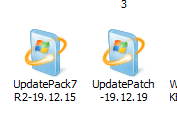
1. Have UpdatePack7R2-19.12.15, 850 MB downloaded.

2. Now download the patch from the posted link....correct.

3. Run the patch placed next to UpdatePack7R2-19.12.15, in download folder.

4. Than run the new exe on the live system with windows update turned off and never check for updates in settings.....correct?

Thanks.
 

Attachments

  • Updates.PNG
    Updates.PNG
    2.9 KB · Views: 45

My Computers My Computers

  • At a glance

    W7 Pro 32bitIntel(R) Core(TM)2 CPU T7200 @ 2.00GHz4.00 GBNVIDIA GTX 7980 512 MB
    Computer type
    Laptop
    Computer Manufacturer/Model Number
    Dell
    OS
    W7 Pro 32bit
    CPU
    Intel(R) Core(TM)2 CPU T7200 @ 2.00GHz
    Motherboard
    Dell Inc. 0CF456
    Memory
    4.00 GB
    Graphics Card(s)
    NVIDIA GTX 7980 512 MB
    Sound Card
    (1) HD Pro Webcam C910 (2) Bluetooth Stereo Audio (3) Si
    Hard Drives
    SSD
    Browser
    Brave
  • At a glance

    W10 Procore i7 11th gen, 11700, 2.5-4.9 GHZ32 GBB, 2 X16 GB @2933 MHz.NVIDIA GeForce RTX 3070 8GB GDDR6
    Computer type
    PC/Desktop
    System Manufacturer/Model Number
    Dell XPS Special Edition 8940
    OS
    W10 Pro
    CPU
    core i7 11th gen, 11700, 2.5-4.9 GHZ
    Memory
    32 GBB, 2 X16 GB @2933 MHz.
    Graphics Card(s)
    NVIDIA GeForce RTX 3070 8GB GDDR6
    Monitor(s) Displays
    Dell UltraSharp 32 4K monitor.
    Hard Drives
    1. 1TB M.2 PCIe NVMe SSD.

    2. 1TB 7200 rpm 3.5" SATA Hard Drive.
    PSU
    500W.
    Case
    Mineral White Bezel Chassis.
Hi,
Should I go ahead and run the patch?

When done run the newly created exe. as Megahertz suggested , stop update service and not to check for updates, on a live system?

Or do I require to place the exe at a specific location?

Thanks.


Edit:
I have approx 80 W7 security updates on this system, and 54 MS off security updates, on the earlier created and now restored backup. Hope they won't conflict.
And the exe. would only install the required, or overwrite all windows security updates?
 

My Computers My Computers

  • At a glance

    W7 Pro 32bitIntel(R) Core(TM)2 CPU T7200 @ 2.00GHz4.00 GBNVIDIA GTX 7980 512 MB
    Computer type
    Laptop
    Computer Manufacturer/Model Number
    Dell
    OS
    W7 Pro 32bit
    CPU
    Intel(R) Core(TM)2 CPU T7200 @ 2.00GHz
    Motherboard
    Dell Inc. 0CF456
    Memory
    4.00 GB
    Graphics Card(s)
    NVIDIA GTX 7980 512 MB
    Sound Card
    (1) HD Pro Webcam C910 (2) Bluetooth Stereo Audio (3) Si
    Hard Drives
    SSD
    Browser
    Brave
  • At a glance

    W10 Procore i7 11th gen, 11700, 2.5-4.9 GHZ32 GBB, 2 X16 GB @2933 MHz.NVIDIA GeForce RTX 3070 8GB GDDR6
    Computer type
    PC/Desktop
    System Manufacturer/Model Number
    Dell XPS Special Edition 8940
    OS
    W10 Pro
    CPU
    core i7 11th gen, 11700, 2.5-4.9 GHZ
    Memory
    32 GBB, 2 X16 GB @2933 MHz.
    Graphics Card(s)
    NVIDIA GeForce RTX 3070 8GB GDDR6
    Monitor(s) Displays
    Dell UltraSharp 32 4K monitor.
    Hard Drives
    1. 1TB M.2 PCIe NVMe SSD.

    2. 1TB 7200 rpm 3.5" SATA Hard Drive.
    PSU
    500W.
    Case
    Mineral White Bezel Chassis.
Run the patch on the same folder you have UpdatePack7R2-19.12.15
It will create UpdatePack7R2-19.12.19

Run the created UpdatePack7R2-19.12.19.exe pack.
It will only install the required updates. It may install in two sections. It will ask to reboot as necessary,
Leave Updates set to never check
Then run WU manually to find updates for Office etc and decide witch one to install.
 

My Computers My Computers

  • At a glance

    Windows 7 HP 64i5 6600K - 800MHz to 4200MHz4+4G GSkill DDR4 3000IG - Intel 530
    Computer type
    PC/Desktop
    Computer Manufacturer/Model Number
    custom build
    OS
    Windows 7 HP 64
    CPU
    i5 6600K - 800MHz to 4200MHz
    Motherboard
    GA-Z170-HD3P
    Memory
    4+4G GSkill DDR4 3000
    Graphics Card(s)
    IG - Intel 530
    Monitor(s) Displays
    Samsung 226BW
    Screen Resolution
    1680x1050
    Hard Drives
    (1) -1 SM951 – 128GB M.2 AHCI PCIe SSD drive for Windows 7 and Lubuntu
    (2) -1 WD SATA 3 - 1T for Data
    (3) -1 WD SATA 3 - 1T for backup
    PSU
    Thermaltake 450W TR2 gold
    Keyboard
    Old and good Chicony mechanical keyboard
    Mouse
    Logitech mX performance - 9 buttons (had to disable some)
    Internet Speed
    500Mb/s
    Browser
    Firefox 64
    Other Info
    TinyWall firewall
  • At a glance

    Windows 7 Proi7-4500U 800MHz to 3.0GHz(4+4)G DDR3 1600IG intel 4400 + NVIDIA GeForce GT 745M
    Computer type
    Laptop
    System Manufacturer/Model Number
    Asus Q550LF
    OS
    Windows 7 Pro
    CPU
    i7-4500U 800MHz to 3.0GHz
    Motherboard
    Asus Q550LF
    Memory
    (4+4)G DDR3 1600
    Graphics Card(s)
    IG intel 4400 + NVIDIA GeForce GT 745M
    Sound Card
    Realtek
    Monitor(s) Displays
    LG Display LP156WF4-SPH1
    Screen Resolution
    1920 x 1080
    Hard Drives
    BX500 120G SSD for Windows and programs +
    1T HDD for data
    Internet Speed
    500 Mb/s
    Browser
    Firefox
    Other Info
    TinyWall firewall
Run the created UpdatePack7R2-19.12.15.exe pack.
It will only install the required updates. It may install in two sections. It will ask to reboot as necessary,
Leave Updates set to never check
Then run WU manually to find updates for Office etc and decide witch one to install.


Do I need to run the patch too?

Should the update service be stopped too?

Thanks for the expert advice.
 

My Computers My Computers

  • At a glance

    W7 Pro 32bitIntel(R) Core(TM)2 CPU T7200 @ 2.00GHz4.00 GBNVIDIA GTX 7980 512 MB
    Computer type
    Laptop
    Computer Manufacturer/Model Number
    Dell
    OS
    W7 Pro 32bit
    CPU
    Intel(R) Core(TM)2 CPU T7200 @ 2.00GHz
    Motherboard
    Dell Inc. 0CF456
    Memory
    4.00 GB
    Graphics Card(s)
    NVIDIA GTX 7980 512 MB
    Sound Card
    (1) HD Pro Webcam C910 (2) Bluetooth Stereo Audio (3) Si
    Hard Drives
    SSD
    Browser
    Brave
  • At a glance

    W10 Procore i7 11th gen, 11700, 2.5-4.9 GHZ32 GBB, 2 X16 GB @2933 MHz.NVIDIA GeForce RTX 3070 8GB GDDR6
    Computer type
    PC/Desktop
    System Manufacturer/Model Number
    Dell XPS Special Edition 8940
    OS
    W10 Pro
    CPU
    core i7 11th gen, 11700, 2.5-4.9 GHZ
    Memory
    32 GBB, 2 X16 GB @2933 MHz.
    Graphics Card(s)
    NVIDIA GeForce RTX 3070 8GB GDDR6
    Monitor(s) Displays
    Dell UltraSharp 32 4K monitor.
    Hard Drives
    1. 1TB M.2 PCIe NVMe SSD.

    2. 1TB 7200 rpm 3.5" SATA Hard Drive.
    PSU
    500W.
    Case
    Mineral White Bezel Chassis.
Do I need to run the patch too?

Should the update service be stopped too?

Thanks for the expert advice.

Read my last post, I did an edition
 

My Computers My Computers

  • At a glance

    Windows 7 HP 64i5 6600K - 800MHz to 4200MHz4+4G GSkill DDR4 3000IG - Intel 530
    Computer type
    PC/Desktop
    Computer Manufacturer/Model Number
    custom build
    OS
    Windows 7 HP 64
    CPU
    i5 6600K - 800MHz to 4200MHz
    Motherboard
    GA-Z170-HD3P
    Memory
    4+4G GSkill DDR4 3000
    Graphics Card(s)
    IG - Intel 530
    Monitor(s) Displays
    Samsung 226BW
    Screen Resolution
    1680x1050
    Hard Drives
    (1) -1 SM951 – 128GB M.2 AHCI PCIe SSD drive for Windows 7 and Lubuntu
    (2) -1 WD SATA 3 - 1T for Data
    (3) -1 WD SATA 3 - 1T for backup
    PSU
    Thermaltake 450W TR2 gold
    Keyboard
    Old and good Chicony mechanical keyboard
    Mouse
    Logitech mX performance - 9 buttons (had to disable some)
    Internet Speed
    500Mb/s
    Browser
    Firefox 64
    Other Info
    TinyWall firewall
  • At a glance

    Windows 7 Proi7-4500U 800MHz to 3.0GHz(4+4)G DDR3 1600IG intel 4400 + NVIDIA GeForce GT 745M
    Computer type
    Laptop
    System Manufacturer/Model Number
    Asus Q550LF
    OS
    Windows 7 Pro
    CPU
    i7-4500U 800MHz to 3.0GHz
    Motherboard
    Asus Q550LF
    Memory
    (4+4)G DDR3 1600
    Graphics Card(s)
    IG intel 4400 + NVIDIA GeForce GT 745M
    Sound Card
    Realtek
    Monitor(s) Displays
    LG Display LP156WF4-SPH1
    Screen Resolution
    1920 x 1080
    Hard Drives
    BX500 120G SSD for Windows and programs +
    1T HDD for data
    Internet Speed
    500 Mb/s
    Browser
    Firefox
    Other Info
    TinyWall firewall

My Computers My Computers

  • At a glance

    W7 Pro 32bitIntel(R) Core(TM)2 CPU T7200 @ 2.00GHz4.00 GBNVIDIA GTX 7980 512 MB
    Computer type
    Laptop
    Computer Manufacturer/Model Number
    Dell
    OS
    W7 Pro 32bit
    CPU
    Intel(R) Core(TM)2 CPU T7200 @ 2.00GHz
    Motherboard
    Dell Inc. 0CF456
    Memory
    4.00 GB
    Graphics Card(s)
    NVIDIA GTX 7980 512 MB
    Sound Card
    (1) HD Pro Webcam C910 (2) Bluetooth Stereo Audio (3) Si
    Hard Drives
    SSD
    Browser
    Brave
  • At a glance

    W10 Procore i7 11th gen, 11700, 2.5-4.9 GHZ32 GBB, 2 X16 GB @2933 MHz.NVIDIA GeForce RTX 3070 8GB GDDR6
    Computer type
    PC/Desktop
    System Manufacturer/Model Number
    Dell XPS Special Edition 8940
    OS
    W10 Pro
    CPU
    core i7 11th gen, 11700, 2.5-4.9 GHZ
    Memory
    32 GBB, 2 X16 GB @2933 MHz.
    Graphics Card(s)
    NVIDIA GeForce RTX 3070 8GB GDDR6
    Monitor(s) Displays
    Dell UltraSharp 32 4K monitor.
    Hard Drives
    1. 1TB M.2 PCIe NVMe SSD.

    2. 1TB 7200 rpm 3.5" SATA Hard Drive.
    PSU
    500W.
    Case
    Mineral White Bezel Chassis.
Back
Top