Kloppstock
New member
- Local time
- 1:03 PM
- Messages
- 14
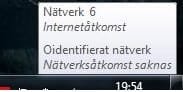
This does not nessesarely happen upon win startup only, also after the connection
have pended, and that happens now and then, somethimes but not often
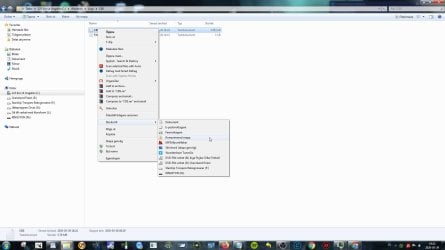
next network pending will get rid of the frozen message Bild >> Bildtagg.se
But i wanna under controlled forms get ridd of it, and i imagine that
the solution will remind of this old Win7 problem
YouTube
The Volume Icon disappeared ! - Fix Tutorial for Windows 7 / Vista
Just change the topic to "network conenction re-appeared - Fix Tutorial for Windows 7 / Vista"
where we possibly could go into the registry and delete the string that controls this (whatever that is)
and then refresh Explorer.exe for this message to dissapear.
Or if you have any other suggestion?
have pended, and that happens now and then, somethimes but not often
next network pending will get rid of the frozen message Bild >> Bildtagg.se
But i wanna under controlled forms get ridd of it, and i imagine that
the solution will remind of this old Win7 problem
YouTube
The Volume Icon disappeared ! - Fix Tutorial for Windows 7 / Vista
Just change the topic to "network conenction re-appeared - Fix Tutorial for Windows 7 / Vista"
where we possibly could go into the registry and delete the string that controls this (whatever that is)
and then refresh Explorer.exe for this message to dissapear.
Or if you have any other suggestion?
Attachments
My Computer
- Computer Manufacturer/Model Number
- Socket AM3 (938)
- OS
- Windows 7 x64 80 day trial version
- CPU
- AMD Phenom(tm) II X4 945 Processor
- Motherboard
- Gigabyte GA-MA770-UD3
- Memory
- 4 Gb
- Graphics Card(s)
- Powercolor Radeon HD 5770
- Sound Card
- Sound Blaster XFI Extreme Gamer
- Monitor(s) Displays
- Samsung Syncmaster Magic
- Hard Drives
- 4, dont have energy to dropp the all
2 IDE, 2 Sata
- PSU
- Dont know
- Case
- Antec +?
- Cooling
- Antec +?