I reinstalled Win 7 Pro and need a little help MS Security Essentials

RBS7

New member
Member
Local time
8:10 AM
Messages
44
As stated I did a clean install of Windows 7 Pro. I installed Microsoft Security Essentials as replacement for Defender without incident, and while I realize it is no longer supported. It still receives security updates, which I did, but I can not start real protection.

I have other Win 7 machines it is functional and runs properly.

I can not click the on button, it remains a defiant red, and the Defender service is running so I am at an impasse, any suggestions?
 

My Computer My Computer

At a glance

windows 7 & 8
Computer type
PC/Desktop
OS
windows 7 & 8
Hi RBS7,

MSE IS still supported, for about another 18 months.


Can you confirm
It was a clean install - NOT a repair install or a back-up/clone from something like Macrium?

If it was the above its possible any previous AV left behind remnants and your system says turn OFF MSE

if it was a clean install, then i'd uninstall/reinstall
Download Microsoft Security Essentials Removal Tool

if that fails i'd opt for another AV- Bitdefender free easy/light on system or Kaspersky bit more complex

Roy
 

My Computer My Computer

At a glance

W7 home premium 32bit/W7HP 64bit/w10 tp insid...E5300 dual core3gbNvidia Geforce 7100 Nforce 630i
Computer type
PC/Desktop
Computer Manufacturer/Model Number
medionl/Aspire 6930G/acer x55a
OS
W7 home premium 32bit/W7HP 64bit/w10 tp insider ring
CPU
E5300 dual core
Motherboard
medion MS7366
Memory
3gb
Graphics Card(s)
Nvidia Geforce 7100 Nforce 630i
Monitor(s) Displays
avixc
Internet Speed
n (isp resticted to 72)
Antivirus
mse/pands
Browser
palemoon
Other Info
Belkin Fd7050 n USB using Railink RT2870 drivers, more upto date
RBS7:
I've done several clean installs of Windows 7 Pro SP1 64-bit in the past month.
After getting Windows 7 up to date, I installed Microsoft Security Essentials 4.10.209.0 in each one.
The install of MSE went fine and the definition files automatically updated.
I'm not there to see what you did, but I'm surprised you're having issues with MSE.
 

My Computer My Computer

At a glance

Windows 7 Professional SP1 64-bitIntel Core i7-4790 3.60 GHz32 GB DDR3-1600 MHzIntegrated Intel HD Graphics 4600
Computer type
PC/Desktop
Computer Manufacturer/Model Number
Dell OptiPlex 9020
OS
Windows 7 Professional SP1 64-bit
CPU
Intel Core i7-4790 3.60 GHz
Memory
32 GB DDR3-1600 MHz
Graphics Card(s)
Integrated Intel HD Graphics 4600
Monitor(s) Displays
Viewsonic 32" LCD
Hard Drives
Kingston SATA 3 240 GB SSD
Internet Speed
Spectrum Internet 1000 Mbps
Okay .. thanks to all
Yes it was a clean install, and after what you all say, I think I will just do another install. I might have been a bit premature with installing other software and not fully letting all updates wot be done first.

thanks

[update]
talk about premature, I just looked at the machine and found it had 180 updates that needed to be done.
LOL I suspect that has a lot to do with it.

[update2]
it's back, just had to wait for those updates
I really do love Windows 7
 
Last edited:

My Computer My Computer

At a glance

windows 7 & 8
Computer type
PC/Desktop
OS
windows 7 & 8
MSE definitions now require sha2 support. That is why you needed the updates.

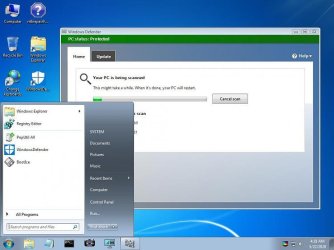
If you want to be able to use it from boot media

17514x64v20.iso

boot media desktop

wdo-full.jpg
 

My Computers My Computers

  • At a glance

    7 X64i5 84002x8gb 3200mhz
    Computer type
    PC/Desktop
    OS
    7 X64
    CPU
    i5 8400
    Motherboard
    gigabyte b365m ds3h
    Memory
    2x8gb 3200mhz
    Hard Drives
    various
    PSU
    pure power 11 400w cm
    Case
    Coolermaster
    Cooling
    cryorig m9i
  • At a glance

    7x64g54008gb ddr4 2400
    Computer type
    PC/Desktop
    OS
    7x64
    CPU
    g5400
    Motherboard
    ga b365m ds3h
    Memory
    8gb ddr4 2400
    PSU
    xfx pro 450w
If your copy of Windows 7 Pro SP1 64-bit had about 180 updates to install, you did a clean install and update by the old method.
That involves several steps and takes much longer to complete.

If you want to complete the entire process much quicker, you should do a clean install and update by the new method which involves 2 steps:
1. Do a clean install of Windows 7 Pro SP1 64-bit.
2. Obtain and then run Simplix Update Pack 20.6.11.
(Note: click one of the MajorGeeks download links)
 

My Computer My Computer

At a glance

Windows 7 Professional SP1 64-bitIntel Core i7-4790 3.60 GHz32 GB DDR3-1600 MHzIntegrated Intel HD Graphics 4600
Computer type
PC/Desktop
Computer Manufacturer/Model Number
Dell OptiPlex 9020
OS
Windows 7 Professional SP1 64-bit
CPU
Intel Core i7-4790 3.60 GHz
Memory
32 GB DDR3-1600 MHz
Graphics Card(s)
Integrated Intel HD Graphics 4600
Monitor(s) Displays
Viewsonic 32" LCD
Hard Drives
Kingston SATA 3 240 GB SSD
Internet Speed
Spectrum Internet 1000 Mbps
If your copy of Windows 7 Pro SP1 64-bit had about 180 updates to install, you did a clean install and update by the old method.
That involves several steps and takes much longer to complete.

If you want to complete the entire process much quicker, you should do a clean install and update by the new method which involves 2 steps:
1. Do a clean install of Windows 7 Pro SP1 64-bit.
2. Obtain and then run Simplix Update Pack 20.6.11.
(Note: click one of the MajorGeeks download links)

Good to know thank you

but?? this isn't a Microsoft distributed package is it? I get nervous with such items.
 

My Computer My Computer

At a glance

windows 7 & 8
Computer type
PC/Desktop
OS
windows 7 & 8
I was a stickler for using the old method (which took 5 - 6 hours) until enough people here and at the MyDigitalLife forums convinced me to use the new method (which takes 2 - 3 hours).

I've clean installed and updated several computers using the new method, and everything worked fine afterwards.

My hat is off to the creator of the Simplix tool for making the job of updating Windows 7 so much easier and quicker.
 

My Computer My Computer

At a glance

Windows 7 Professional SP1 64-bitIntel Core i7-4790 3.60 GHz32 GB DDR3-1600 MHzIntegrated Intel HD Graphics 4600
Computer type
PC/Desktop
Computer Manufacturer/Model Number
Dell OptiPlex 9020
OS
Windows 7 Professional SP1 64-bit
CPU
Intel Core i7-4790 3.60 GHz
Memory
32 GB DDR3-1600 MHz
Graphics Card(s)
Integrated Intel HD Graphics 4600
Monitor(s) Displays
Viewsonic 32" LCD
Hard Drives
Kingston SATA 3 240 GB SSD
Internet Speed
Spectrum Internet 1000 Mbps
sounds good thnx
 

My Computer My Computer

At a glance

windows 7 & 8
Computer type
PC/Desktop
OS
windows 7 & 8
I received a refurbished Dell OptiPlex 9020 minitower today.
I then did a clean install of Windows 7 Professional SP1 64-bit in it.
I then used Simplix Update Pack 20.6.20
I then installed the needed drivers.
I then configured and set it up to my personal liking.
The entire process took about 3 hours.
:-)
 

My Computer My Computer

At a glance

Windows 7 Professional SP1 64-bitIntel Core i7-4790 3.60 GHz32 GB DDR3-1600 MHzIntegrated Intel HD Graphics 4600
Computer type
PC/Desktop
Computer Manufacturer/Model Number
Dell OptiPlex 9020
OS
Windows 7 Professional SP1 64-bit
CPU
Intel Core i7-4790 3.60 GHz
Memory
32 GB DDR3-1600 MHz
Graphics Card(s)
Integrated Intel HD Graphics 4600
Monitor(s) Displays
Viewsonic 32" LCD
Hard Drives
Kingston SATA 3 240 GB SSD
Internet Speed
Spectrum Internet 1000 Mbps
Back
Top