Solved Disk cleanup tools not activating- just screen wink in and out

loninappleton

New member
Member
VIP
Local time
5:58 AM
Messages
892
Those Disk Cleanup Extended and Check Disk tools I had used earlier, well I must have forgotten something.
From the desktop, I run those as administrator and select the number option and just get a screen flash. It's like going to system and then coming back. I don't recall going to CMD or som such.
 

My Computer My Computer

At a glance

Windows 7 x64 UltimateAMD Athlon II x3 4502 GB
Computer type
PC/Desktop
Computer Manufacturer/Model Number
custom
OS
Windows 7 x64 Ultimate
CPU
AMD Athlon II x3 450
Motherboard
MSI 880GM
Memory
2 GB
Hard Drives
various
Browser
Firefox, Opera
loninappleton,

Hope the below dissertation helps you!

Disk Cleanup : Extended - Windows 7 Help Forums

From Administrative CMD disk cleanup lowdisk & verlowdisk
First runs and popups appear with checkbox choices
Second runs with minimal prompts
Cleanmgr /lowdisk
Cleanmgr /verylowdisk

You can create a batch script if you wish also
Here's a copies of mine
Copy and paste into notepad, instead of saving as .txt Choose Save as, all, the type the name you wish and add .bat
I prefer to use notepad++
Here's a one click installer from Ninite. No BS and default install
Ninite Notepad++ Installer.exe


@echo off
Title === Disk Cleanup Extended-LowDisk ===
cls
color 0a
mode 57,7
echo.
echo.
echo Disk Cleanup Extended-LowDisk starting . . .
echo Do not close this window, it will automatically close.
echo Completion will take several minutes.
echo When your computer restarts, it will appear to hang
echo at 100 percent, however, it is still working.
echo Patience please and follow the prompts . . .
%SystemRoot%\System32\Cmd.exe /c Cleanmgr /LOWDISK && shutdown /r /t 0


@echo off
Title === Disk Cleanup Extended-LowDisk ===
cls
color 0a
mode 57,7
echo.
echo.
echo Disk Cleanup Extended-VeryLowDisk starting . . .
echo Do not close this window, it will automatically close.
echo Completion will take several minutes.
echo When your computer restarts, it may appear to hang
echo at 100 percent, however, it is still working.
echo Patience please and follow the prompts . . .
%SystemRoot%\System32\Cmd.exe /c Cleanmgr /VERYLOWDISK && shutdown /r /t 0

The && shutdown /r /t 0; is after cleanmgr completes && pauses batch script to that point then when cleanmgr computes -> shutdown /restart /wait to shutdown zero

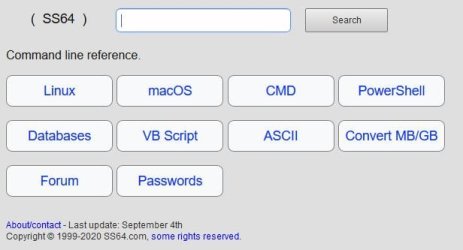
Good site for explanations and examples

SS64 Command line reference

Capture.JPG

Snick


My Computer My Computer

At a glance

Win 10 x64, Linux Lite, Win 7 x64, BlackArch,...
Computer type
PC/Desktop
Computer Manufacturer/Model Number
HP Desktop & Compaq Laptop
OS
Win 10 x64, Linux Lite, Win 7 x64, BlackArch, & Kali
Hard Drives
Samsung 850 Pro 256Gb,
Hitachi HDD 1Tb,
Crucial MX SSD 250Gb
Segate 3Tb USB 3.0 Ext. Backup HDD
Internet Speed
150Mbps dn, 20Mbps up
Antivirus
Avast Free, Malwarebytes Anti-Exploit & Anti-Ransomware
Browser
Firefox, Chrome, Opera, & VPN
Thanks for reply. I'm on the Notepad++ team already . Still too much in it for me.


I'll try the batch file.


I'm on old Win7 and will be forever.


It's been so long since I used a batch file, I forgot the symbol on the CHKDSK and Cleaner tool.
Should those be moved to root C: on system then? Maybe that was my mistake.


I'll mark solved after a I do a few of these things.
 

My Computer My Computer

At a glance

Windows 7 x64 UltimateAMD Athlon II x3 4502 GB
Computer type
PC/Desktop
Computer Manufacturer/Model Number
custom
OS
Windows 7 x64 Ultimate
CPU
AMD Athlon II x3 450
Motherboard
MSI 880GM
Memory
2 GB
Hard Drives
various
Browser
Firefox, Opera
On the original batch files Disk_Cleanup_Extended all I had to do to make it run
was open and run as administratrator.


I did the same thing to the CHKDSK Win7 batch file I got months ago and it still
just winks when selecting a number. And no my numlock key is not on to switch things around.
In other words the program loads fine and gives the welcom message with me as the user.
The number selection fails.


I'm going to try it on one other machine...


Nope. Same effect. What bothers me is I used to do this and now have lost something.
I can easily load the CHKDSK commands by hand when needed
 

My Computer My Computer

At a glance

Windows 7 x64 UltimateAMD Athlon II x3 4502 GB
Computer type
PC/Desktop
Computer Manufacturer/Model Number
custom
OS
Windows 7 x64 Ultimate
CPU
AMD Athlon II x3 450
Motherboard
MSI 880GM
Memory
2 GB
Hard Drives
various
Browser
Firefox, Opera
loninappleton,

Did you restart your computer and try them?

Probably a good idea to run sfc /scannow from Admin CMD to check for and fix missing or corrupt system files.
Everything runs fine on my Win7 SSD.

Have you tried running disk cleanup from Start Orb, textbox type disk cleanup

Have you tried running chkdsk from admin cmd, by opening CMD as admin, and entering chkdsk at > ?

I can provide you with any or all of the batch files as whickever.bat, you can open and run as admin if you wish.
I have them on my OneDrive.
disk cleanup extended
disk cleanup lowdisk
disk cleanup verylowdisk
 

My Computer My Computer

At a glance

Win 10 x64, Linux Lite, Win 7 x64, BlackArch,...
Computer type
PC/Desktop
Computer Manufacturer/Model Number
HP Desktop & Compaq Laptop
OS
Win 10 x64, Linux Lite, Win 7 x64, BlackArch, & Kali
Hard Drives
Samsung 850 Pro 256Gb,
Hitachi HDD 1Tb,
Crucial MX SSD 250Gb
Segate 3Tb USB 3.0 Ext. Backup HDD
Internet Speed
150Mbps dn, 20Mbps up
Antivirus
Avast Free, Malwarebytes Anti-Exploit & Anti-Ransomware
Browser
Firefox, Chrome, Opera, & VPN
scannow is a good idea but I can't see how the same problem would be on two machines.
I'll run it and see.


What is One drive is that an access point for those batch files?


thanks for your patience in all this.


What is Start Orb?
 

My Computer My Computer

At a glance

Windows 7 x64 UltimateAMD Athlon II x3 4502 GB
Computer type
PC/Desktop
Computer Manufacturer/Model Number
custom
OS
Windows 7 x64 Ultimate
CPU
AMD Athlon II x3 450
Motherboard
MSI 880GM
Memory
2 GB
Hard Drives
various
Browser
Firefox, Opera
No problem with the patience, see my footer? ;)
I always endeavor to impart at least a little knowledge with posts here on Sevenforums! :geek:

Sorry for the lack of description
Start Orb :orb: lower-left corner of your computer screen :D

OneDrive is Microsoft Cloud Storage. If I provide you a link you can download a file or folder or zip/compressed folder.

I run my batch scripts from my desktop. or from them stored on my C drive.
Never tried running them from another location or drive. I will do that now and see if I have the same issue. Will learn something irregardless!

Windows 7 OS Ran Disk cleanup very low disk from D drive and from external HDD. Both run and ask which drive to cleanup.

Windows 10 OS Ran Disk cleanup very low disk from D drive and from external HDD. Both run and ask which drive to cleanup.

Snick
 
Last edited:

My Computer My Computer

At a glance

Win 10 x64, Linux Lite, Win 7 x64, BlackArch,...
Computer type
PC/Desktop
Computer Manufacturer/Model Number
HP Desktop & Compaq Laptop
OS
Win 10 x64, Linux Lite, Win 7 x64, BlackArch, & Kali
Hard Drives
Samsung 850 Pro 256Gb,
Hitachi HDD 1Tb,
Crucial MX SSD 250Gb
Segate 3Tb USB 3.0 Ext. Backup HDD
Internet Speed
150Mbps dn, 20Mbps up
Antivirus
Avast Free, Malwarebytes Anti-Exploit & Anti-Ransomware
Browser
Firefox, Chrome, Opera, & VPN
Ok. point the way-- if you prefer in PM etc.
Yes, after the scannow found nothing I thought maybe I just have chkdsk.bat that did not copy
correctly during a backup or some such.
 

My Computer My Computer

At a glance

Windows 7 x64 UltimateAMD Athlon II x3 4502 GB
Computer type
PC/Desktop
Computer Manufacturer/Model Number
custom
OS
Windows 7 x64 Ultimate
CPU
AMD Athlon II x3 450
Motherboard
MSI 880GM
Memory
2 GB
Hard Drives
various
Browser
Firefox, Opera
Did you try restarting your computer and run the scripts?

Point the way to what please?

R U using Firefox?

I asked because I notice the double spacing between your paragraphs.

It's a simple fix in about:config

editor.use_div_for_default_newlines
needs to be toggled from true to false
I use Firefox Quantum
 

My Computer My Computer

At a glance

Win 10 x64, Linux Lite, Win 7 x64, BlackArch,...
Computer type
PC/Desktop
Computer Manufacturer/Model Number
HP Desktop & Compaq Laptop
OS
Win 10 x64, Linux Lite, Win 7 x64, BlackArch, & Kali
Hard Drives
Samsung 850 Pro 256Gb,
Hitachi HDD 1Tb,
Crucial MX SSD 250Gb
Segate 3Tb USB 3.0 Ext. Backup HDD
Internet Speed
150Mbps dn, 20Mbps up
Antivirus
Avast Free, Malwarebytes Anti-Exploit & Anti-Ransomware
Browser
Firefox, Chrome, Opera, & VPN
Last edited:

My Computer My Computer

At a glance

Win 10 x64, Linux Lite, Win 7 x64, BlackArch,...
Computer type
PC/Desktop
Computer Manufacturer/Model Number
HP Desktop & Compaq Laptop
OS
Win 10 x64, Linux Lite, Win 7 x64, BlackArch, & Kali
Hard Drives
Samsung 850 Pro 256Gb,
Hitachi HDD 1Tb,
Crucial MX SSD 250Gb
Segate 3Tb USB 3.0 Ext. Backup HDD
Internet Speed
150Mbps dn, 20Mbps up
Antivirus
Avast Free, Malwarebytes Anti-Exploit & Anti-Ransomware
Browser
Firefox, Chrome, Opera, & VPN
loninappleton

Here's a simple Disk Cleanup batch file from my OneDrive. Run it from the drive you wish to clean up. If you place it on your desktop and run it, it will clean up C Drive.
Disk Cleanup.bat

Below is the contents if you wish to create your own batch file

Title Disk-Cleanup VeryLowDisk

start cleanmgr /verylowdisk

exit
 

My Computer My Computer

At a glance

Win 10 x64, Linux Lite, Win 7 x64, BlackArch,...
Computer type
PC/Desktop
Computer Manufacturer/Model Number
HP Desktop & Compaq Laptop
OS
Win 10 x64, Linux Lite, Win 7 x64, BlackArch, & Kali
Hard Drives
Samsung 850 Pro 256Gb,
Hitachi HDD 1Tb,
Crucial MX SSD 250Gb
Segate 3Tb USB 3.0 Ext. Backup HDD
Internet Speed
150Mbps dn, 20Mbps up
Antivirus
Avast Free, Malwarebytes Anti-Exploit & Anti-Ransomware
Browser
Firefox, Chrome, Opera, & VPN
Did you try restarting your computer and run the scripts?

Point the way to what please?

R U using Firefox?

I asked because I notice the double spacing between your paragraphs.

It's a simple fix in about:config

editor.use_div_for_default_newlines
needs to be toggled from true to false
I use Firefox Quantum


I don't have enough to write in these lines to test.
Ok, fixed. A good tip
 

My Computer My Computer

At a glance

Windows 7 x64 UltimateAMD Athlon II x3 4502 GB
Computer type
PC/Desktop
Computer Manufacturer/Model Number
custom
OS
Windows 7 x64 Ultimate
CPU
AMD Athlon II x3 450
Motherboard
MSI 880GM
Memory
2 GB
Hard Drives
various
Browser
Firefox, Opera
loninappleton,

Did you restart your computer and try them?

Probably a good idea to run sfc /scannow from Admin CMD to check for and fix missing or corrupt system files.
Everything runs fine on my Win7 SSD.

Have you tried running disk cleanup from Start Orb, textbox type disk cleanup

Have you tried running chkdsk from admin cmd, by opening CMD as admin, and entering chkdsk at > ?

I can provide you with any or all of the batch files as whickever.bat, you can open and run as admin if you wish.
I have them on my OneDrive.
disk cleanup extended
disk cleanup lowdisk
disk cleanup verylowdisk


Much appreciated. I got all of these and put them in my cleaner tools folder.
They are working better than what I had-- still don't know the reason.


Ready to mark solved
 

My Computer My Computer

At a glance

Windows 7 x64 UltimateAMD Athlon II x3 4502 GB
Computer type
PC/Desktop
Computer Manufacturer/Model Number
custom
OS
Windows 7 x64 Ultimate
CPU
AMD Athlon II x3 450
Motherboard
MSI 880GM
Memory
2 GB
Hard Drives
various
Browser
Firefox, Opera
loninappleton

You can open the batch files in notepad or notepad++
You right click the batch file, and for notepad choose edit
for Notepad++ you right-click batch file and choose edit with notepad++
If you open the disk cleanup batch script that doesn't work, copy and paste in your next post I'll have a look see.

Irregardless, glad I could be of assistance to you. That's what we're all about here, helping less savvy individuals with their computer problems.

Read the blue text in my footer. Always prudent to backup your system to an external hard drive. I backup my computers, full disk images. to a USB 3.0 4tb Seagate External Hard Drive. They are getting cheaper all the time. I don't recommend an Solid State Drive for backups, Hard Drives are more reliable as they write to a disk not flash memory from researching the topic, in my opinion.

Snick
 

My Computer My Computer

At a glance

Win 10 x64, Linux Lite, Win 7 x64, BlackArch,...
Computer type
PC/Desktop
Computer Manufacturer/Model Number
HP Desktop & Compaq Laptop
OS
Win 10 x64, Linux Lite, Win 7 x64, BlackArch, & Kali
Hard Drives
Samsung 850 Pro 256Gb,
Hitachi HDD 1Tb,
Crucial MX SSD 250Gb
Segate 3Tb USB 3.0 Ext. Backup HDD
Internet Speed
150Mbps dn, 20Mbps up
Antivirus
Avast Free, Malwarebytes Anti-Exploit & Anti-Ransomware
Browser
Firefox, Chrome, Opera, & VPN
Ok I found the one that was not executing but loading. I moved the .bat to notepad++ and
then just copied that to regular notepad. I put it in an attachment so this message doesn't get to long:
 

Attachments

My Computer My Computer

At a glance

Windows 7 x64 UltimateAMD Athlon II x3 4502 GB
Computer type
PC/Desktop
Computer Manufacturer/Model Number
custom
OS
Windows 7 x64 Ultimate
CPU
AMD Athlon II x3 450
Motherboard
MSI 880GM
Memory
2 GB
Hard Drives
various
Browser
Firefox, Opera
loninappleton

Your submission runs fine on both of my Win7 OS SSDs & Win10 OS SSD.

Did you right-click it and run as Administrator?

I was referring to your diskcleanup batch file that you have that flashed.
 

My Computer My Computer

At a glance

Win 10 x64, Linux Lite, Win 7 x64, BlackArch,...
Computer type
PC/Desktop
Computer Manufacturer/Model Number
HP Desktop & Compaq Laptop
OS
Win 10 x64, Linux Lite, Win 7 x64, BlackArch, & Kali
Hard Drives
Samsung 850 Pro 256Gb,
Hitachi HDD 1Tb,
Crucial MX SSD 250Gb
Segate 3Tb USB 3.0 Ext. Backup HDD
Internet Speed
150Mbps dn, 20Mbps up
Antivirus
Avast Free, Malwarebytes Anti-Exploit & Anti-Ransomware
Browser
Firefox, Chrome, Opera, & VPN
A misunderstanding. I think I mentioned further up that I fixed my flash problem by running as admin.
The CHKDSK however needed a new download apparently. I repeatedly tried to run as admin. If you found no errors I'm stumped. It's altogether possible I missed a step in all the tries. I will cop to "user error" on this. But now I have your long version of the .bat file which I lacked before.


I appreciate all the things Sevenforums does
 

My Computer My Computer

At a glance

Windows 7 x64 UltimateAMD Athlon II x3 4502 GB
Computer type
PC/Desktop
Computer Manufacturer/Model Number
custom
OS
Windows 7 x64 Ultimate
CPU
AMD Athlon II x3 450
Motherboard
MSI 880GM
Memory
2 GB
Hard Drives
various
Browser
Firefox, Opera
I don't have enough to write in these lines to test.
Ok, fixed. A good tip


Just one followup without starting a new thread.


Does that Aboutconfig > editor > off command affect (or effect) Thunderbird? I have an
extra CR problem in various replies in Tbird which may involve copy and paste notepad text and soforth.
 

My Computer My Computer

At a glance

Windows 7 x64 UltimateAMD Athlon II x3 4502 GB
Computer type
PC/Desktop
Computer Manufacturer/Model Number
custom
OS
Windows 7 x64 Ultimate
CPU
AMD Athlon II x3 450
Motherboard
MSI 880GM
Memory
2 GB
Hard Drives
various
Browser
Firefox, Opera
Just one followup without starting a new thread.


Does that Aboutconfig > editor > off command affect (or effect) Thunderbird? I have an
extra CR problem in various replies in Tbird which may involve copy and paste notepad text and soforth.

I don't use Thunderbird, however I don't believe so.

Here's another link to my OneDrive Check Disk.zip
Simple chkdsk commands, they all run on my Win7x64 OS
Check Disk without fixing errors or repairing bad sectors
The below requires a restart and you will be prompted for Y or N
Check Disk with fixing errors without repairing bad sectors
Check Disk with fixing errors and repairing bad sectors. (takes a long time to complete)

Snick
 

My Computer My Computer

At a glance

Win 10 x64, Linux Lite, Win 7 x64, BlackArch,...
Computer type
PC/Desktop
Computer Manufacturer/Model Number
HP Desktop & Compaq Laptop
OS
Win 10 x64, Linux Lite, Win 7 x64, BlackArch, & Kali
Hard Drives
Samsung 850 Pro 256Gb,
Hitachi HDD 1Tb,
Crucial MX SSD 250Gb
Segate 3Tb USB 3.0 Ext. Backup HDD
Internet Speed
150Mbps dn, 20Mbps up
Antivirus
Avast Free, Malwarebytes Anti-Exploit & Anti-Ransomware
Browser
Firefox, Chrome, Opera, & VPN
Thanks again. I'll look elsewhere on the T-bird problem. Perhaps a setting inWord Processing.


I'll get your check disk link.
 

My Computer My Computer

At a glance

Windows 7 x64 UltimateAMD Athlon II x3 4502 GB
Computer type
PC/Desktop
Computer Manufacturer/Model Number
custom
OS
Windows 7 x64 Ultimate
CPU
AMD Athlon II x3 450
Motherboard
MSI 880GM
Memory
2 GB
Hard Drives
various
Browser
Firefox, Opera
Back
Top
