Solved Installing PCIe x16 3.0 GPU in PCIex16 2.0 Motherboard

Xp4me

New member
Member
Local time
4:48 PM
Messages
65
Just purchased a new CPU MSI GeForce GTX 1650 D6 VENTUS XS for my aged Gigabyte mother board GA-990FXA-UD5 (rev. 3.0) Overview | Motherboard - GIGABYTE Global
I'm getting the yellow exclamation mark for (PCI Device) in Device Manager. I can't get a driver to install for it. It won't pull it from the original Gigabyte software disk. I never had any problems getting it to install for the old GPU and if I remove the new GPU and put the old one back in the yellow exclamation mark disappears. So, the PCIe x16 2.0 driver is installed. I'm guessing that it's because the Gigabyte MB supports PCIe x16 2.0 and the new GPU is 3.0. I've always thought that PCIe x16 3.0 is backwards compatible with 2.0 however, no one ever talks about getting a 3.0 driver to install for a 2.0 slot.
Does anyone have any ideas about where and how to get a 3.0 driver to run this new GPU?

Keep in mind that I'm just guessing that this is the problem,............I'm all ears.

Thanks,
Bruce
 

My Computer My Computer

At a glance

XP 32 Bit & Win 7 64 BitFX 8350 AMD 8 - CoreMushkin Silverline 8GB x2 16GBMSI Twin Frozr Geforce GTX 660
Computer type
PC/Desktop
Computer Manufacturer/Model Number
Custom build
OS
XP 32 Bit & Win 7 64 Bit
CPU
FX 8350 AMD 8 - Core
Motherboard
Gigabyte 990FXA-UD5
Memory
Mushkin Silverline 8GB x2 16GB
Graphics Card(s)
MSI Twin Frozr Geforce GTX 660
Hard Drives
SSD Samsung SSD 840 EVO
HDD Seagate Barracuda ST3000DM001 3TB
Antivirus
Bitdefender Internet Security
Browser
Firefox
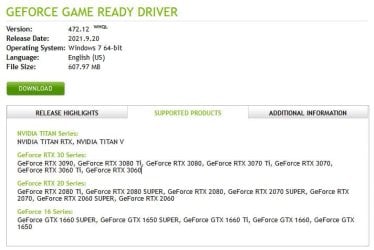
GeForce driver 472.12
NVIDIA DRIVERS GeForce Game Ready Driver WHQL

BTW, that is the same driver I use with the ASUS GeForce GTX 1060 for my aged Gigabyte GA-990FXA-UD3 (rev. 1.0) motherboard.

The GPU will be limited to the PCIe 2.0 speed of the motherboard. Depending upon the game that might not even make a big difference.

2022-01-21 12_43_52-NVIDIA DRIVERS GeForce Game Ready Driver WHQL — Mozilla Firefox.jpg
 
Last edited:

My Computers My Computers

  • At a glance

    Windows 7 Professional 64bit / Windows 10 Hom...AMD FX-8350GSKILL Ripjaw-X PC3 12800 12GB (2x4GB, 2x2GB)ASUS ENGTX560 DCII OC/2DI/1GD5 1GB
    Computer type
    PC/Desktop
    Computer Manufacturer/Model Number
    Custom build
    OS
    Windows 7 Professional 64bit / Windows 10 Home 64bit
    CPU
    AMD FX-8350
    Motherboard
    Gigabyte GA-990FXA-UD3 (AM3+) Rev. 4.0
    Memory
    GSKILL Ripjaw-X PC3 12800 12GB (2x4GB, 2x2GB)
    Graphics Card(s)
    ASUS ENGTX560 DCII OC/2DI/1GD5 1GB
    Sound Card
    Integrated
    Monitor(s) Displays
    Asus VE228H (21.5-in)
    Screen Resolution
    1920x1080 60Hz
    Hard Drives
    SAMSUNG 870 EVO 1TB (2.5" SATA SSD)
    SAMSUNG 870 EVO 500GB (2.5" SATA SSD)
    PSU
    Antec TruePower (new) TP-650 (650 watts)
    Case
    Antec Three Hundred
    Cooling
    AMD stock (plan to upgrade to Cooler Master Hyper 212 EVO)
    Keyboard
    Logitech K540 (wireless)
    Mouse
    Logitech M310 (wireless)
    Internet Speed
    Comcast Gigabit X2 Internet (2100Mbps down / 300Mbps up)
    Browser
    Firefox, Edge, Chrome
    Other Info
    Optical drive: ASUS DRW-24B3ST/BLK/G (Black) (24X)
    External hard drives: 2TB & 6TB
    Internet Gateway: Comcast XB8
  • Computer type
    PC/Desktop
GeForce driver 472.12
NVIDIA DRIVERS GeForce Game Ready Driver WHQL

BTW, that is the same driver I use with the ASUS GeForce GTX 1060 for my aged Gigabyte GA-990FXA-UD3 (rev. 1.0) motherboard.

The GPU will be limited to the PCIe 2.0 speed of the motherboard. Depending upon the game that might not even make a big difference.

View attachment 420851

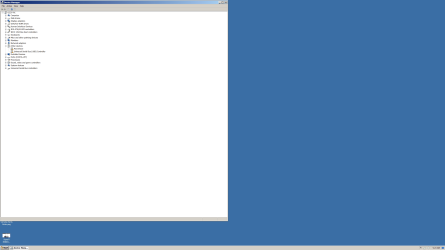
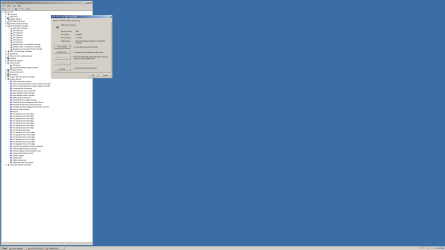
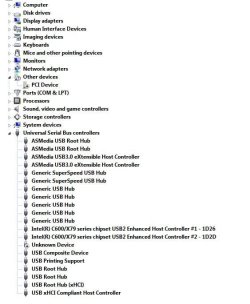
I already have GeForce driver 472.12 installed, but this is what I see in Device Manager. DeviceManager.png
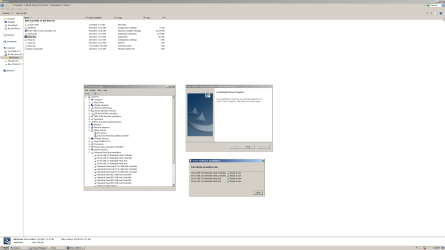
It allowed me to install drivers for all the other ones and the yellow exclamation marks were resolved.Etron host controller.png
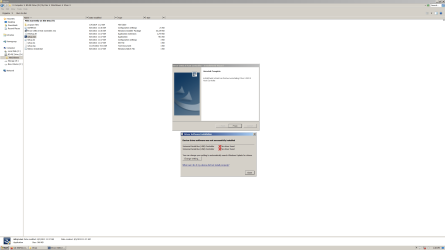
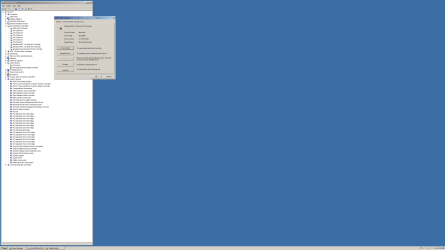
However, the last two (PCI Device) and (Serial Bus controller) refuse to let me install a driver as seen in the Device Manager photo above. This is what I see when I try.
No Driver Found.png
This is what Gigabyte told me, "
Dear Valued Customer,

There will be no specific driver for PCIe 3.0. As this unit was manufactured well before that was implemented. You can try to do a clean driver installation for the GPU to see if it can be detected afterwards."

As far as I know PCIe x16 3.0 was released in 2010 and my board was made toward the end of 2012.

I don't know what to do at this point, other than try to return it.
 

My Computer My Computer

At a glance

XP 32 Bit & Win 7 64 BitFX 8350 AMD 8 - CoreMushkin Silverline 8GB x2 16GBMSI Twin Frozr Geforce GTX 660
Computer type
PC/Desktop
Computer Manufacturer/Model Number
Custom build
OS
XP 32 Bit & Win 7 64 Bit
CPU
FX 8350 AMD 8 - Core
Motherboard
Gigabyte 990FXA-UD5
Memory
Mushkin Silverline 8GB x2 16GB
Graphics Card(s)
MSI Twin Frozr Geforce GTX 660
Hard Drives
SSD Samsung SSD 840 EVO
HDD Seagate Barracuda ST3000DM001 3TB
Antivirus
Bitdefender Internet Security
Browser
Firefox
I just realized you said you said you installed the software from the DVD that came with your motherboard. My experience has shown that the software on these DVDs is many times out of date. Have you gone to the Gigabyte website and installed the newest drivers? You should start with the chipset driver. Also, check to see if your BIOS is up to date.

GA-990FXA-UD5 (rev. 3.0)
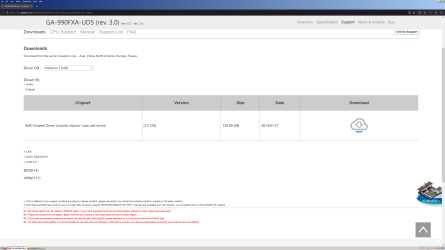
GA-990FXA-UD5 (rev. 3.0) Support | Motherboard - GIGABYTE Global
 

My Computers My Computers

  • At a glance

    Windows 7 Professional 64bit / Windows 10 Hom...AMD FX-8350GSKILL Ripjaw-X PC3 12800 12GB (2x4GB, 2x2GB)ASUS ENGTX560 DCII OC/2DI/1GD5 1GB
    Computer type
    PC/Desktop
    Computer Manufacturer/Model Number
    Custom build
    OS
    Windows 7 Professional 64bit / Windows 10 Home 64bit
    CPU
    AMD FX-8350
    Motherboard
    Gigabyte GA-990FXA-UD3 (AM3+) Rev. 4.0
    Memory
    GSKILL Ripjaw-X PC3 12800 12GB (2x4GB, 2x2GB)
    Graphics Card(s)
    ASUS ENGTX560 DCII OC/2DI/1GD5 1GB
    Sound Card
    Integrated
    Monitor(s) Displays
    Asus VE228H (21.5-in)
    Screen Resolution
    1920x1080 60Hz
    Hard Drives
    SAMSUNG 870 EVO 1TB (2.5" SATA SSD)
    SAMSUNG 870 EVO 500GB (2.5" SATA SSD)
    PSU
    Antec TruePower (new) TP-650 (650 watts)
    Case
    Antec Three Hundred
    Cooling
    AMD stock (plan to upgrade to Cooler Master Hyper 212 EVO)
    Keyboard
    Logitech K540 (wireless)
    Mouse
    Logitech M310 (wireless)
    Internet Speed
    Comcast Gigabit X2 Internet (2100Mbps down / 300Mbps up)
    Browser
    Firefox, Edge, Chrome
    Other Info
    Optical drive: ASUS DRW-24B3ST/BLK/G (Black) (24X)
    External hard drives: 2TB & 6TB
    Internet Gateway: Comcast XB8
  • Computer type
    PC/Desktop
I just realized you said you said you installed the software from the DVD that came with your motherboard. My experience has shown that the software on these DVDs is many times out of date. Have you gone to the Gigabyte website and installed the newest drivers? You should start with the chipset driver. Also, check to see if your BIOS is up to date.

GA-990FXA-UD5 (rev. 3.0)
GA-990FXA-UD5 (rev. 3.0) Support | Motherboard - GIGABYTE Global

Just tried all the newest drivers from the Gigabyte site last night, most were the same, a couple were one year newer.........No change.
The card is working, but I'm still having to deal with screen tearing (while watching videos, not even playing any games) even though this card has G-sync. It could be a bottleneck thing, but I'll never know if i can't get those two issues resolved in Device Manager.
 

My Computer My Computer

At a glance

XP 32 Bit & Win 7 64 BitFX 8350 AMD 8 - CoreMushkin Silverline 8GB x2 16GBMSI Twin Frozr Geforce GTX 660
Computer type
PC/Desktop
Computer Manufacturer/Model Number
Custom build
OS
XP 32 Bit & Win 7 64 Bit
CPU
FX 8350 AMD 8 - Core
Motherboard
Gigabyte 990FXA-UD5
Memory
Mushkin Silverline 8GB x2 16GB
Graphics Card(s)
MSI Twin Frozr Geforce GTX 660
Hard Drives
SSD Samsung SSD 840 EVO
HDD Seagate Barracuda ST3000DM001 3TB
Antivirus
Bitdefender Internet Security
Browser
Firefox
If your graphics works (and based upon the resolution of your screenshot it seems to) and you aren't missing any hardware components then I wouldn't worry about the exclamation mark. The resolution of of that screenshot isn't built into 7 natively. FYI there is no driver for a pci-x 3.0 device compatibility because that is a hardware compatibility not software. That would be like trying to use usb 2.0 ports as usb 3.0. However as you said it is backwards compatible you just don't get the same bandwidth just like using a usb 3.0 drive in a 2.0 port.
 

My Computers My Computers

  • At a glance

    Windows 7 pro/Windows 10 ProIntel i7 860 Quad core 2.8 ghz8 gbATI Radeon HD 5770 1 gb ram
    Computer type
    PC/Desktop
    Computer Manufacturer/Model Number
    HP Pavillion Elite HPE-250f
    OS
    Windows 7 pro/Windows 10 Pro
    CPU
    Intel i7 860 Quad core 2.8 ghz
    Memory
    8 gb
    Graphics Card(s)
    ATI Radeon HD 5770 1 gb ram
    Monitor(s) Displays
    Alienware 25 AW2521HF & Viewsonic
    Screen Resolution
    1920 x1080 & 1680x1050
    Hard Drives
    WD blue 1 tb & 500 gb.
    Browser
    FF of course.
    Other Info
    https://www.bestbuy.com/site/hp-pavilion-elite-desktop-intel-core-i7-processor-8gb-memory-1tb-hard-drive/9921493.p?skuId=9921493
  • At a glance

    Windows 2012 R2 Data center/Linux Minti3 9100 3.6GHz, 8M cache, 4C/4T8GB 2666MT/s DDR4 ECC UDIMM
    Computer type
    PC/Desktop
    System Manufacturer/Model Number
    Dell Poweredge T140
    OS
    Windows 2012 R2 Data center/Linux Mint
    CPU
    i3 9100 3.6GHz, 8M cache, 4C/4T
    Memory
    8GB 2666MT/s DDR4 ECC UDIMM
    Monitor(s) Displays
    Viewsonic
    Screen Resolution
    1680x1050
    Hard Drives
    1 TB & 750 GB
    Other Info
    https://www.dell.com/en-us/work/shop/productdetailstxn/poweredge-t140?~ck=bt
What monitor and resolution are you using?

I am using a ASUS VE228H monitor which is 1080p with a 60Hz refresh rate.

Your motherboard has two USB controllers:
  1. From chipset (USB 2.0)
  2. From 2 x Eltron chips (USB 3.0)
Do you have these drivers installed?
  • MD Chipset Driver (include chipset \ sata raid driver) [13.125] 2014/01/17
  • Etron USB 3.0 Driver [1.0.0.118] 2014/01/09
I have a Gigabyte GA-990FXA-UD3 (1.0). It uses the same drivers as your motherboard. As you can see below everthing is working in both Windows 10 and Windows 7.

DeviceManager.jpg
 

My Computers My Computers

  • At a glance

    Windows 7 Professional 64bit / Windows 10 Hom...AMD FX-8350GSKILL Ripjaw-X PC3 12800 12GB (2x4GB, 2x2GB)ASUS ENGTX560 DCII OC/2DI/1GD5 1GB
    Computer type
    PC/Desktop
    Computer Manufacturer/Model Number
    Custom build
    OS
    Windows 7 Professional 64bit / Windows 10 Home 64bit
    CPU
    AMD FX-8350
    Motherboard
    Gigabyte GA-990FXA-UD3 (AM3+) Rev. 4.0
    Memory
    GSKILL Ripjaw-X PC3 12800 12GB (2x4GB, 2x2GB)
    Graphics Card(s)
    ASUS ENGTX560 DCII OC/2DI/1GD5 1GB
    Sound Card
    Integrated
    Monitor(s) Displays
    Asus VE228H (21.5-in)
    Screen Resolution
    1920x1080 60Hz
    Hard Drives
    SAMSUNG 870 EVO 1TB (2.5" SATA SSD)
    SAMSUNG 870 EVO 500GB (2.5" SATA SSD)
    PSU
    Antec TruePower (new) TP-650 (650 watts)
    Case
    Antec Three Hundred
    Cooling
    AMD stock (plan to upgrade to Cooler Master Hyper 212 EVO)
    Keyboard
    Logitech K540 (wireless)
    Mouse
    Logitech M310 (wireless)
    Internet Speed
    Comcast Gigabit X2 Internet (2100Mbps down / 300Mbps up)
    Browser
    Firefox, Edge, Chrome
    Other Info
    Optical drive: ASUS DRW-24B3ST/BLK/G (Black) (24X)
    External hard drives: 2TB & 6TB
    Internet Gateway: Comcast XB8
  • Computer type
    PC/Desktop
What monitor and resolution are you using?

I am using a ASUS VE228H monitor which is 1080p with a 60Hz refresh rate.

Your motherboard has two USB controllers:
  1. From chipset (USB 2.0)
  2. From 2 x Eltron chips (USB 3.0)
Do you have these drivers installed?
  • MD Chipset Driver (include chipset \ sata raid driver) [13.125] 2014/01/17
  • Etron USB 3.0 Driver [1.0.0.118] 2014/01/09
I have a Gigabyte GA-990FXA-UD3 (1.0). It uses the same drivers as your motherboard. As you can see below everthing is working in both Windows 10 and Windows 7.

View attachment 420875

My monitor is Asus ProArt PA27CV and resolution is 3840 x 2160

I have the Etron USB 3.0 driver installed.
Etron Driver.png

I don't know where in Device Manager to check the driver for USB 2.0.

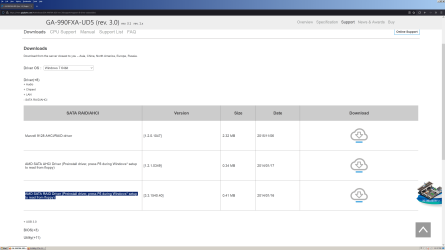
I installed the AHCI driver, "AMD SATA AHCI Driver (Preinstall driver, press F6 during Windows* setup to read from floppy)" Version [1.2.1.0349] during the OS install.
AMD Sata Controller.png

I have the Chipset driver installed, but don't know where to find it listed in Device Manager?

What's the difference between these two drivers? They both say SATA Raid. I do not have the Preinstall one installed that is highlighted in the photo.
AMD Chipset.pngAMD Sata Raid.png
 

Attachments

  • AHCI Controller.png
    AHCI Controller.png
    87.1 KB · Views: 1

My Computer My Computer

At a glance

XP 32 Bit & Win 7 64 BitFX 8350 AMD 8 - CoreMushkin Silverline 8GB x2 16GBMSI Twin Frozr Geforce GTX 660
Computer type
PC/Desktop
Computer Manufacturer/Model Number
Custom build
OS
XP 32 Bit & Win 7 64 Bit
CPU
FX 8350 AMD 8 - Core
Motherboard
Gigabyte 990FXA-UD5
Memory
Mushkin Silverline 8GB x2 16GB
Graphics Card(s)
MSI Twin Frozr Geforce GTX 660
Hard Drives
SSD Samsung SSD 840 EVO
HDD Seagate Barracuda ST3000DM001 3TB
Antivirus
Bitdefender Internet Security
Browser
Firefox
My monitor is Asus ProArt PA27CV and resolution is 3840 x 2160

I have the Etron USB 3.0 driver installed.
I don't know where in Device Manager to check the driver for USB 2.0.
I installed the AHCI driver, "AMD SATA AHCI Driver (Preinstall driver, press F6 during Windows* setup to read from floppy)" Version [1.2.1.0349] during the OS install.

I have the Chipset driver installed, but don't know where to find it listed in Device Manager?

What's the difference between these two drivers? They both say SATA Raid. I do not have the Preinstall one installed that is highlighted in the photo.
The motherboard chipset driver contains support for USB 2.0. Since the chipset only had support for USB 2.0 the Eltron chips were added to the motherboard for USB 3.0.

The problem with tearing may be because you are using a 4K monitor. Your computer may just be too slow to support such a high resolution. Trying reducing the resolution and refresh rate to see if that works better.

My computer with a motherboard similar to yours has a slightly faster GTX1060 GPU. It has a 21-inch 1920x1080p @60Hz monitor. I have no problems with it.
 

My Computers My Computers

  • At a glance

    Windows 7 Professional 64bit / Windows 10 Hom...AMD FX-8350GSKILL Ripjaw-X PC3 12800 12GB (2x4GB, 2x2GB)ASUS ENGTX560 DCII OC/2DI/1GD5 1GB
    Computer type
    PC/Desktop
    Computer Manufacturer/Model Number
    Custom build
    OS
    Windows 7 Professional 64bit / Windows 10 Home 64bit
    CPU
    AMD FX-8350
    Motherboard
    Gigabyte GA-990FXA-UD3 (AM3+) Rev. 4.0
    Memory
    GSKILL Ripjaw-X PC3 12800 12GB (2x4GB, 2x2GB)
    Graphics Card(s)
    ASUS ENGTX560 DCII OC/2DI/1GD5 1GB
    Sound Card
    Integrated
    Monitor(s) Displays
    Asus VE228H (21.5-in)
    Screen Resolution
    1920x1080 60Hz
    Hard Drives
    SAMSUNG 870 EVO 1TB (2.5" SATA SSD)
    SAMSUNG 870 EVO 500GB (2.5" SATA SSD)
    PSU
    Antec TruePower (new) TP-650 (650 watts)
    Case
    Antec Three Hundred
    Cooling
    AMD stock (plan to upgrade to Cooler Master Hyper 212 EVO)
    Keyboard
    Logitech K540 (wireless)
    Mouse
    Logitech M310 (wireless)
    Internet Speed
    Comcast Gigabit X2 Internet (2100Mbps down / 300Mbps up)
    Browser
    Firefox, Edge, Chrome
    Other Info
    Optical drive: ASUS DRW-24B3ST/BLK/G (Black) (24X)
    External hard drives: 2TB & 6TB
    Internet Gateway: Comcast XB8
  • Computer type
    PC/Desktop
This is a Nvida Card problem because Windows 7 does not support the USB-C. I would like to find a driver too. Just to make it look good. I have them disabled for now.

Capture.JPG
 

My Computer My Computer

At a glance

Windows 7 Professional x64Intel i7 4930XCrucial Ballistix Tactical 32 GB, DDR3GTX 1650 Super
Computer type
PC/Desktop
OS
Windows 7 Professional x64
CPU
Intel i7 4930X
Motherboard
Asus P9X79
Memory
Crucial Ballistix Tactical 32 GB, DDR3
Graphics Card(s)
GTX 1650 Super
Monitor(s) Displays
Dell 32" LED
Hard Drives
Intel 760p NVMe Boot Drive
PSU
Silverstone 750w
Cooling
Cooler Master MasterLiquid
The motherboard chipset driver contains support for USB 2.0. Since the chipset only had support for USB 2.0 the Eltron chips were added to the motherboard for USB 3.0.

The problem with tearing may be because you are using a 4K monitor. Your computer may just be too slow to support such a high resolution. Trying reducing the resolution and refresh rate to see if that works better.

My computer with a motherboard similar to yours has a slightly faster GTX1060 GPU. It has a 21-inch 1920x1080p @60Hz monitor. I have no problems with it.

My old card can play 4K content. I only get tearing when someone close to the camera man moves fast. Watching videos over the internet is a lot worse though. I thought that maybe buying a new card with an additional 2 GB of onboard memory might help a little.
Unfortunately, the new card is worse. That's why I posted the original question about not being able to install all the drivers for it. I'll never know if the missing Universal Serial Bus Controller driver is the cause.
Serial bus controller.png
I was hoping to find a answer here before the return period ended , but that didn't happen so now I'm basically stuck with a card that I can't use and I'm back to using the old card. Maybe I'll be able to sell the new one on Ebay.

It must be this particular card because we both have the same mother board and you are able to use a PCIe x16 3.0 card on your 2.0 mother board without any problems.

- - - Updated - - -

If your graphics works (and based upon the resolution of your screenshot it seems to) and you aren't missing any hardware components then I wouldn't worry about the exclamation mark. The resolution of of that screenshot isn't built into 7 natively. FYI there is no driver for a pci-x 3.0 device compatibility because that is a hardware compatibility not software. That would be like trying to use usb 2.0 ports as usb 3.0. However as you said it is backwards compatible you just don't get the same bandwidth just like using a usb 3.0 drive in a 2.0 port.

GeForce driver 472.12
BTW, that is the same driver I use with the ASUS GeForce GTX 1060 for my aged Gigabyte GA-990FXA-UD3 (rev. 1.0) motherboard.

We both have the same mother board and he is able to use a PCIe x16 3.0 card on his 2.0 mother board without any problems.

Yes I have 4K resolution, but when playing videos.....any resolution, I get little error messages that popup on the screen for a couple seconds. It says this device is not working properly please install software for it. When playing downloaded videos it looks like someone threw sand at the screen and the screen tearing is worse than My old card.

Wanna buy a new video card....only used for 4 days?
 

My Computer My Computer

At a glance

XP 32 Bit & Win 7 64 BitFX 8350 AMD 8 - CoreMushkin Silverline 8GB x2 16GBMSI Twin Frozr Geforce GTX 660
Computer type
PC/Desktop
Computer Manufacturer/Model Number
Custom build
OS
XP 32 Bit & Win 7 64 Bit
CPU
FX 8350 AMD 8 - Core
Motherboard
Gigabyte 990FXA-UD5
Memory
Mushkin Silverline 8GB x2 16GB
Graphics Card(s)
MSI Twin Frozr Geforce GTX 660
Hard Drives
SSD Samsung SSD 840 EVO
HDD Seagate Barracuda ST3000DM001 3TB
Antivirus
Bitdefender Internet Security
Browser
Firefox
My old card can play 4K content. I only get tearing when someone close to the camera man moves fast. Watching videos over the internet is a lot worse though. I thought that maybe buying a new card with an additional 2 GB of onboard memory might help a little.
Unfortunately, the new card is worse. That's why I posted the original question about not being able to install all the drivers for it. I'll never know if the missing Universal Serial Bus Controller driver is the cause.
I was hoping to find a answer here before the return period ended , but that didn't happen so now I'm basically stuck with a card that I can't use and I'm back to using the old card. Maybe I'll be able to sell the new one on Ebay.

It must be this particular card because we both have the same mother board and you are able to use a PCIe x16 3.0 card on your 2.0 mother board without any problems.

We both have the same mother board and he is able to use a PCIe x16 3.0 card on his 2.0 mother board without any problems.

Yes I have 4K resolution, but when playing videos.....any resolution, I get little error messages that popup on the screen for a couple seconds. It says this device is not working properly please install software for it. When playing downloaded videos it looks like someone threw sand at the screen and the screen tearing is worse than My old card.

Wanna buy a new video card....only used for 4 days?
My computer used to have a GTX560 1GB (PCIe 2.0) but I only replaced that with a GTX560 6GB (PCIe 3.0) because I was not using it in my other computer anymore. Your GTX 1650's speed is probably between the speed of my two GPUs. My computer ran fine with the GTX560. I only upgraded it for the additional GPU RAM.

Have you tried running your monitor at 1080p 60Hz? If your monitor works OK with YouTube then maybe the problem is your computer and GPU combination is simply not fast enough for 4K.

I just noticed you monitor has a USB port built in. Could the USB error be related to that? I noticed that there are software downloads for your monitor.
 

My Computers My Computers

  • At a glance

    Windows 7 Professional 64bit / Windows 10 Hom...AMD FX-8350GSKILL Ripjaw-X PC3 12800 12GB (2x4GB, 2x2GB)ASUS ENGTX560 DCII OC/2DI/1GD5 1GB
    Computer type
    PC/Desktop
    Computer Manufacturer/Model Number
    Custom build
    OS
    Windows 7 Professional 64bit / Windows 10 Home 64bit
    CPU
    AMD FX-8350
    Motherboard
    Gigabyte GA-990FXA-UD3 (AM3+) Rev. 4.0
    Memory
    GSKILL Ripjaw-X PC3 12800 12GB (2x4GB, 2x2GB)
    Graphics Card(s)
    ASUS ENGTX560 DCII OC/2DI/1GD5 1GB
    Sound Card
    Integrated
    Monitor(s) Displays
    Asus VE228H (21.5-in)
    Screen Resolution
    1920x1080 60Hz
    Hard Drives
    SAMSUNG 870 EVO 1TB (2.5" SATA SSD)
    SAMSUNG 870 EVO 500GB (2.5" SATA SSD)
    PSU
    Antec TruePower (new) TP-650 (650 watts)
    Case
    Antec Three Hundred
    Cooling
    AMD stock (plan to upgrade to Cooler Master Hyper 212 EVO)
    Keyboard
    Logitech K540 (wireless)
    Mouse
    Logitech M310 (wireless)
    Internet Speed
    Comcast Gigabit X2 Internet (2100Mbps down / 300Mbps up)
    Browser
    Firefox, Edge, Chrome
    Other Info
    Optical drive: ASUS DRW-24B3ST/BLK/G (Black) (24X)
    External hard drives: 2TB & 6TB
    Internet Gateway: Comcast XB8
  • Computer type
    PC/Desktop
My computer used to have a GTX560 1GB (PCIe 2.0) but I only replaced that with a GTX560 6GB (PCIe 3.0) because I was not using it in my other computer anymore. Your GTX 1650's speed is probably between the speed of my two GPUs. My computer ran fine with the GTX560. I only upgraded it for the additional GPU RAM.


Have you tried running your monitor at 1080p 60Hz? If your monitor works OK with YouTube then maybe the problem is your computer and GPU combination is simply not fast enough for 4K.

I just noticed you monitor has a USB port built in. Could the USB error be related to that? I noticed that there are software downloads for your monitor.
Yes, the screen tearing is better in 1080, but it's a real downgrade in picture quality when leaving the native 4K resolution. No, it's not okay with Youtube, that's where I have the most screen tearing. If I download the video and then watch it's not all that bad. When I do internet speed tests I'm always right around 300MBps so it's not a internet speed problem. Although, I did notice that when I checked Processes in Task Manager I see as many as 8 or 9 Firefox.exe running at the same time. I googled it and apparently that's normal with the latest version of Firefox. I still might start a new post on here about that though.

I'm not connected thru the USB port on the monitor, I use the DisplayPort. Also, I don't get the error messages when using the old card. Yes, I already upgraded the monitor driver from PlugNPlay to Asus.

GeForce driver 472.12
BTW, that is the same driver I use with the ASUS GeForce GTX 1060 for my aged Gigabyte GA-990FXA-UD3 (rev. 1.0) motherboard.
The point that I was trying to make is that your using a card that is a step above mine on the same mother board that I'm using. However, your not getting the yellow error messages in Device Manager pertaining to drivers not being installed........correct.
That's why I'm thinking that it must just be this particular card and I'll just have to accept that.
 

My Computer My Computer

At a glance

XP 32 Bit & Win 7 64 BitFX 8350 AMD 8 - CoreMushkin Silverline 8GB x2 16GBMSI Twin Frozr Geforce GTX 660
Computer type
PC/Desktop
Computer Manufacturer/Model Number
Custom build
OS
XP 32 Bit & Win 7 64 Bit
CPU
FX 8350 AMD 8 - Core
Motherboard
Gigabyte 990FXA-UD5
Memory
Mushkin Silverline 8GB x2 16GB
Graphics Card(s)
MSI Twin Frozr Geforce GTX 660
Hard Drives
SSD Samsung SSD 840 EVO
HDD Seagate Barracuda ST3000DM001 3TB
Antivirus
Bitdefender Internet Security
Browser
Firefox
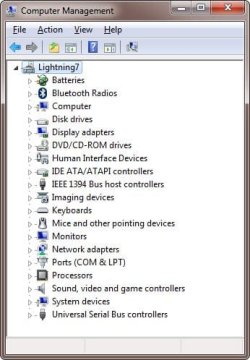
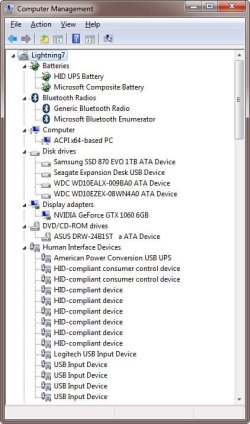
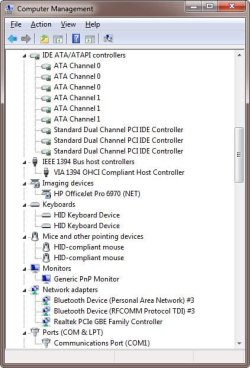
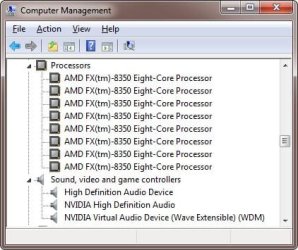
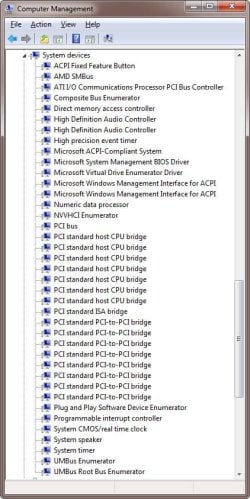
Here is my Device Manager. As you can see there are no errors.
DeviceManager.jpg

Device Manager details
DeviceManager#1.jpg

DeviceManager#2.jpg
DeviceManager#3.jpg
DeviceManager#4.jpg
Note you may see a differences in the USB section because I added a PCIe USB 3.0 card. That is because I broke the 20-pin USB 3.0 connector on the motherboard.
DeviceManager#5.jpg
 
Last edited:

My Computers My Computers

  • At a glance

    Windows 7 Professional 64bit / Windows 10 Hom...AMD FX-8350GSKILL Ripjaw-X PC3 12800 12GB (2x4GB, 2x2GB)ASUS ENGTX560 DCII OC/2DI/1GD5 1GB
    Computer type
    PC/Desktop
    Computer Manufacturer/Model Number
    Custom build
    OS
    Windows 7 Professional 64bit / Windows 10 Home 64bit
    CPU
    AMD FX-8350
    Motherboard
    Gigabyte GA-990FXA-UD3 (AM3+) Rev. 4.0
    Memory
    GSKILL Ripjaw-X PC3 12800 12GB (2x4GB, 2x2GB)
    Graphics Card(s)
    ASUS ENGTX560 DCII OC/2DI/1GD5 1GB
    Sound Card
    Integrated
    Monitor(s) Displays
    Asus VE228H (21.5-in)
    Screen Resolution
    1920x1080 60Hz
    Hard Drives
    SAMSUNG 870 EVO 1TB (2.5" SATA SSD)
    SAMSUNG 870 EVO 500GB (2.5" SATA SSD)
    PSU
    Antec TruePower (new) TP-650 (650 watts)
    Case
    Antec Three Hundred
    Cooling
    AMD stock (plan to upgrade to Cooler Master Hyper 212 EVO)
    Keyboard
    Logitech K540 (wireless)
    Mouse
    Logitech M310 (wireless)
    Internet Speed
    Comcast Gigabit X2 Internet (2100Mbps down / 300Mbps up)
    Browser
    Firefox, Edge, Chrome
    Other Info
    Optical drive: ASUS DRW-24B3ST/BLK/G (Black) (24X)
    External hard drives: 2TB & 6TB
    Internet Gateway: Comcast XB8
  • Computer type
    PC/Desktop
Here is my Device Manager. As you can see there are no errors.
View attachment 420951

Device Manager details
View attachment 420950

View attachment 420949
View attachment 420948
View attachment 420947
Note you may see a differences in the USB section because I added a PCIe USB 3.0 card. That is because I broke the 20-pin USB 3.0 connector on the motherboard.
View attachment 420946


Okay, then I guess it's just that this particular video card is not totally compatible with my mother board.
Thank you for all your help with this problem.
 

My Computer My Computer

At a glance

XP 32 Bit & Win 7 64 BitFX 8350 AMD 8 - CoreMushkin Silverline 8GB x2 16GBMSI Twin Frozr Geforce GTX 660
Computer type
PC/Desktop
Computer Manufacturer/Model Number
Custom build
OS
XP 32 Bit & Win 7 64 Bit
CPU
FX 8350 AMD 8 - Core
Motherboard
Gigabyte 990FXA-UD5
Memory
Mushkin Silverline 8GB x2 16GB
Graphics Card(s)
MSI Twin Frozr Geforce GTX 660
Hard Drives
SSD Samsung SSD 840 EVO
HDD Seagate Barracuda ST3000DM001 3TB
Antivirus
Bitdefender Internet Security
Browser
Firefox
This is a Nvida 16xxxx Card problem because Windows 7 does not support the Nvida Video Card USB-C. Has nothing to do with the Motherboard.

Since the Nvida GTX 16xxxx Video Card has no USB-C connector, all you can do is find a driver to make it look good in device manager.
 

My Computer My Computer

At a glance

Windows 7 Professional x64Intel i7 4930XCrucial Ballistix Tactical 32 GB, DDR3GTX 1650 Super
Computer type
PC/Desktop
OS
Windows 7 Professional x64
CPU
Intel i7 4930X
Motherboard
Asus P9X79
Memory
Crucial Ballistix Tactical 32 GB, DDR3
Graphics Card(s)
GTX 1650 Super
Monitor(s) Displays
Dell 32" LED
Hard Drives
Intel 760p NVMe Boot Drive
PSU
Silverstone 750w
Cooling
Cooler Master MasterLiquid
This is a Nvida 16xxxx Card problem because Windows 7 does not support the Nvida Video Card USB-C. Has nothing to do with the Motherboard.

Since the Nvida GTX 16xxxx Video Card has no USB-C connector, all you can do is find a driver to make it look good in device manager.
I don't understand your point. Only some of the RTX 20xx video cards have a USB-C connector.

I have a similar motherboard as the OP, the same video driver, and a GTX1060. I don't have any USB problems.
 

My Computers My Computers

  • At a glance

    Windows 7 Professional 64bit / Windows 10 Hom...AMD FX-8350GSKILL Ripjaw-X PC3 12800 12GB (2x4GB, 2x2GB)ASUS ENGTX560 DCII OC/2DI/1GD5 1GB
    Computer type
    PC/Desktop
    Computer Manufacturer/Model Number
    Custom build
    OS
    Windows 7 Professional 64bit / Windows 10 Home 64bit
    CPU
    AMD FX-8350
    Motherboard
    Gigabyte GA-990FXA-UD3 (AM3+) Rev. 4.0
    Memory
    GSKILL Ripjaw-X PC3 12800 12GB (2x4GB, 2x2GB)
    Graphics Card(s)
    ASUS ENGTX560 DCII OC/2DI/1GD5 1GB
    Sound Card
    Integrated
    Monitor(s) Displays
    Asus VE228H (21.5-in)
    Screen Resolution
    1920x1080 60Hz
    Hard Drives
    SAMSUNG 870 EVO 1TB (2.5" SATA SSD)
    SAMSUNG 870 EVO 500GB (2.5" SATA SSD)
    PSU
    Antec TruePower (new) TP-650 (650 watts)
    Case
    Antec Three Hundred
    Cooling
    AMD stock (plan to upgrade to Cooler Master Hyper 212 EVO)
    Keyboard
    Logitech K540 (wireless)
    Mouse
    Logitech M310 (wireless)
    Internet Speed
    Comcast Gigabit X2 Internet (2100Mbps down / 300Mbps up)
    Browser
    Firefox, Edge, Chrome
    Other Info
    Optical drive: ASUS DRW-24B3ST/BLK/G (Black) (24X)
    External hard drives: 2TB & 6TB
    Internet Gateway: Comcast XB8
  • Computer type
    PC/Desktop
GTX1060 does not have the problem. It started with the GTX 16 xxxx

GTX1060 does not have the embedded USB-C technology

I don't understand your point. Only some of the RTX 20xx video cards have a USB-C connector.

I have a similar motherboard as the OP, the same video driver, and a GTX1060. I don't have any USB problems.
 

My Computer My Computer

At a glance

Windows 7 Professional x64Intel i7 4930XCrucial Ballistix Tactical 32 GB, DDR3GTX 1650 Super
Computer type
PC/Desktop
OS
Windows 7 Professional x64
CPU
Intel i7 4930X
Motherboard
Asus P9X79
Memory
Crucial Ballistix Tactical 32 GB, DDR3
Graphics Card(s)
GTX 1650 Super
Monitor(s) Displays
Dell 32" LED
Hard Drives
Intel 760p NVMe Boot Drive
PSU
Silverstone 750w
Cooling
Cooler Master MasterLiquid
GTX1060 does not have the problem. It started with the GTX 16 xxxx

GTX1060 does not have the embedded USB-C technology
I hadn't heard of that problem but finally found a reference.

Drivers port usb type c missing drivers 416.34 for windows 7 64 bit
https://www.nvidia.com/en-us/geforc...s-port-usb-type-c-missing-drivers-41634-for-/

The USB-C connector was part of the VirtualLink technology which was only available in the RTX20xx series. It was abandoned and is not used in the RTX30xx series. This sound like an Nvidia driver problem. The driver should have handled that since the GTX1650 doesn't have a USB-C port anyways. Of course Nvidia's position is that they really don't support Window 7 or 8.x so the problem may never be fixed. In that case the only solution is to ignore the errors. Besides if the GTX1650 works OK then that is all that counts.
 
Last edited:

My Computers My Computers

  • At a glance

    Windows 7 Professional 64bit / Windows 10 Hom...AMD FX-8350GSKILL Ripjaw-X PC3 12800 12GB (2x4GB, 2x2GB)ASUS ENGTX560 DCII OC/2DI/1GD5 1GB
    Computer type
    PC/Desktop
    Computer Manufacturer/Model Number
    Custom build
    OS
    Windows 7 Professional 64bit / Windows 10 Home 64bit
    CPU
    AMD FX-8350
    Motherboard
    Gigabyte GA-990FXA-UD3 (AM3+) Rev. 4.0
    Memory
    GSKILL Ripjaw-X PC3 12800 12GB (2x4GB, 2x2GB)
    Graphics Card(s)
    ASUS ENGTX560 DCII OC/2DI/1GD5 1GB
    Sound Card
    Integrated
    Monitor(s) Displays
    Asus VE228H (21.5-in)
    Screen Resolution
    1920x1080 60Hz
    Hard Drives
    SAMSUNG 870 EVO 1TB (2.5" SATA SSD)
    SAMSUNG 870 EVO 500GB (2.5" SATA SSD)
    PSU
    Antec TruePower (new) TP-650 (650 watts)
    Case
    Antec Three Hundred
    Cooling
    AMD stock (plan to upgrade to Cooler Master Hyper 212 EVO)
    Keyboard
    Logitech K540 (wireless)
    Mouse
    Logitech M310 (wireless)
    Internet Speed
    Comcast Gigabit X2 Internet (2100Mbps down / 300Mbps up)
    Browser
    Firefox, Edge, Chrome
    Other Info
    Optical drive: ASUS DRW-24B3ST/BLK/G (Black) (24X)
    External hard drives: 2TB & 6TB
    Internet Gateway: Comcast XB8
  • Computer type
    PC/Desktop
Thanks MisterEd

The USB xHCI Compliant Host Controller driver loads. But no go with the nvppc.inf for the Nvida device listed as PCI device. It loads with an error


This is a Nvida Card problem because Windows 7 does not support the USB-C. I would like to find a driver too. Just to make it look good. I have them disabled for now.

View attachment 420919
 

My Computer My Computer

At a glance

Windows 7 Professional x64Intel i7 4930XCrucial Ballistix Tactical 32 GB, DDR3GTX 1650 Super
Computer type
PC/Desktop
OS
Windows 7 Professional x64
CPU
Intel i7 4930X
Motherboard
Asus P9X79
Memory
Crucial Ballistix Tactical 32 GB, DDR3
Graphics Card(s)
GTX 1650 Super
Monitor(s) Displays
Dell 32" LED
Hard Drives
Intel 760p NVMe Boot Drive
PSU
Silverstone 750w
Cooling
Cooler Master MasterLiquid
Back
Top