I have been keeping backup of my C drive for years, and in the process, I have used multple software programs to do so. I have recently been cleaning up my digital hoarding and found this.....I want to open it, but I do not know how at this point. I think it is a windows backup program, but I can't be sure. I would like to search the backup, but I am not sure how to do this (unlike Macrium Reflect, which makes it quite easy to do so).
That looks like it was created by Windows own Backup & Restore.....
It is strange because it is a folder with nothing in it.
I wasn't sure what it was because I also have this file in the same drive....
....and that confirms it. WindowsImageBackup is the folder where the system images are kept and Backup & Restore is the only software that uses that folder name. There will be a folder inside it with the name of the PC and the backed up partitions as .vhd fiies in that.
Backup and Restore has two functions, one is to make a system image, the other is to perform a selective files and folders backup. The system image is for restoring a complete working system in one go. The files and folders backup is for restoring one or more files individually.
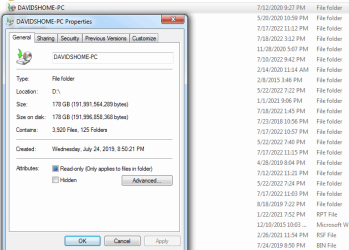
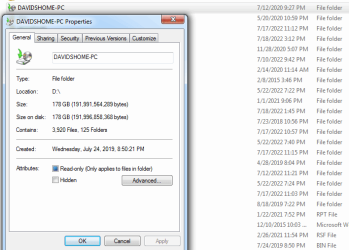
The other folder at the root of the drive also has the name of the PC. This is where all the files and folders backups would be kept. You say it looks empty, but its properties say otherwise. It says there are 3,920 files and 125 folder in there.
The files are stored in a backup set of multiple .zip files. While you could try to find a file within them, it's like hunting for a needle in a haystack. It's only really practical to use Backup & Restore to retrieve them.
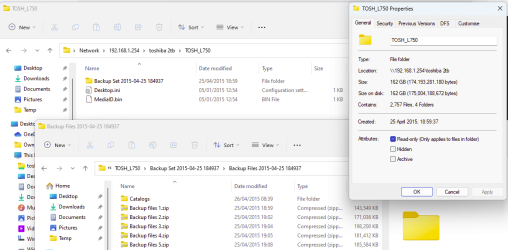
Here's what a full files and folder backup looks like, it's one I made from a Win7 PC named TOSH_L750 in 2015.
 - - - Updated - - -
Here are the file listings from the WindowsImageBackup folder
So if I am using Macrium Reflect for all of my images now, I don't need to use the Windows Backup system and can get rid of this file, correct?
Unless you think there may be files in the system image you may want to retrieve then yes, it's safe to delete it. Macrium is far more reliable than Backup & Restore ever was.
If you do think there may be files you need then, despite what MS say about their system images, you can extract individual files from one. A .vhd file can be mounted as a virtual drive in Windows Explorer. The large 108GB .vhd will be the image of the PC's C: partition.