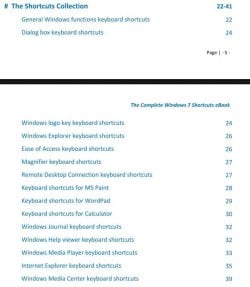
I love keyboard shortcuts. Using a combination of two or more keys that, when pressed, can be used to perform a task that would typically require a mouse or other pointing device saves me time and effort both in Windows and other programs.
Here are some of my favorite Windows 7 shortcuts that you may not be familiar with that are great time savers. For a complete list of all shortcuts, check out this page here: http://windows.microsoft.com/en-US/Windows7/Keyboard-shortcuts
Windows logo key+T
Cycle through programs on the taskbar
Windows logo key+Spacebar
Preview the desktop
Windows logo key+X
Open Windows Mobility Center
Windows logo key+P
Choose a presentation display mode
Shift+Windows logo key+number
Start a new instance of the program pinned to the taskbar in the position indicated by the number
Alt+Windows logo key+number
Open the Jump List for the program pinned to the taskbar in the position indicated by the number
Shift+Windows logo key+number
Switch to the last active window of the program pinned to the taskbar in the position indicated by the number
Do you have a favorite that you can’t do without? Share it with us in the comments area.

More...
and our tutorial here:
http://www.sevenforums.com/tutorials/4052-shortcut-keys-windows-7-a.html
Last edited by a moderator:
My Computer
- Computer type
- PC/Desktop
- OS
- Windows 11