
How to Repair a Corrupted PST File
Information
This will help you to repair your pst file when the pst file corrupted.
1. If you Have 32-bit Windows Installed
A) For Outlook 2007, go to the location below and run the SCANPST.EXE file.
C:\Program Files\Microsoft Office\Office12\SCANPST.EXE
B) For Outlook 2010, go to the location below and run the SCANPST.EXE file.
C:\Program Files\Microsoft Office\Office14\SCANPST.EXE
C) Go to step 3.
2. If you Have 64-bit Windows Installed
A) For Outlook 2007, go to the location below and run the SCANPST.EXE file.
C:\Program Files (x86)\Microsoft Office\Office12\SCANPST.EXE
B) For Outlook 2010, go to the location below and run the SCANPST.EXE file.
C:\Program Files (x86)\Microsoft Office\Office14\SCANPST.EXE
C) Continue on to step 3.
3. Type your current pst file folder
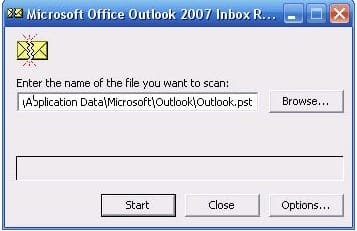
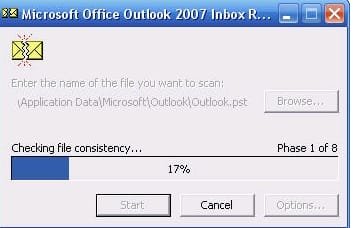
4. then press start button for start scan corrupted file
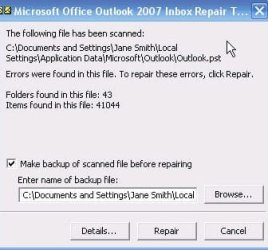
5. if your pst file can recover, that will show in the message and press repair to fix it.
Last edited by a moderator:


