Install Windows 7 TO (not from) usb flash stick

soahs

New member
Local time
5:20 PM
Messages
11
I have read a lot of threads in a lot of places of how to put Windows 7 on a flash drive to install 7 to a hard drive. But I want to install 7 TO a flash drive and run 7 right from the usb stick. Is this even possible? I already have 7 ultimate on a dual boot with XP, so the stick would be just for my backup computer which has only XP.

My laptop has Vista only but it will not boot from a usb stick so is it possible to run 7 on a stick even though it won't boot?

Also, can I run a virtual 7 on a stick? Or a virtual XP in a virtual program on a stick. Just basically because it is there, and I would like to learn how. I tried doing virtual XP on 7, but just can't get it going. I know it's me, just have to get the hang of it. Tried a couple of virtual programs, I need Virtual 101 for Dimmies :)
 

My Computer My Computer

OS
windows 7

My Computer My Computer

Computer type
PC/Desktop
Computer Manufacturer/Model Number
Self built custom
OS
64-bit Windows 11 Pro for Workstations
CPU
Intel i7-8700K OC'd to 5 GHz
Motherboard
ASUS ROG Maximus XI Formula Z390
Memory
64 GB (4x16GB) G.SKILL TridentZ RGB DDR4 3600 MHz
Graphics Card(s)
ASUS ROG-STRIX-GTX1080TI-O11G-GAMING
Sound Card
Integrated
Monitor(s) Displays
2 x Samsung Odyssey G7 27"
Screen Resolution
2560x1440
Hard Drives
1TB Samsung 990 PRO M.2,
4TB Samsung 990 PRO PRO M.2,
TerraMaster F8 SSD Plus NAS
PSU
Seasonic Prime Titanium 850W
Case
Thermaltake Core P3
Cooling
Corsair Hydro H115i
Keyboard
Logitech wireless K800
Mouse
Logitech MX Master 4
Internet Speed
2 Gb/s Download and 100 Mb/s Upload
Antivirus
Malwarebyte Anti-Malware Premium
Browser
Google Chrome
Other Info
Logitech Z625 speaker system,
Logitech BRIO 4K Pro webcam,
HP Color LaserJet Pro MFP M477fdn,
APC SMART-UPS RT 1000 XL - SURT1000XLI,
Galaxy S23 Plus phone
Requirements to install Windows 7 on USB:

# An USB flash drive with a minimum of 6 GB disk space to install Windows 7 or Vista. You can use a 4 GB drive to install XP.

# Bootable Windows 7 USB or DVD.

# Free time

So let’s begin with the installing Windows 7 on USB procedure:

1. First of all, connect your USB to the machine and backup all the data from the USB drive.

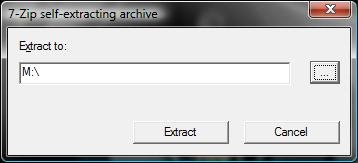
2. Download VirtualBox portable, double-click on the executable file and extract the contents to your USB.

installwindows7onusb.jpg


3. Now, go to the VirtualBox portable folder in USB, and execute the Portable-VirtualBox (.exe) file.

4. From here onwards, you need to follow the onscreen procedure to create a virtual disk and install Windows 7 on USB. Follow the install Windows 7 on VirtualBox guide to complete the process or do the following:

5. Once you finish the installation process, you can safely close VirtualBox and remove your USB drive

6. You can now use this Windows 7 USB drive on any Windows machine that you want. To use Windows 7 on other machine, connect the Windows 7 USB, open USB drive, and run portable-VirtualBox file.


another method
Vista Installed on USB Hard drive - Vista Forums

More detailed
http://faelmar-tanada.spaces.live.com/blog/cns!73A0272B9E18B517!173.entry?ccr=1921


Neither of these methods actually boot from the USB drive, but do give the same end result, so far no one has shown how to make a bootable W7 OS that actually runs from the usb drive

.
.
 

My Computer My Computer

OS
XP-Vista-W7
How fast does this virtual Win7 USB run?


Never tried it, but I assume running any full OS from USB is going to be slow at best.

Really depends on how fast the usb memory is also.
 

My Computer My Computer

OS
XP-Vista-W7
That sounds good then, if I can go virtual. I checked out the tutorial you gave, I might be able to handle that. I know there are several virtual machine programs, tried a couple and ended up at the black screen and came to a screeching halt. So maybe this tutorial might help. Would I have to create the virtual on the flash drive, or can I create it on the hard drive then move it to the flash. I ask because will things start looking for drive letters after I install it? Thanks for your help.
Soahs
 

My Computer My Computer

OS
windows 7
Back
Top