lectricfunrl
Banned
- Local time
- 2:30 PM
- Messages
- 52
well i'm no expert this is where i bow out. unless you want me to panic you with thoughts of the delusional variety 
My Computer
At a glance
Ubuntu
- OS
- Ubuntu

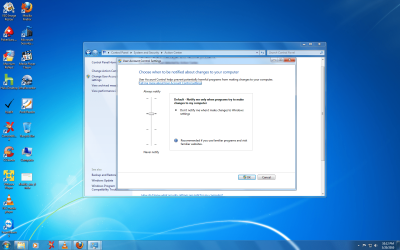
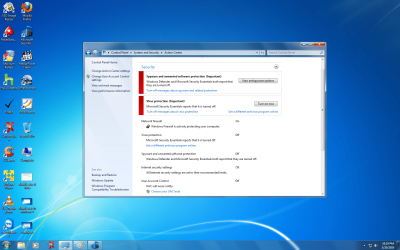
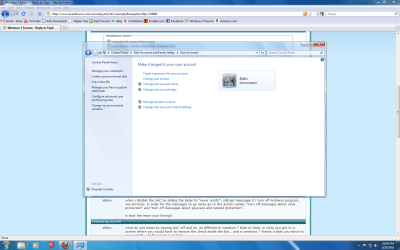
Disable notification of security in Action center -> User Account Control Settings
Type secpol.msc into Start-Run to open the Local Security Policy snap-in.
Expand the Local Polices→Security Options folder.
Scroll down to
"User Account Control: Behaviour of the elevation prompt for administrator"
Double click and set to: "Elevate without prompting".
Then Restart the computer.Alternatively this can be set in the registry (then reboot to apply)
Regedit script:
Windows Registry Editor Version 5.00
[HKEY_LOCAL_MACHINE\SOFTWARE\Microsoft\Windows\CurrentVersion\Policies\System]
"ConsentPromptBehaviorAdmin"=dword:00000000

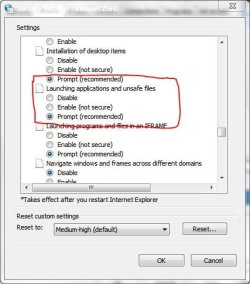
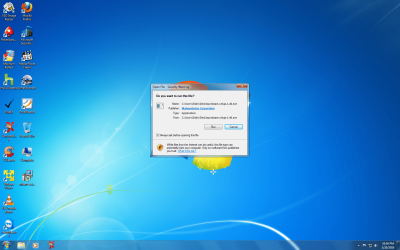
THe warnings you get from running (install packages) that you DLed from the web have to do with the level of internet security you have set as Teerex said above.
The /default/ behavior is to warn you every time you first run any downloaded program. UAC or not and probably admin or not.
If it never did that before it's because you used some other method of DLing that bypassed that system or you set your internet security options to low or off.
As for the other thing, that's probably something else entirely, I don't know what.

Well tech, we're too far removed from your machine to get to the bottom of that weirdness, we can just help get it rid of some symptoms (hopefully).

Are logging in as a user account or an administrator account. Keep in mind that the administrator account in Win7 is not wide open like the admin account in XP. Sometimes you have to right click and select "Run as administrator" to load or install programs.
I have enabled the built-in Administrator account.