Media Center Buttons not working

TheUnseen

New member
Member
Local time
4:02 PM
Messages
90
I have installed Windows 7 RC1 , Build 7100 (64bit Ultimate). This is a fresh install, not an upgrade.

Problem is, many of the media center remote buttons do not work such as:
pause
play
skip/forward
next/previous chapter
stop

This is the official Microsoft remote and receiver, not some imitation.

I've had the same problem in about 6 different builds that I've installed over the last few months (all fresh installs, 64bit).

Anyone else have this problem? It also has nothing to do with the DVD movies I've tried, I've tried several different ones anyway so its not the DVD problem.
 

My Computer

OS
W7
I have installed a couple of versions of Windows 7 32-bit on two HTPCs that use MC with different 3rd party MC remotes. They both have worked flawlessly.

Bye. :cool:
 

My Computer

Computer Manufacturer/Model Number
Home Brew
OS
Windows 7 Ultimate x64
CPU
i7 970
Motherboard
ASUS Rampage III GENE
Memory
9 GB
Graphics Card(s)
9600GT
Monitor(s) Displays
dual 24" Samsung
Screen Resolution
1920x1200
Hard Drives
VelociRaptor and 4TB of Hitachi RAID 0
PSU
Thermaltake toughpower W0104RU 650W
Case
Thermaltake LANBOX Lite
Internet Speed
30 Mbps Download 1 Mbps Upload (Speedtest.com)
Try reprogramming the remote. I don't know how, so you'll have to use some Google-Fu to find the answer.
 

My Computer

Computer Manufacturer/Model Number
Acer Aspire 5610
OS
Windows 7 Professional, Windows Longhorn 4074
CPU
Intel Centrino Duo T2350 @ 1.87 GHz
Motherboard
Acer Grapevine
Memory
1GB (2x 512MB DDR2 400Mz)
Graphics Card(s)
Intel Integrated 945GM Chipset
Sound Card
On-Board RealTek HD Audio
Monitor(s) Displays
Generic PnP Monitor
Screen Resolution
1280x800
Hard Drives
160GB SATA HD
PSU
Generic PSU
Case
Acer Aspire 5610 Standard Case (U.S. Version)
Cooling
Air
Keyboard
Built-In / Random Logitech wireless keyboard
Mouse
Synaptics Touchpad / Logitech Click! optical mouse.
Internet Speed
2.57 Mbps Download / 0.29 Mbps Upload / 57ms Ping
Other Info
I call it the craptop.
I have installed a couple of versions of Windows 7 32-bit on two HTPCs that use MC with different 3rd party MC remotes. They both have worked flawlessly.

Bye. :cool:

That doesn't solve my problem at all. I did say though I was using 64bit, not 32bit.

Try reprogramming the remote. I don't know how, so you'll have to use some Google-Fu to find the answer.

You cannot re-program the MS MCE remote. There is no software for that.
 

My Computer

OS
W7
Well, I can add that I have used x64 builds through 7077 on my htpc with both an official HP 2003 MCE remote, an third party vista remote as well as a Pronto universal remote. All have worked fine. I have not gotten to 7100 yet on the htpc but I don't expect any problems.

It does seem odd that the buttons you list are all of the "player" group. I almost wonder if its a hardware issue. Does the receiver show the feedback LED when you send a command? Do you have another PC anywhere that you could test remote functionality on? You might also make sure your receiver is working properly in device manager and check to make sure the drivers are updated.

Also, google for EnableDeBounce. Its a reg entry that enables the "rolling code" that MCE uses by default for remote commands. You can disable this function and see if that helps at all.
 

My Computer

OS
Windows 7 Build 7057
CPU
Phenom 9600
Motherboard
EVGA 730a
Memory
8GB Corsair
Graphics Card(s)
Onboard graphics
Monitor(s) Displays
Samsung LN-46a650
Screen Resolution
1080p
Hard Drives
Seagate 1.5TB
I do get teh feedback LED when I click the non-working buttons, but still they don't work even though the red light responds each time I press the buttons.

I tried the EnableDeBounce method, rebooted. Same problem.
 

Attachments

  • t.png
    t.png
    10 KB · Views: 44

My Computer

OS
W7
I suggest you buy a new MC certified remote with IR receiver at a place with a liberal return policy and try it. If it works, problem solved.

Bye. :cool:
 

My Computer

Computer Manufacturer/Model Number
Home Brew
OS
Windows 7 Ultimate x64
CPU
i7 970
Motherboard
ASUS Rampage III GENE
Memory
9 GB
Graphics Card(s)
9600GT
Monitor(s) Displays
dual 24" Samsung
Screen Resolution
1920x1200
Hard Drives
VelociRaptor and 4TB of Hitachi RAID 0
PSU
Thermaltake toughpower W0104RU 650W
Case
Thermaltake LANBOX Lite
Internet Speed
30 Mbps Download 1 Mbps Upload (Speedtest.com)
Thanks, but that won't fix it. Others (in other forums) confirmed the same issue as well. So its not my receiver.

I did forget to mention that it did work on two different builds prior to this RC one. I worked on the build after 7000 and it actually worked on 7048(?) if I remember correctly.
 

My Computer

OS
W7
Thanks, but that won't fix it. Others (in other forums) confirmed the same issue as well. So its not my receiver.

I did forget to mention that it did work on two different builds prior to this RC one. I worked on the build after 7000 and it actually worked on 7048(?) if I remember correctly.

Uninstall Intellitype beta.
 

My Computer

Computer type
Laptop
Computer Manufacturer/Model Number
Apple
OS
El Capitan / Windows 10
CPU
i7-4980HQ
Memory
16GB
Graphics Card(s)
Iris 5200
Why do you assume I'm using Intellitype? I am not nor did I say I was.
 

My Computer

OS
W7
Why do you assume I'm using Intellitype? I am not nor did I say I was.

It's the most common reason for Media Center remote buttons to stop working randomly.
 

My Computer

Computer type
Laptop
Computer Manufacturer/Model Number
Apple
OS
El Capitan / Windows 10
CPU
i7-4980HQ
Memory
16GB
Graphics Card(s)
Iris 5200
I'm sure it is, but that doesn't justify assuming I'm actually using it :)

Sure it does, maybe you forgot ;) Now, in that same vein, do you have any software that uses global keyboard hooks? That's the root cause of the incompatibility between Intellitype and the Media Center remote as they both show up as keyboards and they both generate the same virtual keycodes but the driver software makes a stupid assumption that it's the ONLY keyboard and doesn't pass VKs down the hook chain so the remote never sees them. There was some diagnostic software package at one time that would show installed hooks but I can't for the life of me remember what it was now...
 

My Computer

Computer type
Laptop
Computer Manufacturer/Model Number
Apple
OS
El Capitan / Windows 10
CPU
i7-4980HQ
Memory
16GB
Graphics Card(s)
Iris 5200
I'm not sure if this is it, but I do have the VX Revolution mouse by Logitech and their SetPoint software installed as well.
 

My Computer

OS
W7
I'm not sure if this is it, but I do have the VX Revolution mouse by Logitech and their SetPoint software installed as well.

How hard is it to reinstall? I'd suggest that's the culprit...
 

My Computer

Computer type
Laptop
Computer Manufacturer/Model Number
Apple
OS
El Capitan / Windows 10
CPU
i7-4980HQ
Memory
16GB
Graphics Card(s)
Iris 5200
That's not the culprit.

I uninstalled the setpoint software, rebooted, cleaned registry (ccleaner), rebooted and problem persists still.
 

My Computer

OS
W7
Anyone have a fix

I have exactly the same problem using an Acer Idea 500 HTPC with Acer RC6 IR MCE remote control. The Play, Stop, FWD, RWD, REC and 1 and 2 do not register after a clean install of the OS.

Worked fine under Vista but not under Win 7 RC build 7100. :cry:

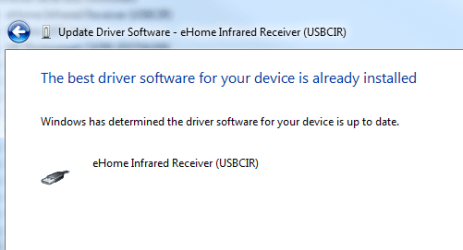
Keyboard works fine under US and UK regional settings. System says I have the latest driver.

Can anyone help?
 

My Computer

OS
Win 7
i had a similar problem with my remote. turned out i needed to turn on the "Human Interface Device Access" service and set it to Automatic. once i did this, all the buttons immediately started working. who woulda thunk it? why some of the buttons worked and some didn't is beyond me.

it's a windows service in Control Panel->All Control Panel Items->Administrative Tools->Services
 

My Computer

Computer Manufacturer/Model Number
Dell XPS One 24 (A2420)
OS
Windows 7 RTM Ultimate x64
CPU
Intel Core 2 Quad Q8200 @ 2.33 GHz
Motherboard
Intel P45 Express Chipset
Memory
4 GB Dual Channel DDR2 SDRAM @ 800MHz
Graphics Card(s)
512MB NVIDIA GeForce 9600M GT
Sound Card
Realtek ALC262 Integrated HD Audio
Back
Top