JMH
Banned
- Local time
- 1:52 AM
- Messages
- 6,448
Source -Millions of users have been duped into installing malicious software, also known as malware onto their systems allowing cybercriminals to steal money and other personal details. Here’s how the attack works:
Step One: Get the user to the malicious website
First, the group or groups behind these attacks first post large numbers of links to some new domain by spamming community forums, blog comments, and by putting the links inside hidden elements on compromised websites in a technique known as Blackhat SEO (Search Engine Optimization). In this way, they are able to get the target website high up in search results for common or recently trending search terms. Right now, for example, search results on Wimbledon and the World Cup are actively being poisoned in this manner.
The above technique is usually seen in conjunction with one or more of the following:
Step Two: The con game
- Redirects from compromised websites that are otherwise legitimate
- Spam emails that are often sent via other compromised computers
- Malvertisements where attackers pay for an ad in a legitimate ad network, but use the ad to send people to the malicious website. In the past year, reputable sites like the New York Times, White Pages, Tech Crunch and others have been caught hosting such malvertizements.
Once on the website, social engineering tricks are invoked to convince a user to fall for this modern Internet con. Computer users are conditioned with constant reminders to keep their computer free from virus and malware by running anti-virus software and keeping their virus definitions up to date. These websites use this conditioning against the user, using visual elements to establish authority and trust and then causing a sense of danger and urgency when notifying the user that their computer is infected with viruses and that their data personal computer is under someone else’s control.
Rogue anti-virus malware comes in many different forms and will take different approaches to fool a user, but at the most basic level, rogue anti-virus scams convince the user that they have a problem and that they need to download some software to fix the problem.
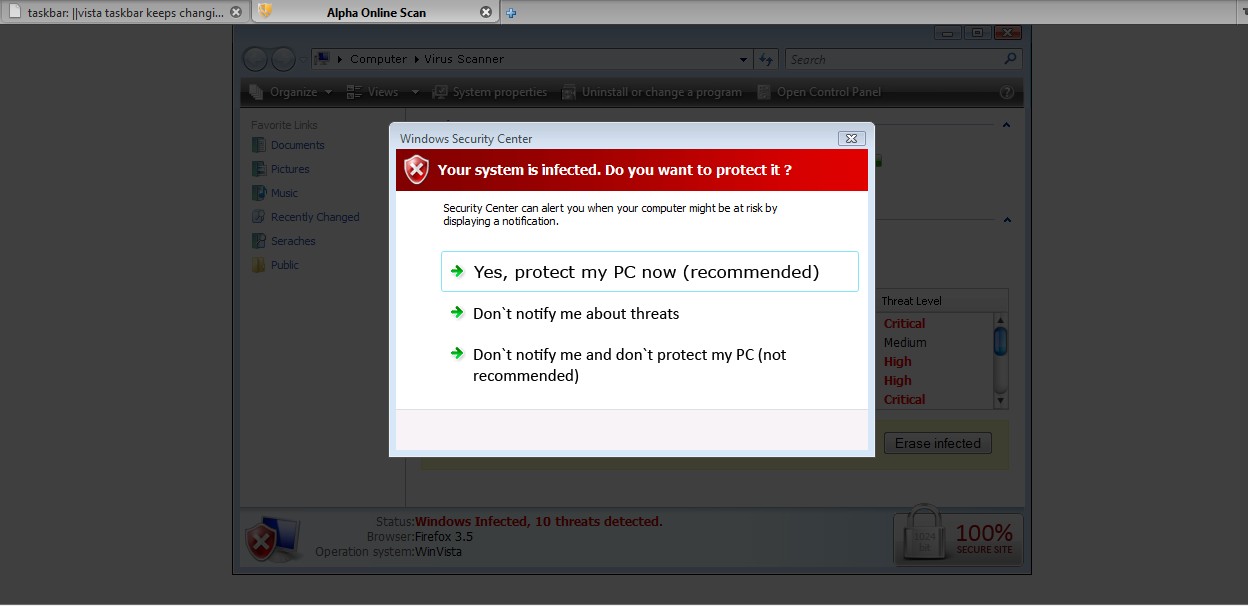
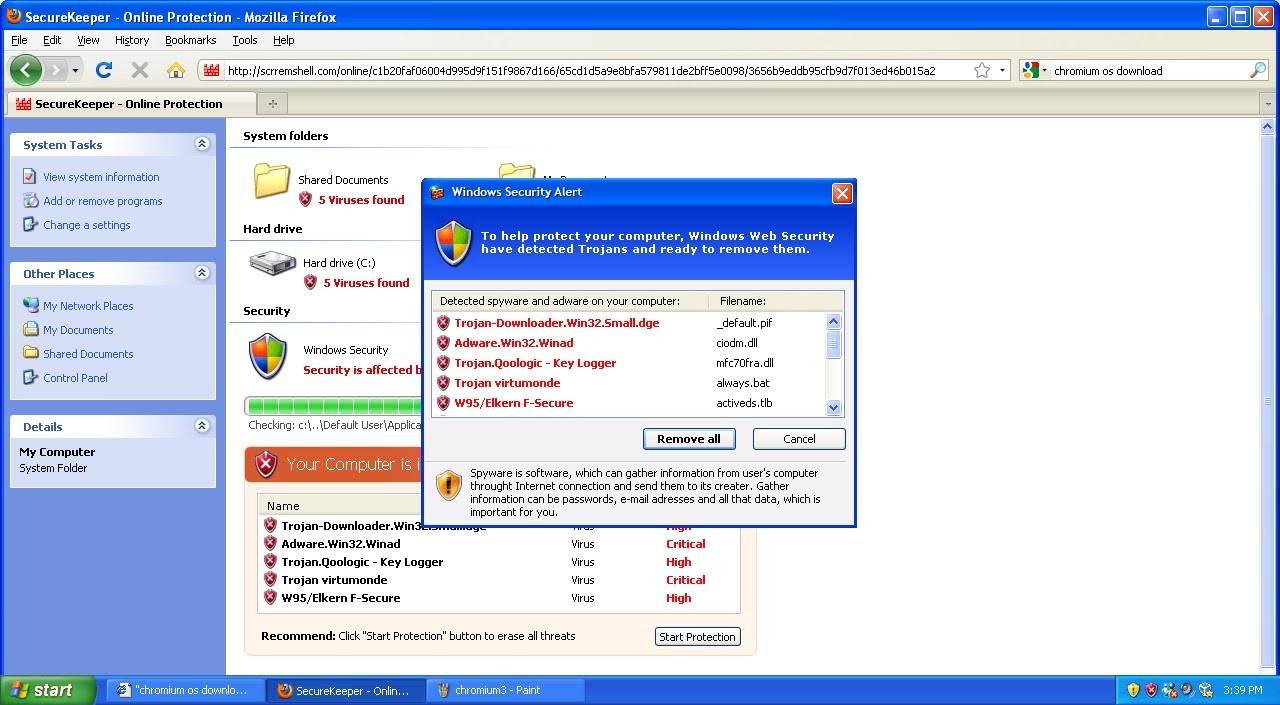
The screenshots below are just a few examples of fake scanners. These specially crafted pages are made with great detail to look exactly like Windows XP, Vista, or Windows 7 system alerts.
Fake scans like these are very believable for uneducated users and lead to a very high success rate for cybercriminals.

Threat Center Live Blog: Introduction to Rogue Anti-Virus
My Computer
At a glance
Win 7 Ultimate 64-bit. SP1.Intel i7 -720QM.[1.6GHz Turbo Boost 2.8GHz. 6...8 DDR 3 RAM. 1066MHZATI 1024 MB. DDR3. Radeon HD5650
- Computer Manufacturer/Model Number
- LAPTOP. HP Pavilion dv7-4010TX .
- OS
- Win 7 Ultimate 64-bit. SP1.
- CPU
- Intel i7 -720QM.[1.6GHz Turbo Boost 2.8GHz. 6MB Cache.]
- Memory
- 8 DDR 3 RAM. 1066MHZ
- Graphics Card(s)
- ATI 1024 MB. DDR3. Radeon HD5650
- Monitor(s) Displays
- 17.3" High Definition Brightview LCD. LED Backlit.
- Screen Resolution
- 1600 x 900.
- Hard Drives
- 640GB
- Case
- Laptop / notebook.
- Mouse
- Logitech Anywhere mouse. MX.
- Internet Speed
- ADSL [ but too slow ]


 A poor client said he suckered into this scam and entered his credit card to buy it. No clue if he ever got his money back or if he was a victim of id theft.