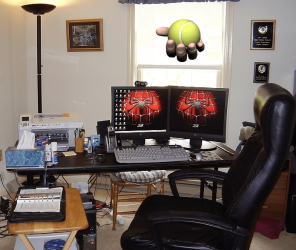
I'm adding a 2nd monitor to my system, a Samsung 2343 BWX, same as the one I have now. Since this is my 1st attempt at this, I thought I'd ask for guidance before I do something I regret.
I have a NVIDIA 9800GTX card and will hook 2nd monitor to it, along with 1st monitor. I would like, if possible, to have a separate desktop on each so I can see, and do, different things on each monitor. I don't do any gaming or other video taxing things, just Office apps, browsing, and emailing.
Any suggestions to guide me to my desired destination would be most appreciated.
I have a NVIDIA 9800GTX card and will hook 2nd monitor to it, along with 1st monitor. I would like, if possible, to have a separate desktop on each so I can see, and do, different things on each monitor. I don't do any gaming or other video taxing things, just Office apps, browsing, and emailing.
Any suggestions to guide me to my desired destination would be most appreciated.
My Computer
At a glance
Win7 x64 UltIntel i7-95012 GB DDR3NVIDIA 9800GT+
- Computer Manufacturer/Model Number
- 24c Built
- OS
- Win7 x64 Ult
- CPU
- Intel i7-950
- Motherboard
- ASUS PT6
- Memory
- 12 GB DDR3
- Graphics Card(s)
- NVIDIA 9800GT+
- Sound Card
- none
- Monitor(s) Displays
- 2 Samsung SyncMaster 2343bwx
- Screen Resolution
- 2048X1152
- Hard Drives
- 1st-4 OCZ Vertex Turbos 32GB RAID 0
2nd-2 WD 640GB RAID 1
- PSU
- Thermaltake Toughpower XT W0229RU 750W
- Case
- Antec 900
- Cooling
- case fans
- Keyboard
- Logitech cordless
- Mouse
- Logitech cordless
- Internet Speed
- up to 15 MB/s


 Plus, the chair has extensions on the backsupport so all wires can be draped over the back of the chair to keep them nicely organized. There is plenty of room underneath for your computer or computers and to left of my computer is a huge 3 hour APS (battery backup). When the winters get rough here in New England, the electricty flickers on and off a couple dozen times. You won't feel a thing with a good APS.