Howdy Anak, I too found myself beset with problems getting W7 64 bit to run. It seriously took weeks and 5 reinstalls.
And a big howdy back atcha', Glennc !

Then I Don't feel as bad, I've only had to do one re-install.
Have you tried the compatibility feature when installing?
All my old favorites dumped on me.
I know the feeling, it's like x64 is the new girlfriend, and won't allow any of the old ones to come around anymore.
I have two System Images so far, well four actually, the one that’s on the HDD, one separate of the HDD but still includes the bloatware, and two after I've cleaned out the Cr*p.
Restore points (I like to call it the wayback machine) can be pretty specific for going back to an earlier time.
I look at it like this:
You have to be aware of any changes instantly, which is easy to do because we are all picky about our PC's
Let's say your machine is running okay, just the way you like it, when something disturbs the system settings. Then it's handy to go back.
If you don't like a program or if it isn't running okay, and you use the wayback machine, it is a givn' that your PC won't be going back to the way it was. Close, but no cigar.
One feature I like now in win7 is it will give a readout of the changes it will make.
I use that feature to determine if it is worth it or not to go back.
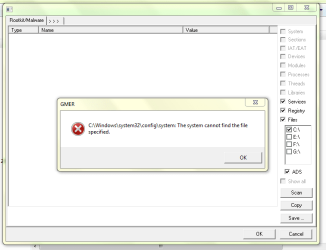
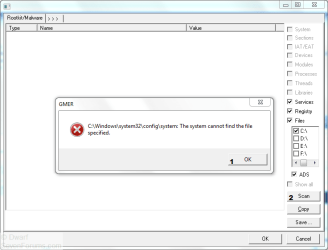
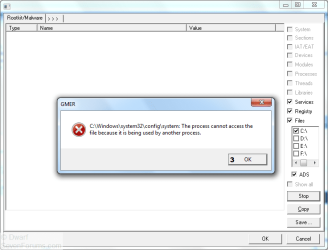
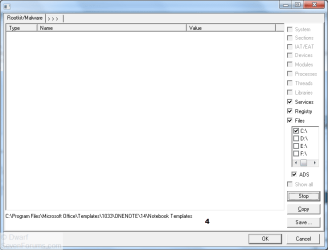
As to my issue I use Sophos Anti-Rootkit but it as explained to me is very sensitive and gives items that don't exist, at least is recommends you don't erase them. But I'm constantly getting "hidden" copies of stored program installers that I have in my Download Section. I look and there are no hidden copies of those files. With the other software I am as safe I think as I'm gonna be. What is everyone doing about that Flash/Microsoft critical hole? Thanks Kind Sir.
glenn
Have you tried going to _ Control Panel\All Control Panel Items _
To see Hidden files and Folders:
Click on Folder View, when the folder options box appears,
- Click on View
- Go to Hidden files and Folders
- Tick the _ Show Hidden files and Folders _ Radio button.
- Click Apply.
Then down three entries:
- Un-tick the _ Hide protected system operating files (Recommended)
- Click Apply
- Okay your way out.
Now you should be able to see those files, they may even appear on your desktop.
In order to stop them from appearing on the desktop you have to go back into Folder Options and re-tick the _ Hide protected system operating files (Recommended) box.
You can leave the _ Show Hidden files and Folders _ Radio button, applied with no harm.
What is everyone doing about that Flash/Microsoft critical hole?
For now, make sure you have the latest Adobe Flash Player 10.1.82.76 , and be careful where it's used (Easier said than done, Huh!) or just disable it.
There is supposed to be updates on the way .
We are in the process of finalizing a fix for the issue and expect to provide an update for Adobe Flash Player for Windows, Macintosh, Linux, Solaris, and Android operating systems during the week of September 27, 2010. We expect to provide updates for Adobe Reader 9.3.4 for Windows, Macintosh and UNIX, and Adobe Acrobat 9.3.4 for Windows and Macintosh during the week of October 4, 2010.
Adobe - Security Advisories: APSA10-03 - Security Advisory for Flash Player
Keep an eye on the
News - Windows 7 Forums Our guys and gals or is it gals and guys?
are the best in having the latest news.
You are most welcome, Glenn........Steve