More...We are pleased to announce that Windows Live Essentials 2011 for Windows 7 and Windows Vista is now available for download! (Releasing in 48 languages over the next few hours, so if your language is not yet available, it will be very soon.) Windows Live Essentials 2011 was designed and built to connect your PC to the services you use every day. We’re also announcing today that Dell will be the first global PC manufacturer to ship PCs with Windows Live Essentials 2011 and Windows 7 pre-installed, just in time for your holiday purchases. Many other PC manufacturers are also planning to make Windows Live Essentials 2011 available and we’ll continue to keep you updated as they start releasing.
I want to offer a special thank you to the millions of people who installed the beta! Our beta users helped us identify and address issues, with over two thousand forum posts and comments. In today’s release, we’ve addressed 95% of all bugs reported by beta users, leading to improvements that you’ll see across the suite.

Designed for Windows 7
Windows Live Essentials 2011 was designed from the ground up for Windows 7. You can pin your applications to the taskbar and use jump lists to quickly get to common tasks. The ribbon brings common tasks to the front, letting you filter photos, change your font, or publish to your favorite services in a single click.
For parents, Windows Live Family Safety gives you the tools to help keep your kids safer on the Internet.

If you have more than one PC, or a PC and a Mac, Windows Live Mesh helps you sync your files and folders across your PCs and connect back to your PC from virtually anywhere.
Connected to the services you use
Windows Live connects your Windows PC to the services you use every day. Use Window Live Photo Gallery to share photos with your friends on SkyDrive, Flickr, SmugMug, Facebook, and more.
Create a video using Windows Live Movie Maker and instantly publish it to YouTube.
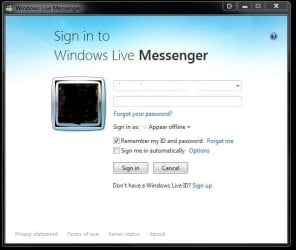
Stay in touch with your friends on Facebook, LinkedIn, and MySpace using the new Windows Live Messenger.
Use Windows Live Writer to update your blog on Wordpress.com, Blogger, TypePad, and many more blogging services.

Use Windows Live Mail to keep track of your email from Hotmail, Gmail, Yahoo, and more.

Download it today!
Get started and download Windows Live Essentials 2011 today. It is being released in 48 languages over the next few hours, so if you don’t see it in your language yet, you should see it very soon. If you’re running Windows Vista or Windows 7 on your PC, make sure you have the latest Windows updates installed before you install Windows Live Essentials (see the system requirements here). If your computer is still running Windows XP, you can, of course, continue to use the current Windows Live Essentials software, and then switch to Windows Live Essentials 2011 when you buy a new PC or upgrade to Windows 7.
Together with Windows 7 and the new Internet Explorer 9 beta, Windows Live Essentials completes your Windows experience and connects your PC to the services you use every day. Try it out and let us know what you think!
On behalf of the entire Windows Live team, thanks for trying Windows Live Essentials 2011!
Chris Jones
Vice President, Windows Live engineering


See also: http://www.sevenforums.com/software/21530-latest-windows-live-essentials-programs-versions.html
Information
Some release notes if you haven't seem them. More like bug list.
Windows Live Essentials 2011 release notes
Last edited by a moderator:
My Computer
At a glance
64-bit Windows 11 Pro for WorkstationsIntel i7-8700K OC'd to 5 GHz64 GB (4x16GB) G.SKILL TridentZ RGB DDR4 3600...ASUS ROG-STRIX-GTX1080TI-O11G-GAMING
- Computer type
- PC/Desktop
- Computer Manufacturer/Model Number
- Self built custom
- OS
- 64-bit Windows 11 Pro for Workstations
- CPU
- Intel i7-8700K OC'd to 5 GHz
- Motherboard
- ASUS ROG Maximus XI Formula Z390
- Memory
- 64 GB (4x16GB) G.SKILL TridentZ RGB DDR4 3600 MHz
- Graphics Card(s)
- ASUS ROG-STRIX-GTX1080TI-O11G-GAMING
- Sound Card
- Integrated
- Monitor(s) Displays
- 2 x Samsung Odyssey G7 27"
- Screen Resolution
- 2560x1440
- Hard Drives
- 1TB Samsung 990 PRO M.2,
4TB Samsung 990 PRO PRO M.2,
TerraMaster F8 SSD Plus NAS
- PSU
- Seasonic Prime Titanium 850W
- Case
- Thermaltake Core P3
- Cooling
- Corsair Hydro H115i
- Keyboard
- Logitech wireless K800
- Mouse
- Logitech MX Master 4
- Internet Speed
- 2 Gb/s Download and 100 Mb/s Upload
- Antivirus
- Malwarebyte Anti-Malware Premium
- Browser
- Google Chrome
- Other Info
- Logitech Z625 speaker system,
Logitech BRIO 4K Pro webcam,
HP Color LaserJet Pro MFP M477fdn,
APC SMART-UPS RT 1000 XL - SURT1000XLI,
Galaxy S23 Plus phone