Build your own External Hard Drive 
I hope this will be Helpful to new users / members.
 rb:
rb:
Materials needed:
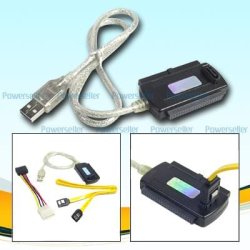
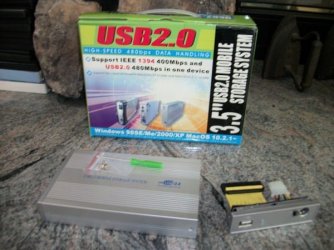
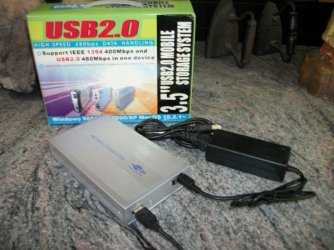
External HD enclosure kit ( I got mine from eBay $ 12.50)

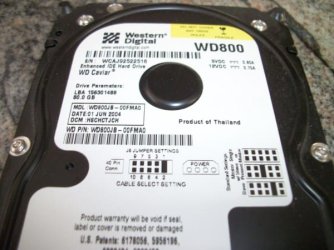
a good brand HD (Sata or IDE) (I got a WD Blue 500gb for $39.99 from NewEgg)
Use the proper enclosure case for either Sata or IDE HD.

Open the new Ext enclosure carefully. Some have screws holding the 2 ends onto
the aluminum case. The one I just used had small plastic push tabs, that can break easily.
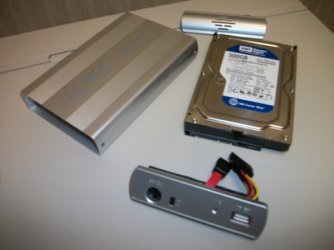
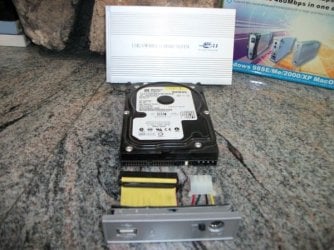
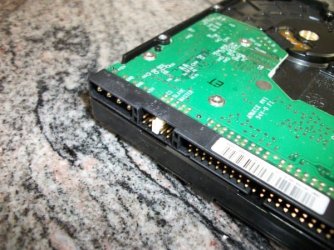
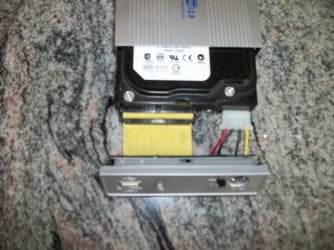
Connect the Data & Power cables properly to the HD. Most are coded so they can only be
inserted one way.
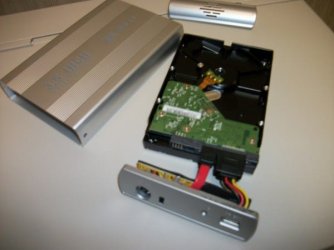
Slide the HD & cabled end assembly back into the case. Attach the ends to the case.
Next connect the power supply cord to the Ext case.
Then the USB cable.
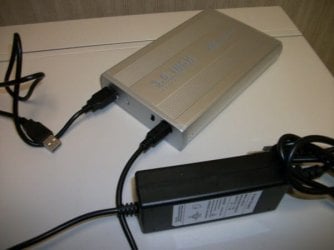
Connect the power supply to your standard home electrical source.
rb:
Connect the USB cable to a USB port on your computer, turn on the switch on the EXT case.
Now Windows should find the new hardware & install the drivers for it.
Windows may give you a prompt that this HD may need to be Initialized (especially if it is a new Raw HD).
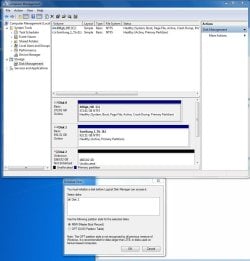
Follow the prompts if you need to Initialize your new raw HD.

rb:
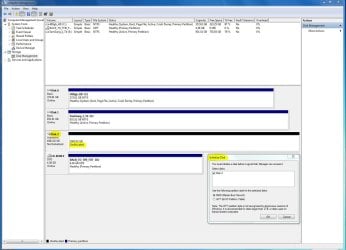
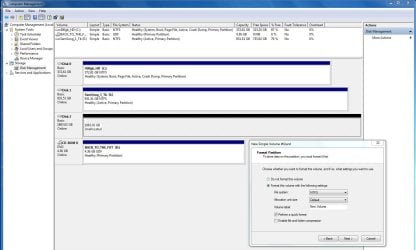
If windows does not automatically asign a drive letter to your new Ext HD, then you will need to go
into Disk Management to asign it a drive letter.
rb:
 Enjoy the use of your External Hard Drive
I hope this will be Helpful to new users / members.
rb:Materials needed:
External HD enclosure kit
( I got mine from eBay $ 12.50)a good brand HD (Sata or IDE)
(I got a WD Blue 500gb for $39.99 from NewEgg)Use the proper enclosure case for either Sata or IDE HD.
Open the new Ext enclosure carefully. Some have screws holding the 2 ends onto
the aluminum case. The one I just used had small plastic push tabs, that can break easily.
Connect the Data & Power cables properly to the HD. Most are coded so they can only be
inserted one way.
Slide the HD & cabled end assembly back into the case. Attach the ends to the case.
Next connect the power supply cord to the Ext case.
Then the USB cable.
Connect the power supply to your standard home electrical source.
rb:Connect the USB cable to a USB port on your computer, turn on the switch on the EXT case.
Now Windows should find the new hardware & install the drivers for it.
Windows may give you a prompt that this HD may need to be Initialized (especially if it is a new Raw HD).
Follow the prompts if you need to Initialize your new raw HD.
rb: If windows does not automatically asign a drive letter to your new Ext HD, then you will need to go
into Disk Management to asign it a drive letter.
rb: Enjoy the use of your External Hard Drive My Computer
At a glance
Win7 Enterprise, Win7 x86 (Ult 7600), Win7 x6...AMD fx8350 4ghz, AMD-32 2400mhz, AMD-64 3200m...2gb, 4gb on the Ult 7600, 4gb on Technet RTM,...Draw my own Graphics, several nVidia cards
- Computer type
- PC/Desktop
- Computer Manufacturer/Model Number
- Built them myself, Science Experiments !
- OS
- Win7 Enterprise, Win7 x86 (Ult 7600), Win7 x64 Ult 7600, TechNet RTM on AMD x64 (2.8Ghz)
- CPU
- AMD fx8350 4ghz, AMD-32 2400mhz, AMD-64 3200mhz, AMDx64 2.8G
- Motherboard
- SIS 755, ECS-K8M890M-M (Ult 7600), GigaByte & others
- Memory
- 2gb, 4gb on the Ult 7600, 4gb on Technet RTM, 32gb on FX8350
- Graphics Card(s)
- Draw my own Graphics, several nVidia cards
- Sound Card
- on motherboard
- Monitor(s) Displays
- 19" flat scr, 28" I-Inc widescr,22" Emprex Widescr, 23" Acer
- Screen Resolution
- 1280 x 1024, 1440 x 900, 1920 x 1080
- Hard Drives
- 6 pata Ide HD's & 2 Sata HD's
added 80gb external on Ult 7600 computer,
numerous extra 1tb, 2TB, 3Tb SATA HD's
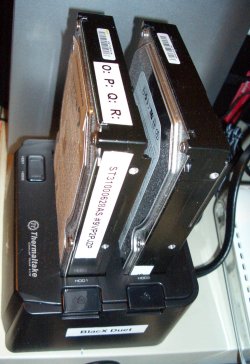
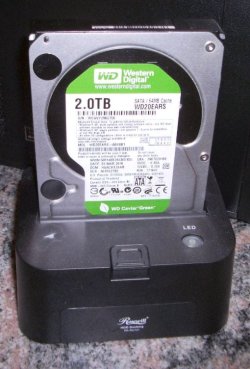
A collection of ext HD Docks w/ HDs
- PSU
- 430w, 550w, 600w, 700, 800, etc
- Case
- All Generic Full Towers
- Cooling
- Open Air & a few fans, some w/ colored LEDs
- Keyboard
- Compaq & Dell recycled from GoodWill
- Mouse
- Made in China Optical Wired Mouse
- Internet Speed
- Fast Cable InterNet
- Antivirus
- AVG Free on 24 different Desktops, NO Problems!
- Browser
- IE 8 is preferred, but use FireFox sometimes
- Other Info
- Linksys Routers, switches, & Hubs
Too Many USB Flash Drives to count, Biggest is 64GB !
Eight computers in my home network.
Sixteen computers at my business network.
Linked via TeamViewer !
Lots of old used spare computer parts everywhere!