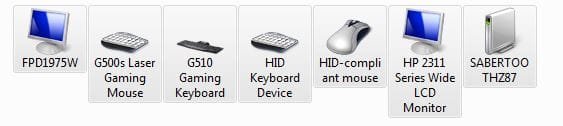
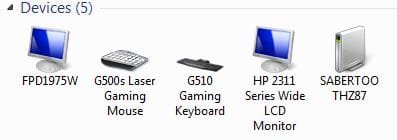
I never installed the Probe 2 driver, so it`s not from that.
I just did an install on an Intel ssd, changed device configuration to get realistic icons, got all the drivers directly from Asus, no windows updates and it still put just a blue cube there.
Ran windows update fully, still a blue cube
I did exactly what you instructed, but that metadata file is already listed there.
You say you got all the drivers from Asus, not including Probe II?
With my system that Blue Icon is definitely from the probe II driver.
Are you saying that you don't want the Blue Cube?
I'm confused now..

If you just want the generic PC icon and not the Blue Cube then delete the metadata file from those two locations I suppose.
My Computer
At a glance
Windows 7 Home Premium x64i7 5930KCorsair Dominator, DDR4 16GBEVGA GTX 980 SLI
- OS
- Windows 7 Home Premium x64
- CPU
- i7 5930K
- Motherboard
- Asus X99-A
- Memory
- Corsair Dominator, DDR4 16GB
- Graphics Card(s)
- EVGA GTX 980 SLI
- Sound Card
- Onboard Realtek HD
- Monitor(s) Displays
- Dell U3011
- Screen Resolution
- 2560x1600 (16:10, as god intended)
- Hard Drives
- Samsung 850 EVO 1TB SSD (Boot OS)
2 x Hitachi 7K3000 2TB (Storage)
- PSU
- Seasonic 1250W
- Case
- Corsair 900D
- Cooling
- Corsair H110 280
- Keyboard
- Logitech Wireless Illuminated keyboard K800
- Mouse
- Loigitech M950 Performance
- Internet Speed
- ADSL 2+
- Antivirus
- MS SE
- Browser
- Chrome