- Local time
- 6:16 PM
- Messages
- 76
On the new Windows 7 Pro computer with Office 10 I moved the folders and files from the old pc to this new pc.
The first act on the new computer was launching Outlook and creating the new account.
What is not working is this email account.
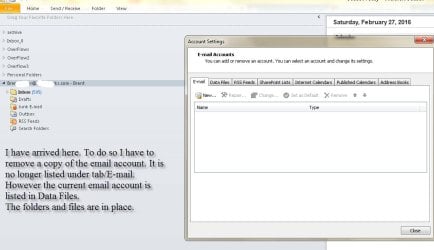
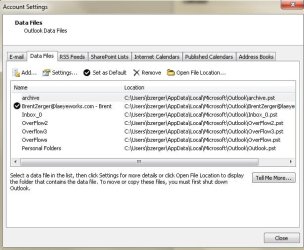
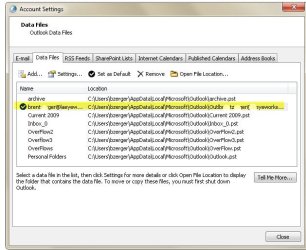
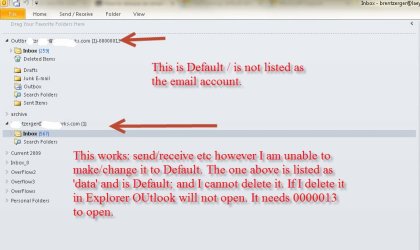
It is not listed (see screen shots) as email; it is listed as data file. I cannot delete that email account.
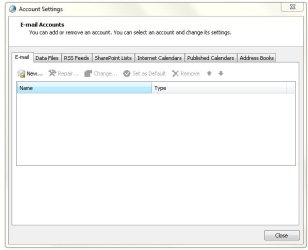
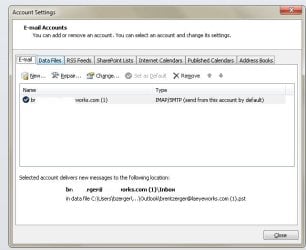
I then created the account again - this email account shows up in Email. Thus I have a working email account. But now I have two email account listed in Outlook.
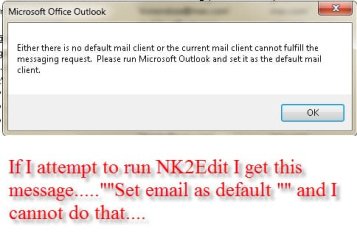
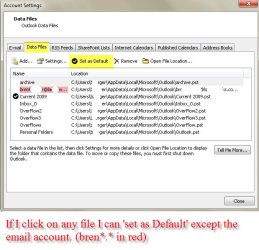
In the data section I cannot delete the old email account - and I cannot set the new one as Default.
Default is grayed out under Email and under Data for the listing of the newly created email account.
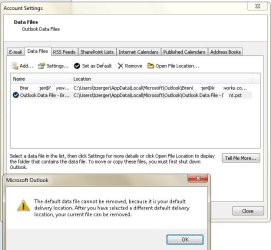
That not working data email account is set to Default. I cannot change the Default. I cannot delete that 0000013 pst account.
This message did appear....
The default data file cannot be removed because it is your default delivery location. After you have selected a different default delivery location your current file can be removed.
If nothing works can I delete all the files from apps/microsoft/outlook and attempt to create another new account?
However I can change 000013 pst default to another data file but then I get this message when I attempt to delete/remove 000013 pst:
You cannot delete this Outlook data file. Configuration inforation in the file is being copied to your new default data file.
Is there a strait forward fix on this? Thanks!
The first act on the new computer was launching Outlook and creating the new account.
What is not working is this email account.
It is not listed (see screen shots) as email; it is listed as data file. I cannot delete that email account.
I then created the account again - this email account shows up in Email. Thus I have a working email account. But now I have two email account listed in Outlook.
In the data section I cannot delete the old email account - and I cannot set the new one as Default.
Default is grayed out under Email and under Data for the listing of the newly created email account.
That not working data email account is set to Default. I cannot change the Default. I cannot delete that 0000013 pst account.
This message did appear....
The default data file cannot be removed because it is your default delivery location. After you have selected a different default delivery location your current file can be removed.
If nothing works can I delete all the files from apps/microsoft/outlook and attempt to create another new account?
However I can change 000013 pst default to another data file but then I get this message when I attempt to delete/remove 000013 pst:
You cannot delete this Outlook data file. Configuration inforation in the file is being copied to your new default data file.
Is there a strait forward fix on this? Thanks!
Attachments
My Computer
- Computer type
- PC/Desktop
- OS
- Microsoft Windows 7 Professional 64-bit 7601 Multiprocessor Free Service Pack 1
- CPU
- Intel(R) Xeon(R) CPU 5150 @ 2.66GHz
- Motherboard
- Hewlett-Packard 0A08h
- Memory
- 32.00 GB
- Graphics Card(s)
- (1) LogMeIn Mirror Driver (2) NVIDIA Quadro FX 1500
- Sound Card
- High Definition Audio Device
- Screen Resolution
- 1280 x 800 x 32 bits (4294967296 colors) @ 74 Hz
- Hard Drives
- (1) (2) (3)