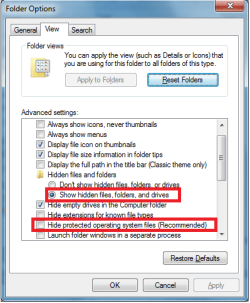
I am using two laptops, both with W 7 Pro 64bit. I have many folders on both laptops shared to the other computers on my Mi-Fi network. For a long time sharing has only been used to access/copy certain files, without any problems.
Recently, I decided to change how I synced certain folders between laptops. I am a long time user of Vice-Versa Pro and sync from laptop A to USB HDD and then USB HDD to laptop B.
I have now started to sync laptop A to laptop B over the network. Initially, I was not aware of any problems until I 'lost' certain GPS backup data files.
Later I found them on laptop A, but were missing on laptop B - Windows does not 'know' the missing files and therefore Vice-Versa can't sync them.
I then copied a file on A and then pasted it in the same folder. It immediately became visible on the networked B folder.
Other files copied to the A folder, also appear on the B folder.
Something is odd with the 'invisible' files - any ideas, please?
Recently, I decided to change how I synced certain folders between laptops. I am a long time user of Vice-Versa Pro and sync from laptop A to USB HDD and then USB HDD to laptop B.
I have now started to sync laptop A to laptop B over the network. Initially, I was not aware of any problems until I 'lost' certain GPS backup data files.
Later I found them on laptop A, but were missing on laptop B - Windows does not 'know' the missing files and therefore Vice-Versa can't sync them.
I then copied a file on A and then pasted it in the same folder. It immediately became visible on the networked B folder.
Other files copied to the A folder, also appear on the B folder.
Something is odd with the 'invisible' files - any ideas, please?
My Computer
- Computer type
- Laptop
- Computer Manufacturer/Model Number
- Dell Vostro & Panasonic Toughbook
- OS
- 7 Home 64 & 7 Pro 64