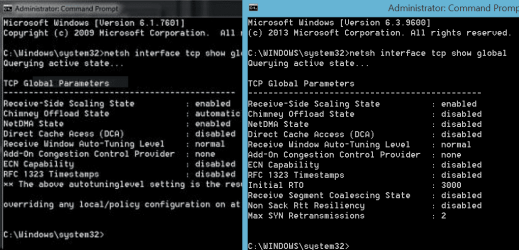
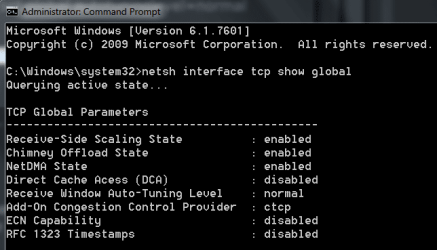
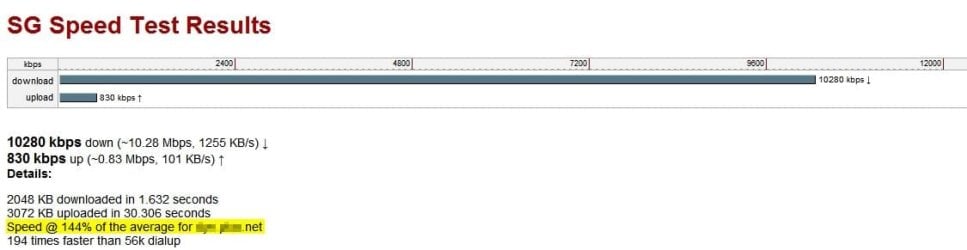
Like all modern operating systems Windows has receive window auto-tuning to dynamically adjust the receive buffer size to the throughput and latency of the link. Disabling this feature will definitely limit your Internet speeds. Auto-tuning is consistent throughout all variants of TCP and present in all modern operating systems. In the modern Internet the range of latencies and throughput speeds that must be accommodated is simply too large to manage statically and must be adjusted dynamically. If you have changed your AutoTuningLevel to disabled, please reset it to normal in order to restore your Internet speeds using the following commands in an elevated command prompt:
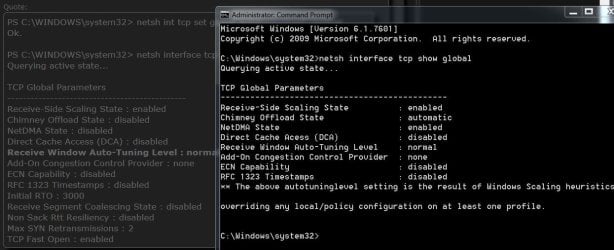
PS C:\WINDOWS\system32> netsh int tcp set global autotuninglevel=normal
Ok.
PS C:\WINDOWS\system32> netsh interface tcp show global
Querying active state...
TCP Global Parameters
----------------------------------------------
Receive-Side Scaling State : enabled
Chimney Offload State : disabled
NetDMA State : disabled
Direct Cache Access (DCA) : disabled
Receive Window Auto-Tuning Level : normal
Add-On Congestion Control Provider : none
ECN Capability : disabled
RFC 1323 Timestamps : disabled
Initial RTO : 3000
Receive Segment Coalescing State : disabled
Non Sack Rtt Resiliency : disabled
Max SYN Retransmissions : 2
TCP Fast Open : enabled
Some of the confusion may have originated from a misinterpretation of a blog post which suggests disabling heuristics with the following command:
Code:netsh interface tcp set heuristics disabled
Heuristics is a feature that can interfere with auto-tuning and disabling it can improve Internet speeds and in fact heuristics have already been disabled in Windows 8.1 and greater. Auto-Tuning on the other hand should NEVER be disabled.
Source: An Update on Windows TCP AutoTuningLevel | Networking Blog
My Computer
- Computer type
- PC/Desktop
- Computer Manufacturer/Model Number
- Self built custom
- OS
- 64-bit Windows 11 Pro for Workstations
- CPU
- Intel i7-8700K OC'd to 5 GHz
- Motherboard
- ASUS ROG Maximus XI Formula Z390
- Memory
- 64 GB (4x16GB) G.SKILL TridentZ RGB DDR4 3600 MHz
- Graphics Card(s)
- ASUS ROG-STRIX-GTX1080TI-O11G-GAMING
- Sound Card
- Integrated
- Monitor(s) Displays
- 2 x Samsung Odyssey G7 27"
- Screen Resolution
- 2560x1440
- Hard Drives
- 1TB Samsung 990 PRO M.2,
4TB Samsung 990 PRO PRO M.2,
TerraMaster F8 SSD Plus NAS
- PSU
- Seasonic Prime Titanium 850W
- Case
- Thermaltake Core P3
- Cooling
- Corsair Hydro H115i
- Keyboard
- Logitech wireless K800
- Mouse
- Logitech MX Master 4
- Internet Speed
- 2 Gb/s Download and 100 Mb/s Upload
- Antivirus
- Malwarebyte Anti-Malware Premium
- Browser
- Google Chrome
- Other Info
- Logitech Z625 speaker system,
Logitech BRIO 4K Pro webcam,
HP Color LaserJet Pro MFP M477fdn,
APC SMART-UPS RT 1000 XL - SURT1000XLI,
Galaxy S23 Plus phone