How to clear Administrative Events under Custom Views?

ben07

New member
Power User
Local time
7:26 AM
Messages
111
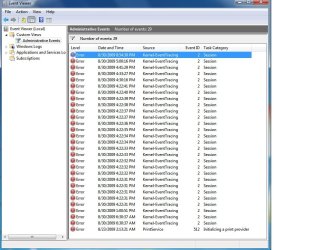
How does one clear these? pls view attachment, thanks.
 

Attachments

  • EV.jpg
    EV.jpg
    105.2 KB · Views: 747

My Computer My Computer

OS
Windows 7 Pro x64 RTM
CPU
Intel
Select a log
Menu Bar - Action

Clear Log (it might say Clear Events - I'm not looking at it niw).
 
You have to clear all of the individual logs. The Admin Events is a compiliation.
 
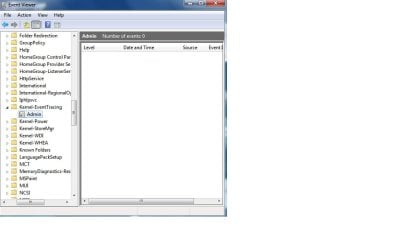
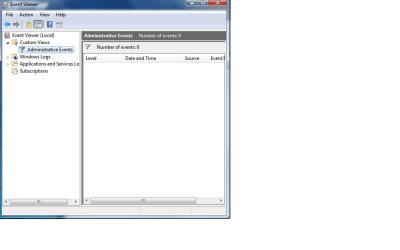
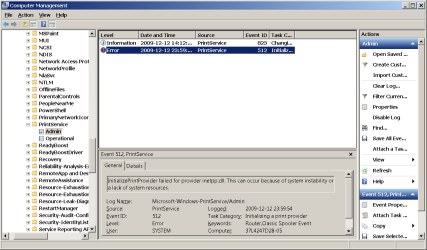
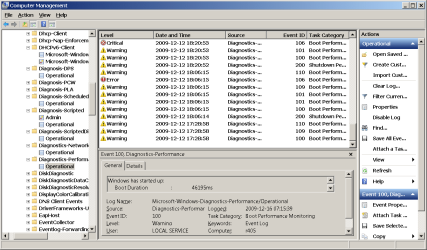
Thanks Antman, finally got it under Microsoft's sub directories:D.

I tried to clear many times under Windows Logs - Application/Seciurity/Setup/System/forwarded Events to no avail and after reading your responce I went further and searched under Microsoft - Windows - Kernal-EventTracking and bingo:p.

Best regards.
 

Attachments

  • KE.jpg
    KE.jpg
    37.9 KB · Views: 2,600
  • KE G.jpg
    KE G.jpg
    28.7 KB · Views: 1,268

My Computer My Computer

OS
Windows 7 Pro x64 RTM
CPU
Intel
Clarification - Thanks, ben07 :

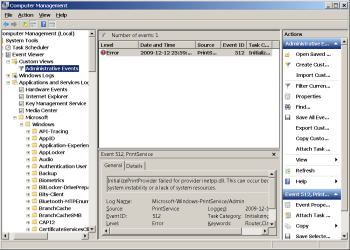
Just a small clarification - on my "Administrative Events" I was not able to clear "Error" Level events. Thanks to ben07 post - depending from the "Source", search Microsoft - Windows -> SOURCE - e.g. I had (plz see attached 1 2 3)

Informational/Verbose Level Events and even certain Critical Level Events still remains in Log (and not reflected in Administrative Events compilation)... (plz see attached 4, 5)

Does anybody tried (PowerShell) script to clear them also ?

- thx

 

Attachments

  • 1.png
    1.png
    23.7 KB · Views: 976
  • 2.png
    2.png
    24.9 KB · Views: 784
  • 3.png
    3.png
    22 KB · Views: 676
  • 4.png
    4.png
    26.8 KB · Views: 591
  • 5.png
    5.png
    28.8 KB · Views: 652

My Computer My Computer

OS
Windows 7 Enterprise
Back
Top