
Let me mention at the outset that I am an intermediate Windows user.
I do not know the what-how-why of Windows registry values. Windows Task Manager is what I use to keep a watch on different processes running on the computer.
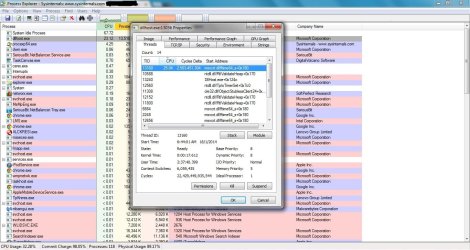
Lately, I have started encountering this problem of dllhost.exe (sometimes only one instance, other times multiple instances) gobbling up my computer's entire CPU memory resulting in a crash/error message. After reading many articles online on possible solutions, I've installed two Sysinternals utilities - Process Explorer & Process Monitor.
However, I am a newbie as far as these two softwares are concerned and it will take a while in understanding to use them to figure out what is causing the dllhost.exe CPU gobble-up problem. Besides, all the technical stuff - processes>threads>dlls, registry values etc. scares me.
I'd really appreciate if someone can help me figure out and fix the dllhost.exe problem.
Symptom
1. dllhost.exe starts hogging CPU memory when I browse/watch/view jpegs, media files (.mp4 etc.). At times there is only one instance of dllhost.exe, other times there are multiple instances.

Hunch
1. Problem seems to arise when I browse/watch/view jpegs, media files (.mp4 etc.)
2. It seems the problem might have a connection with 3D video files
What I have tried/done till now to resolve the problem
1. Run sfc /scannow command (System File Checker) in the command prompt several times. It says everything is in order.
2. Have up-to-date virus, malaware definitions of Microsoft Security Essentials & Malwarebytes Anti-Malware. Run full system scan with both multiple times, they did not find anything suspicious, scans come clean.
Please tell me what to do to fix the problem. I can share log files of different softwares, utility tools if that will help diagnose the problem. I hope this is not a virus/malaware/trojan disguised as a legitimate process. It has been an unnerving 2-3 days since the problem cropped up. Help!
I do not know the what-how-why of Windows registry values. Windows Task Manager is what I use to keep a watch on different processes running on the computer.
Lately, I have started encountering this problem of dllhost.exe (sometimes only one instance, other times multiple instances) gobbling up my computer's entire CPU memory resulting in a crash/error message. After reading many articles online on possible solutions, I've installed two Sysinternals utilities - Process Explorer & Process Monitor.
However, I am a newbie as far as these two softwares are concerned and it will take a while in understanding to use them to figure out what is causing the dllhost.exe CPU gobble-up problem. Besides, all the technical stuff - processes>threads>dlls, registry values etc. scares me.
I'd really appreciate if someone can help me figure out and fix the dllhost.exe problem.
Symptom
1. dllhost.exe starts hogging CPU memory when I browse/watch/view jpegs, media files (.mp4 etc.). At times there is only one instance of dllhost.exe, other times there are multiple instances.
Hunch
1. Problem seems to arise when I browse/watch/view jpegs, media files (.mp4 etc.)
2. It seems the problem might have a connection with 3D video files
What I have tried/done till now to resolve the problem
1. Run sfc /scannow command (System File Checker) in the command prompt several times. It says everything is in order.
2. Have up-to-date virus, malaware definitions of Microsoft Security Essentials & Malwarebytes Anti-Malware. Run full system scan with both multiple times, they did not find anything suspicious, scans come clean.
Please tell me what to do to fix the problem. I can share log files of different softwares, utility tools if that will help diagnose the problem. I hope this is not a virus/malaware/trojan disguised as a legitimate process. It has been an unnerving 2-3 days since the problem cropped up. Help!
Last edited:
My Computer
- Computer type
- Laptop
- OS
- Windows 7 Home Premium (64-bit) Service Pack 1


