hg3300
Banned
I downloaded SpeedFan to change the speeds of my internal fans, obviously. In particular, this one fan that tends to make a lot of noise when above 50% of its peak speed.
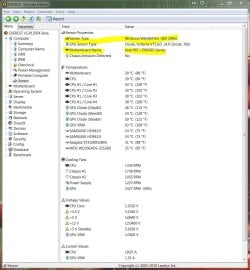
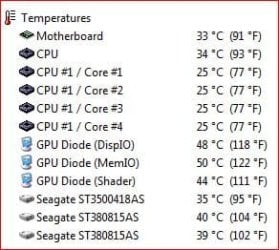
So I'm looking at the temperatures, and I see something over 110 degrees Celsius.
Here is a list of the temps:
GPU: 40C
Temp1: 27C
Temp2: 30C
Temp3: 114C
Core: 31C
Now I did research (through other similar software) and I found out that Temp1=MB, Temp2=CPU, and Temp3=PSU.
My question to you is, how can my PSU be so hot and still run perfectly? The PC is brand new, no dust.
Could there be an error in the software or the temperature monitor thingy is just in a bad place or something? If it's the software, it's more than one b/c they all agree with each other.
So I'm looking at the temperatures, and I see something over 110 degrees Celsius.
Here is a list of the temps:
GPU: 40C
Temp1: 27C
Temp2: 30C
Temp3: 114C
Core: 31C
Now I did research (through other similar software) and I found out that Temp1=MB, Temp2=CPU, and Temp3=PSU.
My question to you is, how can my PSU be so hot and still run perfectly? The PC is brand new, no dust.
Could there be an error in the software or the temperature monitor thingy is just in a bad place or something? If it's the software, it's more than one b/c they all agree with each other.
My Computer
- OS
- Windows 7 Professional 32-bit
- CPU
- AMD Phenom II X4 925
- Motherboard
- Micro-Star International NF750-G55 (MS-7578)
- Memory
- 4GB
- Graphics Card(s)
- NVIDIA GeForce 210
- Sound Card
- Realtek High Definition Audio
- Monitor(s) Displays
- HP w1907 19" Widescreen Monitor
- Screen Resolution
- 1440x900
- Hard Drives
- 320GB Hitachi HDP725032GLA360
500GB WDC WD5000AADS-00S9B0
- PSU
- CoolerMaster RS-500-PCAR-A3
- Case
- CoolerMaster Elite 310 (Red)
- Cooling
- Rear Fan: 3600RPM, Side Fan: 2000RPM, Front Fan: 1300RPM
- Keyboard
- Microsoft Wireless Keyboard 2000
- Mouse
- Microsoft Wireless Optical Mouse 2000
- Other Info
- ATAPI DVD A DH20A4P
TSSTcorp CD/DVDW TS-H652M