Please, no 'sorry' necessary for helping me or anyone else! I think it's great!Okay sorry for all the posts on this but I had never needed to look at the program in any depth as it worked okay for me.
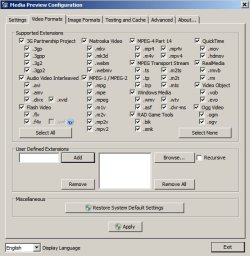
It is possible to define video file extensions to be monitored without needing to manually type them each time.
If you open the following folder:
%Userprofile%\AppData\Roaming\Saleen VideoManager
You should find a file named VideoManagerWpf.ini
If you open it with your text editor you can view or edit monitored paths. You can also permanently define the list of extensions to be included when adding Library Paths via the program's GUI.
Scroll down to: [edVideoExtensions.Text]
Then add extensions:
[edVideoExtensions.Text]
>*.avi; *.mpg; *.mpeg; *.wmv; *.flv; *.mp4; *.m4v; *.ogv
Save the file!
 - Thank you.
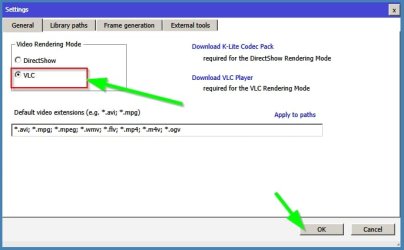
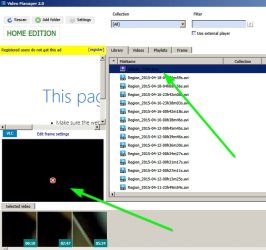
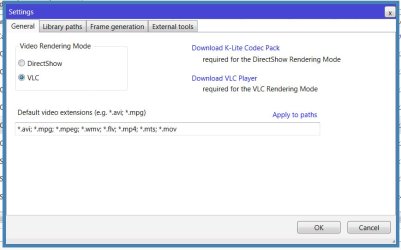
 That's a good tip for editing the monitored paths. I also noted that you can set the file extensions in Settings > General tab, and they stick for new Adds.
.
Attachments
My Computer
- Computer type
- PC/Desktop
- Computer Manufacturer/Model Number
- home built
- OS
- Win 7 Pro 64 SP1
- CPU
- i7 6700K SkyLake
- Motherboard
- MSI Gaming M7
- Memory
- 32 GB
- Graphics Card(s)
- nVidia GTX 970
- Sound Card
- onboard
- Monitor(s) Displays
- DELL U2711
- Screen Resolution
- 2560x1440
- Hard Drives
- 1 SSD OS, 2 WD Black Caviar data harddrives
- PSU
- EVGA Super Nova 850W G2 'Gold'
- Case
- Thermaltake Soprano Snow Edition
- Cooling
- Cooler Master Hyper 212 evo
- Keyboard
- Logitech K350
- Mouse
- Mad Kats RATT
- Antivirus
- Avast
- Browser
- Firefox