>
I tried to open the file location and nothing happens.
I am going to guess that you tried to "
open the file location" from within Task Manager. If you do as
LMiller7 says, you will see even more processes running for which "
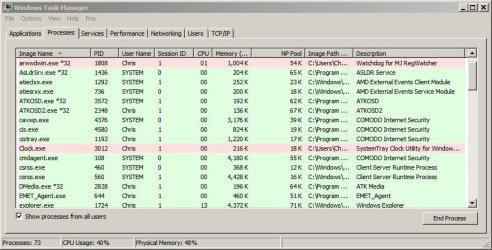
nothing happens" when you select Open File Location. Task Manger can be set to show a column named Image Path Name. In the screenshot below, I sorted the processes by that column. If the Image Path Name is blank, then "
nothing happens" when you select Open File Location.
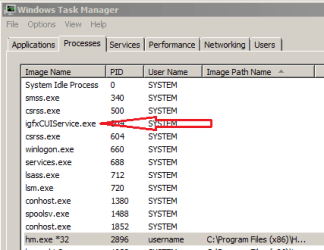
The process that the arrow is pointing to is from Intel. Simply put: Task Manager asks for the location using code that does not always work.
msinfo32 is another tool that comes with Windows 7. Simply put: that tool asks for the location using code that works a bit better.
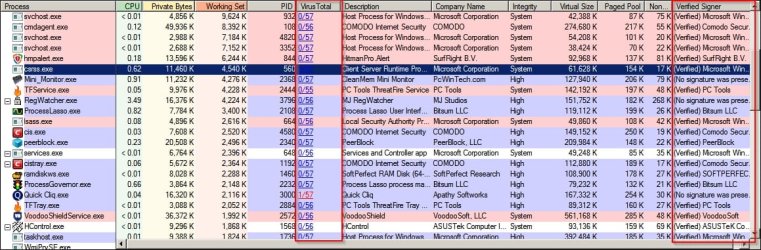
Process Explorer does an even better job of getting the location of a process that is running. You might want to use the info in this post (
http://www.sevenforums.com/system-security/320426-process-explorer-16-a.html#post2681060) to setup Process Monitor to check each process with Google's Virus Total website.
>
I googled the files and the 2 MAY be potenttial viruses.
Almost every file that you Google will have many websites that tell you it could be infected. The websites want to scare you into visiting. They get paid when you visit.
>
Maby I hope that they are just normal Win7 Tasks and not viruses
They are probably not infected... but you cannot know for sure.
>
Instructions on how to know if they are not viruses.
After you scan the files using various security related tools (antivirus,
anti-malware and/or
offline scanners), all that you can say is: the tools did not find any infections. Sadly, some infections cannot be detected at this time.