Man you got yourself into quite a fix there!
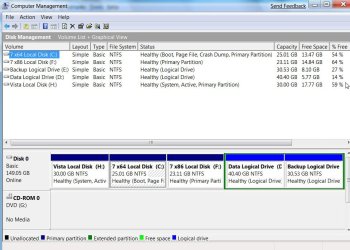
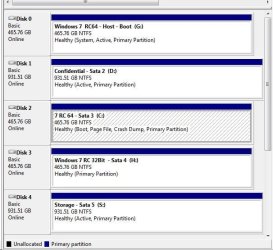
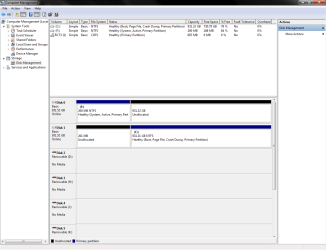
Sorry but you need a few lessons on drive partitioning apparently! The upgrade can't work from the start since the first drive only sees 200mb usable drive space to begin with!
The second drive has a 201mb empty gap proceeding the current primary. That's a bit easier to see corrected however so don't panic on that. You are not going to like what you are going to need to see done to get things running normal again however.
First off with the second drive unplugged since you won't be setting up a dual boot but correcting a mess on drive #1 you will need to boot with a GParted live cd in order to nuke the 200mb on the first drive to see a brand new single primary or opt for a second storage partition if you intend to split that up at all.
For a single large primary you would format the new one while still booted in GParted to the NT File System in preparation for a new fresh install of 7 there. Once 7 is on and running you can then shutdown, replug drive #2 back in, and then proceed to copy all the files you want onto the new installation once the programs are on the new copy of Windows.
The last step is simply correcting the goof seen at the beginning of drive #2 with the 201mb gap seen there. The quick and easy fix? With all files now available on the first drive you can boot into GParted again in order to grow the exsting primary into that space which will and I repeat "will" take some time to see GParted copy sector by sector until complete.
That is mainly due to the system files already present on that drive at the beginning of the primary. Here the simple solution without worry of what files are left behind already having been backed up the solution would simply be nuking that one to see a new replacement with all drive available once it was formatted and ready for use.
Without taking these steps you will only defeating yourself there. If you simply go to unplug drive #1 and rebuild the BCD for drive #2 to make that bootable you still have the 201mb problem to resolve. If something goes bad during the resize... oops!

If nothing goes wrong with the resize and the first drive is left unplugged you could then proceed with the repair install seeing the new mbr and boot information placed on drive #2.