2nd internal hard drive wont appear "error: core library not found"
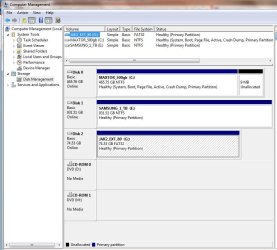
I have a problem with windows saying my 1TB WD HDD isnt there. When I boot my computer up i can see it on the boot menu, but when i log into my computer an error message pops up and says "error: core library not found", and my D: is gone. I boot off of a 64gb SSD. It also seems the problem is getting worse, earlier I could access the HDD but it would randomly disconnect sometimes, and a restart would solve the problem. Awhile after that (few hours or so) it would disconnect whenever i tried to access it. And when i rebooted I could see it again, but if I tried to access it would continue to disconnect. Now whenever I boot I can see it in the boot menu but when I get into windows I get that error message.
I have a problem with windows saying my 1TB WD HDD isnt there. When I boot my computer up i can see it on the boot menu, but when i log into my computer an error message pops up and says "error: core library not found", and my D: is gone. I boot off of a 64gb SSD. It also seems the problem is getting worse, earlier I could access the HDD but it would randomly disconnect sometimes, and a restart would solve the problem. Awhile after that (few hours or so) it would disconnect whenever i tried to access it. And when i rebooted I could see it again, but if I tried to access it would continue to disconnect. Now whenever I boot I can see it in the boot menu but when I get into windows I get that error message.
My Computer
At a glance
Windows 7 Professional x64Intel i7 9506gb corsair dominator DDR3 @1600mhzAMD Radeon 6970
- Computer Manufacturer/Model Number
- CyberPower
- OS
- Windows 7 Professional x64
- CPU
- Intel i7 950
- Motherboard
- Asus X58 SABERTOOTH
- Memory
- 6gb corsair dominator DDR3 @1600mhz
- Graphics Card(s)
- AMD Radeon 6970
- Hard Drives
- Kingston 64gb SSD
western digital 1TB HDD
- Case
- Coolermaster HAF 932
- Internet Speed
- 20mbps down/ 2mbps up