32bit to 64bit

binks

New member
Well ok, but what if i've got dell xps 1530 and on their web page there are only drivers for vista 32bit and i have win7 and now i want to migrate to 64bit? I have to choose different model but in the other model they inserting different components. Not all of them but some. Why the hell people from dell sticking only wit vista? Win 7 is not so new system any more.
 

My Computer

Computer type
Laptop
Computer Manufacturer/Model Number
Dell XPS M1530
OS
Windows 7 Professional 64bit
CPU
Core2Duo T8100
Motherboard
Dell
Memory
3GB DDR2
Graphics Card(s)
GForce 8600M GT
Monitor(s) Displays
LG W2361
Screen Resolution
1920x1080
Well ok, but what if i've got dell xps 1530 and on their web page there are only drivers for vista 32bit and i have win7 and now i want to migrate to 64bit? I have to choose different model but in the other model they inserting different components. Not all of them but some. Why the hell people from dell sticking only wit vista? Win 7 is not so new system any more.

I can only assume Dell still have a load of Vista rigs to shift first. There may even be people who want to stick with Vista - can't think why though. ;)
 

My Computer

Computer Manufacturer/Model Number
HP Pavilion Elite 495UK
OS
Windows 7 Ultimate SP1 64-Bit
CPU
Intel Core i7 870 @ 2.93GHz
Motherboard
MSI 2A9C (CPU1)
Memory
8Gb Dual-Channel DDR3 @ 664MHz
Graphics Card(s)
nVidia GeForce GTX 460 1024MB dedicated RAM
Sound Card
Realtek HD Audio
Monitor(s) Displays
HP2310i
Screen Resolution
1920 x 1080
Hard Drives
1x1954GB Hitachi HDS22020ALA 330 (RAID), 1x1954GB Hitachi External for backup and storage
PSU
460W
Case
HP Elite
Cooling
Air cooled
Keyboard
Logitech K750 solar-powered keyboard
Mouse
Logitech Wireless M180 mouse
Internet Speed
2Mb
Other Info
Pure Avanti Flow Internet Radio with iPod Dock, 64Gb iPod, HP USB Speakers, Sony MDR-V500 Headphones, Sony Vaio F-Series Laptop
I have Windows7 Pro 32bit on my machine, but i want to upgrade ram from 3gb to 6 and i know that 32bit os will be able to address only up to 4gb, thats why i'm thinking to go to 64bit os. I have dvd so it's not a problem but, and correct me if i'm wrong, i've heard that there is no way to migrate from 32bit os that i have now with all programs and tweaks to the os installed on it to 64bit without doing fresh install. So i've started to back up all my settings, mail, etc. But i'm wondering how many programs or drivers(for instance dells not giving support to win7 at all - 32 or 64 to my machine on their web pages - xps m1530) will not work at all. I know that i should download 64bit versions, but what % of companies don't have 64bit ver at all?
 

My Computer

Computer type
Laptop
Computer Manufacturer/Model Number
Dell XPS M1530
OS
Windows 7 Professional 64bit
CPU
Core2Duo T8100
Motherboard
Dell
Memory
3GB DDR2
Graphics Card(s)
GForce 8600M GT
Monitor(s) Displays
LG W2361
Screen Resolution
1920x1080
the m1530 uses an intel chipset it's possible you could get the chipset drivers from intel. ...they may even be included in the windows 7 base drivers. The vista 64 drivers will be hit and miss for compatibility with win 7 though.
 

My Computer

Computer Manufacturer/Model Number
Insane hobo technologies. ;-)
OS
Windows 7 x64
CPU
Intel i7 2600k
Motherboard
Asrock z68 extreme 4 gen 3
Memory
G.skill Ripjaw 16gigs @ 1866
Graphics Card(s)
Nvidia gtx580 (evga)
Sound Card
Integrated HD audio + hdmi
Monitor(s) Displays
24" ASUS widescreen + 42" insignia
Screen Resolution
1080p (1920x1080)
Hard Drives
128 Samsung 830
256 Samsung 840
3 x 1tb storage drive (various)
1 western digital 1tb (eSATA)
1 Seagate 1tb (eSATA)
PSU
1 kilowatt SLI/Crossfire rated Silverstone modular
Case
NZXT Phantom + additional 220 fan
Cooling
Zalmann
Keyboard
Microsoft wireless 3000 (v2)
Mouse
MS - wireless 5000 (bluetrack)
Internet Speed
depends on if you ask me or my provider.
Other Info
The above information is provided as is, and the author assumes no responsibility for issues it may cause with your sanity or fanboyism.
64 bit has been around long enough that most drivers you'll need you can find for 64 bit. I wouldn't worry about that. Like you stated, you can't in-place upgrade install from 32 bit to 64 bit.

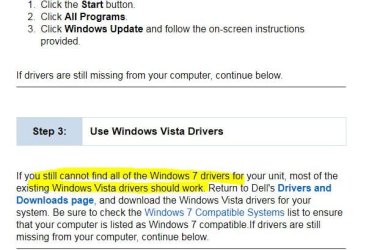
As for no drivers, you usually can use the existing drivers for Windows Vista on Win 7. Even for some troublesome drivers, running the installer in Compatibility Mode for Vista can get them to work.

Capture.JPG


Drivers & Downloads
 

My Computer

Computer type
PC/Desktop
Computer Manufacturer/Model Number
Airbot 2.0
OS
Windows 7 Ultimate x64 SP1
CPU
Core i7 920 (D0) @ 4Ghz, *26c idle *65c full load on air
Motherboard
Asus P6X58D Premium - Sata 6Gb/s - USB 3.0
Memory
12GB DDR3 Corsair Dominator -CMD12GX3M6A1600C8 at 1600MHz
Graphics Card(s)
Zotac Geforce GTX 770
Sound Card
ASUS Xonar D2X
Monitor(s) Displays
1 LG 24" Flatron W2453V-PF 1 Samsung 24" P2450H both 2ms RT
Screen Resolution
1920x1080@60hz
Hard Drives
1 Samsung 250GB 840 Evo SSD
1 OCZ Vertex2 180GB SSD
1 TB Samsung Spinpoint F1 7200RPM 32MB cache
2 500GB WD Caviar Blacks 7200RPM 32MB cache (WD5001AALS)

Pioneer DVD Burner DVR-S18M
PSU
Corsair HX1000W
Case
Cooler Master HAF 932
Cooling
Case Fans *3 230mm, *1 140mm/CPU - *Tuniq Tower 120 Extreme
Keyboard
Logitech Wireless MK700
Mouse
Logitech Wireless MK700
Internet Speed
DL 15 Mbps UL 0.98 Mbps
Antivirus
None
Browser
Firefox Nightly
Other Info
Processor-7.7 *RAM- 7.9 *Graphics-7.9 *Gaming Graphics- 7.9 *SSD- 7.8 W.E.I final score= 7.7
*Phone- LG Nexus 5
In a case like this, I just go to each part's manufacturer for the drivers. You shouldn't have any issues.
 

My Computer

OS
Windows 7 Ultimate x64 SP1
CPU
Intel Core i7-2600
Motherboard
Gigabyte GA-P67A-UD3P-B3
Memory
12 GB Patriot Extreme DDR3-1333
Graphics Card(s)
Nvidia GTX 470
Monitor(s) Displays
Dell UltraSharp 2209WA
Hard Drives
OCZ Agility3 240 GB, WD5001AALS, WD7501AALS
PSU
OCZ ModStream 700W
Case
CoolerMaster HAF 912 Advanced
Cooling
CoolerMaster Hyper 212 Plus
I suggest you make a backup image of your current 32bit system so that you have an easy way back. My prefrerred tool for that would be free Macrium. Then you can try a 64bit installation with your current 3GB of RAM. In any case, it will be all from scratch. Whatever you save from your current system will be of no use for the 64bit setup.

If that does not work out, you just restore the Macrium image (a 30 minute job). That way you know for certain whether it works or not before investing into more RAM.
 

My Computer

Computer Manufacturer/Model Number
HP, Dell, Gateway, Toshiba - 4 laptops and 2 desktops
OS
Vista, Windows7, Mint Mate, Zorin, Windows 8
CPU
from 1.6GHz Duo to i7
Monitor(s) Displays
2x HP w2207
Hard Drives
5x HDD, 7x SSD, 12x Externals
Keyboard
with trackball - no mices
Mouse
Trackball mice
Internet Speed
DSL 6000
Back
Top