

I use a 4.1 surround sound setup with onboard sound, and I can't seem to get sound from my rear speakers. I only get sound from the front. I didn't update any new sound drivers, and used the Microsoft and ATI ones.
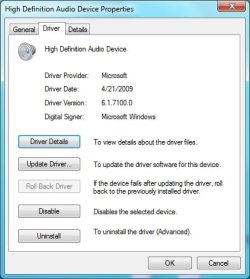
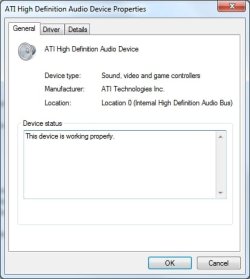
When I do the sound test, it shows that the 4 speakers show some sound activity from the green status bar.
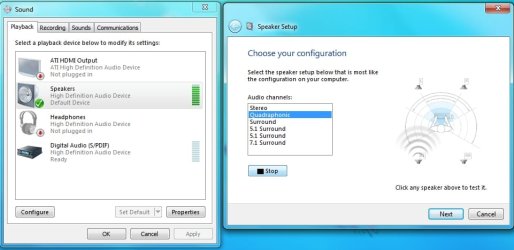
But no sound is coming from the rear speakers. I switched my speakers around to test if the speakers themselves are faulty (and they aren't). I went to the RealTek website and downloaded the latest driver. After installation it prompted me to restart. After restart, all my files in my desktop disappeared! My rear speakers are still not making any sounds after the new driver. I did a system restore to get my desktop files back.
I had nearly the exact same problem when I used Windows XP x86 (the difference being my desktop files weren't deleted when I installed the latest RealTek driver in Windows XP).
These speakers used to be connected to a Sound Blaster card from an old computer, and the surround sound worked on that.
Can anyone help me?
When I do the sound test, it shows that the 4 speakers show some sound activity from the green status bar.
But no sound is coming from the rear speakers. I switched my speakers around to test if the speakers themselves are faulty (and they aren't). I went to the RealTek website and downloaded the latest driver. After installation it prompted me to restart. After restart, all my files in my desktop disappeared! My rear speakers are still not making any sounds after the new driver. I did a system restore to get my desktop files back.
I had nearly the exact same problem when I used Windows XP x86 (the difference being my desktop files weren't deleted when I installed the latest RealTek driver in Windows XP).
These speakers used to be connected to a Sound Blaster card from an old computer, and the surround sound worked on that.
Can anyone help me?
My Computer
- Computer Manufacturer/Model Number
- Custom Built By Me (10/23/2015)
- OS
- Windows 7 Home Premium x64
- CPU
- AMD FX-6300 Vishera 6-Core 3.5 GHz (no overclocking)
- Motherboard
- ASUS M5A97 R2.0
- Memory
- G.Skill Ares 16 GB (2 x 8 GB) DDR3 1866
- Graphics Card(s)
- Zotac ZT-70605-10M GeForce GTX 750 Ti, 2GB DDR5
- Monitor(s) Displays
- 23" Hannspree HD LCD
- Screen Resolution
- 1920x1080
- Hard Drives
- SDD Silicon Power S60, 240 GB, SATA III
HDD Western Digital 1TB SATA
- PSU
- Rosewill ARC-M650, 650-Watt
- Case
- DIYPC Ranger-R5-B ATX Mid Tower
- Internet Speed
- Comcast Cable
- Other Info
- Speakers: Logitech Z560 THX 4.1 Speaker System, Optical Drive: DVD-Burner