64-bit Win7 can't handle 4 GB RAM without BSOD/reboots?

sbear

New member
Local time
11:51 AM
Messages
9
Hardware: See system specs.

I've put together a new clone system with the intent of running 64-bit Win 7 Pro on it. Until it becomes available, I have 32-bit XP Pro installed on it. Nothing is overclocked, in fact, the memory is "underclocked" for stability. I'd rather have it stable than gain some trivial performance improvement.

Previously, when I first built it up, I installed 64-bit Ubuntu "Jaunty" on it with 8 GB of RAM installed in it (4 X 2GB). The Linux distro installed and was perfectly stable.

To get a "heads up" on Win 7 issues, I downloaded and installed the trial Enterprise edition. Since I couldn't find any MD5 for the ISO, I downloaded the file twice and did a binary compare on the two downloads to ensure they were the same. Also, I see that the Java applet that downloads the ISO file also has some kind of "verify process" built-in that runs at the end of the download (a checksum?). I burned a DVD in XP Pro using Nero 8 with data verification on (after burning, it reads the burned disk and compares the disk's contents with the ISO file).

Since 32-bit XP Pro can't even fully use 4 GB, I uninstalled 4 of the 8 GB (two modules) when I installed XP on the box. When the entire 8 GB was in the MoBo, I ran MemTest86+ for long periods without errors. To do so, however, I had to "underclock" the memory to DDR2-800 speeds. It couldn't successfully run at DDR2-1066 speeds. A problem that, by checking various support BBS's, was found to be common with my MoBo and the RAM modules in question. After pulling the two modules, I left the memory timing at the conservative settings. I also let MemTest86+ run overnight and got no errors with the two modules installed. My plan is (or, was) to put the entire 8 GB of RAM back after I got 64-bit Win7 running on it.

When I installed XP, I left about 350 GB of the hard drive unpartitioned. I fired up the Win7 installer with the intent of installing it in some of the vacant space on the RAID array and dual-booting.

The installer ran until it finished loading files from the DVD and choked with the (apparently, usual) BSOD about the MoBo's ACPI implementation not being "fully compliant." I'm running the latest BIOS, and Gigabyte lists my MoBo as Win7 compatible.

I Googled the error and found that apparenly this nonsense has been going on since the early days of Vista and the answer was to get the installed RAM below about 3 GB. Sure enough, I pulled out one more module to drop the system to 2GB and the installer ran without a hitch. Apparently, removing RAM makes the MoBo's ACPI more compliant. ;)

Also, in Googling around, I found suggestions that you install all the latest and greatest drivers for the various bit and pieces and then you can put your RAM back. Note also that I've left external devices (printers, scanner, etc.) off and/or disconnected to keep things at a minimum for now. So, I install Win7 drivers for the video card, sound, RAID controller and chipset. That's all I can find as the Gigabyte site and nVidia. Well, of course, the RAID controller driver actually got installed during the initial installation of Win7.

I configured the network connection, which up to now couldn't work since my LAN uses static IP's and doesn't run a DHCP server. Then, Windows update wants to install patches (not many) so I let it.

Well, that's all the updates and drivers I can install, so it's time to put the RAM back. I put back one module to bring the total to 4 GB and reboot. The system runs until there's just a hint of the four animated color deals that float around and become the Windows logo on a black screen. Just two tiny dots. Bam! The system reboots. Start it again and same result. Pull the 2nd module and drop back to 2 GB... the system boots just fine. I install a module and get the RAM back to 4 GB: it reboots at the same point. On the next attempt to boot it offers a "repair" boot as well as "normal." I pick "repair" just to see. I get the BSOD griping about my ACPI not being "compliant." I forgot that more RAM makes my MoBo's ACPI implementation less compliant. ;)

Just to see, I knock the memory timing down to DDR2-667 speed. Won't boot. I put the timings back to DDR2-800 and bump up the North Bridge voltage a bit. Won't boot.

I don't have another video card to try. The old system I'm replacing used an AGP card and there's no AGP slot in the new MoBo. I've got some old ISA video cards, too, but I can't find a hammer to get them into any of the available slots. :)

I tried a "boot with logging," and let it rip until the reboot. Then, I pulled the 2nd module so that I could actually get it to boot and see the log. There isn't one. I searched the entire partition for "ntbtlog.txt" and there's nothing. I also tried searching for "ntbtl*.* and got nothing. So, apparently "boot with logging," didn't or at least died before it had the chance to save it.

There are no BIOS settings for ACPI except for the usual S1/S3 choice. This, of course, assumes the dubious concept that the root cause of this is actually the ACPI implementation of my MoBo, which I doubt.

So, anyone have any ideas? At this point, having seen how this has apparently been an issue for people since the RC versions of Vista with Microsoft and hardware manufacturers pointing fingers at each other, I suspect there is no answer. But I thought I'd see if anyone has any ideas before I decide that Win7 RTM really isn't ready for prime time. Even if I find some way around this, what's Microsoft going to do? Tell "grandma" to open the box and pull memory modules just to install Win7? Yeah, right.
 

My Computer My Computer

At a glance

Win 7 64-bit Enterprise TrialAMD Phenom II X4 940 Black Edition 3GHz.4GB (2Gb X 2) GSkill F2-8500CL5D-4GBPK DDR2-1066Gigabyte GV-N95TD3-512I PCI-E (nVidia GeForce...
Computer Manufacturer/Model Number
Clone
OS
Win 7 64-bit Enterprise Trial
CPU
AMD Phenom II X4 940 Black Edition 3GHz.
Motherboard
Gigabyte GA-MA790X-UD4P
Memory
4GB (2Gb X 2) GSkill F2-8500CL5D-4GBPK DDR2-1066
Graphics Card(s)
Gigabyte GV-N95TD3-512I PCI-E (nVidia GeForce 9500GT)
Sound Card
Integrated Realtek ALC-889A
Monitor(s) Displays
Visio VMM26F20I 26" LCD connected through analog VGA port
Screen Resolution
1920 X 1200
Hard Drives
Two Western Digital Caviar SE16 WD5000AAKS 500GB SATA drives connected to the MoBo's Gigabyte GBB36X controller. Configured as a RAID 1 (Mirrored) array.
PSU
Sigma Shark SP-585 (585 W) ATX
Case
Old clone ATX full tower.
Cooling
Processor cooler provided with retail-boxed processor.
Keyboard
IBM connected to keyboard port
Mouse
Logitech TrackMan Wheel connected to mouse port
Internet Speed
DSL: 5 Mbps Down / 512 Kbps Up
I've come across 3 or more posts now where people said they fixed this problem by doing a motherboard BIOS update. Well... since you've already got the latest BIOS maybe you can try an older one?

Interesting that Linux and Windows XP works fine though. I guess that says something about the stability of those operating systems.
 

My Computer My Computer

At a glance

XP, Seven, 2008R2AMD, Intel, VIACorsair, Kingston, etc.ATI, NVIDIA
Computer Manufacturer/Model Number
Too many to list.
OS
XP, Seven, 2008R2
CPU
AMD, Intel, VIA
Motherboard
Various
Memory
Corsair, Kingston, etc.
Graphics Card(s)
ATI, NVIDIA
Monitor(s) Displays
Samsung
Hard Drives
Maxtor, Western Digital
Keyboard
qwerty
Internet Speed
22 Mb/s @ home, 1 Gb/s @ server
Other Info
All of my systems still run fastest on XP 32-bit for the most part. Win7 is fun to play with, but I still prefer XP for raw speed, security, and functionality.
Alrighty..

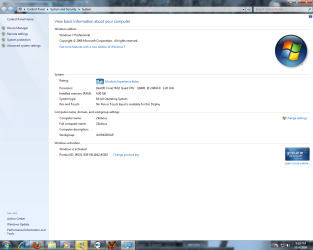
I kind of skimmed through what you said, I have 64bit Windows 7 Professional installed, and theres the screenshot to prove it.

Here are my specs for my system.

CPU: Intel Quad Core Q9400 2.66Ghz
RAM: 4GB Ram, G.Skill DDR3
HDD: Dual 320GB WD Raptor 10kRPM
GFX: NVidia GeForce 9800 GTX+
MOBO: ASUS Extreme Rampage

I fixed my problem with it, by burning the dvd at a slower burn rate. I believe I burned it at 5,500kbps. I'll edit my post when I read your entire post. I have to eat dinner now, but I'll post back.

**EDIT**

I read your entire post, and I might have a few ideas.

Have you successfully installed 64bit XP Professional? If Yes, have you installed 64bit Vista install without a hitch?

If you have those 2 successfully installed, run Vista/XP either, do a compatibility test for Windows 7. My system wasn't compatible because my IDE Hard drive wasn't fast enough for Windows 7.

When you're installing Windows 7, is it a fresh install or an upgrade? I've found that I had the most trouble with RAIDs with Windows 7. Mine always errored when I was at school.

My buddy at Microsoft said that RAID on Windows 7 was touchy, as with being burned its picky.

Also, try installing Windows XP professional 64bit, then upgrading to Windows 7. Also what exact version is this? Is it the Windows 7 Professional RTM or is it still the RC1 discs? I have the final release version, if you'd like I'll toss my ISO over to you.

Now that I think of something, have you tried installing it without the RAID?

Last question, have you installed the 32bit Windows 7? I'm not a very good tech person, my experience is more of the programming and modding Windows rather than installing and updating.

But you picked the right place to find information out.
 

Attachments

  • 64bitWin7.png
    64bitWin7.png
    86.9 KB · Views: 268

My Computer My Computer

At a glance

Windows 8 64bit ProfessionalIntel Q9400 Quad Core 2.66GhzG.Skill 4GB DDR3-1600NVidia GeForce 560GTX
Computer type
PC/Desktop
Computer Manufacturer/Model Number
Custom Built
OS
Windows 8 64bit Professional
CPU
Intel Q9400 Quad Core 2.66Ghz
Motherboard
Gigabyte
Memory
G.Skill 4GB DDR3-1600
Graphics Card(s)
NVidia GeForce 560GTX
Sound Card
On-board
Monitor(s) Displays
24" LCD
Screen Resolution
1920x1080
Hard Drives
160GB WD
WD Caviar Black 640GB
WD 500GB
WD 1TB
WD 1TB
PSU
Cooler Master 1300W Silent Pro
Case
Sunbeam Transformer Black
Cooling
Fans
Keyboard
Logitech G15 (Original Screen + 18G Keys)
Mouse
Logitech MX518
Internet Speed
10mbit up/down Fiber Optic
Browser
FireFox / Chrome
Other Info
SF is amazing!
I've come across 3 or more posts now where people said they fixed this problem by doing a motherboard BIOS update. Well... since you've already got the latest BIOS maybe you can try an older one?

Interesting that Linux and Windows XP works fine though. I guess that says something about the stability of those operating systems.

Older BIOS. Hmmm, that's a thought.

There's a couple of older BIOS versions at the Gigabyte Web site. Maybe I'll grab them and give that a try? While one never knows exactly what they might have done with each version, at the site they seem to describe that each version simply expanded the processor ID recognition except for the oldest available version, which is described as fixing some issue with a version before it that isn't available at the site at all. That doesn't mean they didn't slip in a few other changes along the way, of course.

My board originally had an older version, but I updated to the latest version (dated back in August) when I still had Linux installed.

Thanks for the idea. I'll post the results.
 

My Computer My Computer

At a glance

Win 7 64-bit Enterprise TrialAMD Phenom II X4 940 Black Edition 3GHz.4GB (2Gb X 2) GSkill F2-8500CL5D-4GBPK DDR2-1066Gigabyte GV-N95TD3-512I PCI-E (nVidia GeForce...
Computer Manufacturer/Model Number
Clone
OS
Win 7 64-bit Enterprise Trial
CPU
AMD Phenom II X4 940 Black Edition 3GHz.
Motherboard
Gigabyte GA-MA790X-UD4P
Memory
4GB (2Gb X 2) GSkill F2-8500CL5D-4GBPK DDR2-1066
Graphics Card(s)
Gigabyte GV-N95TD3-512I PCI-E (nVidia GeForce 9500GT)
Sound Card
Integrated Realtek ALC-889A
Monitor(s) Displays
Visio VMM26F20I 26" LCD connected through analog VGA port
Screen Resolution
1920 X 1200
Hard Drives
Two Western Digital Caviar SE16 WD5000AAKS 500GB SATA drives connected to the MoBo's Gigabyte GBB36X controller. Configured as a RAID 1 (Mirrored) array.
PSU
Sigma Shark SP-585 (585 W) ATX
Case
Old clone ATX full tower.
Cooling
Processor cooler provided with retail-boxed processor.
Keyboard
IBM connected to keyboard port
Mouse
Logitech TrackMan Wheel connected to mouse port
Internet Speed
DSL: 5 Mbps Down / 512 Kbps Up
Alrighty..

I kind of skimmed through what you said, I have 64bit Windows 7 Professional installed, and theres the screenshot to prove it.

Here are my specs for my system.

CPU: Intel Quad Core Q9400 2.66Ghz
RAM: 4GB Ram, G.Skill DDR3
HDD: Dual 320GB WD Raptor 10kRPM
GFX: NVidia GeForce 9800 GTX+
MOBO: ASUS Extreme Rampage

I fixed my problem with it, by burning the dvd at a slower burn rate. I believe I burned it at 5,500kbps. I'll edit my post when I read your entire post. I have to eat dinner now, but I'll post back.

**EDIT**

I read your entire post, and I might have a few ideas.

Have you successfully installed 64bit XP Professional? If Yes, have you installed 64bit Vista install without a hitch?

If you have those 2 successfully installed, run Vista/XP either, do a compatibility test for Windows 7. My system wasn't compatible because my IDE Hard drive wasn't fast enough for Windows 7.

When you're installing Windows 7, is it a fresh install or an upgrade? I've found that I had the most trouble with RAIDs with Windows 7. Mine always errored when I was at school.

My buddy at Microsoft said that RAID on Windows 7 was touchy, as with being burned its picky.

Also, try installing Windows XP professional 64bit, then upgrading to Windows 7. Also what exact version is this? Is it the Windows 7 Professional RTM or is it still the RC1 discs? I have the final release version, if you'd like I'll toss my ISO over to you.

Now that I think of something, have you tried installing it without the RAID?

Last question, have you installed the 32bit Windows 7? I'm not a very good tech person, my experience is more of the programming and modding Windows rather than installing and updating.

But you picked the right place to find information out.

I haven't installed anything on it except what I originally described, 64-bit Ubuntu and 32-bit XP. After playing around with Ubuntu, I wiped it out and installed 32-bit XP to use until 7 becomes available. I don't have 64-bit XP or any version of Vista. Since 32-bit XP is on the system now, I've downloaded the Seven Compatibility Tester. I'll install that and see what it reports.

The version of Seven I'm installing is the 90-day trial Enterprise Edition, essentially Ultimate RTM with a built-in time bomb. My understanding is that there won't be any way to give it a key, etc. and keep it working. When 7 is released and the 90-day trial ends, all you can do is blow it away and reinstall fresh. That's fine with me. I just installed it to see if I could expect issues with the "real thing" and don't plan to invest a lot of time getting this install, "just right." It's already done what I wanted: warned me I'm going to have problems getting 7 working correctly. When I really move to 7, I'll dump the dual-boot with XP and just do a clean install of 7 Pro.

I doubt the burn could be the issue. Nero burned it, then read back the data from the disk and compared it to the ISO to confirm that what's on the disk matches the ISO.

To try an install without the RAID, I'd have to break the mirrored array. That would cost me the entire contents of the RAID array including the XP partitions. I work from home and I use this system (with XP) every day for work. I can't bust it (especially during the week).
 

My Computer My Computer

At a glance

Win 7 64-bit Enterprise TrialAMD Phenom II X4 940 Black Edition 3GHz.4GB (2Gb X 2) GSkill F2-8500CL5D-4GBPK DDR2-1066Gigabyte GV-N95TD3-512I PCI-E (nVidia GeForce...
Computer Manufacturer/Model Number
Clone
OS
Win 7 64-bit Enterprise Trial
CPU
AMD Phenom II X4 940 Black Edition 3GHz.
Motherboard
Gigabyte GA-MA790X-UD4P
Memory
4GB (2Gb X 2) GSkill F2-8500CL5D-4GBPK DDR2-1066
Graphics Card(s)
Gigabyte GV-N95TD3-512I PCI-E (nVidia GeForce 9500GT)
Sound Card
Integrated Realtek ALC-889A
Monitor(s) Displays
Visio VMM26F20I 26" LCD connected through analog VGA port
Screen Resolution
1920 X 1200
Hard Drives
Two Western Digital Caviar SE16 WD5000AAKS 500GB SATA drives connected to the MoBo's Gigabyte GBB36X controller. Configured as a RAID 1 (Mirrored) array.
PSU
Sigma Shark SP-585 (585 W) ATX
Case
Old clone ATX full tower.
Cooling
Processor cooler provided with retail-boxed processor.
Keyboard
IBM connected to keyboard port
Mouse
Logitech TrackMan Wheel connected to mouse port
Internet Speed
DSL: 5 Mbps Down / 512 Kbps Up
The fact that you had to underclock the memory to run memtest tells you there is something wonky between the board and memory, even if it is a known issue. You could quickly download a x64 version of Ubuntu and give that a shot as well.

Check your BIOS for a memory mapping feature, or some other option that needs to be enabled for all 4 GB to be recognized. If that's not the solution, or not an option, I'd be thinking of replacing the board or memory, if I was my system.
 

My Computer My Computer

At a glance

Windows 7 Ultimate x64 SP1Intel Core i7-260012 GB Patriot Extreme DDR3-1333Nvidia GTX 470
OS
Windows 7 Ultimate x64 SP1
CPU
Intel Core i7-2600
Motherboard
Gigabyte GA-P67A-UD3P-B3
Memory
12 GB Patriot Extreme DDR3-1333
Graphics Card(s)
Nvidia GTX 470
Monitor(s) Displays
Dell UltraSharp 2209WA
Hard Drives
OCZ Agility3 240 GB, WD5001AALS, WD7501AALS
PSU
OCZ ModStream 700W
Case
CoolerMaster HAF 912 Advanced
Cooling
CoolerMaster Hyper 212 Plus
I installed both, the 32bit AND 64bit Windows 7 Enterprise with 5gig memory installed.
I had NO problems at all.
 

My Computer My Computer

At a glance

XP Pro Dual booting with Windows 7 Pro 64 bit2.67 gigahertz Intel Core2 Quad Q84003324 Megabytes Usable Installed MemoryATI 5850
OS
XP Pro Dual booting with Windows 7 Pro 64 bit
CPU
2.67 gigahertz Intel Core2 Quad Q8400
Motherboard
Intel DP45SG
Memory
3324 Megabytes Usable Installed Memory
Graphics Card(s)
ATI 5850
Sound Card
X-fi
Monitor(s) Displays
22" Wide
Screen Resolution
1680x1050
Hard Drives
1250.26 Gigabytes Usable SATA Hard Drive Capacity
879.71 Gigabytes Hard Drive Free Space
Internet Speed
Extremely fast
The fact that you had to underclock the memory to run memtest tells you there is something wonky between the board and memory, even if it is a known issue. You could quickly download a x64 version of Ubuntu and give that a shot as well.

Check your BIOS for a memory mapping feature, or some other option that needs to be enabled for all 4 GB to be recognized. If that's not the solution, or not an option, I'd be thinking of replacing the board or memory, if I was my system.
I would have to agree with this . If your having trouble installing with more than 2 gb and you have to underclock your memory the issue is a memory problem. but I would also like to say even though you got a positive read back on nero burn test, it has been well documanted on this site that the slowest burn speed 4x has provided the best iso image for installing windows 7. Does it matter which 2 gb stick you use? Have you memtested all the moduels 1 stick at a time? If the memory won't run at even the 800 speed I would question the compatibility of it with your board. Does Gigabyte have a memory compabilty chart for your board?
 

My Computer My Computer

At a glance

Windows 7 ultimate 64 bit / XP Home sp3intel Core 2 Duo E8400 3.0ghz8 gigs 1066 OCZ Fata1tyEVGA GTX 580 Call of Duty Black Ops Edition
Computer Manufacturer/Model Number
Self Built
OS
Windows 7 ultimate 64 bit / XP Home sp3
CPU
intel Core 2 Duo E8400 3.0ghz
Motherboard
Asus P5ND bios 1401
Memory
8 gigs 1066 OCZ Fata1ty
Graphics Card(s)
EVGA GTX 580 Call of Duty Black Ops Edition
Sound Card
Creative Soundblaster Audigy 2zs
Monitor(s) Displays
Asus 24in LCD's 2MS X2
Screen Resolution
1920x1080p @60Hz
Hard Drives
WD Caviar 500 Black/ WD Caviar 200 Blue
PSU
OCZ 700W GameXtreme
Case
NZXT Apollo
Cooling
Corsair H50 CPU/120mm x3 /60mm x2 /Corsair Dominator Ram
Keyboard
Logitech Bluetooth Wireless MX5000
Mouse
Logitech Bluetooth Wireless MX1000
Internet Speed
Download 19.83 Upload 0.97
Other Info
Logitech Z2300 Speakers/ Bose Noise Cancelling Headphones/Avermedia PCI-e Hybrid TV Bravo/Epson NX415 all in one/ 4 Port Powered USB Hub/ LG 10x Bluray Burner /TSST Corp DVDRW External
The fact that you had to underclock the memory to run memtest tells you there is something wonky between the board and memory, even if it is a known issue. You could quickly download a x64 version of Ubuntu and give that a shot as well.

Check your BIOS for a memory mapping feature, or some other option that needs to be enabled for all 4 GB to be recognized. If that's not the solution, or not an option, I'd be thinking of replacing the board or memory, if I was my system.

I only had to underclock it to get 8 GB working without errors. It would run at "full speed" with two modules installed (4GB). The "known issue" is that Gigabyte warns that "because of limitations in the chip set" no more than two modules will run at DDR2-1066. People who contacted tech support were told to drop the speed to 800 if they wanted to run four modules. Thus, I expected that plugging in the 2nd pair would mandate a slowdown. The Web was replete with people crying about being unable to get 4 modules to run at 1066 in their boards, with a handful of lucky ones describing how they had it working and probably somewhat less actually having it working. Some people kept hammering at trying to get their boards to run at 1066, chasing a trivial real-world performance improvement. I just cranked the speed down a notch and enjoyed the stability (with 64-bit Linux and 32-bit XP). It ran MemTest86+ for hours and numerous iterations without any errors. Actually, it could run Memtest86+ at 1066 speeds with all four modules without errors for most of the tests. A couple of the most rigorous caused it to produce some errors.

There are no BIOS settings related to memory mapping. But note that 64-bit Ubuntu Jaunty installed, saw all 8 GB and ran without a problem for several weeks in daily use with the current memory settings. 32-bit XP installs and runs with 4 GB installed; it just, of course, can't use it all because of the 4GB limit. It reports having about 3.2 GB available.
 

My Computer My Computer

At a glance

Win 7 64-bit Enterprise TrialAMD Phenom II X4 940 Black Edition 3GHz.4GB (2Gb X 2) GSkill F2-8500CL5D-4GBPK DDR2-1066Gigabyte GV-N95TD3-512I PCI-E (nVidia GeForce...
Computer Manufacturer/Model Number
Clone
OS
Win 7 64-bit Enterprise Trial
CPU
AMD Phenom II X4 940 Black Edition 3GHz.
Motherboard
Gigabyte GA-MA790X-UD4P
Memory
4GB (2Gb X 2) GSkill F2-8500CL5D-4GBPK DDR2-1066
Graphics Card(s)
Gigabyte GV-N95TD3-512I PCI-E (nVidia GeForce 9500GT)
Sound Card
Integrated Realtek ALC-889A
Monitor(s) Displays
Visio VMM26F20I 26" LCD connected through analog VGA port
Screen Resolution
1920 X 1200
Hard Drives
Two Western Digital Caviar SE16 WD5000AAKS 500GB SATA drives connected to the MoBo's Gigabyte GBB36X controller. Configured as a RAID 1 (Mirrored) array.
PSU
Sigma Shark SP-585 (585 W) ATX
Case
Old clone ATX full tower.
Cooling
Processor cooler provided with retail-boxed processor.
Keyboard
IBM connected to keyboard port
Mouse
Logitech TrackMan Wheel connected to mouse port
Internet Speed
DSL: 5 Mbps Down / 512 Kbps Up
I would have to agree with this . If your having trouble installing with more than 2 gb and you have to underclock your memory the issue is a memory problem. but I would also like to say even though you got a positive read back on nero burn test, it has been well documanted on this site that the slowest burn speed 4x has provided the best iso image for installing windows 7. Does it matter which 2 gb stick you use? Have you memtested all the modules 1 stick at a time? If the memory won't run at even the 800 speed I would question the compatibility of it with your board. Does Gigabyte have a memory compabilty chart for your board?

A lot of the memory related answers are above in my response to DeaconFrost.

I'll do another burn at a slow speed just to rule that out. Although, I really can't see how, if the current burn was verified to produce an exact bit-for-bit copy of the contents of the ISO, a slow burn will produce an improvement. The same drive is reading the same disk when the installer is running as when it was verified.

The memory, 2 GB, 4GB or all 8GB, runs fine with MemTest at DDR2-800 speeds. It runs fine at 1066 if I limit it to two modules as Gigabyte specifies. All I was saying originally was that, even as I dropped the number of modules back to 2 or 1, I just left the memory timing set to 800, which should certainly be stable since with that number of modules I could bump it back up to 1066 if I wanted.

Gigabyte does have a memory compatibility list for the board. Mine is on it.
 

My Computer My Computer

At a glance

Win 7 64-bit Enterprise TrialAMD Phenom II X4 940 Black Edition 3GHz.4GB (2Gb X 2) GSkill F2-8500CL5D-4GBPK DDR2-1066Gigabyte GV-N95TD3-512I PCI-E (nVidia GeForce...
Computer Manufacturer/Model Number
Clone
OS
Win 7 64-bit Enterprise Trial
CPU
AMD Phenom II X4 940 Black Edition 3GHz.
Motherboard
Gigabyte GA-MA790X-UD4P
Memory
4GB (2Gb X 2) GSkill F2-8500CL5D-4GBPK DDR2-1066
Graphics Card(s)
Gigabyte GV-N95TD3-512I PCI-E (nVidia GeForce 9500GT)
Sound Card
Integrated Realtek ALC-889A
Monitor(s) Displays
Visio VMM26F20I 26" LCD connected through analog VGA port
Screen Resolution
1920 X 1200
Hard Drives
Two Western Digital Caviar SE16 WD5000AAKS 500GB SATA drives connected to the MoBo's Gigabyte GBB36X controller. Configured as a RAID 1 (Mirrored) array.
PSU
Sigma Shark SP-585 (585 W) ATX
Case
Old clone ATX full tower.
Cooling
Processor cooler provided with retail-boxed processor.
Keyboard
IBM connected to keyboard port
Mouse
Logitech TrackMan Wheel connected to mouse port
Internet Speed
DSL: 5 Mbps Down / 512 Kbps Up
Just for another option try installing it from a USB memory stick instead of a DVD.

Can't hurt to try it, you can put it on a USB stick faster than the time it takes to burn a DVD.
 

My Computer My Computer

At a glance

Windows 7 Ult x64 - SP1/ Windows 8 Pro x64Intel Core i5-3570K 4.6GHz8GB (2X4GB) DDR3 1600 Corsair Vengeance CL8 1.5vSapphire HD 7770 Vapor-X OC 1GB DDR5
Computer type
PC/Desktop
Computer Manufacturer/Model Number
76~2.0
OS
Windows 7 Ult x64 - SP1/ Windows 8 Pro x64
CPU
Intel Core i5-3570K 4.6GHz
Motherboard
Gigabyte GA-Z77X UD3H, f18
Memory
8GB (2X4GB) DDR3 1600 Corsair Vengeance CL8 1.5v
Graphics Card(s)
Sapphire HD 7770 Vapor-X OC 1GB DDR5
Sound Card
Onboard VIA VT2021
Monitor(s) Displays
22" LCD Dell
Screen Resolution
1680x1050
Hard Drives
Samsung 840Pro 128GB SSD,
Seagate Barracuda 500GB SATA2 7200rpm 32MB cache, Seagate Barracuda 1TB SATA2 7200rpm 32MB cache,
PSU
Corsair HX650W
Case
Cooler Master Storm Scout
Cooling
Corsair H80 2x12cm Noctua NF P12 , 2x14cm case fans
Keyboard
Logitech Wave
Mouse
CM Sentinel
Internet Speed
Dismal
Antivirus
Avast
Browser
Opera Next
Other Info
Haswell laptop: HP Envy 17t-j, i7-4700MQ, GeForce 740M 2GB DDR3, 17.3" Full HD 1920x1080, 16GB RAM, Samsung 840 Pro 128GB, 1TB Hitachi 7200 HDD,
Desktop: eSATA ports,
External eSATA Seagate 500GB SATA2 7200rpm,
External WD USB 500GB
Tried Win 7 Upgrade Adviser

One quick update...

I installed the Windows 7 Upgrade Adviser in XP and ran it. The only gripe it had was with the driver for the Gigabyte RAID controller. It said they'd need updating for Win7.

I went back to Gigabyte's site and there are no newer drivers for it. What gets called a "Gigabyte" RAID controller is, in fact, a JMicron controller chip on the MoBo. At another site, I found someone else with the same MoBo who got the same gripe from the Upgrade Adviser. They were told that they could get he latest drivers available directly from JMicron at JMicron's Web site. I went there and downloaded the latest non-beta drivers. I fired up Win7 and tried to update the drivers, but I didn't have much hope for success when I noticed that the driver version already installed was the same as the version I was about to try to put in. Sure enough, Device Manager refused to update the driver, saying I already had the "best driver" for the device.

That was the only gripe the Adviser had about the system.
 

My Computer My Computer

At a glance

Win 7 64-bit Enterprise TrialAMD Phenom II X4 940 Black Edition 3GHz.4GB (2Gb X 2) GSkill F2-8500CL5D-4GBPK DDR2-1066Gigabyte GV-N95TD3-512I PCI-E (nVidia GeForce...
Computer Manufacturer/Model Number
Clone
OS
Win 7 64-bit Enterprise Trial
CPU
AMD Phenom II X4 940 Black Edition 3GHz.
Motherboard
Gigabyte GA-MA790X-UD4P
Memory
4GB (2Gb X 2) GSkill F2-8500CL5D-4GBPK DDR2-1066
Graphics Card(s)
Gigabyte GV-N95TD3-512I PCI-E (nVidia GeForce 9500GT)
Sound Card
Integrated Realtek ALC-889A
Monitor(s) Displays
Visio VMM26F20I 26" LCD connected through analog VGA port
Screen Resolution
1920 X 1200
Hard Drives
Two Western Digital Caviar SE16 WD5000AAKS 500GB SATA drives connected to the MoBo's Gigabyte GBB36X controller. Configured as a RAID 1 (Mirrored) array.
PSU
Sigma Shark SP-585 (585 W) ATX
Case
Old clone ATX full tower.
Cooling
Processor cooler provided with retail-boxed processor.
Keyboard
IBM connected to keyboard port
Mouse
Logitech TrackMan Wheel connected to mouse port
Internet Speed
DSL: 5 Mbps Down / 512 Kbps Up
I remember the JMicron controller being junk with buggy drivers back when I had a Gigabyte DS3. Do you use this controller for anything?
 

My Computer My Computer

At a glance

Windows 7 Ultimate x64 SP1Intel Core i7-260012 GB Patriot Extreme DDR3-1333Nvidia GTX 470
OS
Windows 7 Ultimate x64 SP1
CPU
Intel Core i7-2600
Motherboard
Gigabyte GA-P67A-UD3P-B3
Memory
12 GB Patriot Extreme DDR3-1333
Graphics Card(s)
Nvidia GTX 470
Monitor(s) Displays
Dell UltraSharp 2209WA
Hard Drives
OCZ Agility3 240 GB, WD5001AALS, WD7501AALS
PSU
OCZ ModStream 700W
Case
CoolerMaster HAF 912 Advanced
Cooling
CoolerMaster Hyper 212 Plus
One quick update...

I installed the Windows 7 Upgrade Adviser in XP and ran it. The only gripe it had was with the driver for the Gigabyte RAID controller. It said they'd need updating for Win7.

I went back to Gigabyte's site and there are no newer drivers for it. What gets called a "Gigabyte" RAID controller is, in fact, a JMicron controller chip on the MoBo. At another site, I found someone else with the same MoBo who got the same gripe from the Upgrade Adviser. They were told that they could get he latest drivers available directly from JMicron at JMicron's Web site. I went there and downloaded the latest non-beta drivers. I fired up Win7 and tried to update the drivers, but I didn't have much hope for success when I noticed that the driver version already installed was the same as the version I was about to try to put in. Sure enough, Device Manager refused to update the driver, saying I already had the "best driver" for the device.

That was the only gripe the Adviser had about the system.
Your problem boggles my mind like a hot chick in a sweater in Southern California.

On a side note, if you would LIKE to try Windows Vista Business I can toss you an ISO and a serial key. I never use Vista, but if you do a clean install of Vista update it, and then run the Windows 7 and do an UPGRADE, it just Might work.
 

My Computer My Computer

At a glance

Windows 8 64bit ProfessionalIntel Q9400 Quad Core 2.66GhzG.Skill 4GB DDR3-1600NVidia GeForce 560GTX
Computer type
PC/Desktop
Computer Manufacturer/Model Number
Custom Built
OS
Windows 8 64bit Professional
CPU
Intel Q9400 Quad Core 2.66Ghz
Motherboard
Gigabyte
Memory
G.Skill 4GB DDR3-1600
Graphics Card(s)
NVidia GeForce 560GTX
Sound Card
On-board
Monitor(s) Displays
24" LCD
Screen Resolution
1920x1080
Hard Drives
160GB WD
WD Caviar Black 640GB
WD 500GB
WD 1TB
WD 1TB
PSU
Cooler Master 1300W Silent Pro
Case
Sunbeam Transformer Black
Cooling
Fans
Keyboard
Logitech G15 (Original Screen + 18G Keys)
Mouse
Logitech MX518
Internet Speed
10mbit up/down Fiber Optic
Browser
FireFox / Chrome
Other Info
SF is amazing!
I remember the JMicron controller being junk with buggy drivers back when I had a Gigabyte DS3. Do you use this controller for anything?

Uh, the RAID array?

There's also the SATA RAID functionality in the AMD chip set available on the board, but I guess it's a little late to change it now unless I want to blow away everything and start over.

When (well, at this point, it's probably "if") I wipe the "Win 7 with a time bomb" and move to a "permanent" install of Win 7, I could switch to the AMD chip set RAID. But I don't want to do it now and lose everything, including the XP install I use every day. Especially since it's not a sure thing that it's the problem. The current JMicron array worked fine with 64-bit Linux and works fine with the current 32-bit XP install. Of course that was, in both cases, with different drivers.

But, it's something to try when/if I reinstall from scratch when 7 is available. The issue is, if I can't have some assurance that something I can do will fix the issue, I'll either go back to 64-bit Linux and get my full 8 GB or just stick with good, old 32-bit XP. At the moment, I can actually get more usable memory (about 3.2 GB) using 32-bit XP than I can with 64-bit Seven where I'm limited to one 2 GB module.

So I might wind up saying, "I'm sticking with 32-bit XP, so I can have more memory than 64-bit Seven supports on my system." :D
 

My Computer My Computer

At a glance

Win 7 64-bit Enterprise TrialAMD Phenom II X4 940 Black Edition 3GHz.4GB (2Gb X 2) GSkill F2-8500CL5D-4GBPK DDR2-1066Gigabyte GV-N95TD3-512I PCI-E (nVidia GeForce...
Computer Manufacturer/Model Number
Clone
OS
Win 7 64-bit Enterprise Trial
CPU
AMD Phenom II X4 940 Black Edition 3GHz.
Motherboard
Gigabyte GA-MA790X-UD4P
Memory
4GB (2Gb X 2) GSkill F2-8500CL5D-4GBPK DDR2-1066
Graphics Card(s)
Gigabyte GV-N95TD3-512I PCI-E (nVidia GeForce 9500GT)
Sound Card
Integrated Realtek ALC-889A
Monitor(s) Displays
Visio VMM26F20I 26" LCD connected through analog VGA port
Screen Resolution
1920 X 1200
Hard Drives
Two Western Digital Caviar SE16 WD5000AAKS 500GB SATA drives connected to the MoBo's Gigabyte GBB36X controller. Configured as a RAID 1 (Mirrored) array.
PSU
Sigma Shark SP-585 (585 W) ATX
Case
Old clone ATX full tower.
Cooling
Processor cooler provided with retail-boxed processor.
Keyboard
IBM connected to keyboard port
Mouse
Logitech TrackMan Wheel connected to mouse port
Internet Speed
DSL: 5 Mbps Down / 512 Kbps Up
I remember the JMicron controller being junk with buggy drivers back when I had a Gigabyte DS3. Do you use this controller for anything?

Uh, the RAID array?

There's also the SATA RAID functionality in the AMD chip set available on the board, but I guess it's a little late to change it now unless I want to blow away everything and start over.

When (well, at this point, it's probably "if") I wipe the "Win 7 with a time bomb" and move to a "permanent" install of Win 7, I could switch to the AMD chip set RAID. But I don't want to do it now and lose everything, including the XP install I use every day. Especially since it's not a sure thing that it's the problem. The current JMicron array worked fine with 64-bit Linux and works fine with the current 32-bit XP install. Of course that was, in both cases, with different drivers.

But, it's something to try when/if I reinstall from scratch when 7 is available. The issue is, if I can't have some assurance that something I can do will fix the issue, I'll either go back to 64-bit Linux and get my full 8 GB or just stick with good, old 32-bit XP. At the moment, I can actually get more usable memory (about 3.2 GB) using 32-bit XP than I can with 64-bit Seven where I'm limited to one 2 GB module.

So I might wind up saying, "I'm sticking with 32-bit XP, so I can have more memory than 64-bit Seven supports on my system." :D
I have a gift for you. Check your PMs in a few hours. I've got a spare 64bit Windows XP Professional & Windows Vista 64bit. I'm a college student and I get MANY serial keys for free. I could ask my teacher for another copy.

If theres a will theres a way, don't give up hope.

Oh and btw, Linux is by far faster at putting out drivers than Microsoft could ever be. My g/f's computer is running 64bit Ubuntu and she bought a brand new 295GTX Gfx card, and it was supported like right away.
 

My Computer My Computer

At a glance

Windows 8 64bit ProfessionalIntel Q9400 Quad Core 2.66GhzG.Skill 4GB DDR3-1600NVidia GeForce 560GTX
Computer type
PC/Desktop
Computer Manufacturer/Model Number
Custom Built
OS
Windows 8 64bit Professional
CPU
Intel Q9400 Quad Core 2.66Ghz
Motherboard
Gigabyte
Memory
G.Skill 4GB DDR3-1600
Graphics Card(s)
NVidia GeForce 560GTX
Sound Card
On-board
Monitor(s) Displays
24" LCD
Screen Resolution
1920x1080
Hard Drives
160GB WD
WD Caviar Black 640GB
WD 500GB
WD 1TB
WD 1TB
PSU
Cooler Master 1300W Silent Pro
Case
Sunbeam Transformer Black
Cooling
Fans
Keyboard
Logitech G15 (Original Screen + 18G Keys)
Mouse
Logitech MX518
Internet Speed
10mbit up/down Fiber Optic
Browser
FireFox / Chrome
Other Info
SF is amazing!
Well I tried...

...reflashing the BIOS back to a version two back from the current one since I already had the latest in the system with the "crash/reboot with more than 2 GB problem."

No difference. When I put a 2nd module in the system, it goes into the crash/reboot cycle at the same point in the boot process. Win XP still works just fine with 4 GB.

Oh well. I'll flash the system with the latest BIOS again and call this experiment a bust. :cry:

At least, I'm back and able to post. My provider hosed up my e-mail service. That caused this forum to get a "daily summary" for this thread bounced when it was sent to me. Which apparently caused my account here to get suspended. Straightening out the e-mail and getting this account re-activated took until this morning.
 

My Computer My Computer

At a glance

Win 7 64-bit Enterprise TrialAMD Phenom II X4 940 Black Edition 3GHz.4GB (2Gb X 2) GSkill F2-8500CL5D-4GBPK DDR2-1066Gigabyte GV-N95TD3-512I PCI-E (nVidia GeForce...
Computer Manufacturer/Model Number
Clone
OS
Win 7 64-bit Enterprise Trial
CPU
AMD Phenom II X4 940 Black Edition 3GHz.
Motherboard
Gigabyte GA-MA790X-UD4P
Memory
4GB (2Gb X 2) GSkill F2-8500CL5D-4GBPK DDR2-1066
Graphics Card(s)
Gigabyte GV-N95TD3-512I PCI-E (nVidia GeForce 9500GT)
Sound Card
Integrated Realtek ALC-889A
Monitor(s) Displays
Visio VMM26F20I 26" LCD connected through analog VGA port
Screen Resolution
1920 X 1200
Hard Drives
Two Western Digital Caviar SE16 WD5000AAKS 500GB SATA drives connected to the MoBo's Gigabyte GBB36X controller. Configured as a RAID 1 (Mirrored) array.
PSU
Sigma Shark SP-585 (585 W) ATX
Case
Old clone ATX full tower.
Cooling
Processor cooler provided with retail-boxed processor.
Keyboard
IBM connected to keyboard port
Mouse
Logitech TrackMan Wheel connected to mouse port
Internet Speed
DSL: 5 Mbps Down / 512 Kbps Up
Uh, the RAID array?
Notice the part where I said DS3. That's an Intel board, not some quirky AMD chipset. And as I was referring to, if I ever found a reason to use RAID on a desktop PC, it wouldn't be with the JMicron ports. They are notorious for having issues.
 

My Computer My Computer

At a glance

Windows 7 Ultimate x64 SP1Intel Core i7-260012 GB Patriot Extreme DDR3-1333Nvidia GTX 470
OS
Windows 7 Ultimate x64 SP1
CPU
Intel Core i7-2600
Motherboard
Gigabyte GA-P67A-UD3P-B3
Memory
12 GB Patriot Extreme DDR3-1333
Graphics Card(s)
Nvidia GTX 470
Monitor(s) Displays
Dell UltraSharp 2209WA
Hard Drives
OCZ Agility3 240 GB, WD5001AALS, WD7501AALS
PSU
OCZ ModStream 700W
Case
CoolerMaster HAF 912 Advanced
Cooling
CoolerMaster Hyper 212 Plus
Success!!!

OK, I'm back.

Specifically, I'm back because I solved the issue and now have 64-bit Win 7 running with 8 GB of RAM.

I've solved the problem where my Gigabyte GA-MA790X-UD4P would BSOD (blue screen) during install of 64-bit Windows 7 with a message about the BIOS not being fully ACPI compliant if there was 4GB or more of memory installed. Also, it would not boot with 4GB or more memory.

You're asking yourself, "Self, why did he put that in the message? It's all in the thread above." Well, self, the idea is that after the search engines crawl this forum, someone else with a similar problem who does a search with Google, Yahoo, etc. will hopefully get this message high in their results.

Anyhow, here's what fixed it...

Sometimes, you can be a bit too clever. I was trying to minimize things as much as possible to try to prevent issues. I had various system peripherals and such turned off or disconnected to try and minimize the system as much as possible. The MoBo has eight SATA ports on it. Six are provided by the AMD chipset and two from an onboard "Gigabyte" (JMicron) chip. Either can be configured for "fake RAID" (software-based RAID). So I decided to connect my two hard drives to the two "Gigabyte" SATA ports and configure them as a RAID 1 array.

The rest of the internal devices (DVD-RW drive, an old Zip drive) are holdovers from my last system and use an ATAPI interface. So when I set up the MoBo in the BIOS, I realized that I needed the "Gigabyte" SATA ports, but not the AMD ones since I had nothing connected to any of them. In the BIOS, I disabled the AMD SATA ports since they're just sitting there empty. Less is more, I thought. The more I simplify the system and get rid of stuff I wasn't using, the less likely it was that there would be problems.

Wrong.

Today, I went through the BIOS settings, just "trying things" to see if I could make a difference. Finally, I tried enabling the AMD SATA ports, that are still just sitting there, empty. Ta da! The system booted without a hitch. When I got into Win 7, of course, it detected the new device and wanted drivers. I installed AMD Win 7 drivers I already had on a floppy and everything seemed fine with 4 GB in the system. I tinkered around to confirm that it was the, "enable the AMD SATA ports," setting that was definitely the one that made the difference and once I was sure, I popped in the other two modules to bring the system up to 8GB, and it ran just fine.

I'm going to wring it out over the weekend to be sure, but it looks like that solved the problem. I haven't tried a complete reinstallation to see if it solves the BSOD during install, but it certainly fixed booting with 4GB or more. And, even if it still won't install with 4GB or more, that's no big deal. I'll just pull three modules, install Win 7 and then put them back. However, I suspect that it's probably solved that problem as well since previously I could also get the same BSOD if I asked for a "repair" during boot after a failed boot. Now, that's gone, too. :party:

So, all I can say is it fixed the issue with my specific Gigabyte board. YMMV.

Thanks to those of you who offered ideas over the last week or so! If someone else pops up here with a similar problem, you've got some new information that might help them.
 

My Computer My Computer

At a glance

Win 7 64-bit Enterprise TrialAMD Phenom II X4 940 Black Edition 3GHz.4GB (2Gb X 2) GSkill F2-8500CL5D-4GBPK DDR2-1066Gigabyte GV-N95TD3-512I PCI-E (nVidia GeForce...
Computer Manufacturer/Model Number
Clone
OS
Win 7 64-bit Enterprise Trial
CPU
AMD Phenom II X4 940 Black Edition 3GHz.
Motherboard
Gigabyte GA-MA790X-UD4P
Memory
4GB (2Gb X 2) GSkill F2-8500CL5D-4GBPK DDR2-1066
Graphics Card(s)
Gigabyte GV-N95TD3-512I PCI-E (nVidia GeForce 9500GT)
Sound Card
Integrated Realtek ALC-889A
Monitor(s) Displays
Visio VMM26F20I 26" LCD connected through analog VGA port
Screen Resolution
1920 X 1200
Hard Drives
Two Western Digital Caviar SE16 WD5000AAKS 500GB SATA drives connected to the MoBo's Gigabyte GBB36X controller. Configured as a RAID 1 (Mirrored) array.
PSU
Sigma Shark SP-585 (585 W) ATX
Case
Old clone ATX full tower.
Cooling
Processor cooler provided with retail-boxed processor.
Keyboard
IBM connected to keyboard port
Mouse
Logitech TrackMan Wheel connected to mouse port
Internet Speed
DSL: 5 Mbps Down / 512 Kbps Up
Back
Top