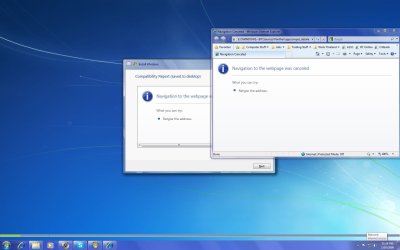
Now I have downloaed the right copy of Win 7 7264 x64 But
When I try to install it it gets to the the compatibility check it should come up with a couple of things but it comes up with a blank page
an will not go any further there are no buttons for next etc
& when I click cancel it just goes back to the start again it just go around in circles
Go to the folder you extracted to and then to sources, then open up cversion.ini & change the contents/numbers to lower than the build your trying to upgrade. It could be that during the compat check that the cversion.ini is kicking it out.
You could alsy try running the setup.exe in 'compat' mode for Vista as that has been reported to work in some cases.
No its running from my C drive just unzipped it to a folder there
I am running it in vista sp3
I changed the C version like you said and its working
thanks for your help
& I hope this helps others too
Na didn't work
its says I cant upgrade from that version of Vista, I'm upgrading from 7232 x64
So using Compatibility mode doesn't work
I left it upgrading overnight still wasn't anything like finished when I got up in the morning so I canceled
I will try again later without compatibility mode
I downloaded a fresh copy of 7264 x64
everything worked fine
But it was taking hours to gather info programs etc
so I stopped it
I will set it going again tonight before I go to bed & see what happens this time
I am doing the same thing but get message "you can't save here. Please choose another location. I'm trying to do it while image is mounted. Do I need to copy the whole image to a storage area.
My Computer
Computer Manufacturer/Model Number
Dell E520
OS
7600x64 RTM
CPU
Intel® Q6700, 2.66 GHz stock clock (upgraded)
Motherboard
Dell
Memory
4g (upgraded)
Graphics Card(s)
Sapphire Radeon Toxic HD 3870 512MB GDDR4 (upgraded)
Sound Card
HT Omega Claro Plus (upgraded)
Monitor(s) Displays
22' , 40"
Screen Resolution
1050, 1080p
Hard Drives
1.5tb (upgraded)
PSU
Zalman 600w (upgraded)
Case
Dell
Cooling
stock Dell
Keyboard
dell
Mouse
dell
Internet Speed
100m Fiber optical
Other Info
Bought the Dell secondhand for cheap and upgraded cpu, vga, ram, soundcard, psu and HDD's.
Does upgrade install save your monitor and sound settings? I had to install new drivers for my vga and sound cards and reconfigure after upgrading from vista x64 to 7100x64. Don't feel like going through that hassle again upgrading to 7264.
My Computer
Computer Manufacturer/Model Number
Dell E520
OS
7600x64 RTM
CPU
Intel® Q6700, 2.66 GHz stock clock (upgraded)
Motherboard
Dell
Memory
4g (upgraded)
Graphics Card(s)
Sapphire Radeon Toxic HD 3870 512MB GDDR4 (upgraded)
Sound Card
HT Omega Claro Plus (upgraded)
Monitor(s) Displays
22' , 40"
Screen Resolution
1050, 1080p
Hard Drives
1.5tb (upgraded)
PSU
Zalman 600w (upgraded)
Case
Dell
Cooling
stock Dell
Keyboard
dell
Mouse
dell
Internet Speed
100m Fiber optical
Other Info
Bought the Dell secondhand for cheap and upgraded cpu, vga, ram, soundcard, psu and HDD's.
It depends on the version of the currently installed drivers vs the version being installed. If the drivers already installed are newer then Windows 7 will not replace them as it has no need to 'dowgrade' drivers. If the drivers are older than that of the install, then they will be replaced & you will have to re-download & install whatever drivers you are currently using.