75 percentage of 4 gb Ram when I just browse and hear a song why

jraju

New member
Member
VIP
Local time
3:15 AM
Messages
759
I ran minitool box software and just hearing a song in firefox engine.
The memory used is shown in 75 percent used.
When I just click task manager and click performance tab and then click resource monitor and then clicking memory tab.
Most processes said to be firefox
How this happens. I hear a song in youtube and did not download anything.
I am clueless about how it would show that much physical memory used for this
 

My Computer My Computer

At a glance

Microsoft Windows 7 Ultimate 64-bit 7601 Mult...Intel(R) Core(TM)2 Duo CPU E7200 @ 2.53GHz4.00 GBNVIDIA GeForce 210
Computer type
PC/Desktop
Computer Manufacturer/Model Number
custom build
OS
Microsoft Windows 7 Ultimate 64-bit 7601 Multiprocessor Free Service Pack 1
CPU
Intel(R) Core(TM)2 Duo CPU E7200 @ 2.53GHz
Motherboard
To be filled by O.E.M. To be filled by O.E.M.
Memory
4.00 GB
Graphics Card(s)
NVIDIA GeForce 210
Sound Card
(1) NVIDIA High Definition Audio (2) Realtek High Definiti
Screen Resolution
1920 x 1080 x 32 bits (4294967296 colors) @ 60 Hz
Hard Drives
ST3500312CS ATA Device
With only 4G of memory you should have used Win 7 32 bits.
It is normal that Win 7 64 bits use as much as 2.5G
It is also normal that Firefox use 1 G (it depends on how much tabs are open)
 

My Computers My Computers

  • At a glance

    Windows 7 HP 64i5 6600K - 800MHz to 4200MHz4+4G GSkill DDR4 3000IG - Intel 530
    Computer type
    PC/Desktop
    Computer Manufacturer/Model Number
    custom build
    OS
    Windows 7 HP 64
    CPU
    i5 6600K - 800MHz to 4200MHz
    Motherboard
    GA-Z170-HD3P
    Memory
    4+4G GSkill DDR4 3000
    Graphics Card(s)
    IG - Intel 530
    Monitor(s) Displays
    Samsung 226BW
    Screen Resolution
    1680x1050
    Hard Drives
    (1) -1 SM951 – 128GB M.2 AHCI PCIe SSD drive for Windows 7 and Lubuntu
    (2) -1 WD SATA 3 - 1T for Data
    (3) -1 WD SATA 3 - 1T for backup
    PSU
    Thermaltake 450W TR2 gold
    Keyboard
    Old and good Chicony mechanical keyboard
    Mouse
    Logitech mX performance - 9 buttons (had to disable some)
    Internet Speed
    500Mb/s
    Browser
    Firefox 64
    Other Info
    TinyWall firewall
  • At a glance

    Windows 7 Proi7-4500U 800MHz to 3.0GHz(4+4)G DDR3 1600IG intel 4400 + NVIDIA GeForce GT 745M
    Computer type
    Laptop
    System Manufacturer/Model Number
    Asus Q550LF
    OS
    Windows 7 Pro
    CPU
    i7-4500U 800MHz to 3.0GHz
    Motherboard
    Asus Q550LF
    Memory
    (4+4)G DDR3 1600
    Graphics Card(s)
    IG intel 4400 + NVIDIA GeForce GT 745M
    Sound Card
    Realtek
    Monitor(s) Displays
    LG Display LP156WF4-SPH1
    Screen Resolution
    1920 x 1080
    Hard Drives
    BX500 120G SSD for Windows and programs +
    1T HDD for data
    Internet Speed
    500 Mb/s
    Browser
    Firefox
    Other Info
    TinyWall firewall
Hi, Thanks . But my motherboard supports only 4gb . Otherwise, i could just buy a 4 gb ram.
My query is I have opened only 2 browser tabs.
One is youtube video song and other is normal opening of the tab with no search results etc.
I was amazed at the resource monitor showing firefox incidents showing the maximum utilisation of memory.
If I download or opening too much tabs i could understand my memory utilisation showing 75 as normal. But for the activities , I described the memory usage appear abnormal . So, I ask.
 

My Computer My Computer

At a glance

Microsoft Windows 7 Ultimate 64-bit 7601 Mult...Intel(R) Core(TM)2 Duo CPU E7200 @ 2.53GHz4.00 GBNVIDIA GeForce 210
Computer type
PC/Desktop
Computer Manufacturer/Model Number
custom build
OS
Microsoft Windows 7 Ultimate 64-bit 7601 Multiprocessor Free Service Pack 1
CPU
Intel(R) Core(TM)2 Duo CPU E7200 @ 2.53GHz
Motherboard
To be filled by O.E.M. To be filled by O.E.M.
Memory
4.00 GB
Graphics Card(s)
NVIDIA GeForce 210
Sound Card
(1) NVIDIA High Definition Audio (2) Realtek High Definiti
Screen Resolution
1920 x 1080 x 32 bits (4294967296 colors) @ 60 Hz
Hard Drives
ST3500312CS ATA Device
If you want to improve performance on your computer:
- Do a Win 7 32 bits Clean install
- Open MSconfig and disable Startup programs. Disable some non MS services.
 

My Computers My Computers

  • At a glance

    Windows 7 HP 64i5 6600K - 800MHz to 4200MHz4+4G GSkill DDR4 3000IG - Intel 530
    Computer type
    PC/Desktop
    Computer Manufacturer/Model Number
    custom build
    OS
    Windows 7 HP 64
    CPU
    i5 6600K - 800MHz to 4200MHz
    Motherboard
    GA-Z170-HD3P
    Memory
    4+4G GSkill DDR4 3000
    Graphics Card(s)
    IG - Intel 530
    Monitor(s) Displays
    Samsung 226BW
    Screen Resolution
    1680x1050
    Hard Drives
    (1) -1 SM951 – 128GB M.2 AHCI PCIe SSD drive for Windows 7 and Lubuntu
    (2) -1 WD SATA 3 - 1T for Data
    (3) -1 WD SATA 3 - 1T for backup
    PSU
    Thermaltake 450W TR2 gold
    Keyboard
    Old and good Chicony mechanical keyboard
    Mouse
    Logitech mX performance - 9 buttons (had to disable some)
    Internet Speed
    500Mb/s
    Browser
    Firefox 64
    Other Info
    TinyWall firewall
  • At a glance

    Windows 7 Proi7-4500U 800MHz to 3.0GHz(4+4)G DDR3 1600IG intel 4400 + NVIDIA GeForce GT 745M
    Computer type
    Laptop
    System Manufacturer/Model Number
    Asus Q550LF
    OS
    Windows 7 Pro
    CPU
    i7-4500U 800MHz to 3.0GHz
    Motherboard
    Asus Q550LF
    Memory
    (4+4)G DDR3 1600
    Graphics Card(s)
    IG intel 4400 + NVIDIA GeForce GT 745M
    Sound Card
    Realtek
    Monitor(s) Displays
    LG Display LP156WF4-SPH1
    Screen Resolution
    1920 x 1080
    Hard Drives
    BX500 120G SSD for Windows and programs +
    1T HDD for data
    Internet Speed
    500 Mb/s
    Browser
    Firefox
    Other Info
    TinyWall firewall
If you want to improve performance on your computer:
- Do a Win 7 32 bits Clean install
- Open MSconfig and disable Startup programs. Disable some non MS services.
That will probably help some but will not solve the problem. The problem mainly is with Firefox which uses a lot of memory.

I have a laptop with Windows 7 Pro and 4GB RAM. It uses 1.5GB RAM just idling. With Firefox open to the Google home page it uses about 2-2.5GB RAM. If I play a music video on YouTube it sometimes uses over 3GB RAM.

Maybe someone can suggest a different web browser for the OP that doesn't use as much memory.


For the OP,

Realistically, you should probably consider a different computer with at least 8GB RAM. If the computer is new it would have Windows 10 or 11. If the you want to use Windows 7 then it would have to be a used or refurbished computer.

BTW, it may be heresy on this forum for anybody to suggest Windows 10. I have a number of computers with several operating systems including Windows XP, 7, and 10. For me Windows 10 is the easiest to use. The only negative thing for Windows 10 is home networking which is problematic compared to Windows 7. However, I have workarounds which overcomes that problem.
 

My Computers My Computers

  • At a glance

    Windows 7 Professional 64bit / Windows 10 Hom...AMD FX-8350GSKILL Ripjaw-X PC3 12800 12GB (2x4GB, 2x2GB)ASUS ENGTX560 DCII OC/2DI/1GD5 1GB
    Computer type
    PC/Desktop
    Computer Manufacturer/Model Number
    Custom build
    OS
    Windows 7 Professional 64bit / Windows 10 Home 64bit
    CPU
    AMD FX-8350
    Motherboard
    Gigabyte GA-990FXA-UD3 (AM3+) Rev. 4.0
    Memory
    GSKILL Ripjaw-X PC3 12800 12GB (2x4GB, 2x2GB)
    Graphics Card(s)
    ASUS ENGTX560 DCII OC/2DI/1GD5 1GB
    Sound Card
    Integrated
    Monitor(s) Displays
    Asus VE228H (21.5-in)
    Screen Resolution
    1920x1080 60Hz
    Hard Drives
    SAMSUNG 870 EVO 1TB (2.5" SATA SSD)
    SAMSUNG 870 EVO 500GB (2.5" SATA SSD)
    PSU
    Antec TruePower (new) TP-650 (650 watts)
    Case
    Antec Three Hundred
    Cooling
    AMD stock (plan to upgrade to Cooler Master Hyper 212 EVO)
    Keyboard
    Logitech K540 (wireless)
    Mouse
    Logitech M310 (wireless)
    Internet Speed
    Comcast Gigabit X2 Internet (2100Mbps down / 300Mbps up)
    Browser
    Firefox, Edge, Chrome
    Other Info
    Optical drive: ASUS DRW-24B3ST/BLK/G (Black) (24X)
    External hard drives: 2TB & 6TB
    Internet Gateway: Comcast XB8
  • Computer type
    PC/Desktop
Are you using Firefox 64 bit or 32 bit?

If 64 bit, try 32 bit. Directory Listing: /pub/firefox/releases/105.0/win32/ The EN folder is English. US: United States, GB: Great Britain CA: Canada.

Alternatively, and as a test, download portable Firefox. There's no installer, it's portable or as they say "stand alone." If in portable Firefox you don't have the same memory consumption, then we can assume it's Firefox 64 (if that's what you have installed). Mozilla Firefox, Portable (browser) | PortableApps.com


Edit- It appears the portable version auto selects 32 or 64 bit mode. To force 32 bit mode do the following:

In the portable version of Firefox go to the other/source folder path. Find the file FirefoxPortable.ini in the source folder. Copy this file to the main folder of Firefox where there are only the App and Data folders along with the FirefoxPortable.exe file and a help.html file. Now open the newly copied over FirefoxPortable.ini with a text editor (double clicking should open by default) and add or edit the following values:

Code:
DisableSplashScreen=true
AllowMultipleInstances=true
AlwaysUse32Bit=true

More Info. on these values are in the Readme file in the Source folder. Note: It seems caps matters. DisableSplashScreen.


What extensions do you have? That too will eat up memory.

Unfortunately, there's little in the way of curtailing this Firefox behavior. I've looked and there are some minor config Prefs that can be changed to help but I doubt it'll be very significant.

The heck of it is, I maxed out my parent's Dell Optiplex with 4GB of memory and they use Firefox and I never saw an issue that I know of. I can prove it, too. While in this day and age 4GB seems mediocre, it's a good amount, trust me (or don't trust me. I don't care) Lets put it this way. There are many manufactures of small form computers like the Intel NUC just as an example so you might know what type of hardware I'm referring to. Well, many of these, especially the older mini PCs only use 4GB of memory. And believe me when I tell you there are many people that use these machines as their everyday driver. Probably with the aforementioned Firefox.

Lets look at something else. Most motherboards now-a-days support at least a max of 32 GB of memory. While that may sound nice, I have yet to run a game that needs anything close to that. I currently use 16 GB and never had an issue. Why anyone thinks they need more than that I don't know. Just like having a 1000 watt PSU! LOL! It's understandable that there is a need for it, but most people aren't the market for that. I can assure you the Photoshop/video editing market is no where near the gaming market... In this sense you only need 16 GB of memory currently if you game. Even if you stream to Twitch with your game play and whatnot I doubt you'd need more than 16GB. I've ran OBS Studio while playing GTA V for example. Again, I only have 16 GB of RAM.

Anyway,

1) Check if you're running a 64 bit version of Firefox instead of a 32 bit version due to your RAM limitations.

2) Keep your extensions in check.

3) You can try Firefox safe mode to temp turn off all extensions and whatnot just for testing. Just don't commit the changes per the pop up option you'll see. To run Firefox in safe mode press and hold the Shift key and launch Firefox while holding the Shift key.


Addendum:

Firefox portable should in no way be considered a private means to browse the Internet on someone else's computer. It WILL splatter data on the hard drive beyond your USB drive or what ever drive you use to launch Firefox portable. Well, if run in a live environment and the hard drive is disconnected that's different... Think TAILS et al. And by this, Tor is NOT a secure network. Only for some anonymity with a configured Tor bridge. Anyone can create an exit node... anyone can read the logs of that exit node. The FBI, NSA and God knows who has their mitts in Tor. Believe me (or don't LOL). You'll wanna learn about IPFS...

 
Last edited:

My Computer My Computer

At a glance

Windows 7 Ultimate x64
Computer type
PC/Desktop
OS
Windows 7 Ultimate x64
Hi, I do not know if i could increase the memory to 8 gb.
The firefox trick , I will try.
Can change to chrome browser would solve the problem.
please tell.
Is there any website to test, max capacity of the memory that i could use for my pc?
Presently I am using 2x2 gb sticks to 4 gb memory.
speccy details:
Memory slots
Total memory slots 4
Used memory slots 2
Free memory slots 2
Memory
Type DDR2
Size 4096 MBytes
Channels # Dual
DRAM Frequency 398.9 MHz
CAS# Latency (CL) 6 clocks
RAS# to CAS# Delay (tRCD) 6 clocks
RAS# Precharge (tRP) 6 clocks
Cycle Time (tRAS) 18 clocks
Command Rate (CR) 2T
Physical Memory
Memory Usage 44 %
Total Physical 3.00 GB
Available Physical 1.66 GB
Total Virtual 6.00 GB
Available Virtual 4.06 GB
SPD
Number Of SPD Modules 2
Slot #1
Slot #2
I do not know, if my mother board supports more than 4 gb
speccy mother board details
Memory slots
Total memory slots 4
Used memory slots 2
Free memory slots 2
Memory
Type DDR2
Size 4096 MBytes
Channels # Dual
DRAM Frequency 398.9 MHz
CAS# Latency (CL) 6 clocks
RAS# to CAS# Delay (tRCD) 6 clocks
RAS# Precharge (tRP) 6 clocks
Cycle Time (tRAS) 18 clocks
Command Rate (CR) 2T
Physical Memory
Memory Usage 44 %
Total Physical 3.00 GB
Available Physical 1.66 GB
Total Virtual 6.00 GB
Available Virtual 4.06 GB
SPD
Number Of SPD Modules 2
Slot #1
Slot #2
Please give me the solution. will try firefox 32 tweak
 

My Computer My Computer

At a glance

Microsoft Windows 7 Ultimate 64-bit 7601 Mult...Intel(R) Core(TM)2 Duo CPU E7200 @ 2.53GHz4.00 GBNVIDIA GeForce 210
Computer type
PC/Desktop
Computer Manufacturer/Model Number
custom build
OS
Microsoft Windows 7 Ultimate 64-bit 7601 Multiprocessor Free Service Pack 1
CPU
Intel(R) Core(TM)2 Duo CPU E7200 @ 2.53GHz
Motherboard
To be filled by O.E.M. To be filled by O.E.M.
Memory
4.00 GB
Graphics Card(s)
NVIDIA GeForce 210
Sound Card
(1) NVIDIA High Definition Audio (2) Realtek High Definiti
Screen Resolution
1920 x 1080 x 32 bits (4294967296 colors) @ 60 Hz
Hard Drives
ST3500312CS ATA Device
Go to the Start orb and in search enter dxdiag. Save the system Info. and upload that txt file here please.


fgthjnfr.jpg
 

My Computer My Computer

At a glance

Windows 7 Ultimate x64
Computer type
PC/Desktop
OS
Windows 7 Ultimate x64

Attachments

Last edited:

My Computer My Computer

At a glance

Microsoft Windows 7 Ultimate 64-bit 7601 Mult...Intel(R) Core(TM)2 Duo CPU E7200 @ 2.53GHz4.00 GBNVIDIA GeForce 210
Computer type
PC/Desktop
Computer Manufacturer/Model Number
custom build
OS
Microsoft Windows 7 Ultimate 64-bit 7601 Multiprocessor Free Service Pack 1
CPU
Intel(R) Core(TM)2 Duo CPU E7200 @ 2.53GHz
Motherboard
To be filled by O.E.M. To be filled by O.E.M.
Memory
4.00 GB
Graphics Card(s)
NVIDIA GeForce 210
Sound Card
(1) NVIDIA High Definition Audio (2) Realtek High Definiti
Screen Resolution
1920 x 1080 x 32 bits (4294967296 colors) @ 60 Hz
Hard Drives
ST3500312CS ATA Device
Hello,

Instead of playing music in the background off YouTube.com, which also means playing a video, use "Invidious.io" (A website which is an alternative frontend for YouTube) and press the "Audio Mode" button (Pictured below). No need to download anything for this. This mode only plays the audio from any YouTube video and means you do not have to use unnecessary system resources/mobile data playing the music video.

Invidious.png

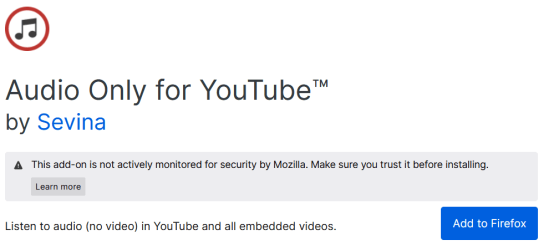
Alternatively, there are browser extensions which do the same thing, so you can experiment with those too. Just make sure whichever ones you try are "actively monitored" by Mozilla (Makers of Firefox), this will ensure you do not download a malicious extension. If they are not actively monitored, you will see the warning:

Addon.png

Any questions just let me know.

Best wishes
Fox Computers

(For any moderators concerned:)
VirusTotal - URL - e72b16b37dad56f50242ddf6f0f9c056829f6b3597c0159a996d49aafc1310eb
VirusTotal - URL - 12cbb01398f8e1179dfc6abcc913b888c129eb9009cada70fab07632b2a4ee32
 

My Computers My Computers

  • At a glance

    Windows 7 Starter SP1
    OS
    Windows 7 Starter SP1
  • Computer type
    PC/Desktop
Hi, Fox computers,
Thanks for your suggestion. Will try.
Hi, Simpilot,
I am waiting your reply for my dxdiag test.
I have not used that before. So, please say. about the memory part of pc
I have raised about successive login bsod alert, ie., the system has recovered from .....etc..
I have posted those in bsod sub forum.
 

My Computer My Computer

At a glance

Microsoft Windows 7 Ultimate 64-bit 7601 Mult...Intel(R) Core(TM)2 Duo CPU E7200 @ 2.53GHz4.00 GBNVIDIA GeForce 210
Computer type
PC/Desktop
Computer Manufacturer/Model Number
custom build
OS
Microsoft Windows 7 Ultimate 64-bit 7601 Multiprocessor Free Service Pack 1
CPU
Intel(R) Core(TM)2 Duo CPU E7200 @ 2.53GHz
Motherboard
To be filled by O.E.M. To be filled by O.E.M.
Memory
4.00 GB
Graphics Card(s)
NVIDIA GeForce 210
Sound Card
(1) NVIDIA High Definition Audio (2) Realtek High Definiti
Screen Resolution
1920 x 1080 x 32 bits (4294967296 colors) @ 60 Hz
Hard Drives
ST3500312CS ATA Device
Think I found your problem. Your CPU is only a dual core E7200. Worse yet, your GPU is very old as well.

Because Firefox in its infinite wisdom launches so many processes, this will choke off your CPU in no time.

Solution? Get a faster computer. At least an i5 with a more modern GPU from this decade.
 

My Computer My Computer

At a glance

Windows 7 Ultimate x64
Computer type
PC/Desktop
OS
Windows 7 Ultimate x64
Hi, Simpilot, Yes, I am trying to switch over to windows 10 with new assembling set with original OS.
Could you give me a link , where i could find the latest compatible individual components , like your recommendation of i5 with other specifications of ram, gpu card etc. It will be useful, when I go and check for individual items to assemble.
I go for assembled set because of cost effective and personal selection.
Could you give that details please.
As a temp measure, I already started using your suggestion of firefox 32 bit.
Your other suggestion of portable, I will try.
Does it need a pendrive exclusively for firefox.I will try it.
thanks .expecting reply
 

My Computer My Computer

At a glance

Microsoft Windows 7 Ultimate 64-bit 7601 Mult...Intel(R) Core(TM)2 Duo CPU E7200 @ 2.53GHz4.00 GBNVIDIA GeForce 210
Computer type
PC/Desktop
Computer Manufacturer/Model Number
custom build
OS
Microsoft Windows 7 Ultimate 64-bit 7601 Multiprocessor Free Service Pack 1
CPU
Intel(R) Core(TM)2 Duo CPU E7200 @ 2.53GHz
Motherboard
To be filled by O.E.M. To be filled by O.E.M.
Memory
4.00 GB
Graphics Card(s)
NVIDIA GeForce 210
Sound Card
(1) NVIDIA High Definition Audio (2) Realtek High Definiti
Screen Resolution
1920 x 1080 x 32 bits (4294967296 colors) @ 60 Hz
Hard Drives
ST3500312CS ATA Device
Solution? Get a faster computer.

I will contest that this is the "solution", more, a kind of disappointing lack of optimism for the OP's hardware...

- - - Updated - - -

Hi jraju,

If you wish to continue to use Firefox in order to view YouTube, I strongly suggest using the "h264ify" extension.

By default, Youtube stream VP8/VP9 videos. Using h264ify would change Youtube to stream H.264 videos instead. Streaming H.264 videos will be much less taxing on your hardware.

The only limitation is that the maximum resolution you will be able to play videos in will be 1080p - but realistically you should not be trying to stream higher resolution than this anyway [On a browser] with your hardware anyway.

h264ify – Get this Extension for 🦊 Firefox (en-GB) (mozilla.org)

(For moderators concerned:
VirusTotal - URL - dd34b1f94ac9213ffd050f467cca660444a7dada8fc477f93f56c75a459fb897)

Be sure to let me know if you try this and see a benefit, alternatively, playing videos (and music using audio mode) through the previously mentioned Invidious.io is less resource demanding than using the full YouTube website.

Fox Computers

- - - Updated - - -

I have further suggestions if you wish to hear just let me know.
 

My Computers My Computers

  • At a glance

    Windows 7 Starter SP1
    OS
    Windows 7 Starter SP1
  • Computer type
    PC/Desktop
Back
Top