7even System partition letter change.

Nonsens

New member
Local time
10:02 AM
Messages
7
Location
Moscow
Hello everyone on theese awesome forums, another troll here! :)

The system:
Drive 1: vista boot loader, vista32, two partitions (vista on C, some stuff on D), both NTFS
drive 2: broken grub loader (never mind actually), one ntfs partition with some porn, games, and other usual stuff ;). named E.

so then, i copy the 7100 x64 distr into my flash drive, boot it, and install our beloved 7even into the drive 2. it does not ask me anything, write its boot loader to drive 1, lets me choose which OS to boot into each time... perfect. BUT(T):
7even named her own partition C, while drive 1 partitions became D and E. i swapped last two easily, using 7even's disk management utility. that's 1 of 3 and that's not enough. i really want 7even's partition to have the same letter as in vista. i even googled it, and didn't find any answers.
7even is still unconfigured, so it would not be a problem to reinstall it.
even more, if it's really necesarry, i can move all of drive 1's data somewhere else, so i can format it.
any help please please? :o
 
Last edited by a moderator:

My Computer My Computer

OS
vista ultimate
Whata drive letter would you like win 7 to have? and vista??

Ken
 

My Computer My Computer

Computer Manufacturer/Model Number
HP Pavillion dv-7 1005 Tx
OS
Win 8 Release candidate 8400
CPU
[email protected]
Memory
4 gigs
Graphics Card(s)
Nvidia 9600M
Sound Card
HD built-in
Monitor(s) Displays
17" Wxga
Screen Resolution
1440x900
Cooling
none
Internet Speed
45Mb down 5Mb up
Basically, i want my seven to be installed on drive 2, with its system partition named "E", just like it is in vista.

once again, if you want:
when i login to vista, i see: drive1{C;D}, drive2{E}, system vista partition is C, and that is RIGHT.
when i login to seven, i see: drive1{E;D}, drive2{C}, system seven partition is C, and that SUCKS.

what i want to see is:
i login to seven, i see drive1{C;D}, drive2{E}, system seven partition is E.
 
Last edited:

My Computer My Computer

OS
vista ultimate
7 sys part

Hey Nonsens

ALL win installs want to install to drive 0 partition 0 and they label it C: thats convention. that being said if there is some reason to want to (like you have vista in C on drive 0) when you boot from the 7 dvd it should ask you where to install ( at least the M$ dvds) and whether you want to upgrade (dont unless you have to) or do a custom install to a partition and give you the choices of where.

Ideally win 7 comes in an image (*.iso) and if you copy separate files you might be missing something on the flash drive.

There are ways to do it BUT WAIT! If you change your boot drive letter or partition it will probably not boot. Be careful. Backup first. One of the apps that will do it is Paragon disk manager suite 2009. There is a trial version but I believe not all the functions are alive in it.

Can you tell me what difference having 7 on E makes to you?

Ken
 

My Computer My Computer

Computer Manufacturer/Model Number
HP Pavillion dv-7 1005 Tx
OS
Win 8 Release candidate 8400
CPU
[email protected]
Memory
4 gigs
Graphics Card(s)
Nvidia 9600M
Sound Card
HD built-in
Monitor(s) Displays
17" Wxga
Screen Resolution
1440x900
Cooling
none
Internet Speed
45Mb down 5Mb up
seems like you got me wrong. my 7even distr were downloaded from microsoft.com, it's perfect. and when i install it, i could only choose the destination partition (the only one on drive2), but could not choose which letter that partition should have, атв that's what i want to change.

you ask why?
because i don't want to have two ridiculously large "program files" folders on two different drives. in current situation, when i login into Seven, i cannot run almost any software from disk1partition1(E), because its internal links are made for disk C (from vista).
and as well, my music player likes the music to be on drive E, while in Seven, the music drive suddenly becomes C.
is my point clear now?

i believe Paragon disk manager will just broke my Seven installation. and re-instalation would not have any positive effect.
 
Last edited:

My Computer My Computer

OS
vista ultimate
I have 4 partitions on a hard drive with three versions of Windows 7 (2 x64 and 1 x86) an a Vista x64. When each of them boot, they become C: and my data is stored on another drive G: so they all can access it. When I first install an operating system, I must relabel the data drive to G: ( I use G:, I don't know why). It all works fine.
 

My Computer My Computer

Computer type
PC/Desktop
Computer Manufacturer/Model Number
Custom Built
OS
Windows 10 Pro x64, Windows 8.1 Pro x64, Windows 7 Ultimate x64 SP1,
CPU
INTEL i9-7920X LGA 2066
Motherboard
Gigabyte X299-WU8 F3
Memory
64 GB (4 X 16 GB) G-Skill V Series DDR4 3200 Quad Channel
Graphics Card(s)
EVGA GTX 1060 SC 3 GB
Sound Card
Realtek Onboard ALC1220
Monitor(s) Displays
2 x Samsung S27E310
Screen Resolution
1920x1080
Hard Drives
Samsung 2 x 970 EVO Plus 500 GB NVMe
1 x 6TB WD 6003FZBX SATA
1 x 6TB WD 60EFRX SATA
12 x 3TB WD 30EFRX SATA
PSU
Seasonic X-1050
Case
Thermaltake Armor+
Cooling
Corsair H80i V2 Liquid AOI Cooler
Keyboard
Logitech G510s
Mouse
Logitech MX Master 2S
Internet Speed
200 Mb/s
Antivirus
ESET NOD32 13.1
Browser
EDGE (Dev, Canary, Beta), Chrome
Other Info
ASUS RT-AC68U router
Malwarebytes 4.0.4
well, all the vista software is hardly movable right now, and its an extensive way to solve the problem anyway. I'd like to find a perfect one.
 

My Computer My Computer

OS
vista ultimate
Although this would be possible in theory I personally believe that the amount of work required to achieve and more importantly to maintain this would be a difficult ongoing task.

This does not involve changing the drive used by the OS but pointing the system to a new location for the program files

The program files folder could be moved by editing the location in the second OS in the registry and as a backup' creating a Junction (symbolic Link) where it normally sits to also point to the new actual location.
This would need to be done before installing any programs, and tricks would be required to move the MS programs installed as part of the OS.

The programs would need to be installed on the second OS or a lot of registry edits performed

Certain programs, (the majority that have a custom install), allow you to specify the install location during setup, so these could be installed to the new location without issue.

The normal installs should work either through the registry changes or the redirect from the junction.

In addition to these changes you may need to do a similar thing to the programdata folders and the user appdata folders

The following link is a good starting point if you wish to investigate these techniques - although unless you are seriously short of disk space I would advise against it

How to move the WinSXS folder in Vista. a Single Point of Contact
 

My Computers My Computers

System One System Two

  • Computer type
    PC/Desktop
    Computer Manufacturer/Model Number
    ChillBlast - Custom to my design
    OS
    Windows 11 Pro x64 [Latest Release and Release Preview]
    CPU
    Ryzen 9 5950X, 3.8 - 5.2 MHz
    Motherboard
    Asus Prime X570-Pro
    Memory
    64GB [2 x 32GB] DDR4 3200MHz
    Graphics Card(s)
    4GB NVIDIA GEFORCE GTX 1650 Ti
    Sound Card
    On-board SPDIF to 5.1 System + HDMI [5.1 system]
    Monitor(s) Displays
    32" UHD 32 Bit HDR Monitor + 43" UHD 4K 32Bit HDR TV
    Screen Resolution
    2 x 3840 x 2160 @60Hz
    Hard Drives
    1TB M2 SSD OS, 500GB Fast Access SSD, 2 x 8TB Data + Various Externals from 1TB to 4TB, 10TB NAS
    PSU
    NZXT C750 80 PLUS Gold 750W Modular PSU
    Case
    Workstation Case [Matt Black]
    Cooling
    NZXT Kraken X63 280mm CPU Cooler +2x Quiet Case fans
    Keyboard
    Logitech Wireless MX Keys & K400 + others
    Mouse
    Logitech Wireless MX Master 3S
    Internet Speed
    920 MB Down 50 MB Up
    Antivirus
    BitDefender Total Security Pro
    Browser
    Chrome (always run latest Non-Beta)
    Other Info
    Also run ...
    Laptop - Quad 8GB - Windows 10 Pro x64
    Nexus 7 Android tablet x2
    Samsung 10.2" tablet
    Blackview TAB 8 4G Android Tablet c/w Keyboard
    Wacom Intuos Pro Medium Pen Pad
    Wacom Intuos Pro Small Pen Pad
    Wacom Expresskeys Remote
    Loopdeck+ Graphics Controller
    Shuttle Pro v2 Control
  • Computer type
    Laptop
    System Manufacturer/Model Number
    Dell XPS 17 10750H
    OS
    Windows 11 Pro x64 Latest RP
    CPU
    Intel I7 10750H 5.0GHz
    Motherboard
    Dell XPS
    Memory
    32GB [2x16GB] DDR4 2933 MHz
    Graphics Card(s)
    nVidia GTX1650Ti 4 GB GDDR6
    Sound Card
    Stock [Realtek] 4 Speaker
    Monitor(s) Displays
    17" IPS UHD+ Infinity Edge Touchscreen
    Screen Resolution
    3840 x 2400
    Hard Drives
    2TB M2 NVMe, 4TB External + various 500GB & 1TB External NVMe (also have access to spinner HDD from
    PSU
    Stock
    Case
    Stock XPS Aluminium & Carbon Fibre
    Cooling
    Stock - Active Fan Control
    Keyboard
    Backlit + Various Logitech
    Mouse
    Stock Track Pad + Logitech MX Trackball
    Internet Speed
    72 MB Down 18MB Up
    Browser
    Chrome
    Other Info
    Also run ...
    Laptop - Quad 8GB - Windows 10 Pro x64
    Nexus 7 Android tablet x2
    10.2" tablet
    Sony Z3 Android Smartphone
    Wacom Intuos Pro Medium Pen Pad
    Wacom Intuos Pro Small Pen Pad
    Wacom Expresskeys Remote
    Loopdeck+ Graphics Controller
    Shuttle Pro v2 Control Pad
    10TB NAS
Looks nice, thank you Barman!
What i am confused about, it that there is no way to just choose the destination partition letter before installing the OS. i clearly remember my last job, where about fifty computers (WinXP i think... maybe 2k) had their whole OS, and all program files on disk D. i hardly believe that admins made all the things you just listed it really looked more like a *very* custom installation. Isn't it possible?
 

My Computer My Computer

OS
vista ultimate
Hi,

There may well be a method of overriding the C when creating a slipstream install which was probably the method used by the admins you mention.

Also I believe if you install a separate install from within an existing install Ie install a separate Windows 7 install by running the setup.exe from within an existing Vista or 7 and selecting a new install not upgrade.

The logic behind this is I believe that as the C: drive is in use by the originating OS it cannot be allocated for the new OS, have not actually tried this so cannot confirm if this actually works with Windows 7 but the theory is at least plausible
 

My Computers My Computers

System One System Two

  • Computer type
    PC/Desktop
    Computer Manufacturer/Model Number
    ChillBlast - Custom to my design
    OS
    Windows 11 Pro x64 [Latest Release and Release Preview]
    CPU
    Ryzen 9 5950X, 3.8 - 5.2 MHz
    Motherboard
    Asus Prime X570-Pro
    Memory
    64GB [2 x 32GB] DDR4 3200MHz
    Graphics Card(s)
    4GB NVIDIA GEFORCE GTX 1650 Ti
    Sound Card
    On-board SPDIF to 5.1 System + HDMI [5.1 system]
    Monitor(s) Displays
    32" UHD 32 Bit HDR Monitor + 43" UHD 4K 32Bit HDR TV
    Screen Resolution
    2 x 3840 x 2160 @60Hz
    Hard Drives
    1TB M2 SSD OS, 500GB Fast Access SSD, 2 x 8TB Data + Various Externals from 1TB to 4TB, 10TB NAS
    PSU
    NZXT C750 80 PLUS Gold 750W Modular PSU
    Case
    Workstation Case [Matt Black]
    Cooling
    NZXT Kraken X63 280mm CPU Cooler +2x Quiet Case fans
    Keyboard
    Logitech Wireless MX Keys & K400 + others
    Mouse
    Logitech Wireless MX Master 3S
    Internet Speed
    920 MB Down 50 MB Up
    Antivirus
    BitDefender Total Security Pro
    Browser
    Chrome (always run latest Non-Beta)
    Other Info
    Also run ...
    Laptop - Quad 8GB - Windows 10 Pro x64
    Nexus 7 Android tablet x2
    Samsung 10.2" tablet
    Blackview TAB 8 4G Android Tablet c/w Keyboard
    Wacom Intuos Pro Medium Pen Pad
    Wacom Intuos Pro Small Pen Pad
    Wacom Expresskeys Remote
    Loopdeck+ Graphics Controller
    Shuttle Pro v2 Control
  • Computer type
    Laptop
    System Manufacturer/Model Number
    Dell XPS 17 10750H
    OS
    Windows 11 Pro x64 Latest RP
    CPU
    Intel I7 10750H 5.0GHz
    Motherboard
    Dell XPS
    Memory
    32GB [2x16GB] DDR4 2933 MHz
    Graphics Card(s)
    nVidia GTX1650Ti 4 GB GDDR6
    Sound Card
    Stock [Realtek] 4 Speaker
    Monitor(s) Displays
    17" IPS UHD+ Infinity Edge Touchscreen
    Screen Resolution
    3840 x 2400
    Hard Drives
    2TB M2 NVMe, 4TB External + various 500GB & 1TB External NVMe (also have access to spinner HDD from
    PSU
    Stock
    Case
    Stock XPS Aluminium & Carbon Fibre
    Cooling
    Stock - Active Fan Control
    Keyboard
    Backlit + Various Logitech
    Mouse
    Stock Track Pad + Logitech MX Trackball
    Internet Speed
    72 MB Down 18MB Up
    Browser
    Chrome
    Other Info
    Also run ...
    Laptop - Quad 8GB - Windows 10 Pro x64
    Nexus 7 Android tablet x2
    10.2" tablet
    Sony Z3 Android Smartphone
    Wacom Intuos Pro Medium Pen Pad
    Wacom Intuos Pro Small Pen Pad
    Wacom Expresskeys Remote
    Loopdeck+ Graphics Controller
    Shuttle Pro v2 Control Pad
    10TB NAS
Hi,

Just to confirm what Barman58 said, if you install 7 from within an existing o/s - using a virtual drive , it will take the next available letter and not assign itself C.
 

My Computers My Computers

System One System Two

  • Computer type
    PC/Desktop
    OS
    7 X64
    CPU
    i5 8400
    Motherboard
    gigabyte b365m ds3h
    Memory
    2x8gb 3200mhz
    Hard Drives
    various
    PSU
    pure power 11 400w cm
    Case
    Coolermaster
    Cooling
    cryorig m9i
  • Computer type
    PC/Desktop
    OS
    7x64
    CPU
    g5400
    Motherboard
    ga b365m ds3h
    Memory
    8gb ddr4 2400
    PSU
    xfx pro 450w
Looks nice, thank you Barman!
What i am confused about, it that there is no way to just choose the destination partition letter before installing the OS. i clearly remember my last job, where about fifty computers (WinXP i think... maybe 2k) had their whole OS, and all program files on disk D. i hardly believe that admins made all the things you just listed it really looked more like a *very* custom installation. Isn't it possible?

Yes, it is possible in a large scale environment, they just performed the above tasks once (for each PC MFG type), took an Image, and imaged all the PC's. You should have one Programs file folder per OS-installed partition. Going against this grain would be, as said, difficult to maintain for an extended period of time.
 

My Computer My Computer

Computer Manufacturer/Model Number
Myself
OS
Windows 7 64bit Ultimate Build 7268.0.090701-1900
CPU
Quad CPU Q6600 @ 2.4GHz
Memory
4GB 6400 Dual Channel
Graphics Card(s)
1GB DDR3 x16 + 512mb ddr2 x1
Sound Card
I dunno, but it puts out a good 7.1 sur through the fiber :D
Monitor(s) Displays
Quad-Monitor display (check out the photo)
Screen Resolution
1200x1600
Hard Drives
(2 x 1TB) + (1 x 500Gb)

tip: Always run your OS on a small Disk with away from your large storage files, and make sure theirs plenty of Cache (32mb recommnded).
PSU
1000w
Case
a block of wood
Cooling
Intel Standard. tip: Dont overclock with beta win7...
Internet Speed
15meg
Basically, i want my seven to be installed on drive 2, with its system partition named "E", just like it is in vista.

once again, if you want:
when i login to vista, i see: drive1{C;D}, drive2{E}, system vista partition is C, and that is RIGHT.
when i login to seven, i see: drive1{E;D}, drive2{C}, system seven partition is C, and that SUCKS.

what i want to see is:
i login to seven, i see drive1{C;D}, drive2{E}, system seven partition is E.

If you will change the HD so as Win7 (intsall to E:) is not on the same HD as Vista.
Vista will remain C:\ and Win7 will remain E:\

As you can see; C:\ is Vista and will remain that way untill I DELETE Vista.
L:\ will remain Win 7 untill I change that by removing Vista, then change my Boot drive to L:\ where it then will be master Boot drive, which will then become C:\ unless I want it to remain L:\ My mobo is a ASRock where I have the option using F10 to change my DEVICEs sequence to fit
how I boot.

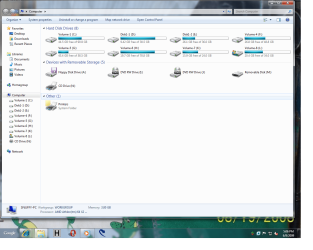
N:\ Printer, Scanner MFC M:\ is empty card reader. Version is Win7 Ultimate 7137 which has been removed from lower right hand corner.
 

Attachments

  • Snuffys system.png
    Snuffys system.png
    112.7 KB · Views: 43
You may have answered this, but when you go to:

'Computer Management' -> storage -> Disk Management -> Right click (C: ) -> Change Drive letter and paths -> Change -> D:

Does this work for what you need?
 
Last edited:

My Computer My Computer

Computer Manufacturer/Model Number
Myself
OS
Windows 7 64bit Ultimate Build 7268.0.090701-1900
CPU
Quad CPU Q6600 @ 2.4GHz
Memory
4GB 6400 Dual Channel
Graphics Card(s)
1GB DDR3 x16 + 512mb ddr2 x1
Sound Card
I dunno, but it puts out a good 7.1 sur through the fiber :D
Monitor(s) Displays
Quad-Monitor display (check out the photo)
Screen Resolution
1200x1600
Hard Drives
(2 x 1TB) + (1 x 500Gb)

tip: Always run your OS on a small Disk with away from your large storage files, and make sure theirs plenty of Cache (32mb recommnded).
PSU
1000w
Case
a block of wood
Cooling
Intel Standard. tip: Dont overclock with beta win7...
Internet Speed
15meg
You really should go ahead and reinstall the programs through seven and not try to reuse them from the vista install.

Drive lettering is relative to the OS installed.
 

My Computer My Computer

OS
7264x64/7260x86
And what a nice orgy it could have been...

ok then, ill try to move everything to win7. btw, are you sure i won't have to re-install it after release?

oh, and a new idea! just wondering...
it it possible to make a virtual drive, hard-linked to another one? for example, drive X, mapped to disk1partition1, so that if i click on it, i see disc C, but named X? basically, its like assigning two letters to one drive - one actual (unchangeable), one dynamical. And if that possible, we can come to the next situation (let's forget the already existing software for now):

when i login to vista, i see: drive1{C and X;D}, drive2{E}, system vista partition is C, all the software were installed with the X letter.
when i login to seven, i see: drive1{X;D}, drive2{C and E}, system seven partition is C

and a thing about software options - we can also map the %userprofile% win7 link to the disk X, no?

i know i'm crazy, thank you ;)
 

My Computer My Computer

OS
vista ultimate
Not sure what exactly you want to do with his (or even if this still works in Windows 7 :o ), but Windows has always had the "Subst" command which allows you to assign a drive letter to a folder either try Subst /? in a command prompt or have a look here ...

Map a Drive Letter to a Folder the Easy Way in Windows :: the How-To Geek

Edit
The command is present in 7 :D but I think it may only work in a command prompt :(

The application works in 7 in the GUI :D
 

My Computers My Computers

System One System Two

  • Computer type
    PC/Desktop
    Computer Manufacturer/Model Number
    ChillBlast - Custom to my design
    OS
    Windows 11 Pro x64 [Latest Release and Release Preview]
    CPU
    Ryzen 9 5950X, 3.8 - 5.2 MHz
    Motherboard
    Asus Prime X570-Pro
    Memory
    64GB [2 x 32GB] DDR4 3200MHz
    Graphics Card(s)
    4GB NVIDIA GEFORCE GTX 1650 Ti
    Sound Card
    On-board SPDIF to 5.1 System + HDMI [5.1 system]
    Monitor(s) Displays
    32" UHD 32 Bit HDR Monitor + 43" UHD 4K 32Bit HDR TV
    Screen Resolution
    2 x 3840 x 2160 @60Hz
    Hard Drives
    1TB M2 SSD OS, 500GB Fast Access SSD, 2 x 8TB Data + Various Externals from 1TB to 4TB, 10TB NAS
    PSU
    NZXT C750 80 PLUS Gold 750W Modular PSU
    Case
    Workstation Case [Matt Black]
    Cooling
    NZXT Kraken X63 280mm CPU Cooler +2x Quiet Case fans
    Keyboard
    Logitech Wireless MX Keys & K400 + others
    Mouse
    Logitech Wireless MX Master 3S
    Internet Speed
    920 MB Down 50 MB Up
    Antivirus
    BitDefender Total Security Pro
    Browser
    Chrome (always run latest Non-Beta)
    Other Info
    Also run ...
    Laptop - Quad 8GB - Windows 10 Pro x64
    Nexus 7 Android tablet x2
    Samsung 10.2" tablet
    Blackview TAB 8 4G Android Tablet c/w Keyboard
    Wacom Intuos Pro Medium Pen Pad
    Wacom Intuos Pro Small Pen Pad
    Wacom Expresskeys Remote
    Loopdeck+ Graphics Controller
    Shuttle Pro v2 Control
  • Computer type
    Laptop
    System Manufacturer/Model Number
    Dell XPS 17 10750H
    OS
    Windows 11 Pro x64 Latest RP
    CPU
    Intel I7 10750H 5.0GHz
    Motherboard
    Dell XPS
    Memory
    32GB [2x16GB] DDR4 2933 MHz
    Graphics Card(s)
    nVidia GTX1650Ti 4 GB GDDR6
    Sound Card
    Stock [Realtek] 4 Speaker
    Monitor(s) Displays
    17" IPS UHD+ Infinity Edge Touchscreen
    Screen Resolution
    3840 x 2400
    Hard Drives
    2TB M2 NVMe, 4TB External + various 500GB & 1TB External NVMe (also have access to spinner HDD from
    PSU
    Stock
    Case
    Stock XPS Aluminium & Carbon Fibre
    Cooling
    Stock - Active Fan Control
    Keyboard
    Backlit + Various Logitech
    Mouse
    Stock Track Pad + Logitech MX Trackball
    Internet Speed
    72 MB Down 18MB Up
    Browser
    Chrome
    Other Info
    Also run ...
    Laptop - Quad 8GB - Windows 10 Pro x64
    Nexus 7 Android tablet x2
    10.2" tablet
    Sony Z3 Android Smartphone
    Wacom Intuos Pro Medium Pen Pad
    Wacom Intuos Pro Small Pen Pad
    Wacom Expresskeys Remote
    Loopdeck+ Graphics Controller
    Shuttle Pro v2 Control Pad
    10TB NAS
lol, i have really forgotten how the subst command work :)
awesome. now all i have to do is to autorun "subst x: c:/" before any other autoruns happen. lets see how it works!

anyone knows what will happen if i install a program on that drive?
 
Last edited:

My Computer My Computer

OS
vista ultimate
Back
Top