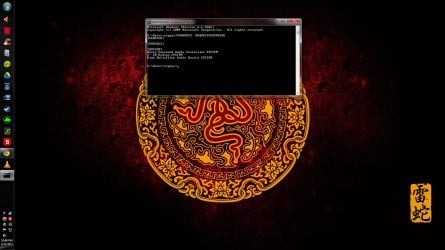
Hello all and if you can please help me out. I know what is causing this issue i love watching streaming movies and usually go to sleep with one on. Sometimes my PC will go to sleep other times not. Ok so i was trying to fix it so audio stream won't interfere with sleep mode which i have set to 2 hrs, average length of a movie. I have two part question for people who know what to do please. First off my PC info is on my profile for this site. I use chrome browser in case that is relevant. I was trying to do powercfg -requestsoverride i attached 2 screenshots on this thread before and after. It did not work so the exact command was
powercfg -REQUESTSOVERRIDE DRIVER Realtek High Definition Audio SYSTEM. As you can see in 1st screenshot this is what came up as causing this sleep issue. After cmd i ended up with 2nd screenshot override which did not override issue so my first question is how to remove this override LOL. Second being what would be the correct override to enter to prevent it from sleeping from audio stream. I tried to re enter original cmd to turn off override but it did not work.
powercfg -REQUESTSOVERRIDE DRIVER Realtek High Definition Audio SYSTEM. As you can see in 1st screenshot this is what came up as causing this sleep issue. After cmd i ended up with 2nd screenshot override which did not override issue so my first question is how to remove this override LOL. Second being what would be the correct override to enter to prevent it from sleeping from audio stream. I tried to re enter original cmd to turn off override but it did not work.
Attachments


My Computer
At a glance
Windows 7 Home Premium 64bitProcessor Intel(R) Core(TM) i7-3770K CPU @ 3....Installed Physical Memory (RAM) 16.0 GBNvidia GTX 670
- Computer type
- PC/Desktop
- Computer Manufacturer/Model Number
- custom build
- OS
- Windows 7 Home Premium 64bit
- CPU
- Processor Intel(R) Core(TM) i7-3770K CPU @ 3.50GHz, 3501 Mhz
- Motherboard
- ASRock Z77 extreme6/4tb
- Memory
- Installed Physical Memory (RAM) 16.0 GB
- Graphics Card(s)
- Nvidia GTX 670
- Hard Drives
- Samsung Electronics 840 Pro Series
WDC1002FAEX-0
- Antivirus
- Bitdefender 2015 Total Security
- Browser
- Chrome