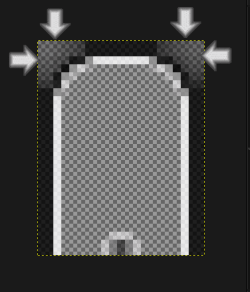
I'm new to theme editing and I've been tinkering around with VistaStyleBuilder.
1. Where can I change the window corners? Mine're a little messed-up; the color, blur, and shadow only extend to a rounded portion.
http://img33.imageshack.us/img33/150/screendb.png
2. Where can I specify the width of the window frames and the extent of the blur effect? Would it be possible to remove window borders completely?
3. Is it at all possible to remove the titlebar on all windows (or take ~30 pixels off the top)?
4. Oh, and a question unrelated to window borders: How do I change the color of the taskbar icon progress indicator (e.g. the one that shows up when you're transferring a file).
Thanks in advance!
1. Where can I change the window corners? Mine're a little messed-up; the color, blur, and shadow only extend to a rounded portion.
http://img33.imageshack.us/img33/150/screendb.png
2. Where can I specify the width of the window frames and the extent of the blur effect? Would it be possible to remove window borders completely?
3. Is it at all possible to remove the titlebar on all windows (or take ~30 pixels off the top)?
4. Oh, and a question unrelated to window borders: How do I change the color of the taskbar icon progress indicator (e.g. the one that shows up when you're transferring a file).
Thanks in advance!
Last edited:
My Computer
- Computer Manufacturer/Model Number
- Dell Inspiron 1420
- OS
- Windows 7 Enterprise SP1 x64
- CPU
- Intel Core 2 Duo T7300 2GHz
- Memory
- 3GB
- Graphics Card(s)
- GeForce 8400M GS
- Screen Resolution
- 1440x900