- Local time
- 6:17 PM
- Messages
- 221
I finally got around to setting up my capture card and I use Windows Media Center to watch TV cuz the Pinnacle program that comes with it is terrible and fails all the time. I got everything running pretty smoothly except a few things. One, how can I change the directory of where it saves recorded TV? The only options I saw were to change the drive itself or to add folders for it to search for media files. I can't physically make it store the records in, say MY VIDEOS... I'd rather have them in there than in the "Public" shared folder.. But it's no big deal; I'll live.
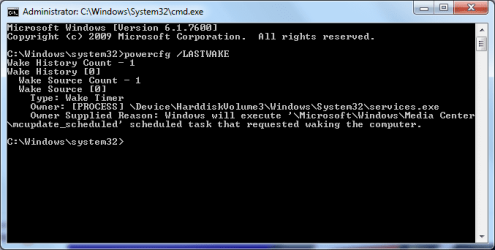
Another thing is putting it to sleep. I did a few experiments, setting a recorded scheduling and put the computer to sleep. If the schedule is like 10 or more minutes away (I think), it'll go to sleep and it'll turn on automatically like 5 minutes before the schedule, record, but won't go back to sleep! I waited like 20 or so minutes AFTER the scheduled recording was supposed to be done. ...And I just checked right now... and it didn't record anything, even though it woke up from sleep automatically 5 minutes before the scheduled recording.
If the scheduled recording is less than 10 minutes away, and I put it to sleep, it won't sleep. The monitor will show a black screen and the computer will just remain on. And if I move the mouse or press a key on the keyboard, it'll wake it up completely (which it shouldn't in the first place, since I have it set so that the mouse or keyboard can't wake up the computer in case I accidentally bump into it).
Can anyone help me out here, please? (The exact model of my capture card is listed in my system specs, just in case).
Another thing is putting it to sleep. I did a few experiments, setting a recorded scheduling and put the computer to sleep. If the schedule is like 10 or more minutes away (I think), it'll go to sleep and it'll turn on automatically like 5 minutes before the schedule, record, but won't go back to sleep! I waited like 20 or so minutes AFTER the scheduled recording was supposed to be done. ...And I just checked right now... and it didn't record anything, even though it woke up from sleep automatically 5 minutes before the scheduled recording.
If the scheduled recording is less than 10 minutes away, and I put it to sleep, it won't sleep. The monitor will show a black screen and the computer will just remain on. And if I move the mouse or press a key on the keyboard, it'll wake it up completely (which it shouldn't in the first place, since I have it set so that the mouse or keyboard can't wake up the computer in case I accidentally bump into it).
Can anyone help me out here, please? (The exact model of my capture card is listed in my system specs, just in case).
My Computer
- Computer type
- Laptop
- Computer Manufacturer/Model Number
- Sager NP2650 (Clevo W650SZ) - Custom Built
- OS
- Windows 7 Ultimate 64 bit (6.1, Build 7601) Service Pack 1
- CPU
- Intel Core i7 (4700MQ, 2.4Ghz-3.4Ghz, 6MB Cache - Haswell)
- Memory
- 16GB (DDR3 1600MHz Dual Channel Memory - 2 SODIMMS)
- Graphics Card(s)
- Intel HD 4600 Graphics
- Sound Card
- Sound Blaster Compatible 3D Audio
- Monitor(s) Displays
- 15.6” LED IPS, Super Clear Matte
- Screen Resolution
- 1920x1080p
- Hard Drives
- Crucial m4 128GB SSD [mSATA - 128MB L2 Cache] (CT128M4SSD3) | Samsung 860 EVO 1TB SSD [SATA 6Gb/s] (MZ-76E1T0B/AM) | Seagate Momentus 750GB HDD [SATA 3Gb/s, 7200RPM, 16MB Cache] | Western Digital Caviar Black 1TB HDD [SATA 3Gb/s, 7200RPM, 32MB Cache]
- Cooling
- Stock OEM Thermal Compound
- Keyboard
- Standard Sager/Clevo Non Chiclet Keyboard
- Mouse
- Microsoft Wireless Mobile Mouse 4000
- Antivirus
- Microsoft Security Essentials
- Browser
- Google Chrome | Firefox/Waterfox | Opera
- Other Info
- Built-in 802.11 Wireless B/G/N - Stock Wireless Card + Bluetooth™ 4.0 | Internal 9-in-1 Card Reader (MMC/RSMMC/SD/Mini SD/SDHC/SDXC/MS/MS Pro/MS Duo) | Built in 2.0 Megapixel Camera | Rosewill RX-358-S BLACK 3.5" SATA to eSATA External Enclosure with Internal 80mm fan