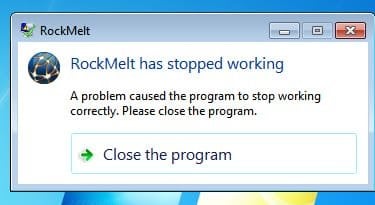
A problem caused the program to stop working correctly. Please close t

Hello AdeelMushtaq and welcome to Seven Forums.

Sometimes all it takes is a reboot of your computer to solve those annoying "program stopped working" error messages. If the problem continues and RockMelt keeps crashing, I'd suggest following the instructions on how to report it to RockMelt.

RockMelt | RockMelt keeps crashing (on Windows)-

And here are some additional FAQs that may help.

RockMelt Help and Support
 

My Computer

Computer type
Laptop
Computer Manufacturer/Model Number
Sony Vaio VPCEB47GM Laptop
OS
Win 7 Pro 64-bit
CPU
Intel i5 2.4 Ghz
Memory
8GB DDR3
Graphics Card(s)
Intel HD 3000
Sound Card
IDT High Definition
Monitor(s) Displays
15.6 WGXA Anti-Glare LED
Screen Resolution
1280x800
Hard Drives
640Gb 7200rpm
Antivirus
MSE
Browser
Opera (primary) with IE9 backup
Every time i turn on my laptop a message appears saying 'start up launch has failed' also when i open certain programs i get the message 'program has stopped working' ive tried to re-install the program but it hasnt solved the problem.
 

My Computer

OS
windows 7 home prepium
Back
Top
